Pairing your Jeep garage door opener can make daily life smoother. Imagine driving up, tapping a button, and watching your garage door glide open—no more searching for remotes or getting out in the rain. Most modern Jeep vehicles come with a built-in system called HomeLink. This built-in feature helps you connect your vehicle to your garage door or gate, giving you seamless access with a button press. But for many owners, setting up this system feels confusing. In this guide, you’ll learn exactly how to pair your Jeep’s garage door opener, what steps to follow, and how to avoid common mistakes.
Understanding Jeep’s Garage Door Opener System
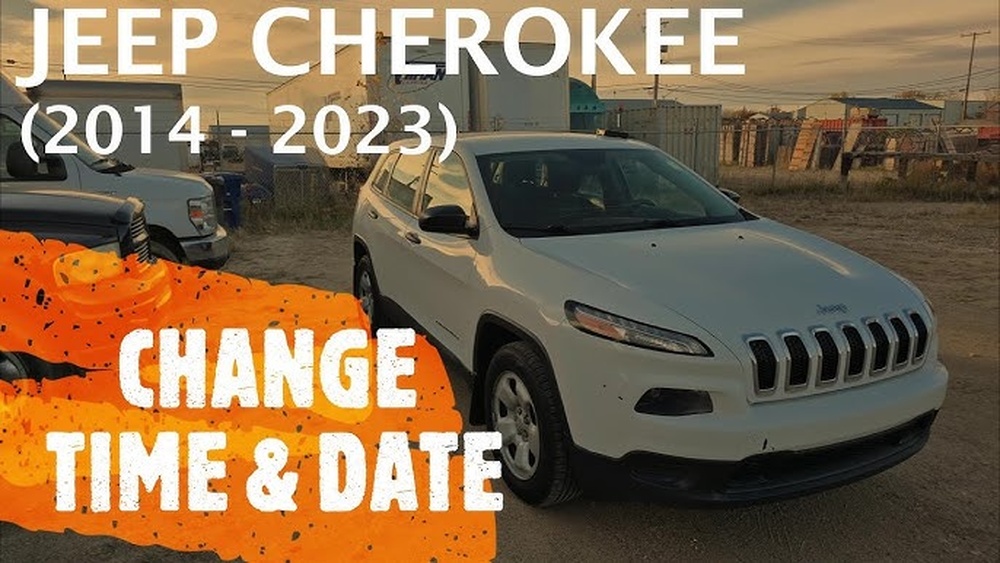
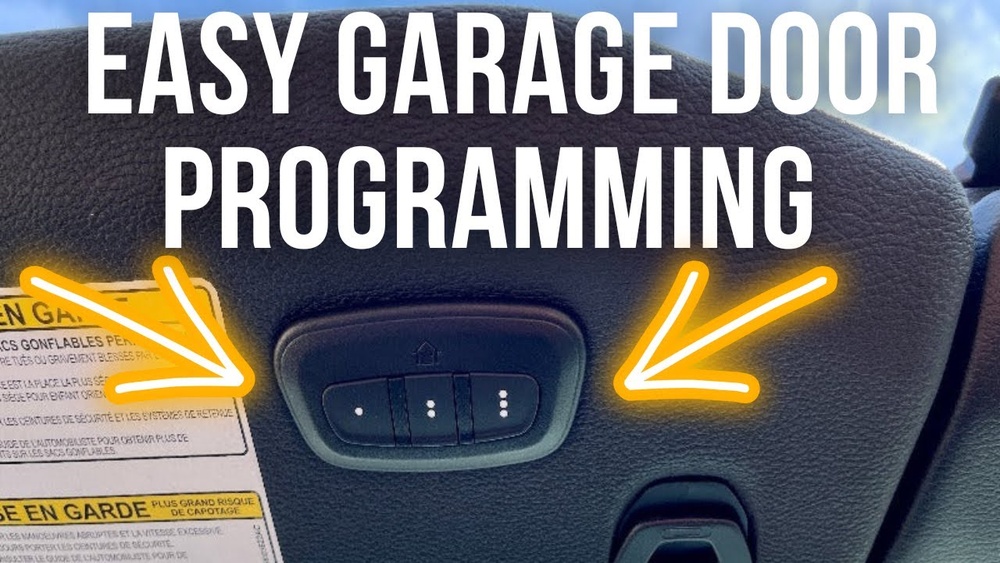
Most recent Jeep models (like the Grand Cherokee, Wrangler, and Cherokee) use the HomeLink system. HomeLink is a universal transmitter built into the car, usually on the sun visor, ceiling, or rearview mirror. It can work with most garage door openers, but some older or rare systems might need extra steps.
Why does this matter? Because the pairing process can be different depending on your garage door opener’s type. There are two main types:
- Fixed code: Older systems, usually before 1996, use a set code.
- Rolling code: Newer systems use changing codes for better security.
To check your opener type, look at the garage door motor unit. If it has a “Learn” or “Smart” button, it’s usually rolling code.
What You Need Before Pairing
Before you start, gather these items:
- Your Jeep vehicle with HomeLink.
- Your garage door opener remote (working and with fresh batteries).
- A ladder (if you need to reach the garage door motor’s Learn button).
Pro tip: Park your Jeep outside the garage during setup. The door may move during programming.
Step-by-step Guide: Pairing Your Jeep Garage Door Opener
Let’s break down the process into simple steps. This approach works for most Jeep models made after 2008.
1. Clear Previous Homelink Codes (if Needed)
If your Jeep is new to you, or you want to start fresh, it’s smart to erase old codes:
- Turn the ignition to ON (do not start the engine).
- Press and hold the two outer HomeLink buttons (usually the 1st and 3rd) for about 20 seconds.
- When the indicator light flashes quickly, release the buttons.
2. Train Homelink With Your Remote
- Hold your garage door remote 1–3 inches from the HomeLink buttons.
- Choose the button you want to use (1, 2, or 3).
- Press and hold both the chosen HomeLink button and your remote button at the same time.
- Watch for the HomeLink indicator light:
- Solid light: Training is successful.
- Flashing light: Go to the next step (often means you have a rolling code opener).
3. Pair With The Garage Door Motor (rolling Code Only)
If your opener uses a rolling code, you’ll need to sync with the opener:
- Climb your ladder and locate the Learn or Smart button on the garage door motor.
- Press and release the Learn button. You usually have 30 seconds to finish.
- Return to your Jeep and press the programmed HomeLink button 2-3 times (hold for 2 seconds each).
- The garage door should move—this means pairing is complete.
4. Test And Repeat
Test your HomeLink button by pressing it once. The garage door should open or close. Repeat the process for other buttons if you want to program more doors or gates.
Common Issues And How To Fix Them
Even when you follow every step, things can go wrong. Here’s how to handle common problems:
Homelink Won’t Learn My Remote
- Check your remote battery—it must be strong.
- Make sure you’re holding the remote close to the HomeLink button.
- Some remotes use “encrypted” signals. In rare cases, you may need a HomeLink bridge adapter.
Door Doesn’t Move After Programming
- You might have missed the 30-second window after pressing the Learn button.
- Try repeating the steps, pressing the HomeLink button more slowly.
- Confirm you chose the right button on both HomeLink and your remote.
Indicator Light Patterns
Understanding HomeLink indicator lights can help you troubleshoot.
| Indicator Light | Meaning |
|---|---|
| Solid | Code accepted, fixed code opener |
| Flashing | Ready for rolling code programming |
| Rapid Flashing | Erasing memory or error |

When You Need Extra Help
Some garage door openers—especially very old or new “smart” models—may require extra steps. Check your opener’s brand and model. For example, Chamberlain, LiftMaster, and Genie often use rolling codes, but some older units do not. If your opener is Wi-Fi enabled, consult the manufacturer’s website or manual for specific steps.
A small percentage of Jeep and garage door combos need a HomeLink Compatibility Bridge. This is a special device that helps connect newer openers with HomeLink. If your system still won’t pair, consider this option.
Comparing Jeep Models And Homelink Locations
Not all Jeeps place the HomeLink buttons in the same spot. Here’s a quick look at popular models:
| Jeep Model | HomeLink Location |
|---|---|
| Grand Cherokee | Overhead console |
| Wrangler | Sun visor |
| Cherokee | Rearview mirror |
| Compass/Renegade | Optional, usually overhead |
Knowing where your HomeLink is saves time during setup.

Safety Tips For Programming
- Always keep your vehicle in park while programming.
- Do not stand under the garage door during testing.
- If your door moves when you don’t expect it, stop immediately and check your setup.
Key Differences: Fixed Code Vs. Rolling Code
Understanding your garage door opener type is important. Here’s a quick comparison:
| Feature | Fixed Code | Rolling Code |
|---|---|---|
| Common Years | Before 1996 | After 1996 |
| Security | Lower | Higher |
| Pairing Steps | Simpler | Needs Learn button sync |
If you’re unsure, check the opener’s manual or the official HomeLink programming page.

Frequently Asked Questions
How Many Garage Doors Can My Jeep’s Homelink Control?
Most Jeeps with HomeLink can control up to three doors or gates. Each button is programmable for a different device.
Do I Need To Reprogram Homelink After A Battery Change?
No, HomeLink stores codes in non-volatile memory. Battery changes or disconnecting your Jeep’s battery should not erase your programming.
Can I Program My Jeep Homelink Without The Remote?
Usually, you need the original remote for training. Some newer openers allow direct programming, but a remote makes the process much easier.
My Garage Door Opener Is Very Old. Will It Work?
If your opener is from before 1996 and doesn’t use a rolling code, it likely works. For very old or rare brands, check for compatibility with HomeLink.
Where Can I Get More Help If Pairing Fails?
Consult your Jeep owner’s manual or the HomeLink website. Some dealers can assist, and many garage door opener brands have customer support lines.
Pairing your Jeep garage door opener is easier when you know the steps and understand common pitfalls. With these instructions, you can enjoy effortless access to your garage—no more juggling remotes or keys.