Connecting Bluetooth in your Jeep is more than just syncing your phone—it’s about safer driving, hands-free calls, and easy music streaming. For many Jeep owners, Bluetooth can seem confusing, especially when the steps differ between models. But once you know the process, connecting is quick and simple. This guide walks you through every step, shares practical tips, and highlights common mistakes. Whether you drive a Jeep Wrangler, Cherokee, or another model, you’ll find clear instructions here.
Understanding Jeep Bluetooth Features
Jeep vehicles have offered Bluetooth since the mid-2000s. Most modern Jeeps use Uconnect, an infotainment system that controls Bluetooth and other functions. Older Jeeps may have simpler radio systems or aftermarket devices. Here’s a quick overview:
| Jeep Model | Bluetooth Type | Key Features |
|---|---|---|
| Wrangler (2011+) | Uconnect | Hands-free calling, audio streaming |
| Cherokee (2014+) | Uconnect | Voice commands, text reply |
| Grand Cherokee (2011+) | Uconnect | Navigation, advanced audio |
| Older Models | Basic/Aftermarket | Limited functions |
If your Jeep has Uconnect, connecting Bluetooth is straightforward. If not, you might need a plug-in adapter.
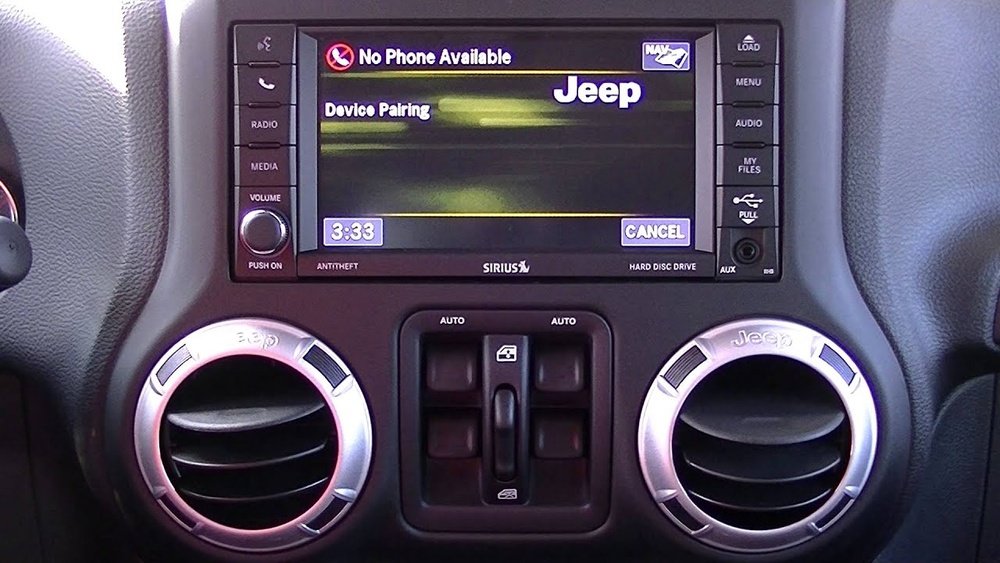
Step-by-step: How To Connect Bluetooth In Your Jeep
Follow these steps to connect your phone to your Jeep’s Bluetooth system:
- Prepare Your Device
- Turn on your phone’s Bluetooth.
- Make sure your phone is visible (discoverable) to other devices.
- Start Your Jeep
- Power on the ignition but keep the vehicle in park.
- Some Jeeps require the engine to be running.
- Access Uconnect or Radio Menu
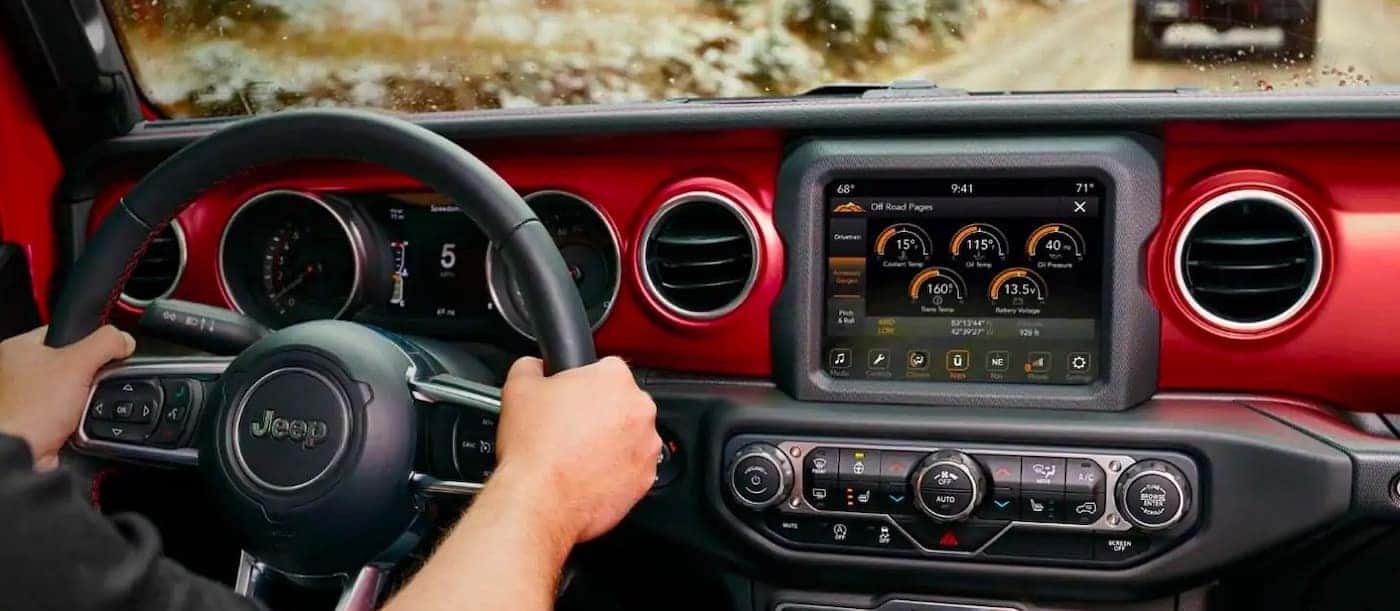
- On Uconnect: Press the Phone or Media button on your Jeep’s touchscreen or dashboard.
- On basic radios: Look for a Bluetooth or Phone button.
- Begin Pairing Process
- On the screen, select “Pair a Device” or “Add Device.”
- Your Jeep system will search for nearby Bluetooth devices.
- Select Your Jeep on Your Phone
- On your phone’s Bluetooth list, find your Jeep’s name (e.g., “Uconnect” or “Jeep”).
- Tap to connect.
- Enter PIN or Confirm Code
- Most Jeeps show a 4-digit PIN or pairing code.
- Enter this on your phone if prompted, or confirm the code matches.
- Complete Pairing
- Wait for confirmation. Your phone may ask for permissions (contacts, messages).
- Accept permissions for full features.
Here’s a comparison of the pairing steps for different Jeep models:
| Model | Main Menu Button | Pairing Option | PIN Needed |
|---|---|---|---|
| Wrangler (Uconnect) | Phone | Add Device | Yes |
| Cherokee (Uconnect) | Media | Pair Device | Yes |
| Older Radio | Bluetooth | Pair Device | No/Yes |
Common Problems And Solutions
Bluetooth pairing sometimes fails. Here’s how to fix frequent issues:
- Device Not Found
Make sure Bluetooth is active on both your phone and Jeep. Move closer to the dashboard.
- Pairing Code Doesn’t Match
Cancel the pairing and restart. Codes must match exactly.
- Can’t Stream Music
Some older Jeeps only support calls. Check your owner’s manual or upgrade your radio.
- Call Audio Not Working
Enable permission for calls and contacts on your phone. Restart both devices if needed.
- Multiple Devices
If you want to connect two phones, set one as “primary. ” Your Jeep usually remembers the last connected device.
Tips For Reliable Bluetooth Connection
Connecting is easy, but staying connected is harder. Here are some tips:
- Keep your phone’s Bluetooth updated.
- Delete old paired devices if your Jeep’s memory is full (usually max 8 devices).
- If you switch phones often, clear the Jeep’s pairing history and start fresh.
- Don’t use cheap aftermarket adapters—they often cause connection drops.
Many Jeep owners forget to update their Uconnect software. An old system can cause pairing issues. Check your Jeep’s manual or visit the official Jeep website for software updates.
Advanced Features: Voice Commands And Messaging
Jeep’s Uconnect offers more than just audio:
- Voice Calls
Press the Voice button and say commands like “Call Mike” or “Dial 123456789.”
- Text Reply
Some models allow hands-free reply to texts. Follow on-screen prompts.
- Music Control
Use voice commands to play songs, change radio stations, or adjust volume.
Not all features work on every phone or Jeep model. Newer iPhones and Android devices usually work best. Always test after pairing.
Safety And Statistics
Using Bluetooth cuts distraction by letting you keep your hands on the wheel. According to the National Highway Traffic Safety Administration, hands-free systems reduce crash risk by about 20% compared to holding a phone.
Here’s a quick data table on safety and usage:
| Feature | Impact | Statistics |
|---|---|---|
| Hands-free Calling | Lower distraction | 20% crash risk reduction |
| Voice Control | Improved focus | 30% faster response |
| Music Streaming | Convenience | 80% of drivers use |
Frequently Asked Questions
How Many Devices Can I Connect To My Jeep Bluetooth?
Most Jeeps allow up to 8 devices paired at once. Only one can be active for calls or music at a time.
What Should I Do If My Phone Won’t Pair?
Restart both your phone and Jeep system. Make sure Bluetooth is enabled and visible. If problems continue, delete old devices and try again.
Can I Connect Bluetooth Without Uconnect?
Yes, but features are limited. Basic radios may allow calls but not audio streaming. Aftermarket adapters can add Bluetooth, but quality varies.
Does Bluetooth Affect Battery Life In My Jeep?
Bluetooth itself uses very little battery. However, streaming music or frequent pairing may cause small increases in power usage.
How Do I Update My Jeep’s Bluetooth Software?
Check your Jeep’s manual for steps. Usually, updates are done via USB or at the dealer. For more details, visit Jeep Uconnect.
Connecting Bluetooth in your Jeep is a smart move for safety and convenience. With these steps and tips, you’ll enjoy seamless hands-free driving, clear music streaming, and easy access to calls.
If you face problems, remember to update your software and follow troubleshooting steps.
Enjoy your drive now with Bluetooth making every trip easier.