Keeping your Jeep Grand Cherokee’s maps up to date is more important than ever. Outdated maps can lead you down the wrong road, miss new highways, or send you on longer routes. With construction, new businesses, and changing traffic patterns, a current navigation system can save you time and frustration. Here’s a clear, step-by-step guide on how to update maps on your Jeep Grand Cherokee, which options you have, common mistakes to avoid, and answers to frequent questions.
Why Map Updates Matter
Many drivers overlook navigation updates. In reality, road networks change constantly. According to the U.S. Department of Transportation, over 40,000 miles of road are changed or added every year. Relying on old maps can cause missed turns, delays, and even safety issues if your route isn’t accurate.
Older maps may not show new speed limits, traffic lights, or one-way streets. Updated navigation ensures you get the most efficient, accurate routes wherever you drive.
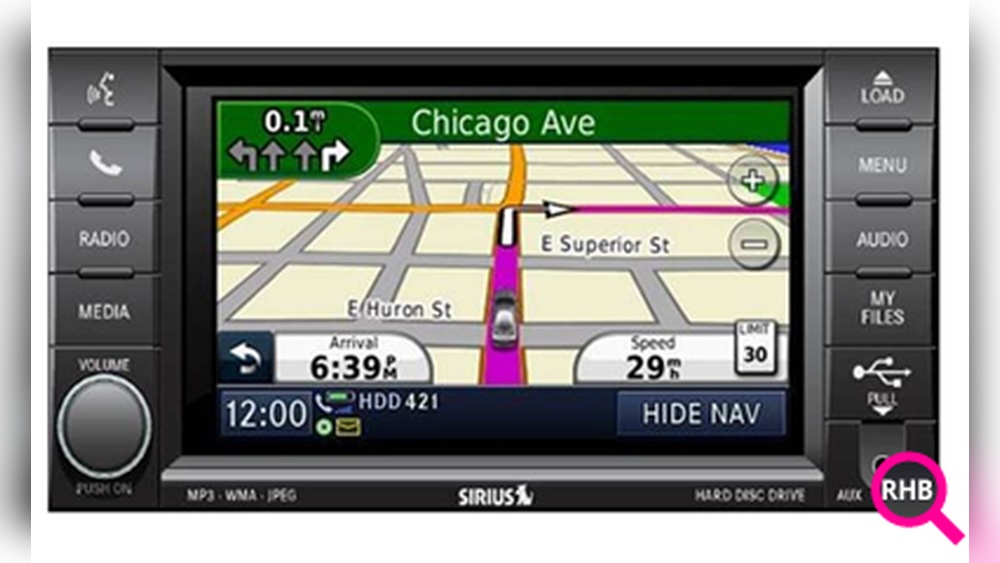
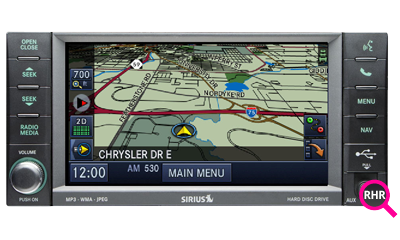
Not all Grand Cherokees have the same system. Most models from 2011 onwards use Uconnect infotainment, but there are differences by year and trim.
| Model Year | Navigation System | Update Method |
|---|---|---|
| 2011–2013 | Uconnect 430N/730N | USB or SD card |
| 2014–2020 | Uconnect 8.4 NAV | USB |
| 2021+ | Uconnect 5 NAV | Over-the-Air (OTA) |
To find your system, check your Jeep’s display menu or your owner’s manual.
How To Update Jeep Grand Cherokee Maps
1. Identify Your Update Method
Your update process depends on Jeep’s Uconnect version:
- Uconnect 5 (2021+): Supports wireless (Over-the-Air) updates.
- Uconnect 8.4 NAV (2014–2020): Updates via USB drive.
- Uconnect 430N/730N (2011–2013): Updates via USB or SD card.
If you have a third-party unit, refer to its brand support for instructions.
2. Gather What You Need
For most Jeeps, you’ll need:
- A computer with internet access.
- A blank USB drive (16GB or larger, formatted to FAT32).
- Your vehicle’s VIN number (found on your dashboard or registration).
3. Download The Latest Maps
Jeep uses HERE (formerly Navteq) for navigation data. Visit the official Jeep or Uconnect map update website:
- Go to the Jeep map update page.
- Enter your vehicle details (VIN, model year).
- Confirm your system and select your region.
- Purchase and download the map update. Costs vary, usually $150–$200.
Some new vehicles include free updates for the first year or two.
4. Prepare The Usb Drive
- Plug the USB into your computer.
- Open the downloaded map file and extract it to the USB drive.
- Safely eject the USB.
5. Update In Your Jeep
- Start your Jeep and keep it in Park with the engine running.
- Plug the USB into the port (usually in the center console).
- Follow on-screen prompts to begin the update.
- The process takes 30 to 60 minutes. Do not turn off the engine or remove the USB during this time.
6. Confirm Success
Once the update is complete, the system will restart. Check your navigation version in the system settings to ensure the new maps are loaded.
Over-the-air (ota) Updates For New Models
If you drive a 2021 or newer Grand Cherokee with Uconnect 5:
- Connect your vehicle to Wi-Fi (usually set up in the settings menu).
- Choose “Check for Updates” in your navigation settings.
- Download and install updates when prompted.
These updates are often free and happen automatically, making the process much easier.
Common Problems And How To Avoid Them
Many drivers run into simple mistakes that delay or block their updates. Watch out for:
- Wrong USB format: Always use FAT32, not exFAT or NTFS.
- Interruptions: Never turn off your engine or remove the USB during the update.
- Corrupt files: Make sure the download completes before copying to USB.
- VIN mismatch: Download maps for your exact model and year.
- Outdated software: Sometimes, you need a Uconnect system update before the map update.
If an error appears, restart the process from the beginning. For older models, you might need to visit a dealership if the update fails repeatedly.
Dealer Vs. Diy Map Updates
You can update maps yourself, but some owners prefer the dealer option. Here’s a quick comparison:
| Method | Cost | Time | Convenience |
|---|---|---|---|
| DIY (USB/OTA) | $150–$200 | 1 hour | At home |
| Dealership | $200–$300 | Half-day | Leave car at dealer |
DIY is quicker and cheaper, but if you’re not comfortable with tech, the dealer can help. Dealers may also update your Uconnect firmware if needed.
Non-obvious Tips For Smooth Updates
- Map updates don’t improve GPS signal. If you have location issues, it’s likely a hardware or antenna problem, not the maps.
- Save your radio presets and phone pairings. Rarely, major updates can reset some settings.
- Use quality USB drives. Cheap or old drives may fail during long updates.
If you find official updates too expensive, consider using Android Auto or Apple CarPlay with free apps like Google Maps or Waze. These apps are always current and offer live traffic, but require a smartphone connection.
However, built-in navigation does not depend on cell signal, which can be crucial in remote areas.
For more about map updates and navigation data, check the official HERE Technologies site.

Frequently Asked Questions
How Often Should I Update My Jeep Grand Cherokee’s Maps?
Once per year is ideal. If you drive in rapidly growing areas, consider updating every six months.
Can I Get Free Map Updates For My Jeep?
Some new Jeeps include one or two free updates. After that, updates are usually paid. Check your owner’s manual or ask your dealer.
Sometimes, smaller roads or private streets are missing from official map data. Also, updates may take time to include recent changes.
Will Updating My Maps Erase My Saved Addresses Or Settings?
Usually, map updates do not erase personal data. But it’s smart to back up important addresses before starting.
Can I Update My Jeep’s Maps With Maps From Another Car Or A Free Source?
No, Jeep navigation systems require official files matched to your VIN. Using the wrong files can damage your system.
Keeping your Jeep Grand Cherokee’s maps updated is a simple step that keeps your journeys smooth and stress-free. With the right preparation, you can handle updates yourself and always be ready for the road ahead.