Pairing your smartphone with your Jeep Wrangler’s Bluetooth can make every drive safer and more enjoyable. Hands-free calling, music streaming, and navigation become much easier. However, many Jeep owners find the setup process confusing, especially with different model years and infotainment systems. This guide will walk you through connecting Bluetooth on your Jeep Wrangler, with clear steps, practical tips, and answers to common questions.
Understanding Jeep Wrangler Bluetooth Systems
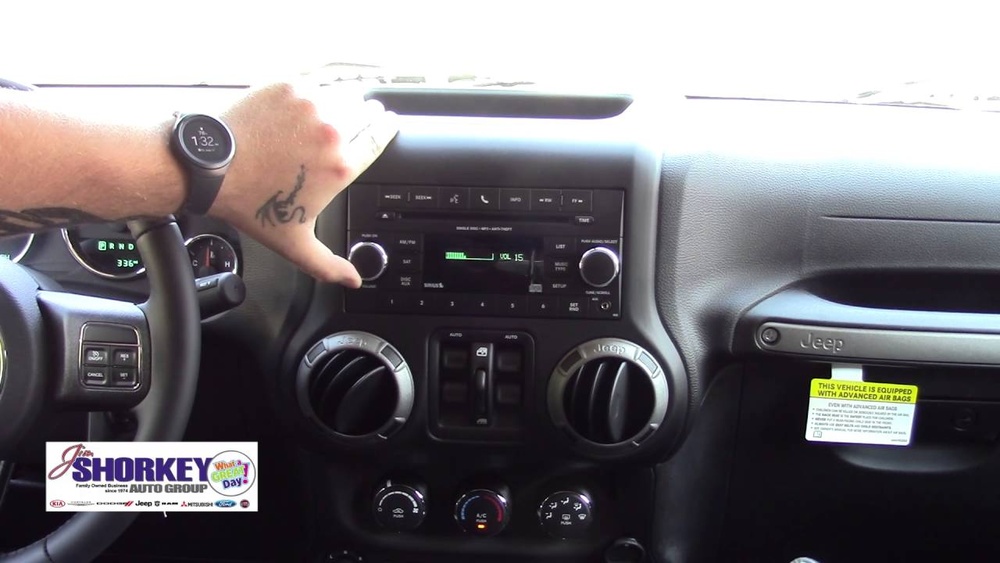
Jeep Wranglers use either the Uconnect or a standard infotainment system for Bluetooth. Most Wranglers from 2011 onward include Bluetooth, but features and steps can vary.
Here’s a quick comparison of systems:
| Model Year | System Name | Bluetooth Features |
|---|---|---|
| 2011–2017 | Uconnect 130/430 | Phone calls, limited music |
| 2018–Present | Uconnect 4/4C/4C NAV | Calls, music, apps |
If you’re not sure which system you have, look for the Uconnect logo or check your Wrangler’s manual.
Preparing For Bluetooth Setup
Before starting, make sure:
- Your Jeep is in Park with the engine running or in ACC mode.
- Your phone’s Bluetooth is switched on.
- No other phones are connected to Jeep’s system.
- You know your phone’s passcode, in case it’s needed.
Some people forget to delete old devices from Uconnect, which can cause pairing errors. It’s smart to clear unused connections first.
Step-by-step Bluetooth Setup
- On your Jeep’s touchscreen, tap “Phone.”
- If no device is paired, the system will prompt, “Would you like to pair a phone?” Tap “Yes.”
- On your smartphone, open the Bluetooth menu. Select “Uconnect.”
- A pairing request will pop up. Check that the code on your phone matches the Wrangler screen, then tap “Pair” on both.
- Allow access to contacts and messages if asked. This enables hands-free texting and calling.
For Uconnect 130/430 (2011–2017)
- Press the “Phone” button on the radio or steering wheel.
- Wait for the system to say “Ready.”
- Say “Pair a device.”
- The system will provide a 4-digit PIN. Enter this PIN on your phone when prompted.
- Confirm pairing and allow access to contacts.
Troubleshooting Common Issues
If your Jeep doesn’t connect:
- Restart both the infotainment system and your smartphone.
- Delete old Bluetooth pairings on both devices.
- Make sure your phone’s software is up-to-date.
- Try pairing with another phone to see if the issue is with your device or the Jeep.
Key Features After Pairing
Once connected, you get access to:
- Hands-free calls: Answer or make calls using voice commands or steering buttons.
- Music streaming: Play music from apps like Spotify or Apple Music.
- Message reading: Some systems can read out texts.
- Navigation prompts: Hear directions through car speakers.
Here’s how some features compare across Uconnect versions:
| Feature | Uconnect 130/430 | Uconnect 4/4C/4C NAV |
|---|---|---|
| Hands-free Calls | Yes | Yes |
| Music Streaming | Sometimes | Yes |
| Text Messaging | No | Yes |
| App Integration | No | Yes |
Practical Tips For Reliable Connection
- Set your phone as the favorite device in Uconnect. This ensures it connects first if several devices are nearby.
- If you have multiple drivers, clear out unused phones from the Jeep’s system to avoid confusion.
- Keep your phone’s software and apps updated. Older versions can sometimes break compatibility.
- Avoid using phone cases with metal, as they can block signals.
- If streaming music skips, try lowering the phone’s volume and raising the Jeep’s audio instead.
A non-obvious tip: If you rent or borrow a Jeep Wrangler, pair your phone in “Guest” mode if available. This way, your data won’t be stored after you disconnect.
Removing And Resetting Devices
Over time, you may need to delete old phones from your Wrangler. Here’s how:
- On Uconnect 4, go to “Settings” > “Phone/Bluetooth” > “Paired Devices.” Tap the “i” or gear icon next to the device and select “Remove.”
- On Uconnect 130/430, press “Phone,” say “List devices,” then “Delete” followed by the device name.
If you still have trouble, consider doing a full Uconnect reset. This erases all settings and can fix stubborn bugs. Check your Jeep’s manual for exact steps.

Upgrading Your Jeep’s Bluetooth
If your Wrangler doesn’t have Bluetooth, you can add it with aftermarket kits. Popular options include:
- Bluetooth FM transmitters: Easy, budget-friendly, but sometimes lower sound quality.
- Factory-style kits: Integrate with Uconnect, offer better features but cost more.
- Head unit replacements: Swap the radio for a modern touchscreen with Apple CarPlay/Android Auto.
A professional install is best for older Wranglers. Some DIY kits are available, but wiring can be tricky.
Security And Privacy
Pairing your phone gives the Jeep access to contacts and messages. If you sell or return your Wrangler, always remove your device first. Also, do not pair in public rental Jeeps unless you can delete your data after.
Frequently Asked Questions
How Many Phones Can I Pair With Jeep Wrangler Bluetooth?
Most Uconnect systems allow up to 8 devices to be paired, but only one can be active at a time. Remove old pairings for the best reliability.
Why Can’t My Phone Find The Jeep’s Bluetooth?
Make sure Bluetooth is enabled on both devices. If it still doesn’t appear, restart your phone and the Jeep’s system, and ensure no other phone is connected.
Can I Stream Music From Any App?
Yes, most apps like Spotify, Apple Music, or YouTube Music will play through your Jeep’s speakers after pairing. For best results, use official apps and keep them updated.
Is Bluetooth Standard On All Jeep Wranglers?
Most Wranglers from 2011 onward include Bluetooth, but basic trims may lack music streaming. Check your manual or the official Jeep website for your model’s specs.
Where Can I Find More Help With Uconnect?
For more detailed guides and troubleshooting, visit the official Jeep Uconnect Support page.
Setting up Bluetooth on your Jeep Wrangler gets easier with practice. Once connected, you’ll enjoy safer drives and easier access to music and calls. If you follow these steps and tips, you can solve most problems on your own, and make the most of your Wrangler’s tech features.