A Jeep is known for its rugged capability and modern technology. But sometimes, electronic issues or error codes can disrupt your driving experience. If you see warning lights or your Jeep is not running smoothly after repairs, it may be time to reset the Jeep computer—also called the ECU (Engine Control Unit). Resetting the computer can clear false error codes, restore proper sensor readings, and help your Jeep run better.
Many owners think resetting a Jeep computer is complicated or risky. In reality, it’s a straightforward process when done correctly. This guide will show you step-by-step how to reset your Jeep computer, what to expect, and common mistakes to avoid.
You’ll also find answers to popular questions and useful data to help you understand the process.
What Does Resetting A Jeep Computer Do?
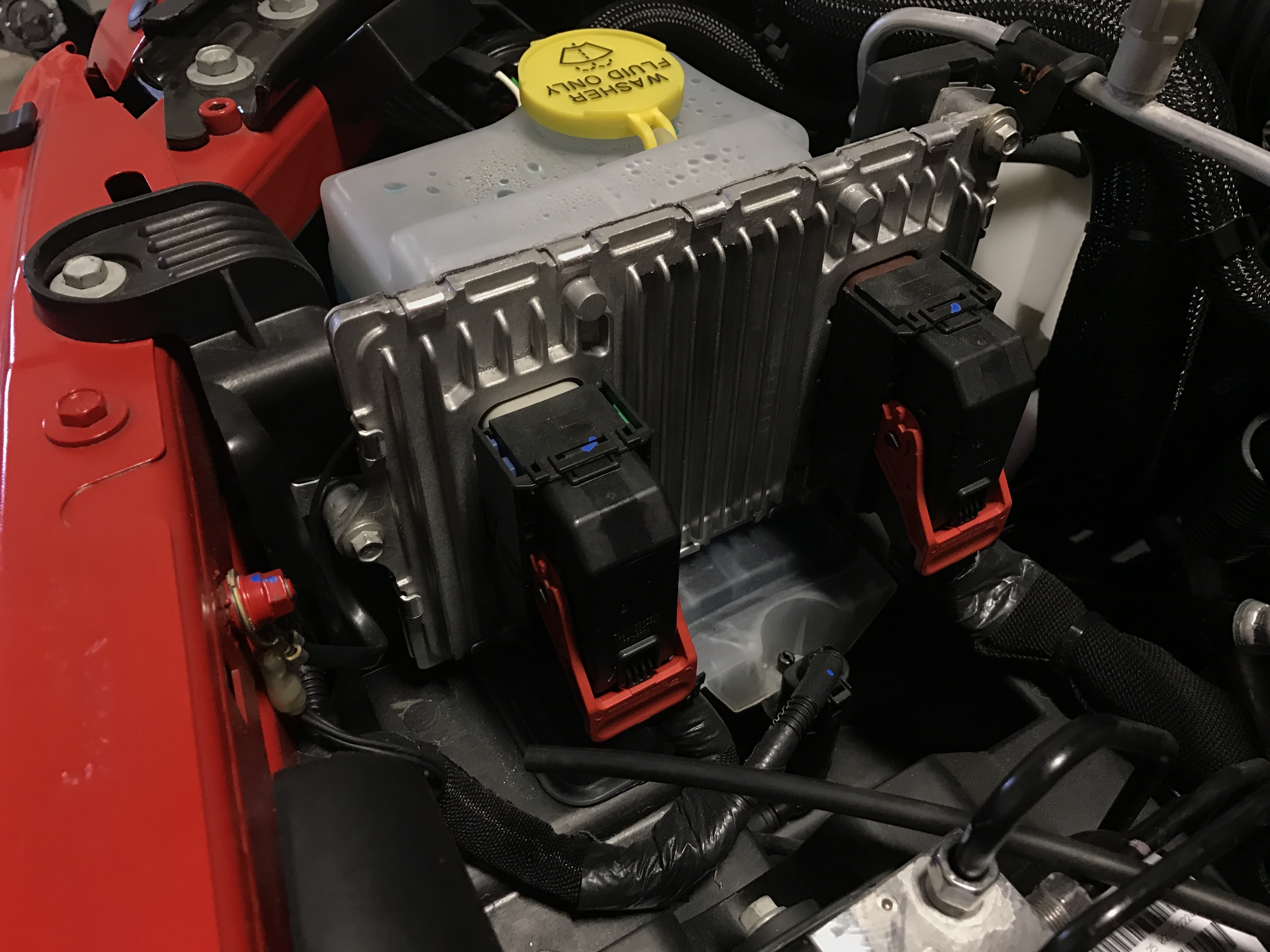
The Jeep computer controls engine timing, fuel mixture, emissions, and other systems. Over time, it “learns” your driving habits and stores error codes when something goes wrong. Resetting wipes these codes and returns the computer to factory settings.
Resetting can help with:
- Clearing the check engine light after fixing a problem
- Improving rough idling or hesitation
- Resetting after replacing sensors or the battery
- Restoring performance after modifications
However, it won’t fix real mechanical issues. If your Jeep has a major problem, always repair it first.
Main Methods To Reset A Jeep Computer
There are three main ways to reset a Jeep computer. Each method has its advantages and risks.
| Method | Difficulty | Effectiveness | Tools Needed |
|---|---|---|---|
| Battery Disconnect | Easy | High | Basic tools (wrench) |
| OBD-II Scanner | Medium | High | OBD-II Scanner |
| Fuses Pull | Medium | Moderate | Fuse puller |
1. Battery Disconnect Method
The battery disconnect is the simplest and most common method. Here’s how to do it safely:
- Turn off the Jeep and remove the keys from the ignition.
- Open the hood and locate the negative battery terminal.
- Using a wrench, loosen and remove the negative cable.
- Wait at least 15 minutes. This gives the computer time to lose all electrical charge.
- (Optional) Touch the disconnected cable to the positive terminal for a few seconds. This helps drain any remaining power.
- Reconnect the negative terminal and tighten it securely.
- Start the Jeep and let it idle for a few minutes.
This method resets most Jeep computers, including Wrangler, Cherokee, and Grand Cherokee. However, it may also reset your radio presets and clock.
2. Obd-ii Scanner Method
An OBD-II scanner is a special tool that connects to your Jeep’s diagnostic port. Many auto parts stores offer free use of a basic scanner.
- Plug the scanner into the OBD-II port (usually under the dashboard).
- Turn the ignition to the “ON” position without starting the engine.
- Follow the scanner instructions to select “Erase Codes” or “Clear DTCs.”
- Wait for confirmation, then turn off the ignition and unplug the scanner.
This method is precise and does not affect radio or clock settings. It’s also the best way to clear specific codes without affecting other systems.
3. Fuses Pull Method
Some Jeeps allow you to reset the computer by pulling certain fuses.
- Locate the fuse box (often under the hood or dashboard).
- Find the fuse labeled ECU or PCM.
- Use a fuse puller to remove it.
- Wait about 10 minutes, then replace the fuse.
This method isn’t available on all models, so check your owner’s manual. Pulling the wrong fuse can cause new problems, so proceed with caution.
Common Mistakes To Avoid
Many Jeep owners make simple errors that prevent a successful reset or cause new issues.
| Mistake | Consequence |
|---|---|
| Disconnecting the positive terminal first | Sparks or battery damage |
| Not waiting long enough after battery disconnect | Computer doesn’t fully reset |
| Resetting without fixing the underlying issue | Warning lights come back |
| Pulling the wrong fuse | Other electrical problems |
Always take your time and follow instructions. If you’re unsure, ask a mechanic for help.
What To Do After Resetting
After a reset, your Jeep’s computer will relearn your driving style. This process is called re-adaptation and usually takes a few short drives.
- Let the engine idle for about 5 minutes after the reset.
- Take a gentle test drive, using different speeds and gears.
- Watch for new warning lights or unusual behavior.
It’s normal for your Jeep to idle rough or shift oddly for the first few miles. This should improve as the computer gathers data.
When A Reset Won’t Help
Resetting the Jeep computer is useful for electronic issues and false codes. But it can’t fix physical problems like a bad sensor, faulty wiring, or mechanical failure. If the check engine light comes back quickly, you may need professional diagnosis.
Also, frequent resets can hide bigger problems. If you need to reset often, it’s a sign of something else wrong.
Not-so-obvious Tips
- Record your radio presets before disconnecting the battery. You’ll lose them during a reset.
- If your Jeep has a security system, have your code or remote ready. Some Jeeps may require re-arming after a battery reset.
Many beginners forget these steps and end up with extra hassle.

Jeep Models And Reset Compatibility
Most Jeep vehicles since the late 1990s use similar computer systems. However, the reset process can be slightly different depending on the model.
| Jeep Model | Reset Method | Notes |
|---|---|---|
| Wrangler JK (2007-2018) | Battery or OBD-II | Radio may need code after reset |
| Cherokee (2014+) | OBD-II preferred | Some models have sensitive electronics |
| Grand Cherokee (2011+) | All methods | Ensure all accessories are off |
Always check your owner’s manual or a trusted Jeep forum for model-specific advice. For more technical details, see the official Jeep Owner’s Manual.
Frequently Asked Questions
How Often Should I Reset My Jeep Computer?
You should only reset the computer after repairs or when clearing error codes. Regular resets are not needed and can mask real issues.
Will Resetting The Computer Erase My Maintenance History?
No, it only clears error codes and learned driving data. Maintenance records are stored elsewhere.
Can I Damage My Jeep By Resetting The Computer?
If you follow the correct steps, it’s safe. Avoid rushing and always disconnect the negative battery terminal first.
Why Does My Jeep Run Rough After A Reset?
This is normal. The computer needs time to relearn your driving habits. It usually smooths out after a few miles.
Is An Obd-ii Scanner Worth Buying?
Yes, if you do your own repairs. It lets you read and clear codes without disconnecting the battery or losing radio settings.
Resetting your Jeep computer can solve many minor electronic issues and is a handy skill for any Jeep owner. Always fix the root cause before resetting. With patience and the right tools, you can keep your Jeep running smoothly and avoid unnecessary trips to the dealer.