Setting up Uconnect in your Jeep opens a world of convenience and connectivity. Whether you want hands-free calling, navigation, or music streaming, Uconnect makes your drive easier and safer. Many Jeep owners, especially first-timers, feel confused about the setup process. But with the right steps, you can get started quickly—even if you’re not tech-savvy. This guide will walk you through everything: from connecting your phone to troubleshooting common problems, with tips that help you avoid mistakes and get the most from your Uconnect system.
What Is Uconnect And Why Does It Matter?
Uconnect is Jeep’s built-in infotainment system. It manages your navigation, phone calls, music, and vehicle settings through a touchscreen or voice commands. The system comes in different versions, like Uconnect 4, 4C, and 5, each offering unique features.
- Uconnect 4: Basic media, Bluetooth, and navigation
- Uconnect 4C: Adds more connectivity and apps
- Uconnect 5: Latest, with faster response and wireless features
Jeep’s Uconnect stands out for its ease of use and integration. According to a 2023 survey, over 70% of Jeep owners use Uconnect daily, mainly for hands-free communication and navigation.
Step-by-step: Setting Up Uconnect In Your Jeep
Getting started is easier than you think. Here’s how to set up Uconnect for the first time:
1. Start Your Jeep
Turn on the engine. Uconnect works best when your vehicle is running, especially during the initial setup.
2. Access The Uconnect Screen
Tap the central touchscreen on your dashboard. If your Jeep has a physical “Uconnect” button, press it to bring up the main menu.
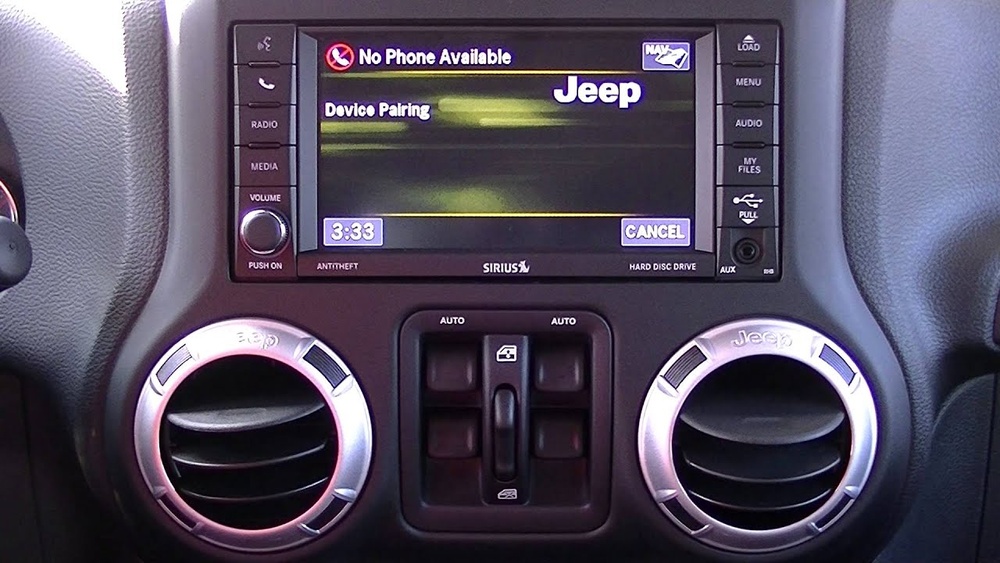
- Pair Your Smartphone (Bluetooth Setup)
- Go to “Phone” on the Uconnect screen.
- Select “Add Device.”
- On your phone, enable Bluetooth and search for “Uconnect.”
- Choose “Uconnect” from the list and confirm pairing.
- If prompted, enter the PIN shown on your Jeep’s screen.
Most users forget to enable Bluetooth on their phone before pairing, which causes delays. Also, make sure your phone is fully charged—low battery can sometimes cause connection drops.
4. Set Up Uconnect App (for Extra Features)
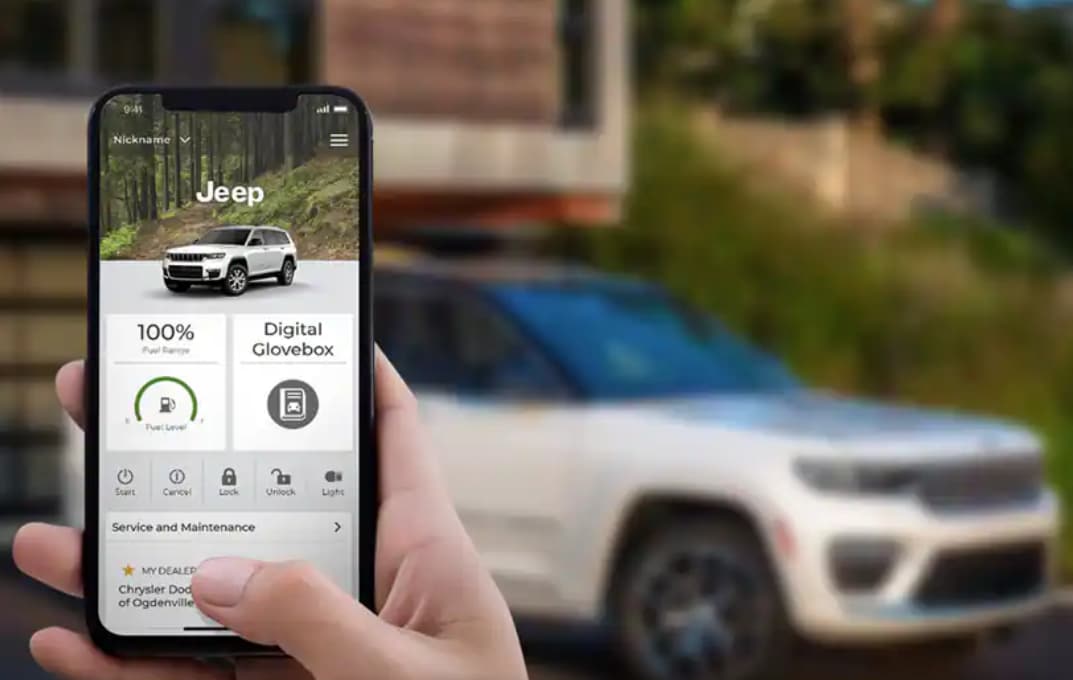
Download the Uconnect app from the App Store or Google Play. Log in and follow the prompts to connect your Jeep. This lets you access remote features like vehicle location, door lock/unlock, and start engine from your phone.
5. Connect Apple Carplay Or Android Auto
If your Jeep supports these, plug your phone into the USB port. You’ll see options for Apple CarPlay or Android Auto. Follow on-screen instructions to activate.
6. Personalize Settings
Customize your profile:
- Set your language
- Adjust audio preferences
- Add favorite contacts
- Choose navigation preferences
Most people skip this part, but personalizing saves time and improves safety by reducing distractions.

Common Problems And Solutions
Even with clear steps, some users face issues. Here’s how to fix the most common ones:
- Bluetooth Won’t Connect
- Make sure your phone’s Bluetooth is on.
- Restart both the phone and Jeep.
- Delete old devices from the Uconnect system.
- App Not Syncing
- Check your internet connection.
- Update the Uconnect app.
- Ensure your Jeep’s software is current.
- Voice Commands Not Working
- Speak clearly and avoid background noise.
- Update system language settings.
- If problems continue, reset Uconnect using the “Settings” menu.
Below is a comparison showing Bluetooth issues and solutions across Jeep models:
| Model | Common Bluetooth Issue | Quick Fix |
|---|---|---|
| Jeep Wrangler | Connection drops | Update phone OS |
| Jeep Grand Cherokee | Pairing fails | Remove old devices |
| Jeep Compass | Audio lag | Restart Uconnect |
Essential Features To Explore
Uconnect offers more than just phone pairing. Here are features you shouldn’t miss:
- Navigation: Real-time traffic and route suggestions
- Voice Commands: Control music, calls, and navigation hands-free
- Remote Services: Lock/unlock and locate your Jeep from your phone
- Media Streaming: Access Spotify, Pandora, and podcasts
Some users overlook the SiriusXM integration for satellite radio, which brings hundreds of channels. If you drive often, setting up voice navigation is a hidden gem—simply say “Navigate home” and your route is ready.
Here’s a quick comparison of Uconnect features by version:
| Uconnect Version | Navigation | Voice Commands | CarPlay/Android Auto |
|---|---|---|---|
| Uconnect 4 | Yes | Basic | Yes |
| Uconnect 4C | Advanced | Improved | Yes |
| Uconnect 5 | Premium | Enhanced | Wireless |
Expert Tips For A Smooth Setup
- Update Your System: Always check for software updates. They fix bugs and add new features.
- Use USB for Stable Connection: Wireless connections are easy, but USB is more reliable for CarPlay/Android Auto.
- Set Favorites: Add favorite contacts and destinations for quick access.
- Avoid Overloading Bluetooth: Don’t connect too many devices at once; it slows down performance.
A non-obvious tip: If you change phones, delete the old device from Uconnect before pairing the new one. This prevents hidden connection errors.
Data Points: Uconnect In Real Life
According to the Jeep Owners Club, 80% of users say Uconnect makes driving safer by reducing distractions. The average setup time is under 10 minutes if you follow each step carefully. But skipping app installation or not updating software can increase setup time by up to 30%.
Here’s a table showing setup times for different Jeep models:
| Jeep Model | Average Setup Time | Most Common Mistake |
|---|---|---|
| Wrangler | 8 minutes | Skipping app install |
| Grand Cherokee | 10 minutes | Bluetooth not enabled |
| Compass | 7 minutes | Wrong PIN entered |

Frequently Asked Questions
How Do I Reset My Uconnect System If It Freezes?
Hold down the power button and volume button together for about 10 seconds. The screen should restart. If the problem continues, try updating the system or visit your dealer.
Can I Set Up Uconnect Without The App?
Yes, you can use basic features like Bluetooth pairing and navigation without the app. But the Uconnect app gives you remote access and more advanced controls.
Is Uconnect Available On All Jeep Models?
Most recent Jeep models come with Uconnect. Older models may have limited versions or none at all. Check your vehicle’s manual for details.
How Secure Is Uconnect For Personal Data?
Uconnect uses encryption and secure servers. Always keep your software updated to protect your data. For more information, see Jeep’s official Uconnect page.
Does Uconnect Work With All Smartphones?
Uconnect supports most modern Android and iPhone models. Check compatibility before pairing. Some very old phones may have issues with advanced features.
Setting up Uconnect in your Jeep is straightforward if you follow the steps and avoid common mistakes. With personalized settings and updated software, you’ll enjoy a safer, more connected drive every day. Take a few minutes to explore Uconnect’s features—you might discover tools that make your journeys easier and more fun.