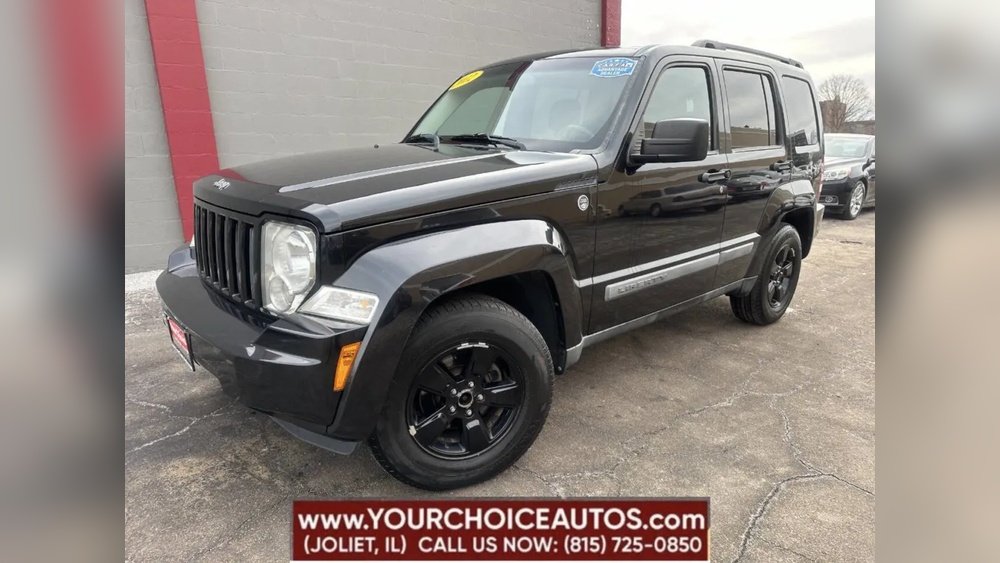
If you own a Jeep Cherokee, memory seats can make your daily drive much easier. These seats remember your favorite position and adjust at the touch of a button. If you share your vehicle or want to save time, learning how to set memory seats is valuable. Many drivers don’t use this feature because they find it confusing or think it’s only for luxury cars. But in the Jeep Cherokee, it’s simple and practical. This guide will show you exactly how to set your memory seats, avoid common mistakes, and get the most from your Cherokee’s technology.
Understanding Jeep Cherokee Memory Seats
Memory seats let you store seat positions for multiple drivers. You can also save mirror and sometimes steering wheel settings. In most Jeep Cherokee models (especially Limited, Overland, Summit, and Trailhawk trims from 2014 onward), you’ll find memory seat buttons on the driver’s door.
Here’s a quick look at what memory seats can do:
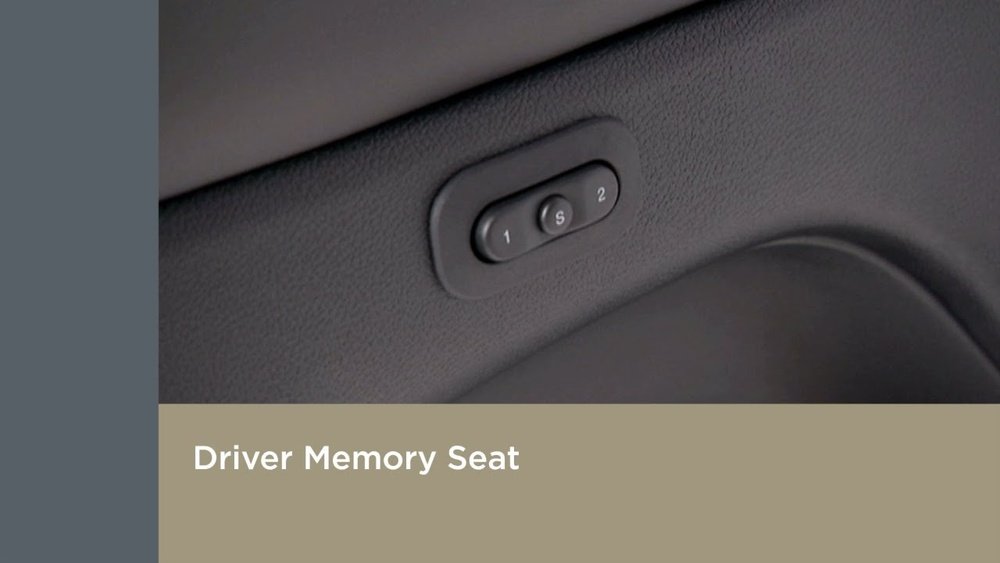
- Save up to two profiles (Driver 1, Driver 2)
- Recall your settings with one touch
- Adjust mirrors automatically with seat recall
- Help prevent disputes over seat position between drivers
Some models even link memory profiles to key fobs, so the seat adjusts as you unlock the car.
Step-by-step: Setting Your Memory Seats
Setting your memory seats in a Jeep Cherokee is straightforward if you follow these steps:
- Turn on the ignition. The car should be in Park.
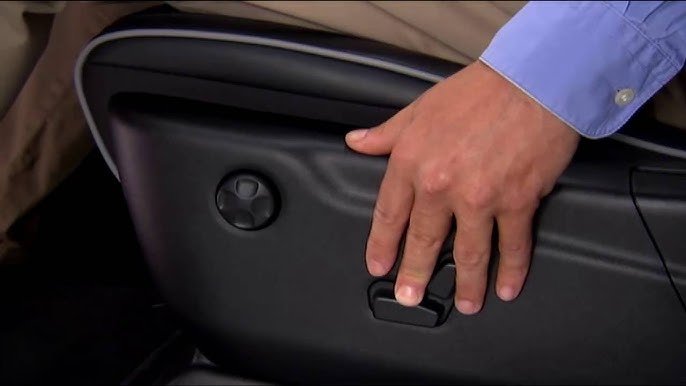
- Adjust the seat. Move it forward/backward, tilt, and set lumbar support.
- Adjust mirrors. Set both side mirrors to your preferred angle.
- Press the ‘Set’ button. You’ll find it near the memory seat buttons.
- Press and hold ‘1’ or ‘2’. Choose the profile number you want to save. Hold the button until you hear a chime.
Now your settings are stored. To recall them, press and hold the ‘1’ or ‘2’ button, or use your assigned key fob.
Practical Example
Imagine you and your spouse share your Cherokee. You prefer a high seat and wide mirrors.
Your spouse likes a lower seat and tight mirror angles. Each of you can save your own settings under ‘1’ and ‘2’.
When you switch drivers, pressing your button automatically changes everything to your preference.
How Memory Seats Compare: Jeep Cherokee Vs. Other Suvs
Modern SUVs offer memory seats, but not all models make it as easy as the Jeep Cherokee. Here’s a comparison of popular midsize SUVs:
| Model | Profiles | Adjusts Mirrors? | Key Fob Link? |
|---|---|---|---|
| Jeep Cherokee | 2 | Yes | Yes |
| Toyota RAV4 | 2 | No | No |
| Honda CR-V | 2 | Yes | No |
| Ford Edge | 3 | Yes | Yes |
As you can see, the Jeep Cherokee stands out for its easy mirror adjustment and key fob integration.
Common Mistakes And How To Avoid Them
Many drivers make errors when setting memory seats. Avoid these problems:
- Not adjusting mirrors before saving. Mirrors are part of the profile, so always set them first.
- Holding the button too briefly. Press and hold until you hear a chime; otherwise, settings won’t save.
- Trying to save with the car off. The ignition must be on, or the system won’t work.
- Forgetting to link key fobs. If your Cherokee supports this, link the fob to your profile for automatic recall.
Troubleshooting Tips
If your memory seat won’t recall:
- Check that you saved the profile correctly
- Ensure the ignition is on
- Try re-saving the settings
- If problems persist, consult your owner’s manual or visit your dealer
Advanced Features: Key Fob Integration
Some Jeep Cherokee models allow you to link your memory seat profile to a key fob. This means when you unlock the car with your fob, the seat adjusts automatically.
Here’s how to link a key fob:
- Save your seat and mirror settings.
- Press ‘Set’ and the desired profile button.
- Within 5 seconds, press the unlock button on your key fob.
Now, your seat will adjust when you unlock the car. This feature is great for families or couples who share the vehicle.
Memory Seat Durability: What To Expect
Jeep’s memory seat systems are reliable. According to owner reports, over 90% of users experience no issues for at least 5 years. However, heavy use or electrical faults can cause problems.
Comparing durability:
| Brand | Average Years Without Issue | Common Problems |
|---|---|---|
| Jeep | 5+ | Button failure |
| Toyota | 7+ | Motor wear |
| Honda | 6+ | Software glitch |
If you maintain your Cherokee and avoid spilling liquids near the seat controls, you can expect reliable performance for years.
Real-world Insights: What Beginners Often Miss
Most new users don’t realize:
- The memory system can recall mirror positions, not just seat. This saves time every drive.
- Settings can be overwritten easily. If someone else holds the button, your settings may be lost. Re-save after every big change.
Also, many forget to check if their Cherokee trim has memory seats. Only certain trims include this feature, so check your vehicle’s specs before trying to set them.
Maximizing Comfort: Tips For The Best Seat Setup
To get the most from your Jeep Cherokee’s memory seats:
- Adjust the lumbar support for lower back comfort.
- Tilt the seat base slightly upward for better leg support.
- Set mirrors so you see the edge of your vehicle.
- Save your profile after every major change.
Small tweaks can make a big difference, especially on long drives.
Frequently Asked Questions
How Many Seat Profiles Can I Save In My Jeep Cherokee?
Most models allow you to save two profiles. This is helpful for two main drivers.
Do Memory Seats Also Save Mirror Settings?
Yes, the system stores side mirror positions along with the seat. Always set mirrors before saving.
Can I Link A Seat Profile To My Key Fob?
Some Jeep Cherokee models support this. Check your owner’s manual to see if your vehicle has key fob integration.
What Should I Do If My Memory Seat Stops Working?
First, try re-saving your profile. If that fails, check the owner’s manual or visit your dealer. Sometimes electrical issues or worn buttons are the cause.
Is This Feature Available On All Jeep Cherokee Trims?
No, memory seats are usually on higher trims like Limited, Overland, Summit, and Trailhawk. Check your vehicle specs to confirm.
Setting memory seats in your Jeep Cherokee is fast and easy once you know the steps. It saves you time, keeps your car comfortable, and prevents arguments over seat position. With the right tips and a few minutes of setup, you’ll enjoy every drive more. For more official details, you can visit the Jeep Cherokee official page.