Connecting CarPlay to your Jeep Cherokee can make driving more enjoyable and safer. With CarPlay, you can use your iPhone’s apps, get directions, play music, and talk to Siri—all from your Jeep’s touchscreen. Many drivers struggle with setup, but once you understand the steps, it’s simple. In this guide, you’ll learn how to connect CarPlay, solve common problems, and see how Jeep Cherokee’s CarPlay compares to other cars.
Is Your Jeep Cherokee Compatible With Carplay?
Before you start, check if your Jeep Cherokee supports CarPlay. CarPlay is standard in most models from 2018 onward. Older models may not have this feature, or may need a software update. If you’re not sure, look for a USB port near your dashboard and a touchscreen with a CarPlay icon.
Here’s a quick comparison of CarPlay compatibility across Jeep Cherokee years:
| Model Year | CarPlay Available? | Notes |
|---|---|---|
| 2017 | No | CarPlay not standard |
| 2018 | Yes | Standard on most trims |
| 2019–2023 | Yes | Standard on all trims |
If your vehicle is compatible, you’re ready for the next steps.
Step-by-step: Connecting Carplay In Jeep Cherokee
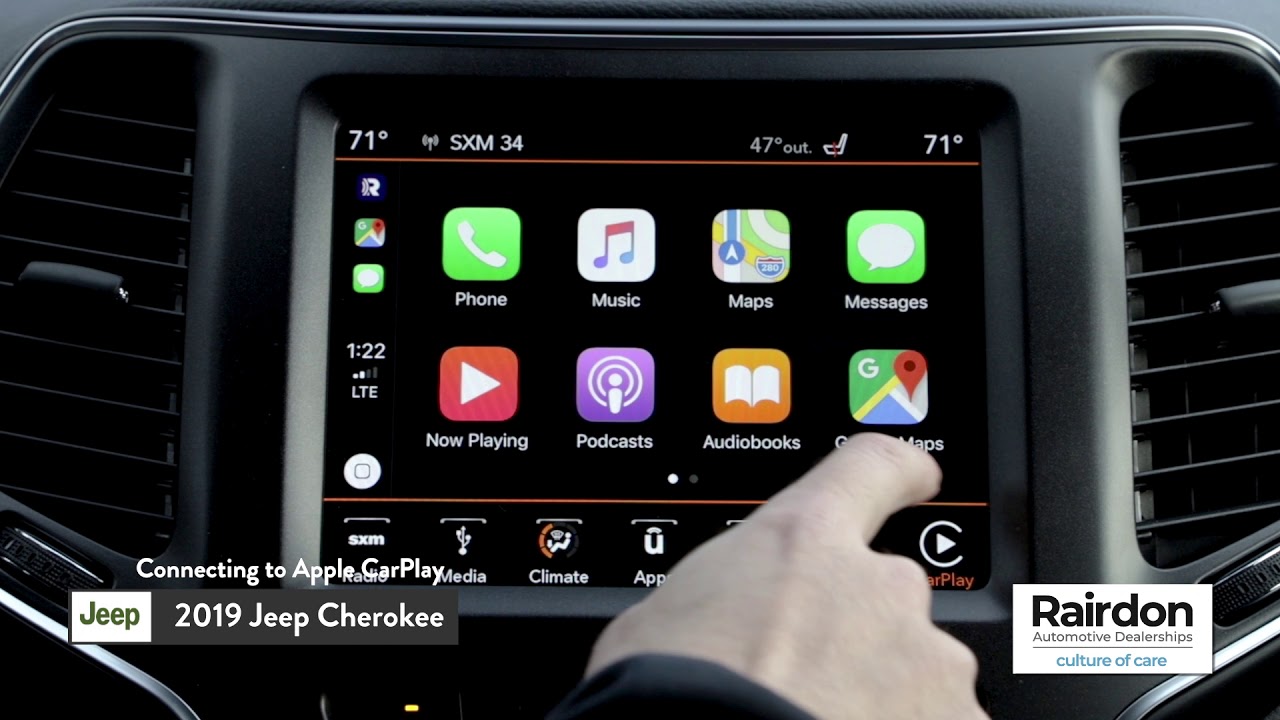
Follow these steps to connect CarPlay in your Jeep Cherokee:
- Check your iPhone: Make sure you have an iPhone 5 or newer, with iOS 7.1 or later.
- USB cable: Use a genuine Apple cable. Cheap cables often cause connection issues.
- Start your Jeep: Turn on the engine or set the ignition to accessory mode.
- Plug in your iPhone: Insert the USB cable into your Jeep’s USB port and connect your phone.
- Allow CarPlay: On your iPhone, you may get a pop-up asking if you want to allow CarPlay. Tap “Allow.”
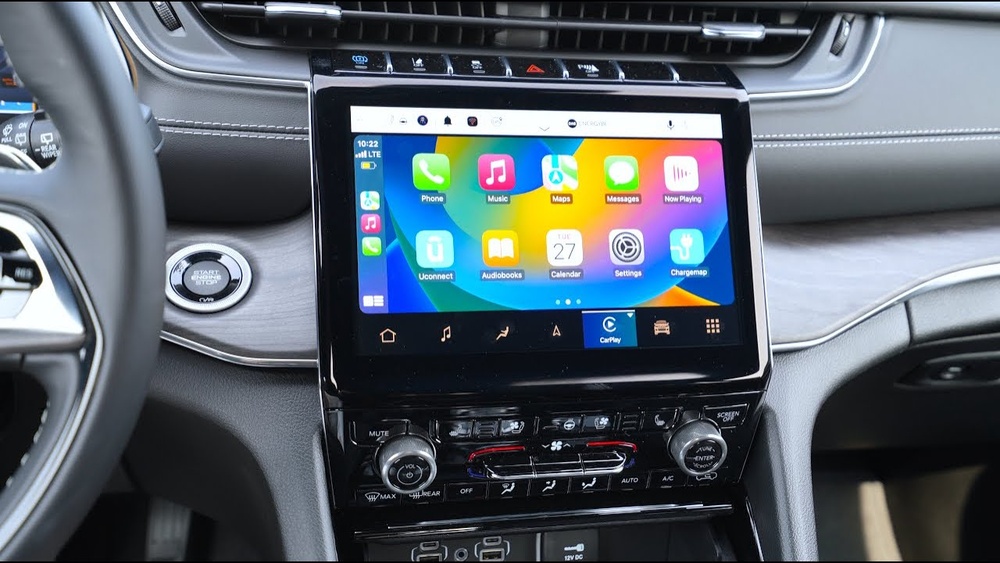
- Touchscreen display: The CarPlay logo should appear on your Jeep’s touchscreen. Tap it to start.
Some newer Jeep Cherokees also support wireless CarPlay. To use wireless:
- Turn on Bluetooth and Wi-Fi on your iPhone.
- Pair your phone with the Jeep’s system by following on-screen prompts.

Troubleshooting Common Carplay Issues
Even with the right steps, problems can happen. Here’s how to fix common CarPlay issues:
- CarPlay not showing up: Check if your USB cable is working. Try another cable or port.
- Phone not recognized: Restart your iPhone and the Jeep’s infotainment system.
- CarPlay disconnects: Remove any phone cases that block the port. Update your iOS and Jeep software.
- No sound or screen lag: Lower the number of running apps on your phone. Keep both your phone and Jeep’s system updated.
If you still have problems, visit your dealer or check the official Jeep support page.
Using Carplay: Features And Tips
Once connected, you can use many features:
- Apple Maps: Get real-time directions and traffic updates.
- Music apps: Play songs from Apple Music, Spotify, or other apps.
- Siri voice control: Make calls, send texts, or ask for help hands-free.
Here’s a comparison of popular CarPlay apps used in the Jeep Cherokee:
| App Name | Main Function | Voice Control? |
|---|---|---|
| Apple Maps | Navigation | Yes |
| Spotify | Music streaming | Yes |
| Messages | Texting | Yes |
| Messaging | Yes |
Tip: Customize your CarPlay home screen by dragging apps on your iPhone’s CarPlay settings.
Jeep Cherokee Vs Other Brands: Carplay Experience
The Jeep Cherokee offers a responsive touchscreen and clear menus. Compared to other brands, the system is easy to use and rarely lags. Here’s a comparison with two popular competitors:
| Brand | Touchscreen Size | Wireless CarPlay? | Voice Control Quality |
|---|---|---|---|
| Jeep Cherokee | 8.4 inches | Available (2021+) | Good |
| Honda CR-V | 7 inches | No | Average |
| Toyota RAV4 | 8 inches | Yes (2021+) | Good |
Jeep’s larger screen and simple interface make it easier for drivers to use CarPlay apps and maps.
Non-obvious Tips For Carplay Users
Many Jeep Cherokee owners miss these useful tips:
- Enable Do Not Disturb While Driving: This blocks distracting notifications while you drive.
- Use Siri Shortcuts: You can set up custom phrases for actions, like “Play my favorite playlist” or “Send ETA to Mom.”
- Update Your Jeep’s System: Occasionally, Jeep releases software updates that improve CarPlay performance or fix bugs. Ask your dealer about the latest version.
Safety And Privacy With Carplay
CarPlay is designed for safety. Using voice commands keeps your hands on the wheel and eyes on the road. However, remember:
- Your Jeep may store some phone data temporarily. Always erase your CarPlay history before selling or trading your vehicle.
- Set up Face ID or Touch ID on your iPhone for extra privacy.
Frequently Asked Questions
Can I Use Carplay In A Jeep Cherokee Older Than 2018?
No. CarPlay is only available in Jeep Cherokee models from 2018 onward. Some older vehicles can be upgraded with aftermarket systems, but this can be expensive.
Does Carplay Work With Android Phones?
No. CarPlay is only for iPhones. If you have an Android device, use Android Auto instead.
How Do I Update Carplay In My Jeep Cherokee?
Update your iPhone to the latest iOS. For the Jeep’s system, visit your dealer or check the Jeep website for software updates.
Is Wireless Carplay Available In All Jeep Cherokees?
No. Wireless CarPlay is only available in Cherokee models from 2021 and newer. Older models require a USB cable.
What Should I Do If Carplay Keeps Disconnecting?
Try a new USB cable, restart your phone, and check for software updates. If problems continue, contact your dealer.
Connecting CarPlay to your Jeep Cherokee can transform your driving experience. With clear steps, helpful features, and smart tips, you’ll enjoy safer and smarter journeys every day. For more details on CarPlay and vehicle compatibility, visit the Apple CarPlay official site.