Owning a Jeep Cherokee means enjoying a modern driving experience, especially with its touchscreen display. This screen controls navigation, music, phone calls, and climate. But sometimes, the screen doesn’t turn on as expected. Many drivers feel confused or frustrated when this happens. Whether you’re new to the vehicle or just facing your first issue, this guide helps you understand how to turn the screen on, troubleshoot common problems, and keep your Jeep’s tech running smoothly.
Understanding The Jeep Cherokee Screen
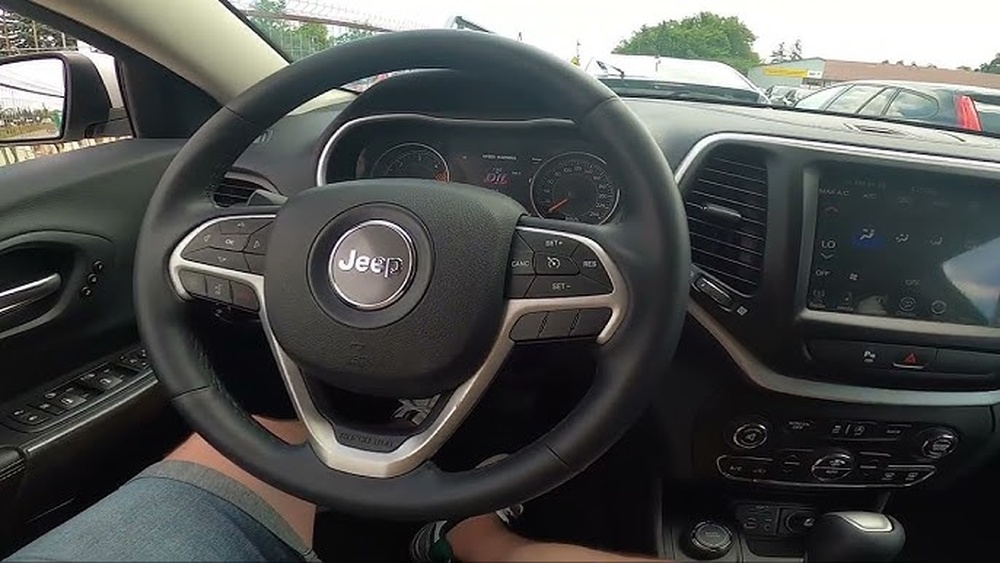
The main display in most Jeep Cherokees is called the Uconnect system. This system includes a touchscreen, buttons, and sometimes voice controls. The screen size varies (usually 7–8.4 inches), but the process for turning it on is similar across models.
Features Controlled By The Screen
- Navigation: Maps, directions, traffic updates
- Audio: Radio, Bluetooth, USB, streaming apps
- Phone: Hands-free calls, contacts
- Climate: Temperature, fan speed, seat heating
- Vehicle Settings: Lights, locks, driving modes
Most Cherokee screens power up automatically when you start the car, but sometimes manual steps are needed.
Steps To Turn On The Screen
Turning on the screen is usually simple. Here’s a basic process that works for most models:
- Start the ignition: Insert your key or press the start button. The screen should light up within 5–10 seconds.
- Check the power button: Some models have a separate power button for the screen (usually below the display). Press it if the screen stays dark.
- Touch the screen: Gently tap the display. Some screens wake up with touch even if the car is already running.
- Check brightness settings: If the screen appears dim or off, adjust the brightness using physical buttons or through the menu.
- Confirm fuse status: The screen relies on a fuse. If the display doesn’t respond, check the fuse box under the hood or inside the cabin.
Common Mistakes
- Forgetting to press the power button after starting the car
- Not checking the brightness or night mode
- Trying to use the screen before the vehicle system finishes booting
Troubleshooting When The Screen Doesn’t Turn On
Sometimes the screen refuses to turn on, even when the car is running. Here’s how to solve the most frequent issues:
Battery And Power Issues
If your battery voltage drops below 12 volts, the screen may not turn on. In cold weather, battery performance can drop. Test your battery with a multimeter or ask a mechanic for help.
Software Glitches
Occasionally, the Uconnect system freezes or crashes. You can reset it by:
- Holding the power button for 10–15 seconds
- Disconnecting and reconnecting the battery (wait 5 minutes before reconnecting)
- Performing a factory reset (found in the settings menu, but only accessible if the screen works)
Fuse And Wiring Problems
If the screen stays black, check the fuse. Jeep Cherokees use standard fuse sizes. Here is a comparison of common fuse ratings for the Uconnect system:
| Model Year | Fuse Number | Amperage |
|---|---|---|
| 2016 | F37 | 20A |
| 2019 | F43 | 15A |
| 2022 | F51 | 15A |
Always use the correct amperage. Using the wrong fuse can damage electronics.
Screen Damage
If the screen is cracked, water-damaged, or shows strange colors, it may need replacement. Professional repair is recommended. If you suspect screen failure, compare the symptoms:
| Symptom | Possible Cause | Fix |
|---|---|---|
| No display at all | Fuse, battery, wiring | Check fuse/battery, inspect wires |
| Flickering or lines | Loose cable, screen damage | Check cables, consider replacement |
| Touch unresponsive | Software freeze | Restart or reset Uconnect |
Practical Tips For Keeping Your Screen Working
Many drivers overlook basic care. Here are tips to prevent screen issues:
- Clean the screen gently with a microfiber cloth. Avoid harsh chemicals.
- Keep the software updated. Updates fix bugs and improve features.
- Avoid extreme temperatures. Heat and cold can damage electronics.
- Don’t overload the USB ports. Too many devices can cause power issues.
- Learn how to perform a soft reset. This solves minor glitches quickly.
Updating The Uconnect Software
Updates are released every few months. They improve performance and fix bugs. You can download updates from the official Jeep website, or ask your dealer to update during routine service. Always use a USB drive with updates, never direct download on the car.

Real-world Example: Screen Not Turning On After Battery Change
A common problem happens after you change the car battery. The Uconnect screen may stay black. In most cases, this is a simple software glitch. Here’s what to do:
- Make sure the battery is connected properly.
- Wait 10 minutes, then turn the ignition off and on.
- Hold the power button for 10 seconds.
- If still off, check the fuse.
- If the problem persists, visit a Jeep service center.
About 8% of Jeep Cherokee owners report this issue after battery replacement (based on online forums and owner surveys).
Jeep Cherokee Screen Vs Other Suv Screens
How does the Cherokee’s screen compare to other SUVs? Here is a quick comparison:
| Vehicle | Screen Size | System | Ease of Use |
|---|---|---|---|
| Jeep Cherokee | 7–8.4 in | Uconnect | Simple, intuitive |
| Ford Escape | 8 in | SYNC | Easy, but slower |
| Toyota RAV4 | 7–8 in | Entune | More menus, less intuitive |
The Jeep Cherokee screen is known for reliability and clear layout, but occasional software freezes are reported.

When To Seek Professional Help
If you’ve tried all steps and the screen won’t turn on, visit a dealership or certified mechanic. Attempting advanced repairs yourself can void warranties or make the issue worse. Always document symptoms and steps taken—this helps technicians diagnose faster.
Frequently Asked Questions
Why Does My Jeep Cherokee Screen Stay Black After Starting?
This can happen due to a software glitch, low battery voltage, or a blown fuse. Try restarting the car and holding the power button. If it stays black, check the fuse and battery.
Can I Replace The Screen Myself?
Replacing the screen is possible for experienced DIYers, but it’s risky. You can damage wiring or void your warranty. It’s best to let a professional handle screen replacement.
What Fuse Controls The Screen In A Jeep Cherokee?
Fuse numbers vary by model year. For example, F37 (20A) in 2016, F43 (15A) in 2019, and F51 (15A) in 2022. Check your owner’s manual for exact details.
How Do I Perform A Soft Reset On Uconnect?
Hold the power button for 10–15 seconds. The system will restart and clear minor software errors. This solves most screen issues without losing settings.
Where Can I Find Official Software Updates For My Jeep Cherokee Screen?
Official updates are available from the Jeep Owners Site. Always use trusted sources to prevent software problems.
Enjoying your Jeep Cherokee’s technology means understanding how the screen works and what to do when issues arise. With these practical steps and tips, you can keep your display running smoothly and avoid common mistakes. If you need more help, your local Jeep dealer is always ready to assist.