Navigating unfamiliar roads can be stressful, but the Jeep Compass navigation system makes finding your way much easier. Whether you’re traveling for work or heading out for adventure, this built-in tool helps you save time, avoid traffic, and explore new places confidently. Many drivers don’t use all its features, so learning how to maximize the system can improve your driving experience.
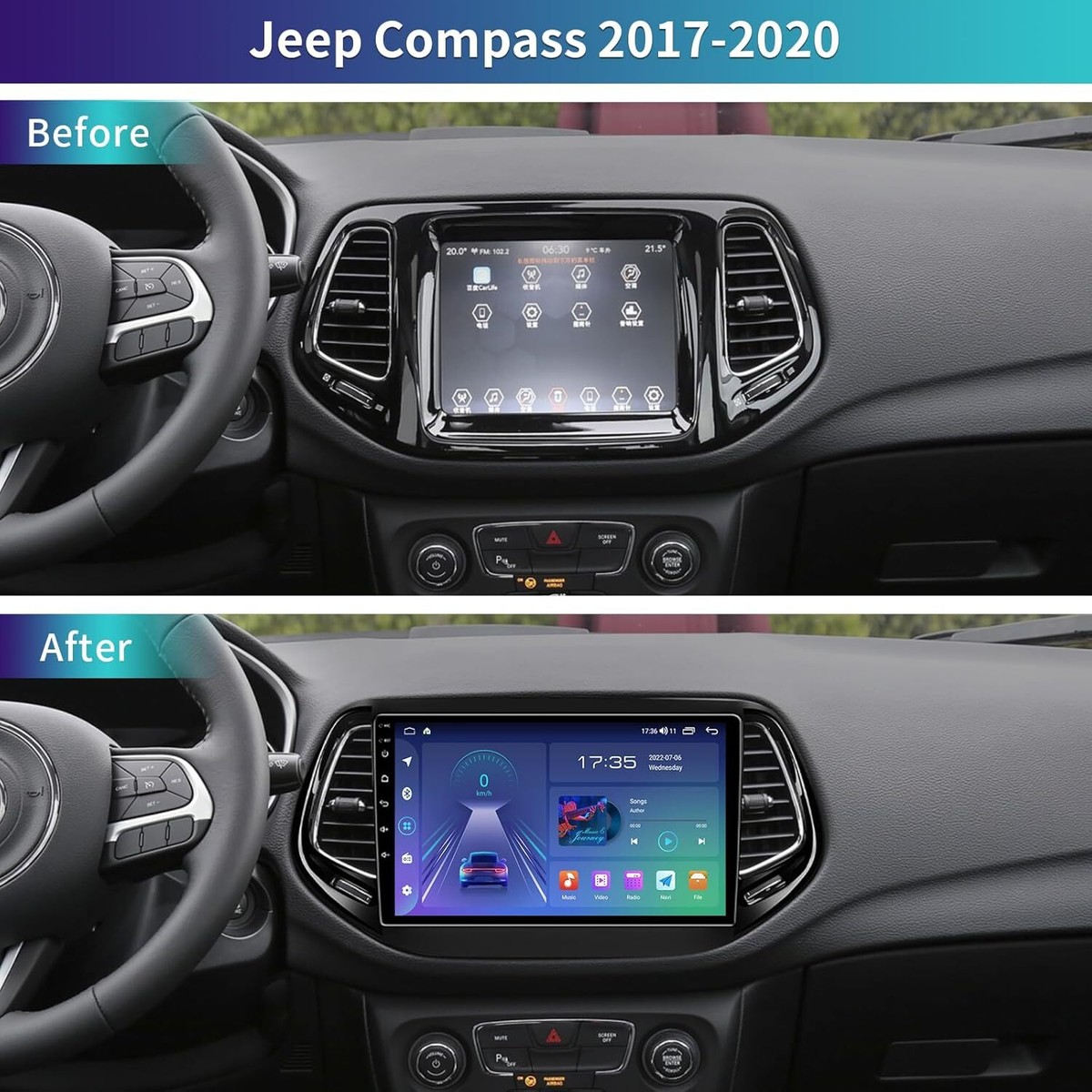
The Jeep Compass comes equipped with the Uconnect navigation system. This touchscreen interface gives you access to maps, route planning, and real-time updates. The system combines GPS with data from road sensors, making directions precise and reliable.
To begin, turn on your Jeep Compass and wait for the Uconnect screen to load. Tap the “Navigation” icon, usually found on the main menu. If the system asks, agree to the terms and conditions. You’ll now see the main map display, showing your current location.
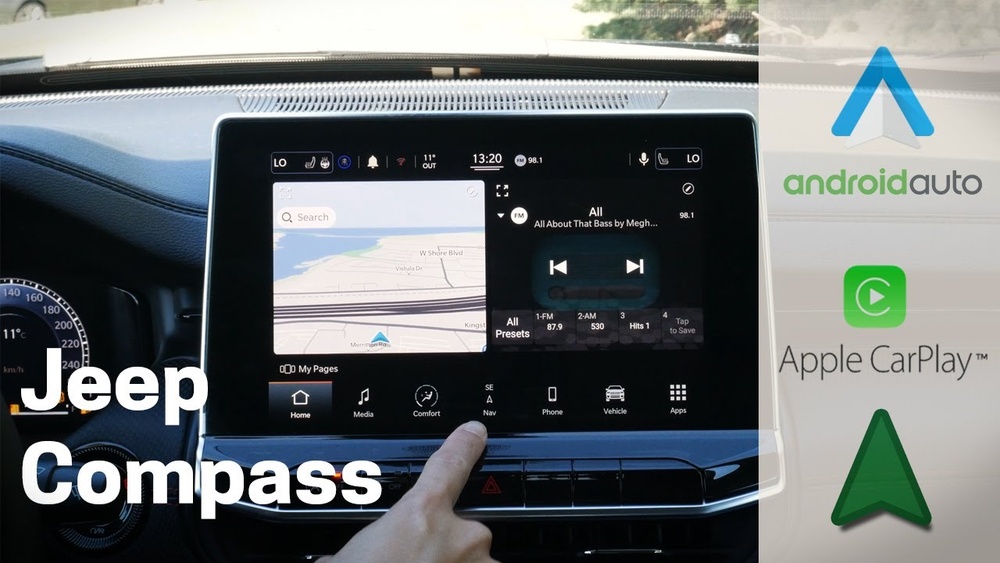
- Destination Entry: Tap “Where To?” or “Search” to enter an address, landmark, or point of interest.
- Route Options: The system lets you choose routes based on shortest distance, fastest time, or avoiding toll roads.
- Voice Guidance: Clear spoken directions help you stay focused on driving.
Entering And Managing Destinations
Entering a destination is simple. Tap “Where To? ” and type the address or name of the place you want to go. The system uses predictive search, so it will suggest matches as you type. If you select a suggestion, the map updates to show the route.
You can also save favorite places like “Home” or “Work” for quick access. To do this, select the destination, tap “Save,” and choose a name for it. This feature is handy if you visit certain locations often.
Handling Multiple Destinations
Planning a trip with several stops? Use the “Add Stop” option after entering your main destination. The system will recalculate the route to include all stops, showing the order and estimated arrival times.

The Uconnect system has tools that many drivers overlook. Learning these can help you avoid mistakes and make your journey smoother.
Real-time Traffic And Road Conditions
Jeep Compass navigation provides live updates about traffic, accidents, and road closures. This feature is especially useful in busy cities or during rush hour.
| Feature | Benefit |
|---|---|
| Live Traffic Updates | Helps avoid delays and find the fastest route |
| Alternate Routes | Saves time if the main route is blocked |
| Road Condition Alerts | Warns about construction or accidents |
Lane Guidance And Junction Views
When approaching complex intersections, the system displays lane guidance. This visual aid shows which lane you should use, reducing confusion.
| Scenario | Lane Guidance Benefit |
|---|---|
| Highway Merges | Directs you to the correct lane for your exit |
| Multi-Lane Intersections | Prevents last-minute lane changes |
| City Streets | Helps avoid missed turns |
Personalizing the navigation system can make your driving more comfortable. You can adjust several settings:
- Map Display: Choose between 2D and 3D views. 3D is helpful in cities, while 2D is better for highways.
- Voice Volume: Change how loud the spoken directions are, or mute them if you prefer.
- Route Preferences: Set rules for avoiding tolls, highways, or ferries.
Example: Setting Route Preferences
Suppose you don’t want to pay tolls. In the navigation settings, select “Avoid Tolls. ” The system will automatically plan routes without toll roads. This small adjustment can save money and prevent surprises.
Common Mistakes And How To Avoid Them
Many drivers make simple mistakes that can affect their navigation experience:
- Outdated Maps: Maps should be updated regularly. New roads and changes are added often. Jeep recommends checking for updates every six months.
- Ignoring Traffic Alerts: Don’t dismiss alerts. They can help you avoid long delays.
- Not Saving Favorite Destinations: This wastes time, especially if you visit the same places frequently.
| Mistake | Impact | Solution |
|---|---|---|
| Maps not updated | Directions may be wrong | Update maps from Jeep site |
| No traffic alerts | Unexpected delays | Enable live traffic feature |
| Favorites not saved | Slower destination entry | Save frequently visited places |
To make the most of your Jeep Compass navigation:
- Start the system before you drive, not while moving.
- Use voice commands to keep your hands on the wheel.
- Check the route overview before starting, so you know the main roads and turns.
- Update your maps and software regularly to access new features and fixes.
Many users don’t realize that the system can suggest nearby gas stations, restaurants, or hotels. Tap “Points of Interest” to see these options. It’s perfect for road trips or when you need a break.

Safety And Privacy Considerations
The navigation system collects some data to improve accuracy, but you can manage privacy settings. You may choose to clear history or limit location sharing. Always check privacy settings after map or software updates.
Remember, the navigation system is a support tool. Keep your focus on the road, especially when adjusting settings or entering destinations.
Frequently Asked Questions
Updates are available through the official Jeep website. Download the new map files, transfer them to a USB drive, and follow the on-screen instructions in your vehicle. For step-by-step details, visit the Jeep Uconnect site.
Yes, the Jeep Compass navigation works offline for basic routes. However, live traffic and weather updates require an active data connection or paired smartphone.
How Do I Change The Voice Language Or Accent?
Go to “Settings” in the navigation menu. Select “Language” and choose your preferred option. You can also pick different accents if available.
Check that your maps are updated. If problems continue, restart the system or contact a Jeep dealer for assistance.
By default, some data may be shared to improve services. You can change privacy settings in the menu or clear your navigation history to protect your information.
Using the Jeep Compass navigation system can transform your driving experience, making every journey smoother and safer. By understanding its features and avoiding common mistakes, you’ll navigate confidently, whether you’re on city streets or country roads.