Setting up Bluetooth in your Jeep can make driving easier and more enjoyable. You can take calls hands-free, listen to your favorite music, and use navigation apps without wires. But connecting Bluetooth can be confusing, especially if you are not familiar with car technology.
Don’t worry—this guide will help you connect your device step by step, no matter your Jeep model or phone type. You’ll also find common problems and solutions, plus expert tips for a better experience.
Understanding Jeep Bluetooth Systems
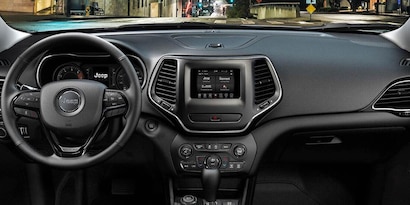
Different Jeep models and years use different Bluetooth systems. Most newer Jeeps (from around 2014 onward) use the Uconnect system. Older models might have a different setup, or sometimes no Bluetooth at all. Check your Jeep manual or look for the Uconnect logo on your dashboard screen.
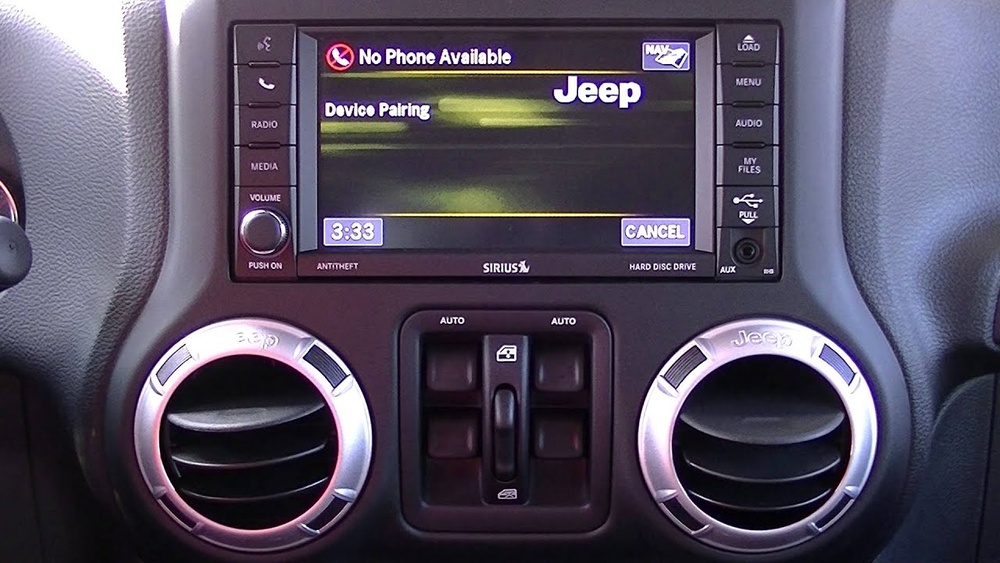
Here’s a quick comparison of Jeep Bluetooth systems by year:
| Model Year | Bluetooth Available | System Name |
|---|---|---|
| 2010-2013 | Optional | MyGIG/Basic Bluetooth |
| 2014-2017 | Standard/Optional | Uconnect 5.0/8.4 |
| 2018-Present | Standard | Uconnect 4/5 |
If your Jeep is from before 2010, you may need a third-party Bluetooth adapter. For all other models, the steps below will help you set up Bluetooth with ease.
Getting Your Jeep And Device Ready
Before connecting, make sure you:
- Park your Jeep safely and turn on the ignition.
- Enable Bluetooth on your smartphone (iPhone or Android).
- Keep your phone close to the Jeep’s dashboard.
- Delete old pairings from your Jeep and phone if you had connection problems before.
Having fewer devices paired often results in faster and more stable connections. Many users overlook this and end up with random pairing errors.

Step-by-step: Pairing Bluetooth In Your Jeep
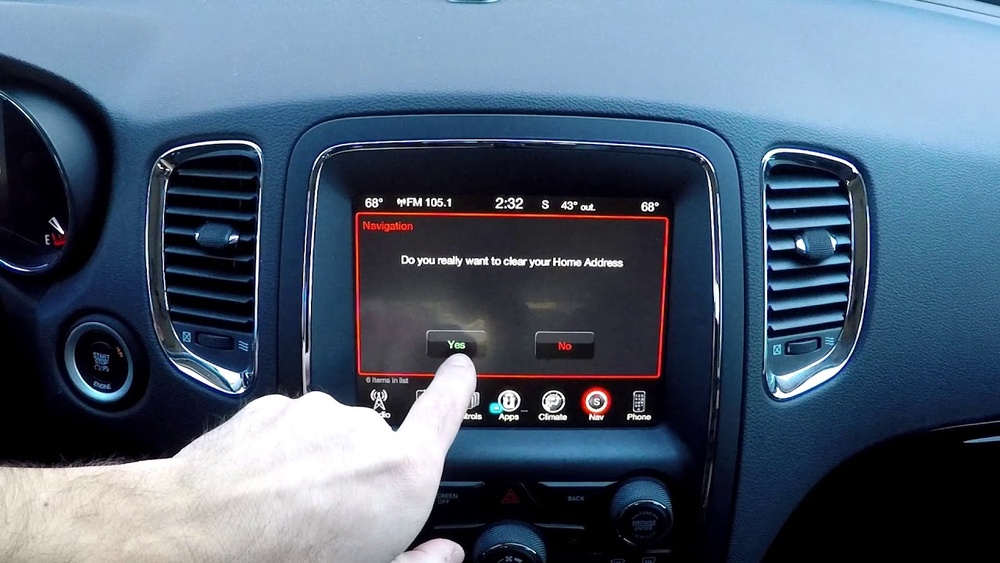
On your Jeep’s touchscreen, press the Phone or Media button. If you see the Uconnect screen, tap on Settings or Bluetooth.
2. Start The Pairing Process
- Select Add Device or Pair New Device.
- Your Jeep will start searching for new devices.
3. Connect Your Phone
- On your phone, open the Bluetooth settings.
- Look for your Jeep’s name (for example, “Uconnect” or “Jeep Wrangler”).
- Tap to connect. A code will appear on both the phone and Jeep screen.
- Make sure the codes match, then confirm on both screens.
4. Allow Contacts And Media Access
Your Jeep may ask for permission to access your contacts and media. Allow access for full hands-free features and music streaming.
5. Confirm Connection
You should see a message like “Phone Connected” or “Bluetooth Audio Connected” on your Jeep screen. Now you can make calls, play music, and use voice commands.
Here’s a quick summary of the process:
| Step | Action in Jeep | Action on Phone |
|---|---|---|
| 1 | Open Bluetooth/Phone menu | Enable Bluetooth |
| 2 | Select Add Device | Find Jeep in available devices |
| 3 | Confirm pairing code | Confirm pairing code |
| 4 | Allow access to contacts/media | Allow permissions |
| 5 | Check for “Connected” message | Test connection (call or play music) |
Solving Common Bluetooth Issues
Bluetooth may not always connect as smoothly as expected. Here are some frequent problems and how to fix them:
- Device Not Found: Make sure Bluetooth is active on both Jeep and phone. Try restarting your phone.
- Connection Drops: Remove old devices from your Jeep’s Bluetooth memory. Only keep the devices you use.
- Audio Not Playing: Check if your phone’s volume is up and media is set to play through Bluetooth.
- Calls Work, Music Doesn’t: Go to your phone’s Bluetooth settings, tap the Jeep device, and enable “Media Audio”.
- Microphone Not Working: Make sure you allowed access to contacts and phone features during pairing.
Many users forget to update their Uconnect system. A system update can fix many bugs. Visit the official Jeep Uconnect update page or contact a Jeep dealer for help.
Extra Tips For A Better Bluetooth Experience
- Keep software updated: Both your phone and Jeep’s system need the latest updates for best performance.
- Limit paired devices: Too many devices cause confusion—delete old phones you no longer use.
- Use voice commands: Try saying “Call [Name]” or “Play [Song]” for hands-free operation.
- Reset if needed: If nothing works, do a factory reset of the Uconnect system (find this in Settings).
Here’s a comparison of features you can use once Bluetooth is set up:
| Feature | Uconnect 4 | Uconnect 5 |
|---|---|---|
| Hands-Free Calling | Yes | Yes |
| Voice Texting | Limited | Yes |
| Wireless Android Auto/Apple CarPlay | No | Yes |
| Multiple Device Pairing | 1-2 | Up to 5 |
Frequently Asked Questions
How Do I Know If My Jeep Has Bluetooth?
Most Jeeps from 2010 and up offer Bluetooth, usually through the Uconnect system. Look for a Phone or Media button on your dash, or check your owner’s manual.
Can I Connect More Than One Phone?
Some newer Jeeps let you pair several devices but only one can connect for calls at a time. Uconnect 5 allows up to five paired devices.
My Jeep Bluetooth Won’t Connect. What Should I Do?
Remove all old devices from both your Jeep and phone. Restart both, then try pairing again. If the problem continues, check for a system update or visit a Jeep dealer.
Is There A Way To Improve Sound Quality Over Bluetooth?
Yes. Update your phone and Uconnect system, and keep your phone’s battery charged. Low battery or old software can make audio sound worse.
Where Can I Find Official Support For Jeep Bluetooth Issues?
Official help is available at the Uconnect Support page. They offer guides, updates, and contact info for your region.
Setting up Bluetooth in your Jeep is a smart way to drive safer and enjoy your favorite features. Just follow these steps, keep your devices updated, and don’t be afraid to reset if things go wrong. With practice, you’ll connect in seconds every time you drive.