Pairing your iPhone with your Jeep Cherokee can make driving safer and more enjoyable. You get hands-free calling, easy access to maps, voice texting, and the ability to play your favorite music—all without taking your eyes off the road. But many drivers find the process confusing, especially if they’ve never connected a smartphone to a car before. This guide will walk you step-by-step through pairing your iPhone to your Jeep Cherokee, explain the differences between Bluetooth and Apple CarPlay, and answer common questions. Whether you drive a newer Cherokee or an older model, you’ll find clear, easy instructions here.
Understanding Your Jeep Cherokee’s Connectivity
Most modern Jeep Cherokees come with Uconnect, a multimedia system that controls navigation, climate, apps, and phone integration. Depending on your model year, you may have:
- Bluetooth: Allows wireless connection for calls, music, and some apps.
- Apple CarPlay: Lets you mirror your iPhone’s screen and use Siri, Maps, and other apps.
Not all Cherokees support Apple CarPlay, especially models made before 2018. Here’s how the basic features compare:
| Feature | Bluetooth | Apple CarPlay |
|---|---|---|
| Hands-Free Calling | Yes | Yes |
| Music Streaming | Yes | Yes |
| Text Messaging | Limited | Full Support |
| App Access | Limited | Wide Range |
| Maps/Navigation | No | Yes |
If you’re not sure which features your Cherokee supports, check your owner’s manual or look for the Apple CarPlay or Android Auto logo on your Uconnect screen.
Step-by-step: Pairing Your Iphone With Jeep Cherokee
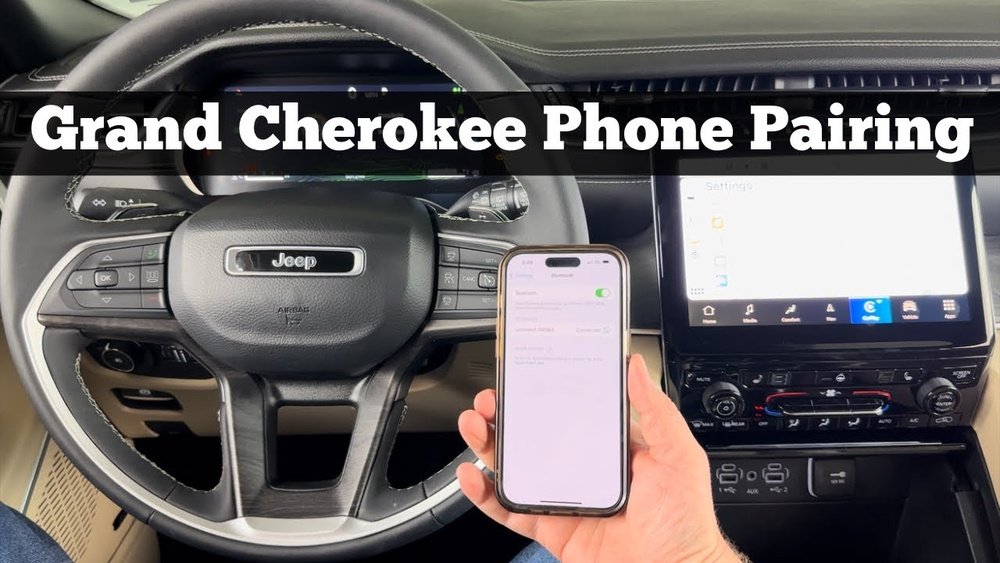
Pairing your iPhone is easy if you follow each step. Here’s how to do it for both Bluetooth and Apple CarPlay.
Pairing Via Bluetooth
- Start your car and keep it in Park.
- On your Uconnect screen, tap Phone.
- Select Add Device or Pair a Device.
- On your iPhone, open Settings > Bluetooth, and turn Bluetooth ON.
- Wait for “Uconnect” to appear under Devices. Tap it.
- A pairing code will show on both your car’s screen and your iPhone. Make sure they match, then tap Pair on your phone.
- Allow contacts and favorites to sync when prompted.
- Your iPhone is now connected. You should see a Bluetooth symbol on the Uconnect display.
If you run into trouble, try restarting both your car and your iPhone, or forget the device and repeat the steps.
Connecting With Apple Carplay
If your Cherokee supports Apple CarPlay, you’ll need a USB cable for the first setup.
- Start your Cherokee and make sure it’s in Park.
- Plug your iPhone into the USB port (usually labeled with a phone or CarPlay symbol).
- The Uconnect screen will prompt you to enable Apple CarPlay. Tap Yes or Continue.
- On your iPhone, a message will ask if you allow CarPlay with Jeep Cherokee. Tap Allow.
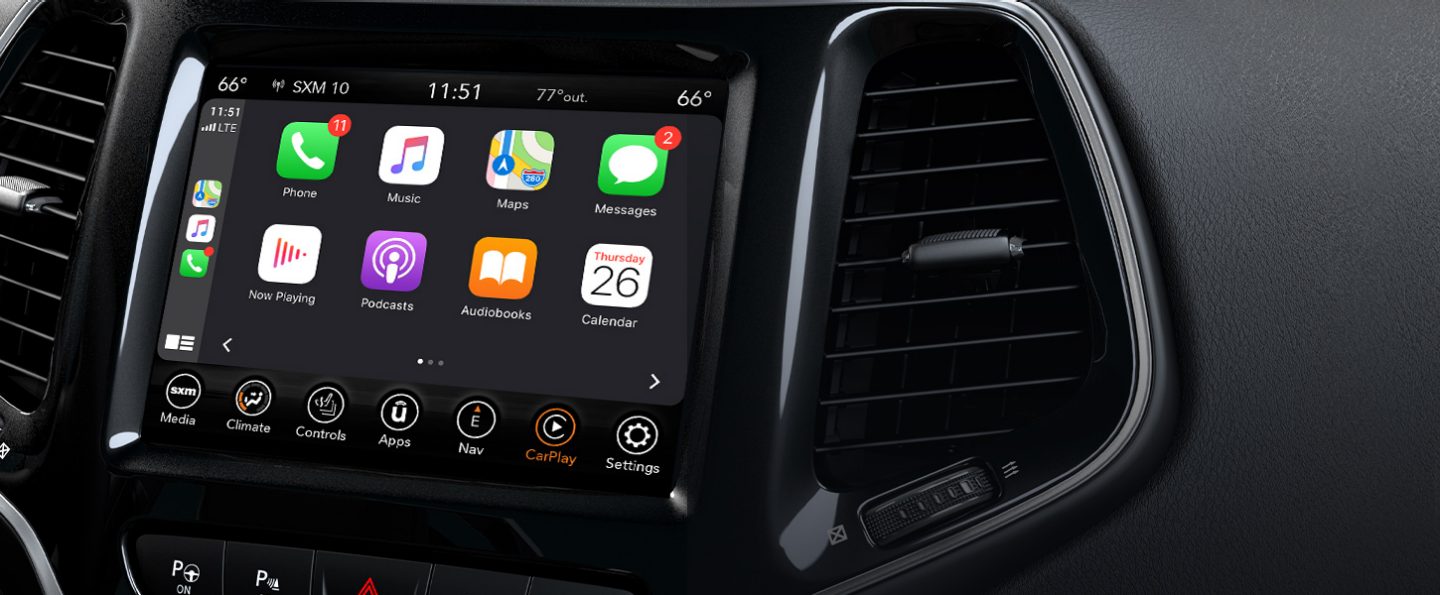
- The CarPlay interface will appear on your Uconnect screen, showing apps like Maps, Music, and Messages.
Some newer Cherokees support wireless CarPlay. If so, after the first USB connection, your iPhone may connect automatically next time via Bluetooth and Wi-Fi.
Tips For A Smooth Connection
Pairing usually takes just a minute, but sometimes small issues can cause headaches. Here’s how to avoid common mistakes and get the best experience.
- Make sure your iPhone runs the latest iOS version. Older software can cause connection problems.
- Use a high-quality, original Apple USB cable for CarPlay. Cheap cables may not work.
- Ensure Bluetooth is enabled on both devices.
- Do not try to pair while the car is moving—many systems require the vehicle to be in Park.
- If you have multiple phones paired, set your main device as the “Favorite” in Uconnect settings.
- Restart your phone and car infotainment system if you can’t connect.
- Delete old devices from your Uconnect system if you hit the device pairing limit (usually 5–7 devices).
Here’s a quick comparison of Cherokee model years and connectivity options:
| Model Year | Bluetooth | Apple CarPlay |
|---|---|---|
| 2014–2017 | Yes | No |
| 2018–2019 | Yes | Yes (optional) |
| 2020–2024 | Yes | Yes |
If your Cherokee is an older model without CarPlay, you can still use Bluetooth for calls and music. Aftermarket adapters are also available for adding CarPlay to older vehicles.
What If Pairing Fails?
Sometimes pairing does not work the first time. Here’s how to troubleshoot:
- Reset network settings on your iPhone: Go to Settings > General > Transfer or Reset iPhone > Reset > Reset Network Settings. This removes all saved Wi-Fi and Bluetooth connections.
- Forget and re-pair: Remove your iPhone from the Uconnect paired devices list and start the process again.
- Update Uconnect software: Check your Jeep dealer or the official Uconnect website for updates.
- Test another device: Try pairing a different phone to see if the problem is with your iPhone or the car.
- Consult the manual or Jeep’s support if issues persist.

Benefits Of Pairing Your Iphone
Pairing your iPhone to your Jeep Cherokee is not just about convenience. It can make your drives safer and more productive.
- Hands-Free Calling: Talk without holding your phone.
- Text Messaging: Listen to and reply to texts using voice commands.
- Navigation: Use Apple Maps or Google Maps with real-time traffic.
- Music and Podcasts: Stream your playlists directly from your iPhone.
- Emergency Assistance: Call for help quickly if needed.
Many drivers don’t realize that CarPlay can also read out notifications from third-party apps, like WhatsApp or Waze, helping you stay informed without distraction.
Frequently Asked Questions
How Many Phones Can I Pair With My Jeep Cherokee?
Most Jeep Cherokees let you pair up to seven devices. However, only one can be the active phone at a time. You can switch between phones in the Uconnect settings.
Can I Use Apple Carplay Wirelessly?
Wireless CarPlay is available on some 2021 and newer Cherokees. If supported, after the first USB connection, your iPhone can connect automatically via Bluetooth and Wi-Fi. Older models require a USB cable.
Why Isn’t My Iphone Connecting To Uconnect?
Check that both Bluetooth and CarPlay (if available) are enabled. Make sure your iPhone’s software is up to date and that you’re using a good cable. Also, restart both your phone and the Uconnect system if needed.
Does Pairing My Iphone Let Me Use Siri In My Cherokee?
Yes. With CarPlay, you can use Siri for voice commands: making calls, sending texts, getting directions, or controlling music. Just press and hold the voice control button on your steering wheel.
Where Can I Find More Help Or Updates?
For more detailed instructions and software updates, visit the official Jeep Uconnect site.
Pairing your iPhone to your Jeep Cherokee is a simple step that opens up a world of convenience and safety features. With just a few minutes of setup, you’ll enjoy a smoother, smarter drive every time you get behind the wheel.