Connecting your phone or device to your Jeep Wrangler’s Bluetooth system can make driving more enjoyable and safer. With Bluetooth, you get hands-free calling, wireless music streaming, and easy access to your favorite apps. But many Jeep owners find the process confusing, especially if they aren’t native English speakers or if they’re new to modern car tech.
This guide will show you every step, avoid common mistakes, and give you helpful insights so you can connect Bluetooth on your Jeep Wrangler quickly and with confidence.
Understanding Jeep Wrangler Bluetooth Systems
The Jeep Wrangler has used different infotainment systems over the years. Most models from 2011 and newer include Bluetooth, but the steps can vary. The two most common systems are:
- Uconnect 3, 4, and 5 (2017 and newer)
- Older Uconnect or basic media centers (2011–2016)
Before you start, check your Jeep’s year and model. The steps below focus on Uconnect, but the basics are similar for all systems.
| Model Year | Infotainment System | Bluetooth Support |
|---|---|---|
| 2011–2016 | Uconnect / Basic | Yes (most trims) |
| 2017–2020 | Uconnect 3/4 | Yes |
| 2021–Present | Uconnect 5 | Yes (improved features) |
Step-by-step: How To Connect Bluetooth On Jeep Wrangler
The exact steps may look a little different depending on your Jeep’s year, but the main process is the same.
1. Prepare Your Device
- Turn on Bluetooth on your smartphone or device.
- Make sure your device is set to discoverable. For iPhones, stay on the Bluetooth menu. For Android, tap to make your device visible.
2. Start The Jeep Wrangler
- Put the vehicle in Park and turn on the ignition.
- Do not drive while pairing for safety reasons.
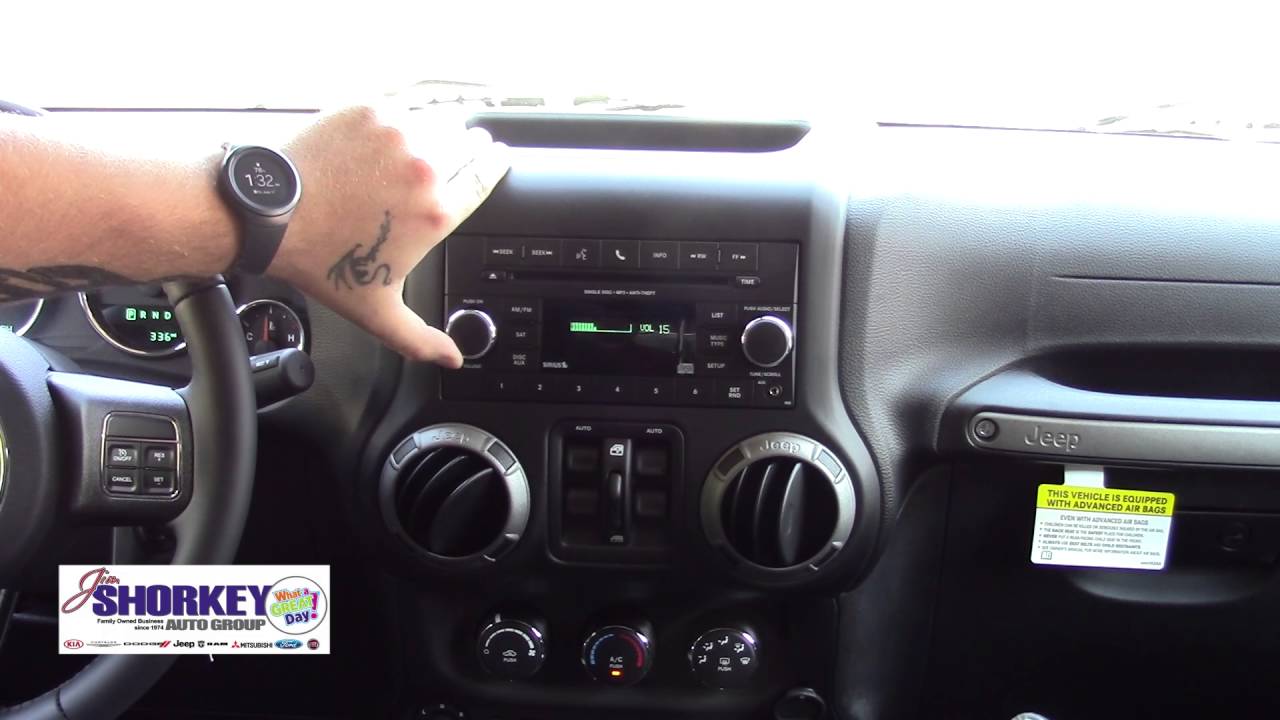
- Tap the Phone or Media button on your Jeep’s touchscreen (or press the physical ‘Phone’ button if there is one).
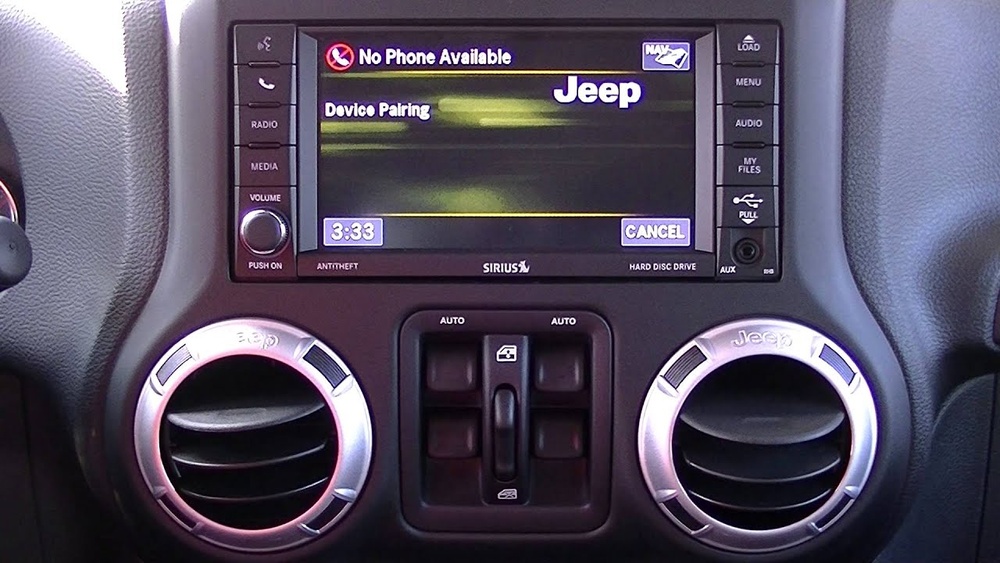
- Choose Add Device or Pair a Device.
4. Pair Your Phone
- On your phone, look for your Jeep’s system name (such as “Uconnect” or “Wrangler”) in the list of available devices.
- Tap it to start pairing.
- The system will show a PIN code on both the Jeep screen and your phone. Make sure the codes match, then tap Pair or Yes on both devices.
5. Complete The Connection
- Wait for a confirmation message. You may need to allow contacts and messages to sync if you want hands-free calling and text features.
- Your phone is now connected! You can make calls, stream music, and use voice commands.
Here’s a quick comparison of what you get with different Uconnect systems:
| Feature | Uconnect 3 | Uconnect 4 | Uconnect 5 |
|---|---|---|---|
| Bluetooth Audio | Yes | Yes | Yes |
| Apple CarPlay/Android Auto | No | Yes | Wireless |
| Voice Recognition | Basic | Improved | Advanced |

Tips For A Smooth Bluetooth Connection
Many people miss a few important details that can cause pairing to fail or work poorly.
- Update Your Software: Both your phone and the Jeep’s Uconnect system should have the latest updates. Outdated software can block connections.
- Remove Old Devices: If your Jeep has many devices stored, delete unused connections. Most systems only allow up to 5–7 devices.
- Restart Devices: If you get stuck, restart both your phone and your Jeep’s infotainment screen.
- Place Devices Close: For best results, keep your phone within a few feet of the Jeep’s system while pairing.
- Turn Off Bluetooth on Other Devices: If you have Bluetooth on multiple devices nearby, they can interfere.
A practical insight: Many owners forget to allow contacts and messages during setup. Without this, you won’t get caller names or text alerts. If you skipped this, go to your phone’s Bluetooth settings, find your Jeep, and enable contacts/messages sharing.
Another tip: Some privacy settings on iPhones and Androids can block music streaming, even if calls work. Check your Bluetooth permissions in your phone’s settings to allow audio access.
Troubleshooting Common Bluetooth Issues
Bluetooth problems are common but usually easy to fix.
- Can’t Find Jeep on Phone: Make sure you’re in pairing mode on the Jeep, and your phone’s Bluetooth is on.
- No Sound During Calls/Music: Check the audio source on your Jeep’s screen. Sometimes it stays set to radio or USB.
- Frequent Disconnects: Clear old devices from the Jeep’s system and your phone’s Bluetooth menu, then try pairing again.
- Voice Commands Not Working: Speak clearly, and make sure your phone is unlocked. Voice recognition works better with updated software.
If you still have trouble, consult your owner’s manual or visit the official Jeep Uconnect page for more help.

Bluetooth Features You Might Not Know
Many drivers only use the basics, but your Jeep Wrangler’s Bluetooth can do more:
- Send/Receive Texts: Some models let you hear and reply to texts using voice commands.
- Multiple Device Support: Newer Uconnect systems can pair two phones at once—great for sharing with family.
- Wireless CarPlay/Android Auto: The latest models let you use your favorite apps wirelessly, not just Bluetooth audio.
| Function | Requires Bluetooth? | Extra Steps Needed? |
|---|---|---|
| Hands-Free Calling | Yes | No |
| Text Messaging | Yes | Enable permissions |
| Music Streaming | Yes | Select audio source |
| CarPlay/Android Auto | No (uses Wi-Fi/Bluetooth) | Connect phone, accept prompts |
Frequently Asked Questions
How Many Devices Can I Connect To Jeep Wrangler Bluetooth?
Most Jeep Wranglers allow up to seven devices to be saved, but only one can be active at a time. Uconnect 5 supports two active connections for calls and audio.
Can I Connect Bluetooth Headphones To The Jeep Wrangler?
No, the Jeep Wrangler’s Bluetooth is designed for phones and media players, not headphones or speakers.
Why Does My Bluetooth Connection Keep Dropping?
Frequent disconnects usually happen because of software bugs, too many paired devices, or interference from other electronics. Delete unused devices and update software to fix this.
Does Bluetooth Work When The Jeep Is Off?
Bluetooth only works when the ignition is on or the car is in accessory mode. When the Jeep is off, Bluetooth disconnects.
Yes! When your phone is connected, navigation audio from apps like Google Maps will play through the Jeep’s speakers, making it easier to follow directions.
Connecting Bluetooth in your Jeep Wrangler is simple once you know the steps. With a little patience and these tips, you’ll enjoy hands-free calls and music on every drive. If you run into trouble, don’t hesitate to check your manual or the Jeep website for help.
Safe travels!