Connecting your iPhone to the Uconnect system in your Jeep unlocks features that make driving safer and more enjoyable. You can use hands-free calling, stream music, get directions, and access apps without looking at your phone. Whether you drive a Jeep Wrangler, Grand Cherokee, or another model, the process is similar. But many users struggle with pairing their devices or using advanced features. This guide will show you clear steps, practical tips, and solutions for common issues—so you can make the most of your Jeep’s Uconnect system.
Understanding Uconnect
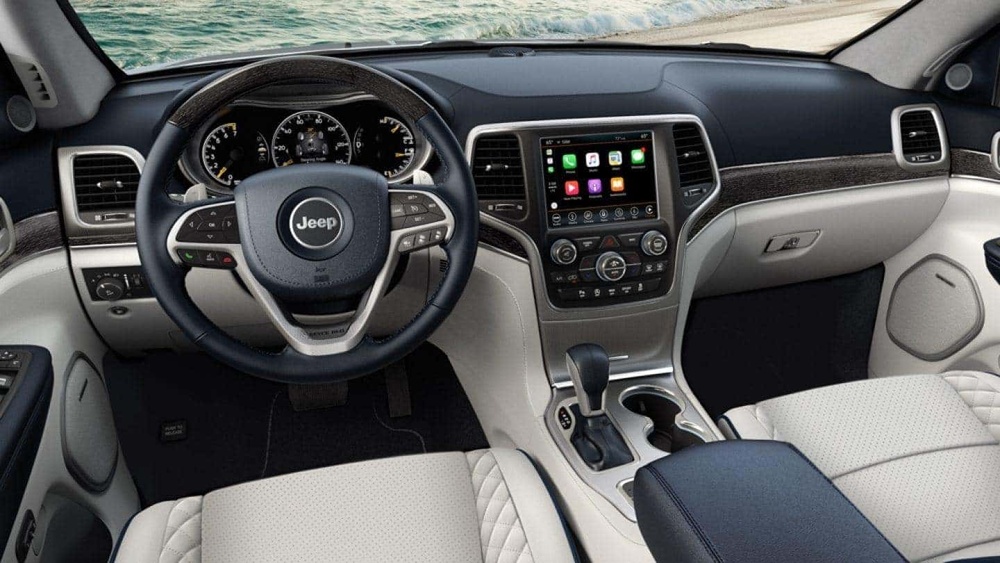
Uconnect is Chrysler’s infotainment system, available in most Jeep vehicles. It lets you control navigation, audio, phone calls, and some vehicle settings through a touchscreen or voice commands. The system supports Bluetooth and Apple CarPlay—both allow your iPhone to connect and interact with your Jeep.
Jeep models from 2017 onward often come with Uconnect 4 or newer, which is compatible with Apple CarPlay. Older models may only support Bluetooth. Here’s a quick comparison:
| Uconnect Version | Apple CarPlay Support | Bluetooth Audio |
|---|---|---|
| Uconnect 3 | No | Yes |
| Uconnect 4 | Yes | Yes |
| Uconnect 5 | Yes (Enhanced) | Yes |
Check your Jeep’s manual or screen to see your Uconnect version.
Connecting Your Iphone Via Bluetooth
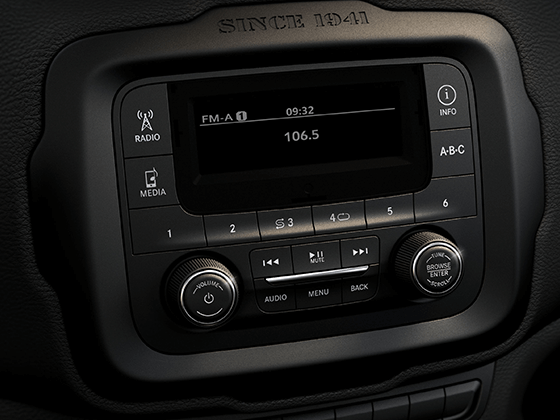
Bluetooth pairing lets you make calls, stream music, and access basic functions. Follow these steps:
- Turn on Bluetooth on your iPhone. Go to Settings > Bluetooth and make sure it is enabled.
- Start your Jeep and power on Uconnect.
- On the Uconnect touchscreen, go to Phone or Settings and select “Pair a Device.”
- Uconnect will display a list of available devices. Select your iPhone from the list.
- A pairing code will appear on both screens. Confirm the code matches and tap “Pair” on your phone.
- Allow Uconnect to access contacts and messages if prompted.
- The phone is now connected. You can make calls, play music, and use voice commands.
Some users forget to enable Bluetooth visibility on their phone, which causes connection failures. Always check this setting before pairing.
Common Bluetooth Problems
- Connection drops: Move your phone closer to the system and remove extra paired devices.
- Audio issues: Check volume settings on both iPhone and Uconnect.
- Contacts not syncing: Restart your iPhone and try pairing again.

Using Apple Carplay With Uconnect
Apple CarPlay provides a bigger set of features like navigation, messaging, and music apps on your Jeep’s touchscreen. To connect:
- Use an official Apple Lightning cable (third-party cables sometimes fail).
- Plug your iPhone into the USB port labeled “Media” or “Smartphone.”
- Uconnect will detect your device and prompt you to enable CarPlay.
- Tap “Yes” or “Enable” on the Uconnect screen.
- Your iPhone’s apps will appear on the screen. Use touch or voice commands to control them.
This process works for Uconnect 4 and newer. If your Jeep is older, you might only have Bluetooth and not CarPlay.
Apple Carplay Vs Bluetooth
Here’s a quick comparison:
| Feature | Bluetooth | Apple CarPlay |
|---|---|---|
| Hands-free calling | Yes | Yes |
| Music streaming | Yes | Yes |
| Navigation | No | Yes |
| Text messaging | No | Yes |
| App access | Limited | Full |
Most drivers find CarPlay easier for navigation and messaging, while Bluetooth is enough for basic calls and music.
Practical Tips For Smooth Connection
- Use a high-quality USB cable for CarPlay. Cheap cables can cause frequent disconnects.
- Update your iPhone and Uconnect software regularly. Outdated versions can lead to compatibility issues.
- Restart both devices if you notice lag or failed connections.
- For best audio quality, adjust equalizer settings in both iPhone and Uconnect.
- If you switch between Bluetooth and CarPlay, unplug the cable before starting Bluetooth pairing.
Many beginners miss the importance of software updates. Jeep often releases Uconnect improvements that fix bugs and add features. Check for updates at the dealer or on Jeep’s official website.
Troubleshooting Advanced Issues
Sometimes, even after following steps, your iPhone won’t connect. Try these fixes:
- Reset Uconnect: Go to Settings > System > Reset and restart the unit.
- Forget device: On your iPhone, remove Uconnect from Bluetooth devices and re-pair.
- Factory reset: If all else fails, reset Uconnect to factory settings—but backup your settings first.
Some users experience CarPlay glitches when many apps run in the background. Close unused apps and disable unnecessary notifications.
If your Jeep’s Uconnect doesn’t support CarPlay, consider aftermarket upgrades or adapters. This can be expensive, but it gives you access to newer tech.
Data Privacy And Security
When connecting your iPhone, Uconnect may access contacts, messages, and location. Jeep follows strict privacy standards, but you can manage permissions:
- On your iPhone, go to Settings > Privacy > Bluetooth and review allowed apps.
- After selling your Jeep, always remove your iPhone data from Uconnect.
Data leaks are rare, but always protect your info by using strong phone passwords and keeping your software updated.
Frequently Asked Questions
How Do I Know If My Jeep Supports Apple Carplay?
Check your Jeep’s model year and Uconnect version. Most models from 2017 onward with Uconnect 4 or newer support CarPlay. For more details, see Jeep’s official website.
Can I Connect Multiple Iphones To Uconnect?
Yes, Uconnect can pair with several devices, but only one can be active at a time. To switch, disconnect the current phone and pair the other.
Why Does My Uconnect System Disconnect From My Iphone?
Frequent disconnects are often caused by faulty cables, outdated software, or interference from other devices. Try using a genuine Apple cable and update both systems.
Is Wireless Carplay Available For Jeep?
Some newer Jeep models with Uconnect 5 offer wireless CarPlay. Check your vehicle’s specs. Older models require a USB cable.
Where Can I Get The Latest Uconnect Software Updates?
Visit your local dealer or download updates from the official Jeep website. For more information, see Jeep Uconnect.
Connecting your iPhone to your Jeep’s Uconnect system gives you safer, smarter driving. By following these steps and tips, you’ll enjoy hands-free calls, easy navigation, and music—all without distraction. Keep your software updated, use quality cables, and remember to protect your privacy. With the right setup, your Jeep and iPhone work together perfectly.