If you drive a Jeep Grand Cherokee, you know how important your vehicle’s lights are for safety and visibility. But there are moments when you want them off—like when parked, waiting in your car, or to avoid draining your battery. Many drivers find it confusing to turn off all the lights, especially with newer Grand Cherokee models that use automatic systems. This guide will walk you through every method, covering common situations, key differences between models, and practical troubleshooting tips.
Understanding Jeep Grand Cherokee Lighting Systems
Modern Jeep Grand Cherokee SUVs come with different lighting features. Some use traditional manual switches, while others have automatic headlights and interior lights controlled by sensors. Knowing which system your car has is the first step.
| Model Year | Lighting Control Type | Common Features |
|---|---|---|
| 2010 & earlier | Manual | Rotary switch, dome light button |
| 2011–2020 | Manual + Automatic | Auto mode, ambient lighting |
| 2021 & newer | Fully Automatic | Light sensors, touchscreen controls |
Older models rely on simple physical switches. Newer ones have a combination of physical and electronic controls, sometimes even integrating settings into the touchscreen.
Turning Off Headlights
Headlights can be tricky to switch off, especially when automatic mode is active.
Manual Headlight Controls
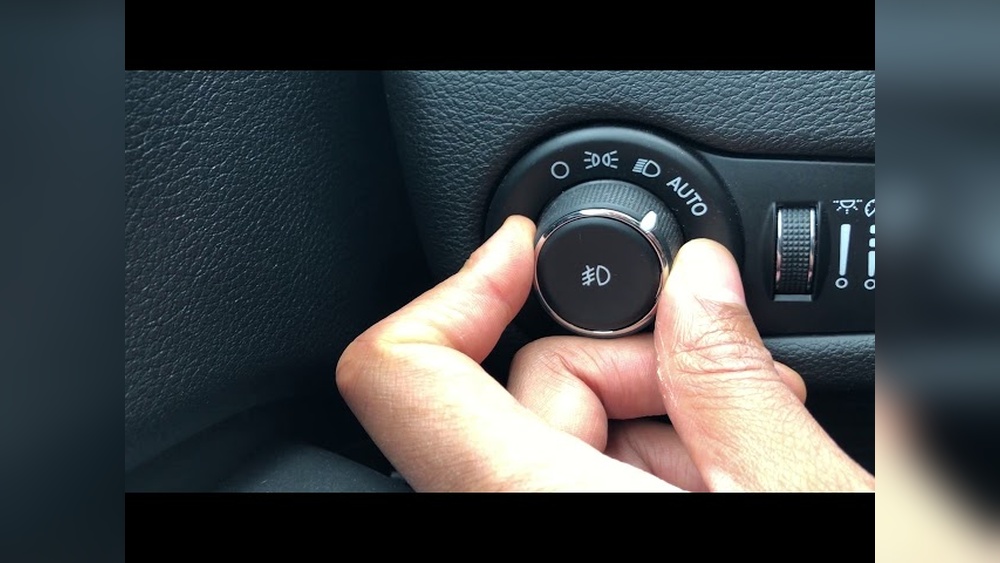
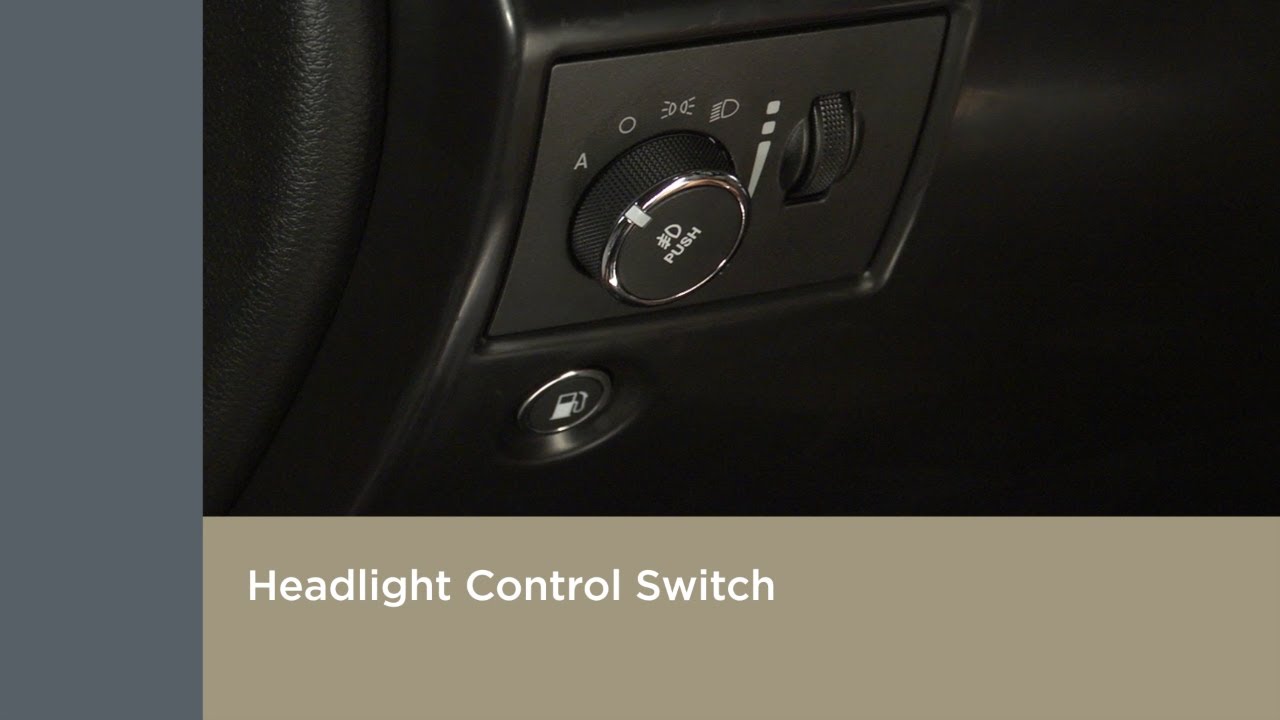
For most Grand Cherokees, you’ll find a knob on the left side of the steering wheel. Here’s how to turn the headlights off:
- Locate the rotary switch. It’s usually marked with icons for parking lights, headlights, and “AUTO.”
- Turn the switch to the “O” position (off). This disables the headlights.
- If your model has no “off” position, select “parking lights” to keep only dim lights on.
Insight: Some U.S. models do not allow full manual headlight deactivation for safety reasons. In these cases, the “auto” feature may always activate lights when it’s dark or the engine runs.
Automatic Headlight Controls
If your Grand Cherokee uses automatic headlights:
- Place the rotary switch to “AUTO.”
- To override, turn the switch to the parking lights or off (if available).
- For some models, headlights stay on for 30 seconds after you turn off the engine. This is called “follow-me-home” lighting.
If you want to turn this feature off, check your owner’s manual or the touchscreen under “Lights” settings.
Headlights Stay On? Common Causes
- Daytime running lights (DRL): Some models keep a low beam on for daytime visibility, which cannot always be turned off.
- Light sensor malfunction: If the sensor on your dashboard is blocked or dirty, headlights may stay on.
- Settings lock: Fleet vehicles or rentals sometimes lock headlight settings for safety.
If the lights stay on after you’ve tried everything, it’s likely a system feature, not a fault.

Turning Off Interior And Dome Lights
Interior lights, including dome and map lights, can be annoying if they stay on. Here’s how to control them:
- Dome light switch: Near the light itself, there’s often a button or slider. Push or slide it to the “off” position.
- Instrument panel wheel: Left of the steering wheel, you’ll see a small wheel for dimming the dashboard lights. Roll it fully down—this usually turns all interior lights off.
- Touchscreen settings: In newer models, open the “Controls” or “Lights” menu on the Uconnect screen. Select “Interior Lights” and set them to “off.”
- Check the doors: If any door is slightly open, interior lights will stay on. Make sure all doors (including the liftgate) are fully closed.
| Light Type | Control Location | How to Turn Off |
|---|---|---|
| Dome Light | Ceiling (center) | Press button/sliding switch |
| Map Light | Front overhead | Press lens or button |
| Ambient/Footwell | Touchscreen or side panel | Adjust via settings |
Non-obvious tip: On some trims, if you leave the dimmer wheel slightly above “off,” the lights may fade but not fully switch off.
Turning Off Fog Lights And Parking Lights
Fog lights and parking lights are controlled separately from the main headlights.
- Fog lights: Usually toggled by pulling the headlight switch outwards or pressing a button. Make sure the fog light indicator on the dashboard is off.
- Parking lights: Turn the rotary switch to the “O” position or the icon with a single light. In some models, parking lights stay on for a short time after locking.
Common mistake: Many drivers forget to turn off fog lights, which can drain the battery if left on overnight.
Special Cases: Turning Off Lights When Doors Are Open
If you want the interior lights off while keeping doors open (e.g., camping, waiting), here’s what to do:
- For most Grand Cherokees, roll the instrument panel dimmer wheel fully down until it clicks. This disables dome and map lights, even with doors open.
- For newer models, use the touchscreen to find “Lights with Doors” or similar. Set to “Off.”
Pro tip: If you can’t get the lights off, try locking the doors with the key fob while inside. This can sometimes override the default interior lighting.
Troubleshooting Light Issues
If your Jeep Grand Cherokee’s lights won’t turn off, consider these steps:
- Double-check all switches and settings.
- Inspect door sensors—even a slightly open hood or trunk can keep lights on.
- Look for stuck buttons—sometimes a stuck dome light button causes problems.
- Reset the system by turning the car off, removing the key, and opening/closing all doors.
- If the problem continues, consult a dealer or trusted mechanic. Electrical issues sometimes require a scan tool for diagnosis.
A helpful resource is the official Jeep Grand Cherokee manual, available at the Jeep Owners’ Website.
Frequently Asked Questions
Why Won’t My Jeep Grand Cherokee Headlights Turn Off After The Engine Is Off?
This is usually because of the “follow-me-home” lighting. The headlights stay on for a set time to help you see as you leave the car. You can adjust or disable this in the vehicle settings or by referring to the manual.
How Do I Turn Off Daytime Running Lights On My Grand Cherokee?
Daytime running lights (DRL) often cannot be turned off for safety reasons. In some models, you can disable them through the Uconnect touchscreen under “Lights” or by asking your dealer.
Can Leaving Interior Lights On Drain My Battery?
Yes. If your interior lights remain on for hours, they can drain the battery, especially in older models. Always check lights before leaving your vehicle.
How Do I Turn Off The Cargo Area Light?
The cargo light usually turns off when the liftgate is closed. If it stays on, check the liftgate latch or turn the dimmer wheel down. If it’s still on, there could be a faulty sensor.
My Lights Flicker Or Don’t Respond To The Switch. What Should I Do?
Flickering lights may mean a loose bulb, bad fuse, or electrical issue. Try replacing the bulb or fuse. If the problem continues, get the electrical system checked by a mechanic.
Turning off the lights in your Jeep Grand Cherokee is simple once you know the system. Each model year has unique features, so always check both physical switches and touchscreen settings. With these tips, you can control your vehicle’s lighting easily and avoid battery drain or unwanted attention.