Connecting your phone to a 2014 Jeep Wrangler can improve your driving experience in many ways. You can stream music, make calls hands-free, and use navigation apps through your car’s audio system. Many people find the process confusing, especially if they are not familiar with car technology. This guide will show you how to connect your phone step-by-step, explain common problems, and share practical tips to make sure everything works smoothly.
Understanding Your Jeep Wrangler’s Connectivity Options
The 2014 Jeep Wrangler comes with different audio systems. Some models have the Uconnect system, while others use a standard radio with auxiliary input. Knowing which system you have is important because the steps change depending on the system.
| Jeep Model | Audio System | Connectivity Features |
|---|---|---|
| Sport | Basic Radio | Auxiliary Input |
| Sahara | Uconnect | Bluetooth, Aux, USB |
| Rubicon | Uconnect | Bluetooth, Aux, USB |
Most Wranglers with Uconnect offer Bluetooth and USB connections. Basic radios may only have an auxiliary port.
Connecting Via Bluetooth
Bluetooth is the easiest way to connect your phone wirelessly. Here’s how you do it:
- Turn on your Jeep’s ignition and make sure the audio system is powered up.
- Press the Uconnect button (usually a phone icon) on your dashboard.
- Go to your phone’s Bluetooth settings and turn Bluetooth on.
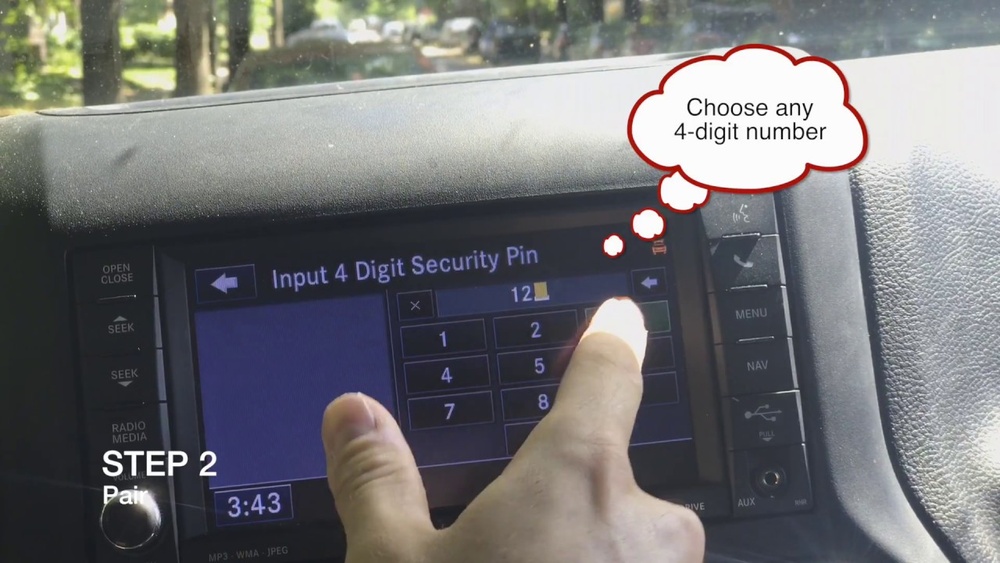
- Select “Add Device” on your Jeep’s Uconnect screen.
- Your car will display a unique code. Check your phone for the same code and confirm the pairing.
- Once paired, your phone will connect automatically every time you start your Jeep.
If your Wrangler does not have Uconnect, Bluetooth may not be available. In that case, use the auxiliary input.
Common Bluetooth Problems
- Connection drops: This happens if your phone is too far from the system or there’s interference. Try moving your phone closer.
- Pairing fails: Make sure both your phone and Uconnect are in pairing mode. Restart both devices if needed.
- Audio quality issues: Older phones may not support high-quality Bluetooth streaming.
Connecting Via Usb
If your Jeep has a USB port, you can use it for both charging and audio.
- Plug your phone’s USB cable into the car’s USB port.
- The Uconnect system should detect your phone and switch to USB mode.
- Select USB as the audio source on your car’s radio.
- You can now play music or use apps directly.
USB connections are more stable than Bluetooth and often offer better sound quality.
Usb Vs Bluetooth Comparison
Here’s a quick look at the differences:
| Feature | USB Connection | Bluetooth Connection |
|---|---|---|
| Audio Quality | High | Medium |
| Phone Charging | Yes | No |
| Hands-free Calling | No | Yes |
| Setup Time | Quick | Moderate |
Using The Auxiliary Input
If your Wrangler only has an auxiliary port, connecting is simple but limited.
- Plug one end of an aux cable into your phone’s headphone jack.
- Plug the other end into the car’s aux port.
- Select “Aux” on your car’s radio.
- Play music or audio from your phone.
Note: You cannot make hands-free calls using the auxiliary input. Audio quality depends on your cable.
Tips For A Smooth Connection
- Update your phone’s software before connecting.
- Remove old paired devices from the Uconnect system to avoid confusion.
- Keep your phone’s Bluetooth visible while pairing.
- Use high-quality cables for USB and aux connections.
- If you switch phones often, clear the device list regularly.
Many beginners forget to check compatibility. Not every phone works with every system. If your phone is older or uses a unique operating system, test connection before relying on it.
Safety And Hands-free Use
Using your phone while driving can be dangerous. Uconnect allows hands-free calling and voice commands. To stay safe:
- Always use voice commands for calls and texts.
- Set up your favorite contacts in Uconnect for quick access.
- Do not try to connect your phone while driving.
Some states have laws against holding your phone while driving. Using Bluetooth or Uconnect helps you follow these laws.

Non-obvious Insights
- Audio streaming apps: Not all music or podcast apps work perfectly with Uconnect. If you have issues, try using default music players.
- Device priority: Uconnect gives priority to the first paired device. If you want to switch phones, disconnect the current device first.
- Signal interference: Metal objects or other Bluetooth devices in your car can cause connection problems.
Troubleshooting Connection Issues
If you cannot connect your phone, try these steps:
- Restart your phone and the Jeep’s audio system.
- Delete the pairing and set up again.
- Check for software updates in both the phone and Uconnect system.
- If the USB port doesn’t work, try a different cable or port.
- For persistent issues, consult the Jeep manual or visit a dealership.
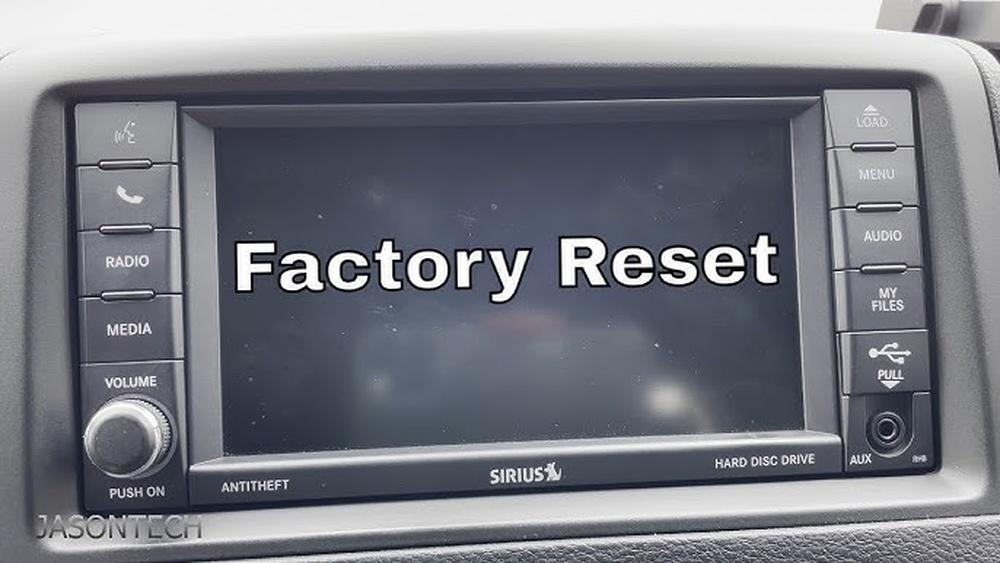
Sometimes, a simple reset fixes the problem. If not, check the official Jeep support page: Jeep Uconnect Support.

Frequently Asked Questions
How Do I Connect My Phone To The Jeep Wrangler If It Doesn’t Have Bluetooth?
Use the auxiliary port with an aux cable. Plug it into your phone and the car’s aux input, then select “Aux” on your radio.
Can I Make Hands-free Calls Without Uconnect?
No. Hands-free calling requires Uconnect or a Bluetooth-enabled audio system. Aux input only allows audio playback.
Why Does My Jeep Not Recognize My Phone?
Check if your phone’s Bluetooth is turned on and visible. Remove old devices from Uconnect and restart both devices.
Is It Safe To Use My Phone While Driving?
Using hands-free features like Uconnect is safer. Avoid holding your phone or using manual controls while driving.
What If I Have An Iphone Or Android?
Both iPhone and Android phones work with Uconnect. For best results, update your phone’s software and use official cables.
Connecting your phone to your 2014 Jeep Wrangler is simple once you know your options. Whether you use Bluetooth, USB, or the auxiliary port, a few basic steps help you enjoy music, navigation, and hands-free calls. Take time to check compatibility and follow safety tips for a better driving experience. If problems appear, try the troubleshooting steps or visit the official Jeep support site for extra help.