Getting Uconnect for your Jeep can transform your driving experience. Uconnect is more than just a radio—it’s a smart system that connects your phone, navigation, and entertainment in one place. If you own a Jeep or plan to buy one, understanding how to get Uconnect, activate its features, and use it well will save you time and hassle.
Many drivers struggle with setup or miss out on helpful options, so this guide will show you the easiest way to get Uconnect working for your Jeep.
What Is Uconnect?
Uconnect is a built-in infotainment system available in most Jeep vehicles. It lets you control music, calls, navigation, and apps through a touchscreen, voice commands, or steering wheel buttons. Uconnect also connects to your smartphone, so you can use features like Apple CarPlay or Android Auto.

Many Jeep models since 2011 come with Uconnect, but the exact version and features vary. Some older models may need an upgrade to use newer features. Uconnect adds convenience and safety to your drive, letting you keep your hands on the wheel and eyes on the road.
How To Get Uconnect For Your Jeep
Getting Uconnect depends on your Jeep’s model and year. Let’s look at the main ways to get it:
1. Buying A Jeep With Uconnect Installed
Most new Jeeps come with Uconnect already installed. Popular models like Jeep Wrangler, Grand Cherokee, and Jeep Compass include Uconnect as standard or optional. If you buy a Jeep from the dealership, check the infotainment system:
| Jeep Model | Uconnect Standard | Optional Upgrade |
|---|---|---|
| Wrangler | Yes | Uconnect 4C NAV |
| Grand Cherokee | Yes | Uconnect 5 |
| Compass | Yes | Uconnect 4C |
Ask the dealer which version is installed. Some trims only include basic Uconnect, while others offer navigation and advanced connectivity.
2. Upgrading Or Installing Uconnect
If your Jeep doesn’t have Uconnect or has an older version, you can upgrade. Here’s how:
- Check compatibility – Not every Jeep can be upgraded. Look up your model and year on the Uconnect website or ask your dealer.
- Buy a Uconnect kit – Some auto shops sell Uconnect upgrade kits, including a new touchscreen, wiring, and software.
- Professional installation – It’s best to let a certified technician install Uconnect. DIY installs are risky because of wiring and software issues.
A typical upgrade costs $500–$1,500 depending on Jeep model and Uconnect version.
3. Activating Uconnect Services
Once you have Uconnect, you need to activate its services. Basic features like radio and Bluetooth work instantly, but advanced features (navigation, remote start, Wi-Fi hotspot) require activation:
- Register online – Visit the Uconnect website or download the Uconnect app.
- Create an account – Enter your Jeep’s VIN (Vehicle Identification Number).
- Choose a subscription – Some services are free, others cost around $20–$40 per month.
- Confirm activation – The system will update and unlock new features.
| Uconnect Feature | Free | Subscription |
|---|---|---|
| Bluetooth Audio | Yes | No |
| Navigation | No | Yes |
| Wi-Fi Hotspot | No | Yes |
| Remote Start | No | Yes |
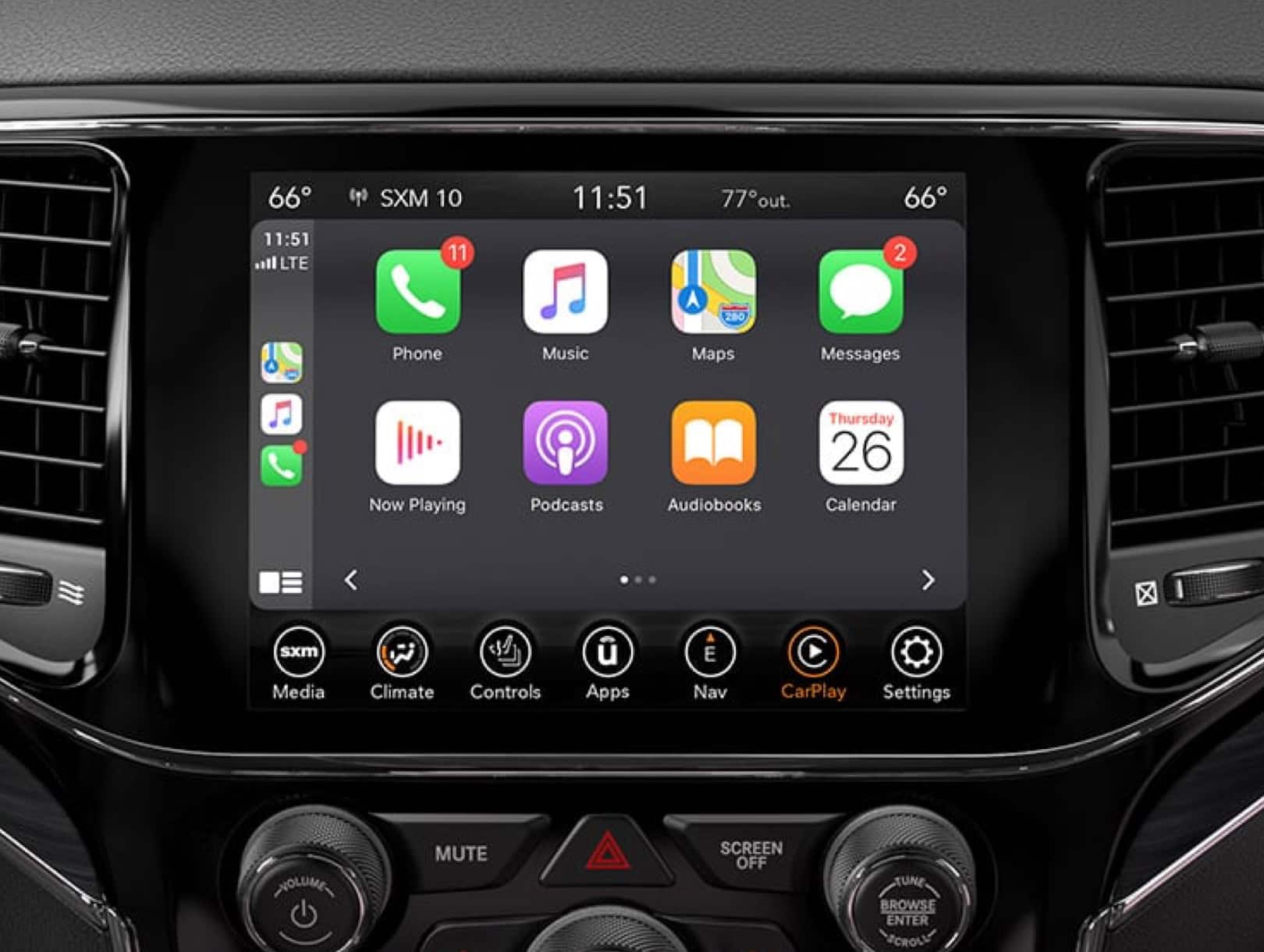
Setting Up Uconnect In Your Jeep
After getting Uconnect, setting it up properly is important. Here’s a quick step-by-step guide:
- Turn on your Jeep and press the Uconnect screen’s power button.
- Pair your phone via Bluetooth. Go to “Settings” > “Bluetooth” > “Add Device.” Follow prompts on both your phone and the Uconnect screen.
- Connect to Wi-Fi if your Jeep supports it. This lets you use advanced apps and software updates.
- Download the Uconnect app from the App Store or Google Play. Link it to your vehicle for remote controls and notifications.
- Set up voice commands. Practice basic commands like “Call John” or “Play music.”
If you have trouble, check your Jeep’s owner’s manual or visit the Uconnect support page.
Common Mistakes When Getting Uconnect
Many Jeep owners make mistakes when trying to get Uconnect. Here are a few to avoid:
- Ignoring compatibility – Not every Jeep model supports Uconnect upgrades.
- Skipping professional installation – DIY installs can void your warranty or damage electronics.
- Missing software updates – Outdated Uconnect won’t work with newer phones or apps.
- Forgetting to activate services – Some features need subscriptions to work.
- Choosing the wrong subscription – Compare plans to avoid paying for features you won’t use.
| Mistake | Impact |
|---|---|
| DIY install | Warranty void, system errors |
| No software updates | App incompatibility |
| Wrong subscription | Extra costs |

Practical Tips For Using Uconnect
To get the most out of Uconnect, follow these tips:
- Update software regularly to keep apps and navigation working smoothly.
- Try voice commands for safer driving.
- Customize your home screen with shortcuts for music, navigation, and phone.
- Use the Uconnect app for remote start, vehicle location, and alerts.
- Check coverage maps before subscribing to Wi-Fi hotspot.
Many users overlook the power of Uconnect apps. For example, remote start is useful in cold weather, while vehicle location helps in busy parking lots.
Frequently Asked Questions
What Is The Main Benefit Of Uconnect In My Jeep?
The biggest benefit is hands-free control. You can manage calls, music, navigation, and apps without touching your phone, making driving safer and more convenient.
Can I Install Uconnect In Older Jeep Models?
Some older models can be upgraded, but not all. Check your Jeep’s compatibility before buying any kits. Professional installation is strongly recommended.
How Much Does Uconnect Cost Per Year?
Basic Uconnect features are free, but advanced services like navigation and Wi-Fi require a subscription. On average, it costs $240–$480 per year for premium features.
Is Uconnect Available Outside The Us?
Uconnect is mostly available in the US, Canada, and some European countries. Service coverage may vary by location and model.
Where Can I Find Official Information About Uconnect?
Visit the Jeep Uconnect Official Site for details, support, and compatibility.
Getting Uconnect for your Jeep is a smart move if you want more convenience and safety. Whether you buy a new Jeep or upgrade your existing one, follow the steps in this guide to ensure a smooth setup. Avoid common mistakes and explore all the features to make your drive easier and more enjoyable.
With Uconnect, your Jeep becomes more connected and ready for the road ahead.