If your Jeep Wrangler radio stops working or you notice strange behavior—like freezing, no sound, or Bluetooth issues—you’re not alone. Many Jeep owners face radio glitches, especially after battery changes or software updates. Resetting your radio can solve these problems, often restoring it to normal function without a costly visit to the dealership. Whether your Wrangler is new or a few years old, learning to reset the radio saves time, money, and frustration.
This guide explains step-by-step how to reset your Jeep Wrangler radio, covering different models and radio types. You’ll also discover what to watch out for, mistakes to avoid, and practical tips to make the process smoother. Read on to get your radio working again and enjoy your favorite music or podcasts.
Understanding Your Jeep Wrangler Radio
The Jeep Wrangler comes with different radio systems, depending on the model year and trim. Knowing which radio you have is important before starting a reset.
| Model Year | Common Radio Type | Features |
|---|---|---|
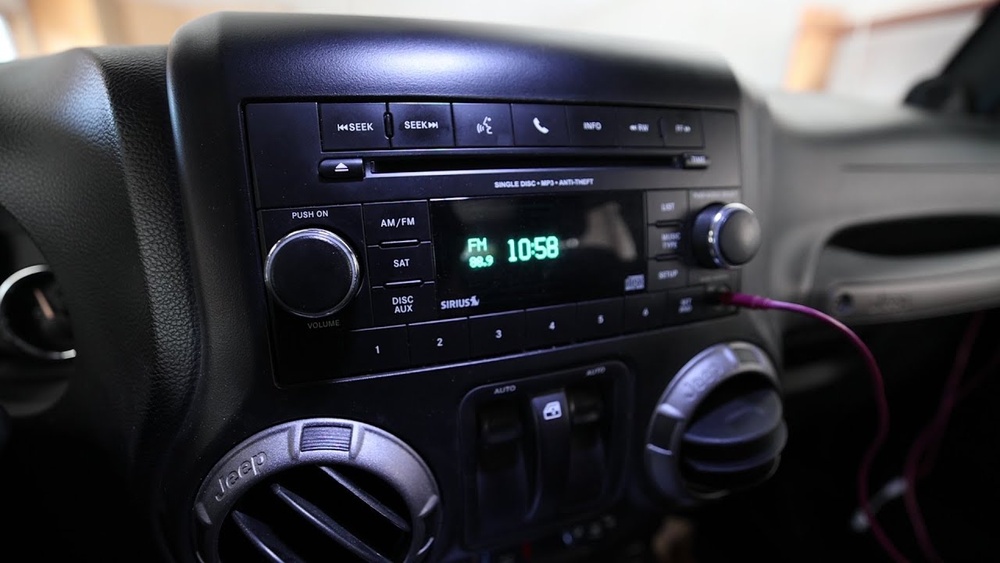
| 2012–2017 | Uconnect 3.0/5.0 | Basic display, Bluetooth, AM/FM, USB |
| 2018–2024 | Uconnect 4/4C NAV | Touchscreen, navigation, Apple CarPlay, Android Auto |
Some radios have more advanced features, while others are simple. Reset methods can be slightly different, so check your owner’s manual or look at your radio’s display for clues.
When Should You Reset Your Radio?
Resetting your radio is not something you do every day. Here are situations where a reset can help:
- Frozen screen: Touchscreen or buttons stop responding.
- No sound: Radio turns on, but you hear nothing.
- Bluetooth issues: Devices won’t connect or disconnect randomly.
- Navigation errors: GPS shows incorrect location.
- After battery change: Radio acts strange after replacing the car battery.
If your radio works fine, there’s no need to reset. A reset should only be done when you notice clear problems.
Step-by-step: How To Reset Your Jeep Wrangler Radio
Different radios need different reset steps. Below are the main methods for popular Jeep Wrangler radios.
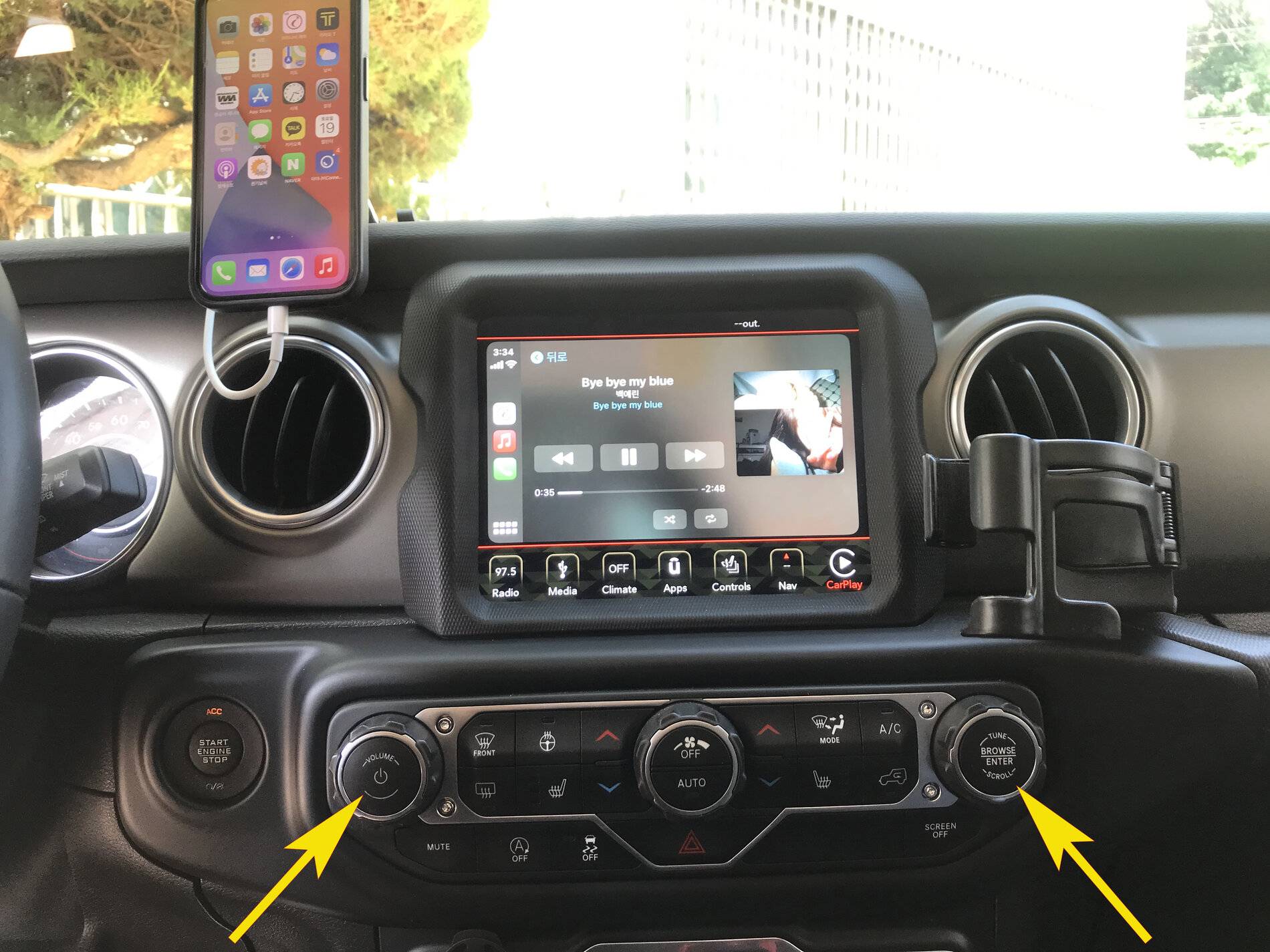
Most modern Wranglers have a Uconnect touchscreen. A soft reset is quick and easy:
- Turn the ignition ON but do not start the engine.
- Press and hold both the volume and tune buttons at the same time.
- Keep holding for about 10–15 seconds until the screen goes black.
- Wait as the radio reboots. The Jeep logo should appear, then normal operation resumes.
This reset does not erase your saved settings or paired devices.
Hard Reset For Older Radios (uconnect 3.0/5.0)
If your Wrangler has a basic radio, use this method:
- Turn OFF the ignition and remove the key.
- Disconnect the negative battery terminal under the hood (use a wrench).
- Wait 2–3 minutes for all power to drain.
- Reconnect the battery terminal securely.
- Turn the ignition ON and check if the radio starts normally.
This hard reset can fix deeper issues, but may erase presets and Bluetooth pairings.
Factory Reset (erases All Settings)
If you want to restore your radio to original settings:
- On the touchscreen, go to Settings.
- Select System Information or Factory Reset (wording varies).
- Confirm your choice when prompted.
Warning: A factory reset erases all personalized data, including radio presets, navigation favorites, and Bluetooth connections.
Common Mistakes And How To Avoid Them
Resetting your radio is simple, but some mistakes can cause new problems.
| Mistake | Impact | How to Avoid |
|---|---|---|
| Disconnecting battery without proper tools | Possible short circuit or injury | Use the correct wrench and follow safety steps |
| Factory reset without backup | Loss of saved settings | Write down presets before resetting |
| Holding wrong buttons for reset | No effect, wasted time | Check radio model and follow correct steps |
Pro Tip: If you don’t see a change after resetting, try updating the radio software. Jeep dealers sometimes offer free software updates.

Extra Insights For Jeep Owners
Many drivers don’t realize that radio resets also fix issues with the rearview camera and climate control if they’re linked to the radio screen. Also, after a battery change, the radio may ask for a security code. If you don’t have this code, check your owner’s manual or contact a Jeep dealer.
Another hidden tip: If your radio still doesn’t work after reset, disconnecting both battery terminals and waiting five minutes can solve rare electrical glitches. This is more effective than just removing one terminal.
What To Do If Reset Doesn’t Work
If your radio still acts up after a reset, try these steps:
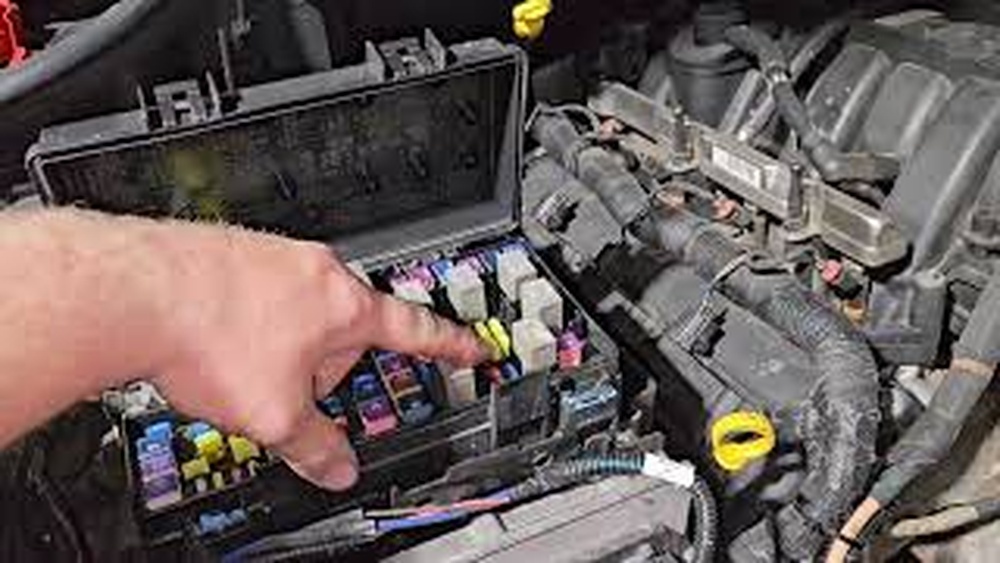
- Check all radio fuses in the fuse box.
- Inspect wiring behind the dashboard (loose connections can cause problems).
- Update the radio software using a USB stick, if your radio supports it.
- Visit a Jeep dealership for professional diagnosis.
In some cases, radio failure comes from hardware issues, not software. A technician can test for faulty circuits or broken screens.

Frequently Asked Questions
How Often Should I Reset My Jeep Wrangler Radio?
You don’t need to reset your radio regularly. Only reset if you notice specific problems like freezing, no sound, or Bluetooth errors. Doing unnecessary resets won’t improve performance.
Will Resetting The Radio Delete My Music Or Maps?
A soft reset won’t erase data. But a factory reset deletes presets, navigation favorites, and paired devices. Always back up important settings before doing a factory reset.
What If My Radio Asks For A Security Code After Reset?
This happens in some Wranglers after battery changes. The code is usually in your owner’s manual or on a card from the dealership. If you can’t find it, contact your Jeep dealer for help.
Can I Update My Jeep Wrangler Radio Software Myself?
Yes, some radios let you update software using a USB stick. Download the update from Jeep’s official website, follow instructions, and plug in the USB. This can fix glitches and add new features. For more details, check this Jeep Uconnect Features page.
Is It Safe To Disconnect The Battery To Reset The Radio?
It’s safe if you follow basic precautions—turn off the ignition, use the right tools, and wait a few minutes before reconnecting. Avoid touching other wires and wear gloves for protection.
Getting your Jeep Wrangler radio back to normal is easier than most people think. With these clear steps, practical tips, and smart advice, you can quickly fix radio problems and enjoy your drive. If troubles continue, don’t hesitate to get professional help. A healthy radio means safer, happier trips—so take action and get your Jeep’s audio working again.