If you own a Jeep Cherokee, you know the convenience and safety that come with its advanced lighting system. However, there are moments when you might want to turn off the headlights—perhaps while waiting in your car, during a drive-in movie, or to conserve battery power. The process can feel confusing, especially if you are not familiar with the controls or if your Cherokee has automatic headlights. This guide will walk you through the steps to turn off headlights on different Jeep Cherokee models, address common challenges, and offer practical advice for handling lighting controls with confidence.
Understanding Your Jeep Cherokee’s Headlight System
Jeep Cherokee models, especially from 2014 onwards, often use an automatic headlight system. This means the headlights can turn on or off based on exterior light conditions. While this is helpful in most cases, it can make manual control less obvious. The location and type of switch can also differ depending on the model year.
Here’s a quick comparison of main headlight control types across recent Jeep Cherokee models:
| Model Year | Headlight Switch Type | Automatic Headlights |
|---|---|---|
| 2014-2018 | Rotary Knob | Standard on most trims |
| 2019-2023 | Push/Pull Knob | Standard |
| Older (pre-2014) | Pull Switch/Rotary | Optional |
Knowing your model year helps you locate the right controls and understand what to expect.
Steps To Turn Off Headlights On Jeep Cherokee
The specific steps depend on your model year and whether your vehicle uses automatic headlights. Below are the most common scenarios.
For Models With A Rotary Knob (2014–2018)
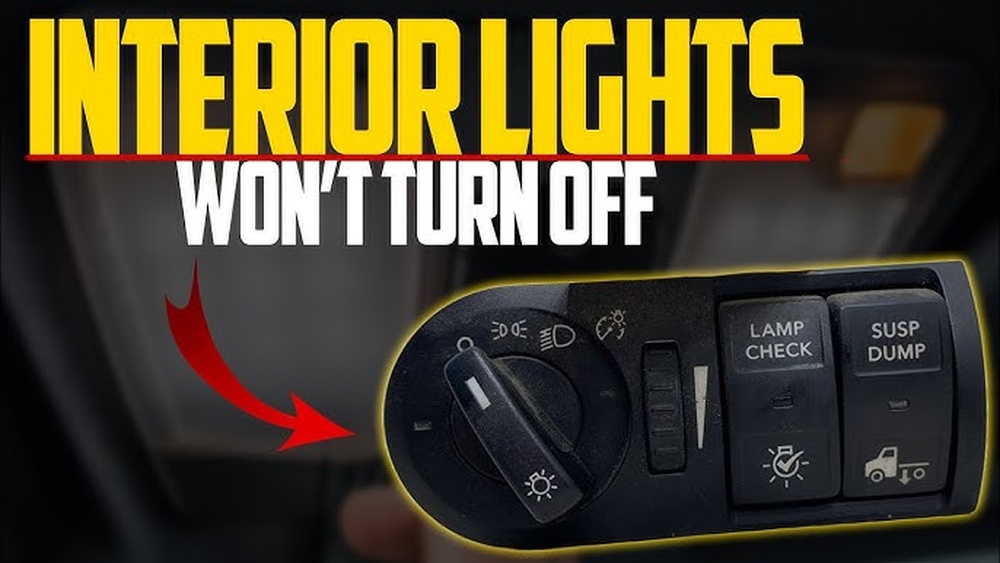
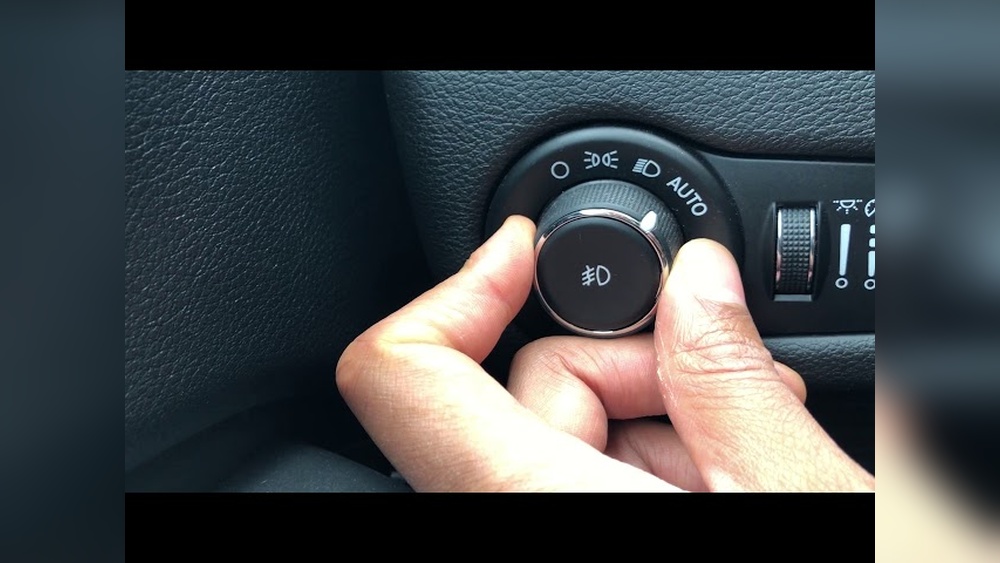
- Locate the headlight switch on the left side of your dashboard near the steering wheel.
- Turn the knob to the “O” (off) position. This should switch off the headlights.
- If your model has automatic mode, make sure the switch is not set to the “Auto” or “A” position. In “Auto”, headlights may stay on when it’s dark.
For Models With Push/pull Knob (2019–2023)
- Identify the headlight control, usually a knob with “Off”, “Auto”, “Parking”, and “Headlights” icons.
- Push the knob in to deactivate headlights, or rotate to the “Off” position if available.
- Note: In some trims, the “Off” option may not fully disable headlights due to U.S. safety regulations.
For Older Models (pre-2014)
- Find the pull switch or rotary knob near the steering wheel.
- Push or rotate the switch to the “Off” position. The headlights should turn off.
What If Headlights Stay On?
Sometimes, even after setting the switch to “Off”, the headlights remain on. Here’s why this can happen:
- Automatic lights: If it’s dark, the system may override your manual setting for safety.
- Daytime running lights (DRL): These may remain on for visibility.
- Delayed shut-off: Some Cherokees have a “headlight delay” that keeps lights on for 30–90 seconds after shutting off the engine.
If your headlights do not turn off immediately, wait a minute after locking the car.
Disabling Automatic Headlights
Many owners want to turn off automatic headlights for special situations. However, some U.S. models do not allow full manual control due to regulations. If your Jeep Cherokee allows it, follow these steps:
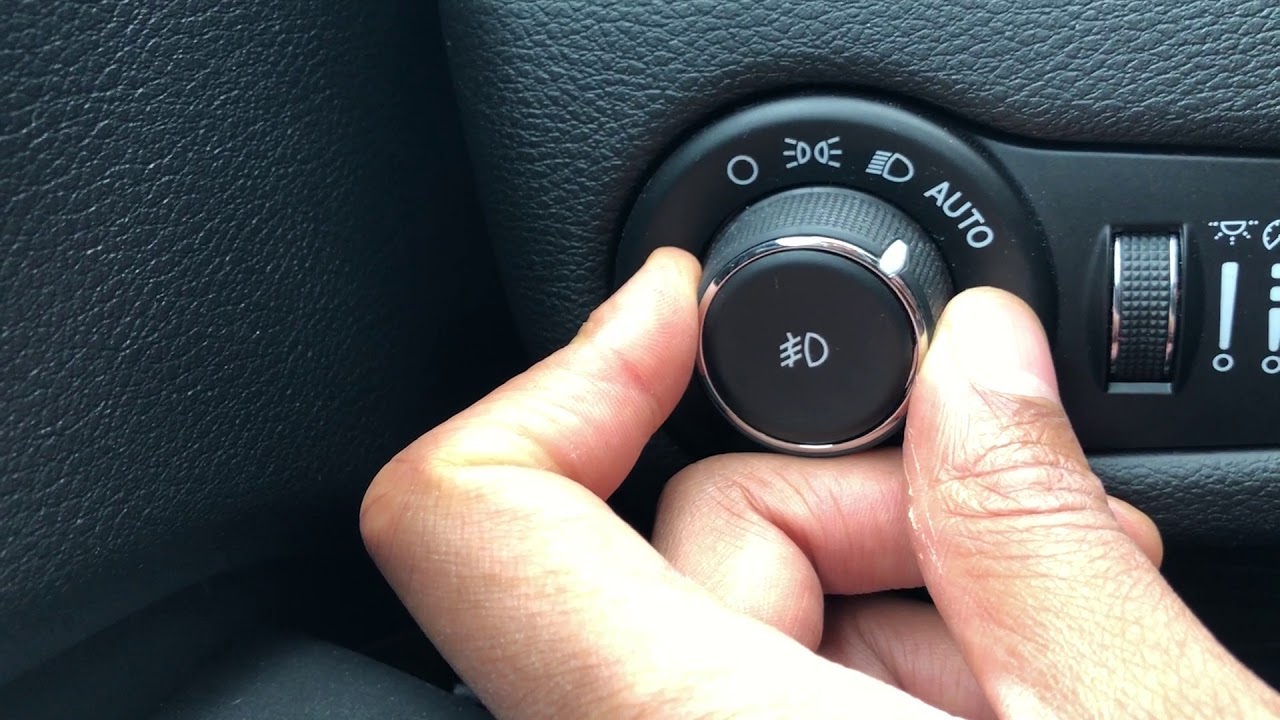
- Switch headlight control to “Off” instead of “Auto”.
- On some trims, you can adjust settings in the Uconnect infotainment system. Look for “Lights” or “Exterior Lighting” in the menu, then disable “Automatic Headlights”.
- If the option is not available, consult your owner’s manual or dealer—some features may be locked.
Non-obvious tip: Some people cover the light sensor on the dashboard to trick the system into thinking it’s bright outside. While not recommended, it can work in emergencies.
Using The Uconnect System
Newer Cherokee models offer lighting adjustments through the Uconnect touchscreen system. Here’s how:
- Turn on your car and access the Uconnect screen.
- Tap the Settings icon.
- Select Lights or Exterior Lighting.
- Adjust options like “Headlight Off Delay” or “Automatic High Beams”.
- Save your settings.
Note: Not all trims have the same options. If you do not see lighting controls, your model may not support manual override.

Common Mistakes To Avoid
Many drivers make small errors when trying to turn off headlights on their Cherokee. Here are common pitfalls and how to avoid them:
- Leaving switch in “Auto”: This does not always turn off lights.
- Misreading symbols: The off symbol can look different from “parking” lights.
- Forgetting DRLs: Daytime running lights may stay on regardless of settings.
Compare the visual difference between headlight modes:
| Switch Position | Light Status | Purpose |
|---|---|---|
| Off | All exterior lights off | Parked, engine off |
| Auto | Lights on/off automatically | General driving |
| Parking | Parking lights on | Low-visibility parking |
| Headlights | Main headlights on | Night driving |
When You Should Not Turn Off Headlights
It’s important to remember that headlights are crucial for safety, especially at night or in poor weather. In some states, driving without them after sunset is illegal. Only turn off headlights when parked or in a safe, legal situation.
Troubleshooting Headlight Issues
If your headlights refuse to turn off, try these steps:
- Restart your vehicle: Sometimes, a simple restart resets the system.
- Check for stuck switches: Dirt or wear can cause switches to malfunction.
- Inspect fuses: A blown fuse can cause odd behavior.
- Consult your manual: There may be a model-specific solution.
- Visit a dealer: If all else fails, get professional help.
An insight many miss: Electrical accessories like remote start can affect headlight behavior. If you installed aftermarket electronics, they might override factory settings.
Frequently Asked Questions
Why Do My Jeep Cherokee’s Headlights Stay On After I Turn Off The Ignition?
Some Cherokees have a headlight delay feature that keeps lights on for 30–90 seconds for safety. You can adjust this in the Uconnect system or by changing settings through the headlight switch.
Can I Completely Disable Daytime Running Lights?
On U.S. models, daytime running lights (DRL) are often required by law and cannot be fully disabled through normal controls. For more details, check the Wikipedia Daytime Running Lamp page.
How Do I Know If My Model Has Automatic Headlights?
Look for an “Auto” position on the headlight knob or check your vehicle’s manual. Most Cherokees from 2014 onwards have this feature standard.
What Should I Do If The Headlight Switch Is Not Working?
Try restarting your car and checking the fuse box. If the issue continues, the switch may need repair or replacement by a certified mechanic.
Is It Safe To Cover The Light Sensor To Turn Off Automatic Headlights?
Covering the sensor can trick the system but is not recommended as a long-term solution. It can reduce safety if you forget to remove the cover when driving.
Turning off headlights on your Jeep Cherokee is simple once you know your vehicle’s controls and settings. With the right steps, you can manage your lights confidently while keeping safety first.