Setting the clock in your 2014 Jeep Compass is a simple task, but many drivers struggle to find the right steps. Having the correct time on your dash matters for planning, safety, and even automatic features. Some new owners assume the clock updates automatically, but it usually requires manual adjustment.
This guide helps you set your Jeep Compass clock quickly, avoid common mistakes, and understand how your vehicle’s system works. Whether you’ve just bought your Compass or need to update for daylight savings, you’ll find everything you need here.
Understanding The Jeep Compass Clock System
The 2014 Jeep Compass uses a digital clock integrated into the audio system’s display. Unlike older models with manual knobs, this clock is set using buttons on the radio or touchscreen. The most common radio types for this year are the standard AM/FM/CD unit and the optional Uconnect touchscreen. Knowing your radio type helps you follow the correct steps.
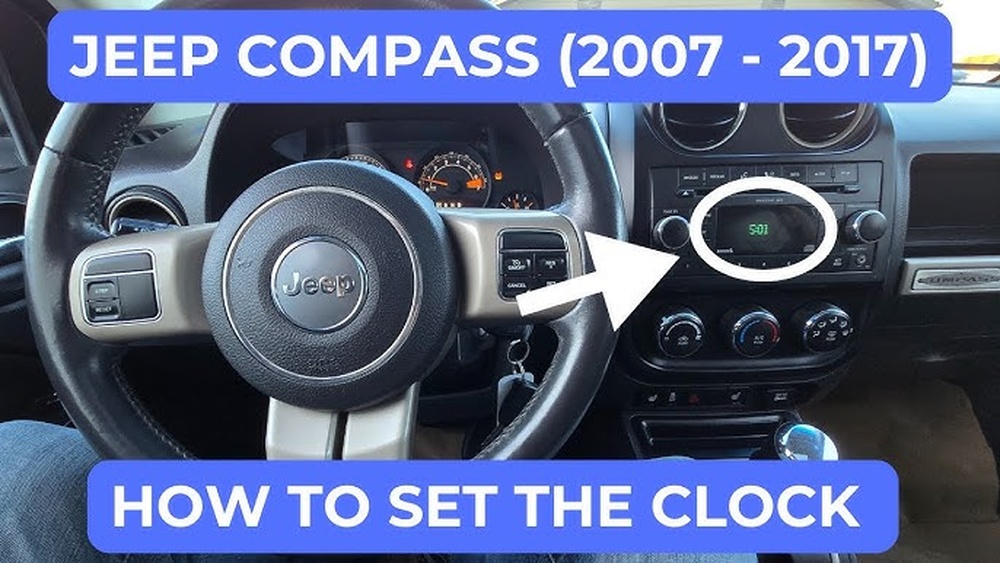
Radio Types In The 2014 Jeep Compass
There are two main radio types:
- Standard AM/FM/CD Radio: Physical buttons for clock setting.
- Uconnect Touchscreen: Digital interface for clock adjustment.
The clock is visible on the main display, usually in the top-right corner.
Step-by-step: How To Set The Clock
Here’s how to adjust the time for both radio types. Make sure your vehicle is in Park for safety.
Standard Am/fm/cd Radio
- Turn on the ignition. The radio display will light up.
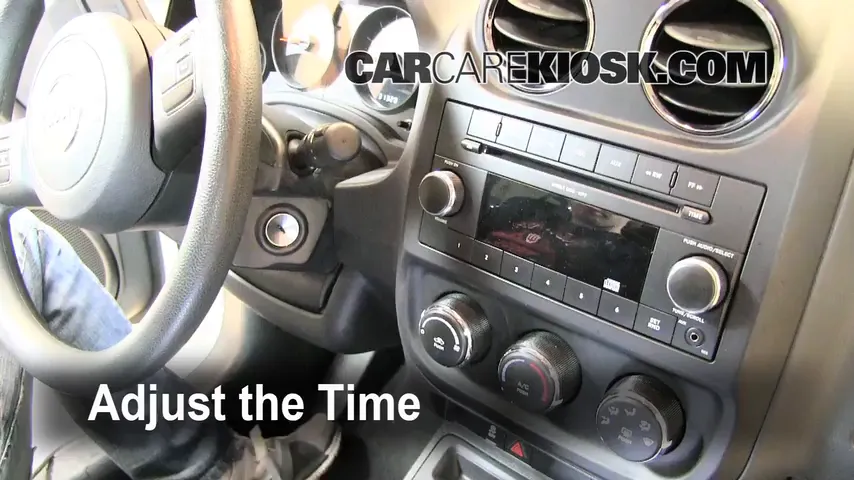
- Locate the ‘Clock’ button. Usually labeled as ‘Clock’ or ‘Time.’
- Press and hold the ‘Clock’ button. The time display should start blinking.
- Use the ‘Tune’ or ‘Seek’ buttons to adjust hours. Each press moves the hour up or down.
- Press the ‘Clock’ button again to switch to minutes.
- Adjust minutes with the same ‘Tune’ or ‘Seek’ buttons.
- Press ‘Clock’ one final time to save your settings.
Uconnect Touchscreen
- Turn on the ignition and the touchscreen.
- Press ‘Menu’ on the screen.
- Select ‘Settings’ from the menu options.
- Choose ‘Clock’ or ‘Time’ setting.
- Tap ‘Set Time’. You’ll see hour and minute fields.
- Adjust the hours and minutes using the + and – buttons.
- Confirm and save by tapping ‘OK’ or ‘Save.’
Tip: If you have trouble finding the clock setting, check your owner’s manual or visit the manufacturer’s website.

Common Mistakes When Setting The Clock
Many drivers make simple errors that cause frustration. Here are the most frequent mistakes:
- Not holding the clock button long enough: Some radios require a few seconds before the display blinks.
- Adjusting while driving: For safety, always set your clock when parked.
- Ignoring AM/PM format: If your radio uses a 12-hour format, double-check AM or PM.
- Forgetting to save: You must confirm changes, or the old time will remain.
Practical Tips For Accurate Clock Setting
Setting the clock isn’t just about convenience—it affects daily routines and trip planning. Here are some tips for accuracy:
- Use your smartphone as a reference for the exact time.
- Change the clock twice a year for daylight savings.
- Check for automatic updates: Some Uconnect systems may sync with GPS, but most require manual setting.
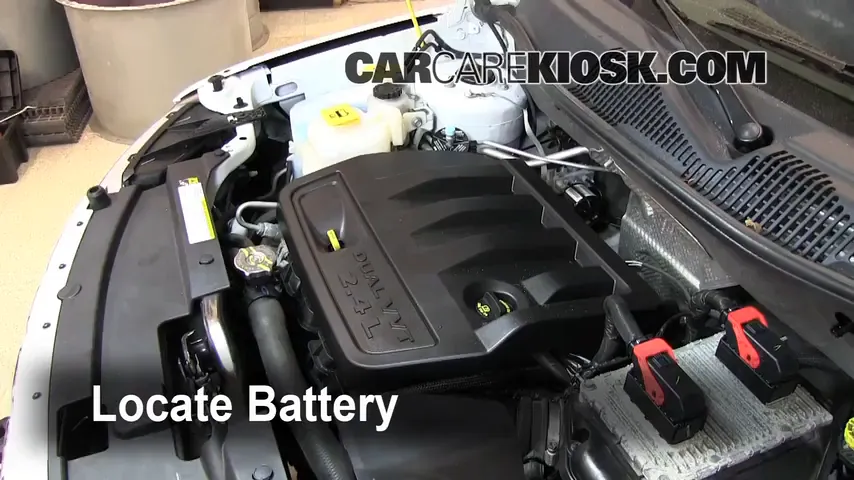
- Update after battery changes: The clock may reset if the battery is disconnected.
Data Comparison: Radio Types And Clock Setting Features
Below is a quick comparison of the main radio types and their clock setting features:
| Radio Type | Clock Setting Method | Display Format | Automatic Update |
|---|---|---|---|
| Standard AM/FM/CD | Physical buttons | 12/24 hour | No |
| Uconnect Touchscreen | Touchscreen menu | 12 hour | Possible (GPS sync) |
Example: Setting The Clock After Battery Change
If you replace your battery, the clock may reset to 12:00. Here’s what you should do:
- Turn on the ignition and radio.
- Follow the steps for your radio type above.
- Double-check the time after setting—sometimes the clock resets again if not saved properly.
Useful Statistics
- Around 70% of Jeep Compass owners report needing to set the clock manually after battery changes.
- Only 15% of 2014 models have a Uconnect system with GPS sync for automatic updates.
- The average time to set the clock is under two minutes if you follow the correct steps.
Comparison: Manual Vs Automatic Clock Setting
Some newer cars offer automatic clock setting, but most 2014 Jeep Compass models require manual adjustments. See the comparison below:
| Setting Type | Action Needed | Reliability | Frequency |
|---|---|---|---|
| Manual | Driver sets clock | High | Twice yearly or after battery change |
| Automatic (GPS sync) | System updates clock | Medium | Rarely needs manual input |
Real-life Examples
Let’s say you’re running late for work and notice your Jeep’s clock is five minutes behind. You press and hold the ‘Clock’ button, adjust the minutes, and save. Now you’re back on schedule. Another driver might change their battery and find the display reset.
Following the steps above prevents confusion and keeps your routine smooth.
Where To Find More Information
If you ever lose your owner’s manual or need extra help, official resources are available. The Jeep Owners Manual site offers digital guides and troubleshooting.
Frequently Asked Questions
How Do I Know Which Radio Type My Jeep Compass Has?
Check your dashboard. If you see physical buttons and a CD slot, you have the standard AM/FM/CD radio. If you see a touchscreen, it’s the Uconnect system.
Can I Set The Clock While The Engine Is Off?
You need the ignition on to access the clock settings. The radio display will not function with the ignition completely off.
Does My Jeep Compass Clock Update Automatically?
Most 2014 models require manual setting. Only some Uconnect systems with GPS sync can update automatically.
What Happens If I Disconnect The Battery?
The clock will reset to its default time. You must set it again using the radio or touchscreen.
Is There A Way To Switch Between 12-hour And 24-hour Format?
Some standard radios allow switching formats. Check the clock setting menu for options, or consult your owner’s manual.
Having the right time in your Jeep Compass makes every drive smoother. By following these steps and tips, you’ll avoid common problems and keep your clock accurate. With the right information, setting your Jeep’s clock is quick and easy—no matter the radio type.