Resetting the radio in your Jeep Wrangler can solve many problems, from frozen screens to sound issues and Bluetooth glitches. It’s a common task, especially if your radio acts up after battery changes or software updates. But many Wrangler owners feel unsure about how to do it safely, or worry they might erase important settings. This guide will walk you through different ways to reset your Jeep Wrangler radio, so you can get back to enjoying music and navigation with less stress.
Why Reset Your Jeep Wrangler Radio?
A radio reset is often needed when you notice malfunctions such as:
- Blank or unresponsive screens
- Lost Bluetooth connection
- Poor audio quality
- Stuck on one station or mode
Sometimes, these issues happen after you disconnect the battery or install new electronics. Resetting helps clear temporary bugs and can restore normal function. It’s a safer first step than replacing the radio or visiting a dealer.
Types Of Jeep Wrangler Radios
Jeep Wranglers come with different radio models. Knowing your radio type helps you choose the right reset method.
| Model Year | Radio Type | Main Features |
|---|---|---|
| 2007-2010 | Basic AM/FM | Simple controls, no touchscreen |
| 2011-2017 | Uconnect 430/730 | Touchscreen, navigation, Bluetooth |
| 2018-present | Uconnect 4/4C | Large touchscreen, Apple CarPlay, Android Auto |
Older radios have fewer reset options. Newer Uconnect systems offer both soft and hard resets.
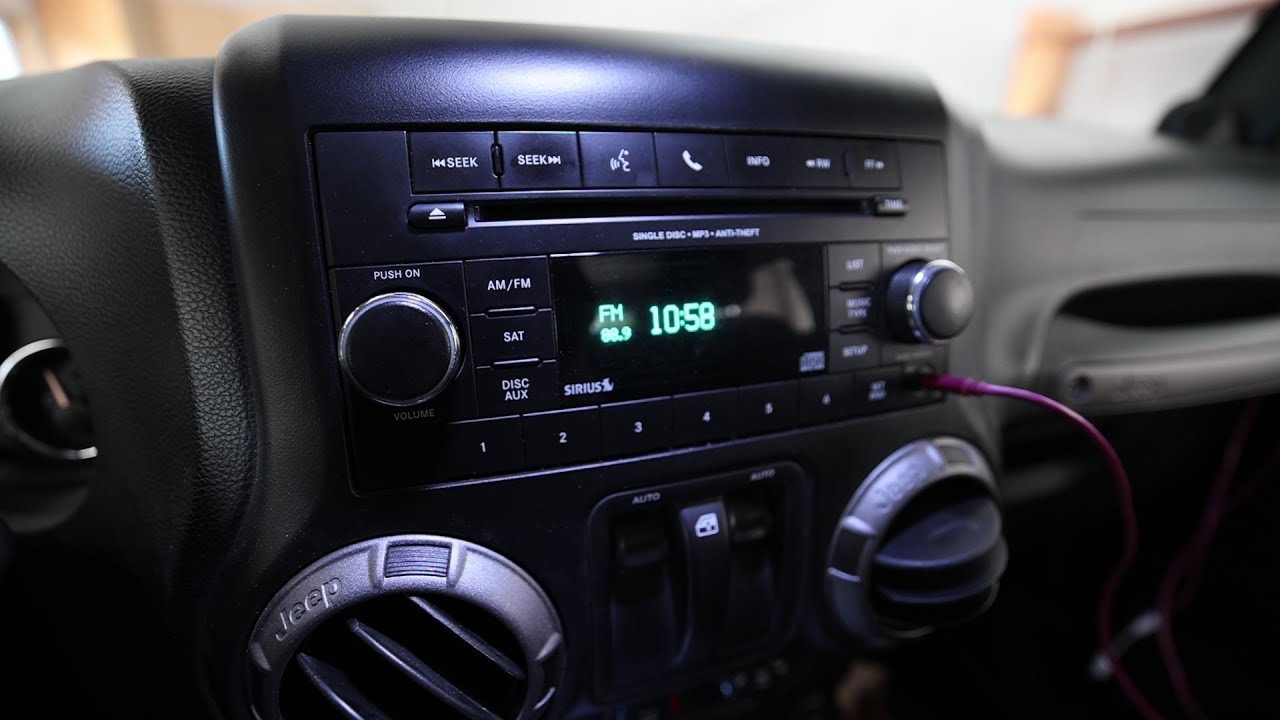
How To Perform A Soft Reset
A soft reset fixes most minor glitches without erasing your saved settings, like radio presets and paired phones. Here’s how to do it:
- Turn on the ignition. The radio must be on.
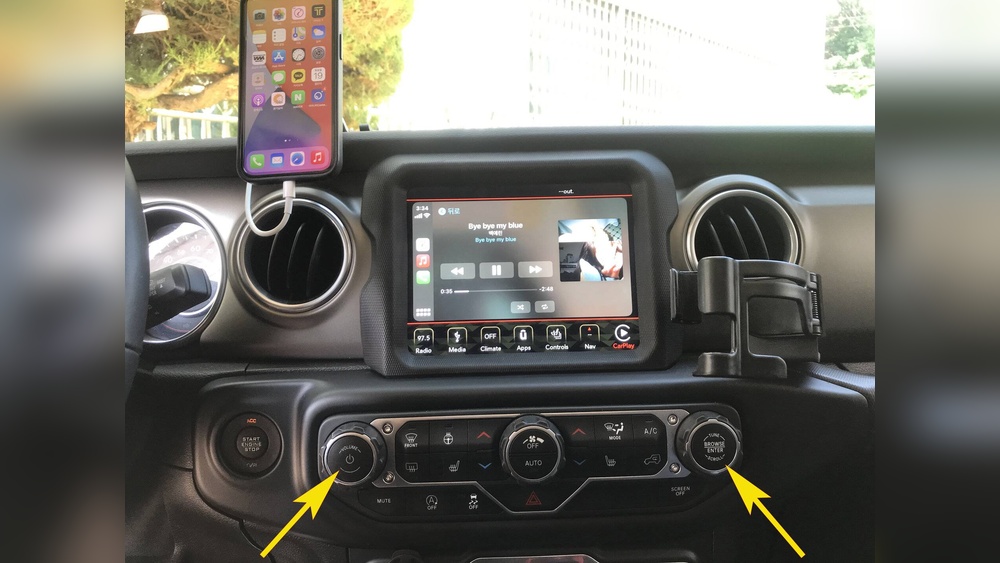
- Locate the power and volume buttons. On Uconnect touchscreens, these are usually on the lower left.
- Press and hold both buttons for about 10 seconds.
- The screen will go black. Release the buttons.
- Wait for the radio to restart. You’ll see the Jeep logo or Uconnect home screen.
This method works for most 2011 and newer Wrangler radios. It’s fast and doesn’t require tools.
When Soft Reset Doesn’t Work
If your radio is still frozen or has deeper issues, you may need a hard reset. But try a soft reset first—it’s safer and keeps your personal settings.
How To Perform A Hard Reset
A hard reset wipes all custom settings and can fix serious problems. Only use this if the radio is totally unresponsive.
For Uconnect radios (2011-present):
- Turn off the radio and car ignition.
- Open the hood and disconnect the negative battery terminal (use a 10mm wrench).
- Wait 15 minutes. This lets the radio fully power down.
- Reconnect the battery.
- Start the car and turn on the radio. It will reboot and prompt you to set up preferences.
Older radios may require you to enter a security code after a hard reset. This code is often printed on a card or sticker inside your owner’s manual.
| Radio Model | Soft Reset | Hard Reset | Security Code Needed? |
|---|---|---|---|
| AM/FM (2007-2010) | No | Battery disconnect | Yes |
| Uconnect 430/730 | Yes | Battery disconnect | Sometimes |
| Uconnect 4/4C | Yes | Battery disconnect | No |

Common Mistakes When Resetting
Many Jeep owners make simple mistakes that can lead to extra trouble:
- Not waiting long enough after disconnecting the battery. Fifteen minutes is best.
- Forgetting to check for a security code before starting the reset.
- Using the wrong reset method for their radio type.
- Trying to reset while the car is moving.
Double-check your owner’s manual and take your time. If you’re unsure, ask a mechanic or visit a Jeep forum for help.
Tips For A Successful Radio Reset
Some helpful advice can make your reset smoother:
- Write down your radio presets and Bluetooth devices before starting. You may need to re-enter them.
- Make sure you have the security code if your model requires it.
- Use clean, dry hands when touching buttons or battery terminals.
- After a hard reset, update your radio software if possible. This prevents future glitches.
- If your radio still doesn’t work, it could be a sign of deeper electrical issues.
Many beginners don’t realize that software updates can solve persistent radio bugs. Jeep regularly releases updates for Uconnect systems. You can find details and instructions at the official Jeep website or from your dealer.

When To See A Professional
If your radio still won’t work after both reset methods, you may need expert help. Signs you should visit a dealer include:
- No sound after reset
- Blank screen that won’t turn on
- Radio asks for a security code you don’t have
- Persistent error messages
Dealers can diagnose hardware faults and update your radio with specialized tools. Sometimes, the issue is with the wiring or the main computer, not the radio itself.
Frequently Asked Questions
How Often Should I Reset My Jeep Wrangler Radio?
You don’t need to reset your radio regularly. Only do it when you notice persistent problems, or after major repairs like battery changes.
Will Resetting The Radio Erase My Music Presets?
A soft reset keeps your presets. A hard reset will erase all custom settings, including radio stations and Bluetooth pairings.
Can I Reset The Radio Myself, Or Do I Need A Mechanic?
Most owners can do both soft and hard resets at home. Just follow the steps carefully. If you feel nervous or unsure, a mechanic can help.
What Should I Do If My Radio Needs A Security Code?
Check your owner’s manual for the code. If it’s missing, contact your dealer. Some codes are based on your radio’s serial number.
Is There A Way To Update My Radio Software?
Yes, Jeep offers updates for Uconnect radios. You can download them from the official Jeep site or have your dealer install them. For more details, visit Jeep Uconnect.
Resetting your Jeep Wrangler radio is a useful skill that can save you time and money. With these steps, you can fix many common issues and avoid unnecessary trips to the dealer. Always check your radio model and follow safety tips for the best results.