If you drive a Jeep Grand Cherokee, you probably love its comfort and technology features. But when the touchscreen stops working, it can quickly turn a pleasant drive into a frustrating experience.
This screen controls music, navigation, climate, and even your backup camera. Let’s look at why your Jeep Grand Cherokee screen might not be working, what you can do about it, and how to avoid future problems.
Common Reasons Your Jeep Grand Cherokee Screen Stops Working
Many Jeep owners face issues with their Uconnect screen. Sometimes it goes black, freezes, or becomes unresponsive. Here are the most common causes:
- Software glitches – The Uconnect system runs complex software. Like any computer, it can crash or freeze.
- Loose connections – Vibration or bumps may loosen the wiring behind the screen.
- Blown fuse – A blown fuse can cut power to the display.
- Faulty hardware – The screen or head unit itself may be defective.
- Battery issues – Low voltage or a weak battery can cause the system to malfunction.
- Moisture or temperature extremes – Humidity, water leaks, or very hot/cold weather can damage the screen.
Many of these issues are more common in Jeep Grand Cherokees from model years 2014 to 2026.
Quick Fixes To Try Before Visiting A Mechanic
You don’t always need a trip to the dealership right away. Try these steps first:
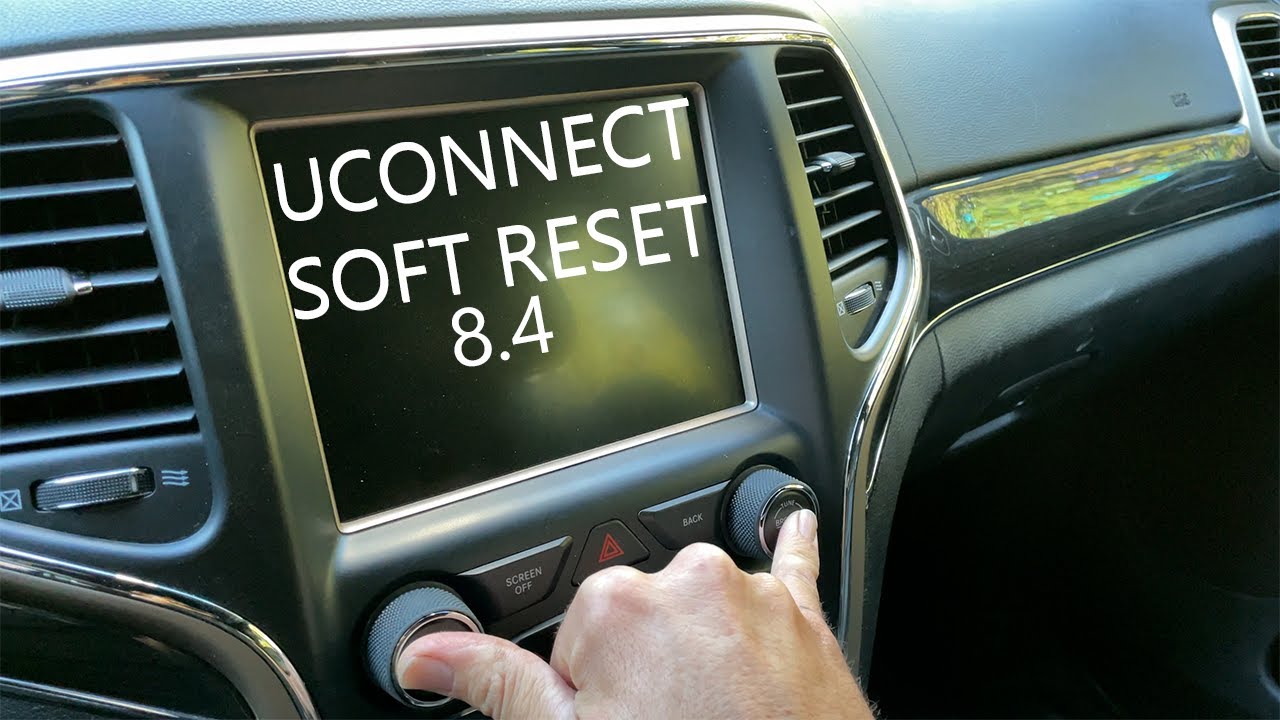
- Soft reset the Uconnect system: Hold the volume and tuner knob together for 10–15 seconds until the screen restarts.
- Check your battery: If your Jeep has been sitting or the battery is old, recharge or replace it.
- Inspect fuses: Find the fuse box (usually under the hood or dashboard). Look for the fuse labeled “RADIO” or “MEDIA.” Replace it if it’s blown.
- Disconnect and reconnect the car battery: Remove the negative terminal for 5–10 minutes, then reconnect. This can reset the electronics.
- Clean the screen: Gently wipe the touchscreen with a microfiber cloth. Sometimes, dirt or oil can make it seem unresponsive.
If these steps don’t help, there may be a deeper problem.
When To Seek Professional Help
Some screen problems require expert diagnosis. Consider seeing a Jeep technician if:
- The screen is cracked or shows physical damage.
- The screen stays black after restarting and resetting.
- The backup camera or other features also fail.
- You notice water or condensation inside the display.
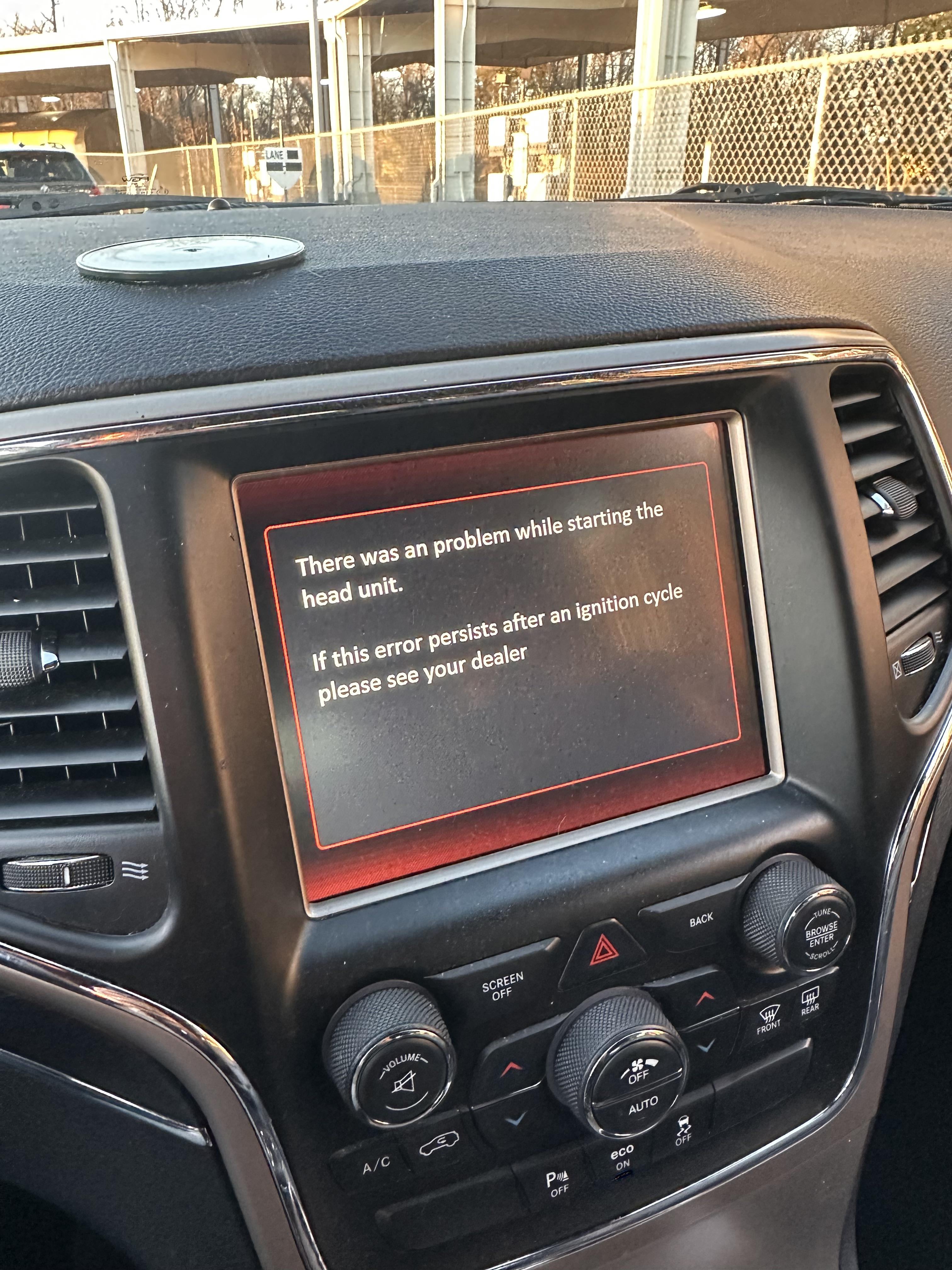
- You see error messages or the system keeps rebooting.
Dealerships have the tools to update Uconnect software or replace faulty hardware. Most repairs are not DIY-friendly if the screen itself is broken.
Typical Repair Costs And Warranty Coverage
Jeep Grand Cherokee owners often worry about repair costs. Here’s a quick comparison:
| Problem | Estimated Cost | Covered by Warranty? |
|---|---|---|
| Software Reset/Update | $0–$150 | Usually Yes |
| Fuse Replacement | $10–$50 | Rarely |
| Screen Replacement | $800–$1,500 | Yes, if under warranty |
| Loose Wiring Fix | $50–$200 | Sometimes |
Non-obvious insight: If your Jeep is still under the 3-year/36,000-mile basic warranty, most screen failures are covered. Always check with your dealer before paying out of pocket.
Preventing Future Screen Issues
While some problems are just bad luck, you can reduce the risk of screen issues:
- Update Uconnect regularly: New software fixes bugs and adds features.
- Avoid extreme temperatures: Park in the shade or use a sunshade to protect electronics.
- Keep the interior dry: Fix any window or sunroof leaks quickly.
- Use gentle cleaning: Never use harsh chemicals or too much water on the screen.
- Don’t overload USB ports: Charging too many devices can stress the electrical system.
Even small habits help electronics last longer.
How Jeep Grand Cherokee Screen Issues Compare To Other Suvs
Touchscreen problems aren’t unique to Jeep. Many modern SUVs use similar technology. Here’s a comparison:
| Vehicle | Common Screen Issues | Repair Cost Range |
|---|---|---|
| Jeep Grand Cherokee | Freezing, black screen, slow startup | $10–$1,500 |
| Ford Explorer | Touch not responding, system rebooting | $50–$1,200 |
| Toyota Highlander | Glare, slow response, rare failures | $20–$900 |
| Honda Pilot | Bluetooth drops, screen flicker | $30–$1,000 |
Another insight: Jeep’s Uconnect system is rated well for features, but some owners report more glitches compared to Toyota or Honda.
What To Do If Your Screen Fails While Driving
Safety comes first. If your display goes black while you’re driving:
- Don’t panic; the car will keep running normally.
- Use manual controls for climate and radio if possible.
- Pull over safely if you need GPS or backup camera support.
- Avoid trying to reset the system while moving.
- Note when and how it happened to help the mechanic later.
Tip: Learn the location of physical buttons for defrost, radio, and hazard lights. This helps if the touchscreen is unavailable.
Why Did My Jeep Grand Cherokee Screen Suddenly Go Black?
A sudden black screen is often caused by a software crash, a blown fuse, or a loose connection. Sometimes the system just needs a reset.
How Do I Reset The Uconnect Screen?
Hold the volume and tune knobs together for about 10 seconds until the Jeep logo appears. This performs a soft reset.
Can I Replace The Screen Myself?
Replacing the screen is complex and requires special tools. Most owners should let a certified technician handle it to avoid further damage.
Is There A Recall For Jeep Grand Cherokee Screens?
Jeep has issued recalls for some Uconnect issues in specific years. Check your VIN at your local dealer or on the official NHTSA website to see if your vehicle is affected.
Will An Aftermarket Radio Fix The Problem?
An aftermarket radio can replace the factory unit, but you may lose some features like steering wheel controls or Jeep-specific apps. Check compatibility before buying.
If your Jeep Grand Cherokee screen is not working, don’t ignore it. Try simple resets and checks, but get help if problems continue. Modern vehicles depend on these systems for safety and comfort, so keeping them working is important for every driver.