Jeep Uconnect Hard Reset Procedure helps fix frozen screens, black displays, Bluetooth issues, and other system glitches.
This step-by-step guide covers all proven methods, including battery disconnect, button resets, door open power cycles, and fuse pull resets. Follow the instructions carefully to restore your Uconnect system safely and quickly.
Jeep Uconnect Hard Reset Procedure restores your system when the screen freezes or Bluetooth fails. This step-by-step guide shows how to perform a full hard reset safely.
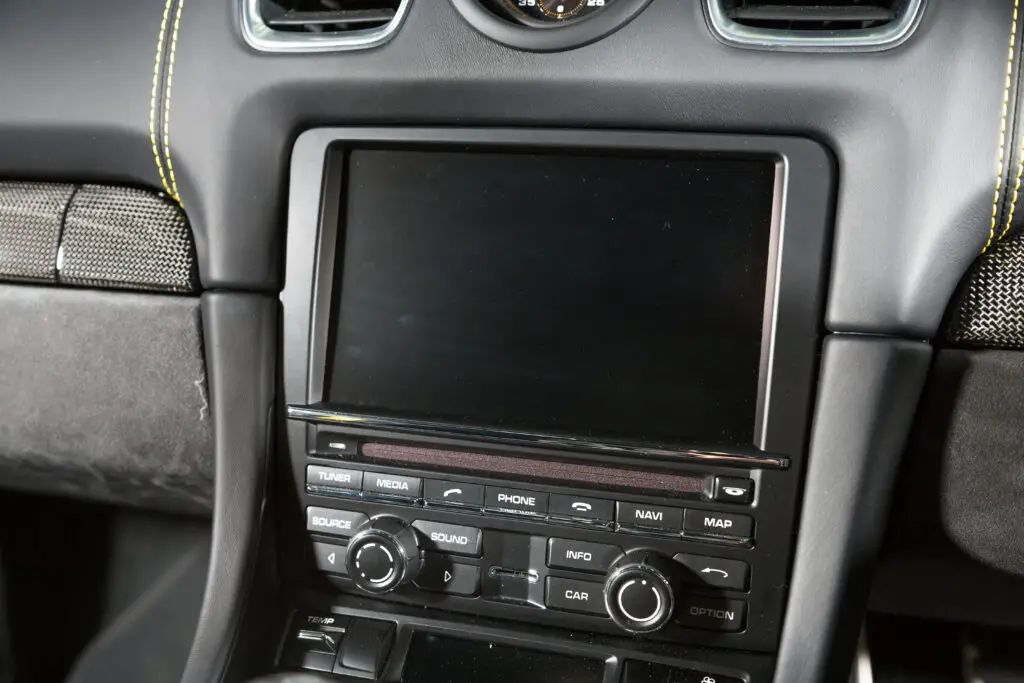
‘When the screen freezes, or the system stops responding, a hard reset restores its core settings and forces Uconnect to reload all system modules. A hard reset goes deeper than a soft reboot. You force the unit to shut down, clear internal states, and start fresh.
This guide gives you one task.
You perform a complete hard reset of your Jeep Uconnect system.
Each step is explained in simple terms so you understand what you are doing and why it fixes your issue.
The guide works for most Jeep models with Uconnect 4, 4C, 5, and older Uconnect versions. Screens may look different, but the process stays the same.
What a Hard Reset Does
A hard reset forces the Uconnect head unit to shut off its internal processor, drop temporary memory, reload configuration files, and reconnect to all modules in your Jeep. You remove corrupted states that build up during long use.
A hard reset helps when you see problems like:
• Black screen
• Frozen screen
• Bluetooth not responding
• Random reboots
• Apps not loading
• Navigation errors
• Camera not working
• Audio delays or no sound
• Touch not responding
• Slow performance
• System stuck on Jeep logo
You want a hard reset when the screen feels dead, the system refuses to reboot, or nothing responds to normal buttons.
Jeep Uconnect Hard Reset Procedure Methods: Before You Start
Prepare your Jeep for a stable and safe reset. Do these three steps:
- Park your vehicle.
- Set the parking brake.
- Turn ignition to RUN, not ACC.
You allow the system to stay powered during the reboot.
You avoid voltage drops that interrupt the process.
| Method | Best For | Time |
|---|---|---|
| Battery Disconnect Reset | Black screen, frozen screen, deep system faults | 10 minutes |
| Button Hard Reset (Volume + Tune Knobs) | Frozen display, lag, touchscreen issues | 1–2 minutes |
| Button Hard Reset (Power Button) | Slow touch response, display delay | 1 minute |
| Door Open Power Cycle | Bluetooth load errors, camera load issues | 2 minutes |
| Fuse Pull Reset | Audio faults, amplifier problems, camera glitches | 1–2 minutes |
Hard Reset Method 1
Battery Disconnect Reset
This is the strongest and most reliable reset. You cut power to the Uconnect head unit so the system drains all memory and restarts clean.
Step 1: Turn the ignition off
Wait until the dashboard lights stop glowing.
This protects the electrical system.
Step 2: Open the hood
Find the battery location.
Most Jeep models keep the battery in the engine bay.
Step 3: Disconnect the negative terminal
You only remove the black cable.
This is the safest side to disconnect.
Why it matters:
You break the circuit and remove power from all modules.
Step 4: Press the horn for two to three seconds
This drains the leftover power stored inside the system.
Uconnect clears temporary memory during this time.
Step 5: Wait five to ten minutes
This gives Uconnect time to discharge its internal capacitors.
A fast unplug does not remove all stored states.
Waiting is important.
Step 6: Reconnect the negative terminal
Tighten the bolt so the terminal does not move.
A loose connection creates random electrical issues.
Step 7: Turn ignition to RUN
Do not start the engine yet.
Let the Uconnect system power up.
Step 8: Wait for Uconnect to reload
The system takes one to three minutes to rebuild internal states.
Your radio presets may reload slowly.
Bluetooth reconnects after the system stabilizes.
This type of reset solves deep problems like frozen screens, corrupted Bluetooth modules, or system loops.
Hard Reset Method 2
Uconnect Internal Hard Reset Sequence
(Button Held Reset)
You force the head unit to drop all running processes and restart its internal OS. You use physical buttons to trigger a forced shutdown.
Different Jeep models use different button combinations. These are the two most common ones.
Option A: Volume + Tune Hard Reset
Works on most Uconnect 4 and Uconnect 4C units.
Step 1: Keep your vehicle in RUN
The screen must be powered.
Step 2: Hold volume and tune knobs
Use both hands.
Do not release.
Step 3: Keep holding for 10 to 20 seconds
The screen turns black.
The Jeep logo appears again.
Step 4: Wait for a full reboot
Let the system load.
Do not press buttons.
This reset clears running services but keeps user data.
It is strong enough for freezes and touchscreen delays.
Option B: Power + Screen Reset
Some Jeep Uconnect screens have a power button on the display.
Screen brightness lowers.
Step 2: Keep holding for 10 to 15 seconds
The display shuts off completely.
System restarts.
Step 4: Allow one minute to reload
The head unit rebuilds memory during this time.
This reset helps when touch input feels slow or the screen keeps lagging.
Hard Reset Method 3
Door Open Power Cycle Hard Reset
This reset drains modules by removing ignition power and forcing body control systems to sleep.
Step 1: Turn the ignition off
Wait until the radio and cluster shut down.
Step 2: Open the driver’s door
Keep the door open.
Step 3: Leave the door open for 30 to 60 seconds
This pushes the vehicle into a sleep cycle.
Uconnect loses power and clears cached states.
Step 4: Close the door
Wait two seconds.
Step 5: Turn ignition to RUN
Let Uconnect boot.
This reset solves stuck screens, camera loading errors, and Bluetooth loading loops.
Hard Reset Method 4
Fuse Pull Reset
(Targeted Hard Reset)
Every Jeep model keeps fuses for its entertainment system.
Pulling the correct fuse forces a hard reset only for Uconnect without touching other vehicle systems.
Step 1: Turn the ignition off
The system must be fully off.
Step 2: Locate the interior fuse box
Common locations include:
• Under the steering panel
• Side dash panel
• Passenger footwell
• Under hood (less common)
Step 3: Identify the Uconnect or Radio fuse
Typical labels include:
• RADIO
• INFO
• MEDIA
• AMP
• UCONNECT
• F52, F49, F37 (varies by model)
Fuse numbers change per model.
Your owner’s manual lists them.
Step 4: Use a fuse puller
Remove the fuse.
Hold for 30 to 60 seconds.
This break removes power to the head unit.
Step 5: Reinstall the fuse
Push it in firmly.
Step 6: Turn the ignition on
Uconnect starts fresh with a clean boot.
Fuse resets fix audio distortion, amp problems, camera glitches, and stubborn software bugs.
What You Lose After a Hard Reset
A hard reset clears temporary system memory.
Some settings return to default.
You may lose:
• Radio favorites
• Equalizer settings
• Paired Bluetooth devices
• Navigation history
• Custom display settings
• Saved audio balance settings
• Wi Fi connections (Uconnect 5)
Your Jeep does not lose mileage, VIN configuration, or security settings.
Only the multimedia settings are reset.
When a Hard Reset Is the Best Fix
Use a hard reset when Uconnect shows serious symptoms.
You want a hard reset in these cases:
• Screen stuck on Jeep logo
• System freezes during boot
• Screen stays black with the backlight
• Audio system stops responding
• Camera works sometimes
• Bluetooth fails to pair
• Navigation freezes
• Touchscreen does not respond
• System reboots while driving
• Wi Fi hotspots not loading
• Apps missing or empty
A hard reset clears internal processes that soft resets fail to remove.
When a Hard Reset Does Not Help
Some problems need dealer service or firmware updates.
A hard reset does not fix:
• Failing touch digitizer
• Faulty display panel
• Damaged wiring
• Bad CAN BUS communication
• Corrupted firmware
• Failed amplifier (Alpine, Harman, etc.)
• Broken internal storage
• Water damage
If your screen keeps freezing after multiple hard resets, your Uconnect system may need a software flash at the dealership.
How Long Does a Hard Reset Take
A complete hard reset takes about:
• 1 minute for button restarts
• 10 minutes for battery resets
• 2 minutes for door open power cycles
• 1 minute for fuse resets
Full system stabilization takes one to three minutes after boot.
Bluetooth reconnects later.
Tips To Keep Uconnect Stable
Follow these simple habits to reduce future issues.
• Avoid rapid button pressing during startup.
• Restart Bluetooth on your phone once a week.
• Clear navigation cache monthly.
• Remove old paired devices.
• Keep phone OS updated.
• Avoid using cheap USB cables.
• Keep battery terminals clean.
• Restart Uconnect once every week.
A stable electrical system keeps Uconnect running smoothly.
Conclusion
A Uconnect hard reset is your strongest tool when your Jeep’s infotainment system stops responding.
You either disconnect the battery, pull the fuse, or use a button combination to force the system to shut down and restart with a clean memory. A proper hard reset removes corrupted states, software glitches, Bluetooth faults, and frozen screen issues.
This guide gave you every step in a simple format so you can perform the reset safely at home.