If your Ram 1500 Uconnect system is frozen, unresponsive, or showing errors, learning how to reset Uconnect Ram 1500 is essential. This guide covers 5 proven methods to restore your system safely and quickly.
The Uconnect system in your Ram 1500 manages audio, navigation, Bluetooth, backup cameras, and other features. Over time, the system may freeze, lag, or stop responding.
Knowing how to reset Uconnect Ram 1500 clears temporary memory, restarts system processes, and fixes most software glitches. Unlike a simple restart, these hard reset methods target deeper system components to restore proper functionality.
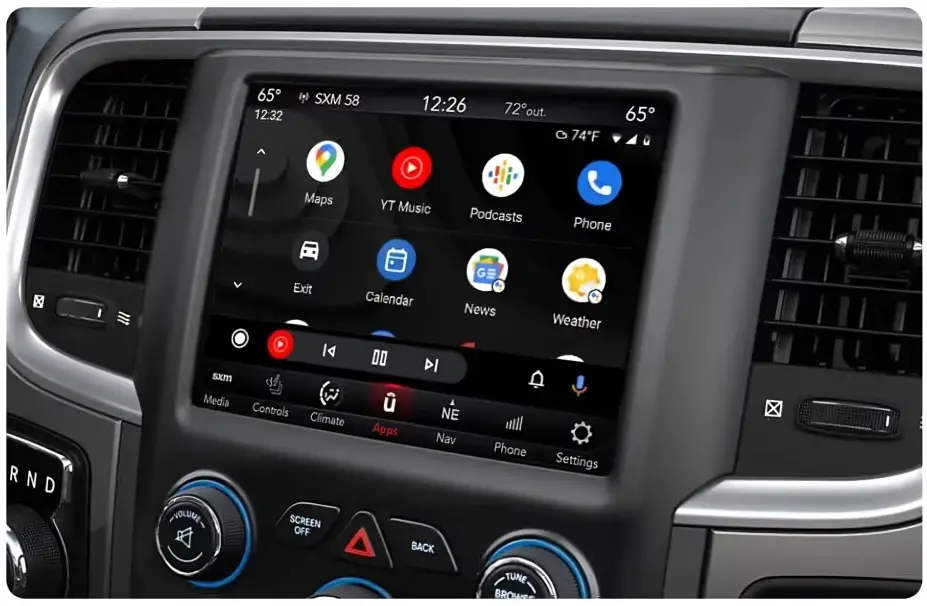
This guide explains 5 easy methods to reset Uconnect on your Ram 1500.
5 Proven Methods on How to Reset Uconnect Ram 1500
Here’s a quick overview of the main reset methods. Detailed steps are described below the table.
| Method | Best For | Time Needed |
|---|---|---|
| Battery Disconnect Reset | Black screen, frozen screen, deep system faults | 10 minutes |
| Button Hard Reset (Volume + Tune Knobs) | Frozen display, lag, touchscreen issues | 1–2 minutes |
| Button Hard Reset (Power Button) | Slow touch response, display delay | 1 minute |
| Door Open Power Cycle | Bluetooth load errors, camera load issues | 2 minutes |
| Fuse Pull Reset | Audio faults, amplifier problems, camera glitches | 1–2 minutes |
1. Battery Disconnect Reset
Best For: Black screen, frozen display, deep system faults
Time Needed: 10 minutes
Steps:
- Turn ignition off.
- Open the hood and remove the negative battery terminal.
- Press the horn for 2–3 seconds to discharge residual power.
- Wait 5–10 minutes.
- Reconnect the battery terminal securely.
- Turn ignition to RUN and wait for Uconnect to boot.
Best For: Frozen touchscreen, laggy interface, unresponsive touch
Time Needed: 1–2 minutes
Steps:
- Set ignition to RUN.
- Hold both volume and tune knobs for 10–20 seconds until the screen goes black.
- Release the knobs and wait for the system to restart.
Best For: Slow touchscreen response, minor display delays
Time Needed: 1 minute
Steps:
- Press and hold the display power button for 10–15 seconds.
- Release when the screen turns off.
- Wait for the system to reboot.
4. Door Open Power Cycle
Best For: Bluetooth or camera load errors
Time Needed: 2 minutes
Steps:
- Turn ignition off.
- Open the driver door and leave it open for 30–60 seconds.
- Close the door and turn the ignition to RUN.
5. Fuse Pull Reset
Best For: Audio, amplifier, or camera problems
Time Needed: 1–2 minutes
Steps:
- Turn ignition off.
- Locate the interior fuse box and identify the Uconnect/radio fuse.
- Remove the fuse for 30–60 seconds.
- Reinstall the fuse securely.
- Turn ignition to RUN and wait for Uconnect to boot.
When to Use These Methods
Knowing when to reset Uconnect on your Ram 1500 helps you fix issues efficiently without wasting time or unnecessary dealer visits.
Use these reset methods if your Uconnect system experiences any of the following problems:
Frozen or Black Screen
If your touchscreen completely freezes or turns black, it prevents you from accessing any Uconnect functions.
This often happens due to software glitches, memory overload, or system stalls.
Performing a hard reset clears temporary memory and forces the system to restart, restoring normal operation.
Stuck on Logo
When the Uconnect screen displays the Ram logo but fails to load the home interface, the system is stuck in a boot loop. This indicates a startup failure or software hiccup. A hard reset forces the system to reboot fully, resolving this problem.
Bluetooth or WiFi Is Not Connecting
Connectivity issues can occur if your devices fail to pair, drop connections repeatedly, or do not recognize the Uconnect network.
Temporary memory corruption in Uconnect may cause this. A reset refreshes the system’s network modules, often restoring Bluetooth and Wi-Fi functionality.
Audio Not Working
Problems like no sound, delayed audio, or unresponsive media functions can stem from software faults in Uconnect’s audio modules.
This may affect the radio, streaming apps, or connected devices. Performing a reset clears glitches, restoring audio performance.
Backup Camera Not Loading
If the rearview camera or other cameras fail to display when shifting into reverse, the camera module may be stuck or frozen.
A hard reset restarts the relevant Uconnect processes, bringing the camera feed back online without mechanical intervention.
Apps Fail to Open or Crash
Navigation, weather, music, or other Uconnect apps may freeze, close unexpectedly, or fail to launch.
This happens when temporary files or processes become corrupted. Resetting Uconnect refreshes app services and ensures smooth operation across all system apps.
Other Minor System Glitches
If your Uconnect interface lags, menu selections do not register, or icons disappear, these minor software bugs can often be solved with a simple hard reset, saving you time and stress.
What These Resets Cannot Fix
While Uconnect hard resets are highly effective at resolving software glitches, they cannot repair physical damage or certain hardware issues.
Understanding the limits of resets helps you know when professional service is required.
Broken Touchscreen or Display Panels
If the touchscreen is cracked, unresponsive due to physical damage, or the display shows lines or black spots, a hard reset will not repair it.
Hardware replacement is required to restore full functionality.
Corroded Wiring or Connectors
Electrical connections that are corroded, loose, or damaged can cause intermittent issues in Uconnect.
Resets cannot fix wiring problems, as these require inspection and repair of the vehicle’s electrical system.
Completely Blown Fuses (Except Fuse Pull Reset)
While the fuse pull reset can refresh the system, it does not repair a fuse that is physically blown. Blown fuses need to be replaced before the system can function normally.
Failed Amplifier or Speaker
If the audio system components, such as the amplifier or speakers, are defective, resets will not restore sound. These require hardware repair or replacement.
Firmware Corruption Requiring Dealer Update
In rare cases, Uconnect software may become corrupted or outdated beyond what a reset can fix.
A dealer or authorized service center may need to perform a firmware update to restore proper system functionality.
Water Damage
Exposure to water or moisture can permanently damage internal circuits and modules.
Resets cannot reverse corrosion or short circuits caused by water intrusion. Professional repair or replacement is necessary.
Tips to Keep Uconnect Stable on Ram 1500
Keeping your Uconnect system running smoothly prevents freezes, crashes, and connectivity issues. Follow these tips to maintain optimal performance and reduce the need for hard resets:
- Restart Uconnect Weekly:
Even if the system appears to be working fine, a weekly restart clears temporary memory and minor glitches before they escalate. This keeps the interface responsive and reduces unexpected freezes.
- Remove Old Bluetooth Devices:
Pairing too many devices can overload Uconnect’s memory, causing connection drops or slow performance. Regularly remove unused devices to improve system responsiveness and ensure stable Bluetooth connections.
- Keep Your Phone OS Updated:
Uconnect often relies on your phone’s Bluetooth and app software for smooth operation. Updating your phone’s operating system prevents pairing issues and ensures compatibility with Uconnect features.
- Use High Quality USB Cables:
Poor-quality or damaged cables can disrupt data transfer, cause media playback issues, or prevent proper charging. Using manufacturer-approved or high-quality cables keeps Uconnect functioning reliably.
- Avoid Pressing Buttons Rapidly During Boot:
When starting your Ram 1500, avoid interacting with multiple menus or buttons immediately. The system needs a few moments to initialize; pressing buttons too quickly can cause temporary freezes or delays.
- Clean Battery Terminals Regularly:
Corrosion or loose connections at the battery can lead to inconsistent power delivery, causing Uconnect to freeze or malfunction. Inspect and clean battery terminals periodically to maintain stable system performance.
FAQ’s
Will I lose my radio presets or Bluetooth connections?
Only temporary memory is cleared. Some presets or paired devices may need re-pairing.
How long does a full hard reset take?
Button resets take 1–2 minutes. Battery disconnect may take 10 minutes.
Can I reset Uconnect while driving?
No. Always perform resets with the vehicle safely parked.
My screen is still frozen after a reset. What should I do?
Try battery disconnect or fuse pull reset. Persistent issues may need a dealer firmware update.
Conclusion
Learning how to reset Uconnect Ram 1500 restores system functionality, fixes frozen screens, unresponsive touch, Bluetooth issues, and camera glitches.
Use the proper method depending on the problem: battery disconnect for deep faults, button resets for quick fixes, door open power cycle for wireless issues, or fuse pull for audio/camera faults.
Following these methods ensures your Uconnect system works smoothly and reduces unnecessary dealer visits.