Getting maps on your Jeep Cherokee can make every drive easier and more enjoyable. Whether you rely on navigation for daily routes or adventurous trips, having up-to-date maps is essential.
Many Cherokee models offer built-in navigation, but not all come with maps installed or updated by default. If you’re unsure how to get maps or update them, this guide explains your options, the steps involved, and some valuable tips that most new owners miss.
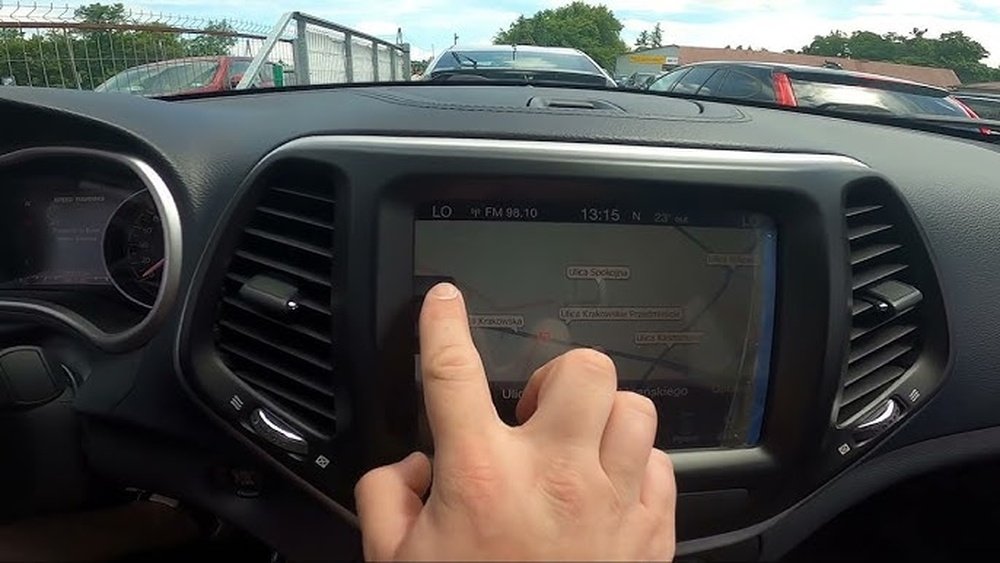
Jeep Cherokee models vary in their navigation systems. Some have a factory-installed Uconnect system with navigation, while others only support smartphone integration. Knowing which system you have is the first step.
| Model Year | Navigation System | Map Availability |
|---|---|---|
| 2014-2018 | Uconnect 8.4 | Optional |
| 2019-2023 | Uconnect 4C NAV | Standard/Optional |
| 2024+ | Uconnect 5 NAV | Standard/Optional |
If your Cherokee doesn’t have built-in navigation, you can use Apple CarPlay or Android Auto to access maps from your phone. For those with Uconnect systems, you’ll need to manage maps directly.
Installing Or Updating Maps On Uconnect
Most Jeep Cherokees with navigation use Uconnect. To install or update maps, follow these key steps:
- Check current system version. Go to “Settings” on your Uconnect screen. Find “System Information” and note your software and map version.
- Visit the official map update website. Jeep uses HERE or TomTom for map data. Go to the update portal listed in your owner’s manual or visit Navigation.com.
- Enter your vehicle’s VIN. The website will ask for your VIN (found on your dashboard or registration papers). This ensures you get the correct maps.
- Purchase or download maps. Some updates are free for new vehicles, while others require payment. Prices vary from $99 to $149.
- Prepare a USB drive. Download the map files onto a 16GB or larger USB drive. Make sure it’s formatted to FAT32.
- Install maps in your vehicle. Insert the USB into your Jeep’s port. Follow on-screen instructions. The process takes 30–60 minutes.
Common Mistakes And Solutions
- Using the wrong USB format: Always format to FAT32, not NTFS or exFAT.
- Not matching VIN: Updates won’t work if VIN is incorrect.
- Interrupting the process: Don’t turn off the engine or remove the USB during installation.
Many drivers forget to check for software updates. Updating your Uconnect software can fix bugs and improve map performance. Always update software before maps.
Using Smartphone Maps With Jeep Cherokee
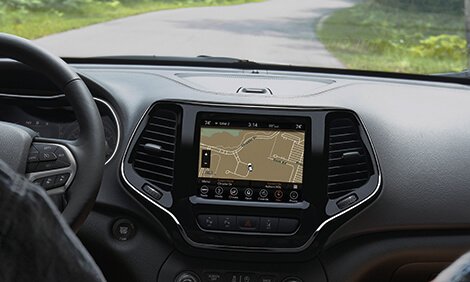
If your Cherokee does not have built-in navigation, you can still use smartphone maps. Apple CarPlay and Android Auto work on most newer models.
| Integration | Supported Models | Map Apps |
|---|---|---|
| Apple CarPlay | 2019+ | Apple Maps, Google Maps, Waze |
| Android Auto | 2019+ | Google Maps, Waze |
To use these:
- Connect your phone to the USB port.
- Allow access on your phone.
- Select CarPlay or Android Auto from your Uconnect screen.
- Open your preferred maps app.
One benefit is automatic updates. Smartphone maps stay current without manual downloads.
However, you need a mobile signal for full features.
If your Cherokee lacks navigation, you can add it with aftermarket systems. Here are the main choices:
- Factory-style units: These look like original Uconnect systems and fit perfectly.
- Universal GPS units: Brands like Garmin and TomTom offer standalone devices.
- Smartphone mounts: Use your phone for navigation with a secure mount.
Cost varies. Factory-style units range from $400 $900, while GPS units cost $150 $300. Always check compatibility before buying.
| Option | Cost Range | Installation Complexity |
|---|---|---|
| Factory-style | $400–$900 | Medium |
| GPS Unit | $150–$300 | Low |
| Smartphone Mount | $15–$50 | Very Low |
Professional installation is recommended for factory-style units. For universal GPS or smartphone mounts, DIY is usually safe.
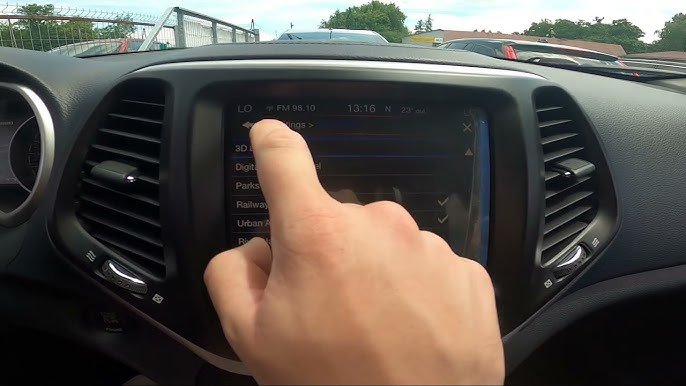
- Keep maps updated. Outdated maps miss new roads and can misdirect you.
- Check software updates. These improve system stability.
- Backup your system. Some Uconnect units allow backup before updates.
- Learn offline features. Many map apps can download offline maps—helpful in rural areas.
- Don’t rely only on GPS. Always carry a paper map for emergencies.
A surprising insight: Uconnect navigation sometimes struggles in dense cities or tunnels. Using smartphone apps as a backup can save time.
Frequently Asked Questions
Check your Uconnect screen for a “Nav” or “Maps” button. If it’s missing, you likely don’t have built-in navigation. Your owner’s manual also lists this feature.
Can I Update Maps For Free?
Some new Cherokees offer free updates for the first year. Older models or aftermarket units usually require payment.
Always check your warranty and the update site.
What Happens If The Map Update Fails?
If installation stops or fails, restart your vehicle and try again. Make sure your USB drive is formatted correctly and contains only the map files.
Smartphone maps like Google Maps and Waze update more often and offer traffic info. Uconnect maps work offline and don’t use phone data. Using both is wise.
Where Can I Get More Help?
For technical support, visit the official Jeep website or contact your dealer. You can also find guidance at Jeep.com.
Getting maps on your Jeep Cherokee is simple if you follow the right steps. With updated maps, your drives will be safer and more efficient.
Whether you use Uconnect, smartphone apps, or aftermarket solutions, always keep your navigation system current.
This ensures you never miss a turn wherever the road takes you.