Removing your Jeep’s hardtop is a classic part of the open-air driving experience. But before you lift the roof, you need to safely disconnect the hardtop wiring harness.
This harness powers the rear wiper, defroster, and sometimes the dome light or speakers. If you skip this step or do it wrong, you could damage the wiring or connectors—leading to expensive repairs.
This guide will walk you through the process for most late-model Jeep Wranglers (JK, JL, or Gladiator), with tips that work for other models too.
Why Disconnect The Hardtop Wiring Harness?
Jeep hardtops are not just big pieces of fiberglass. They connect to your vehicle’s electrical system. The harness sends power to important features like the rear defroster and wiper motor. If you try to remove the hardtop without disconnecting, you risk:
- Breaking plastic connectors
- Damaging wires inside the harness
- Triggering warning lights or electrical faults
A damaged harness can cost $100 $400 to repair or replace, depending on the model.
Tools And Preparation
Most Jeep owners can do this with only basic tools. Here’s what you’ll need:
- Phillips screwdriver
- Flathead screwdriver (optional, for stubborn clips)
- Flashlight (helpful in low light)
- Clean rag
Pro tip: Take your time. If you rush, you might break delicate clips that hold the harness in place.

Step-by-step: Disconnecting The Wiring Harness
- Open the rear tailgate for easier access.
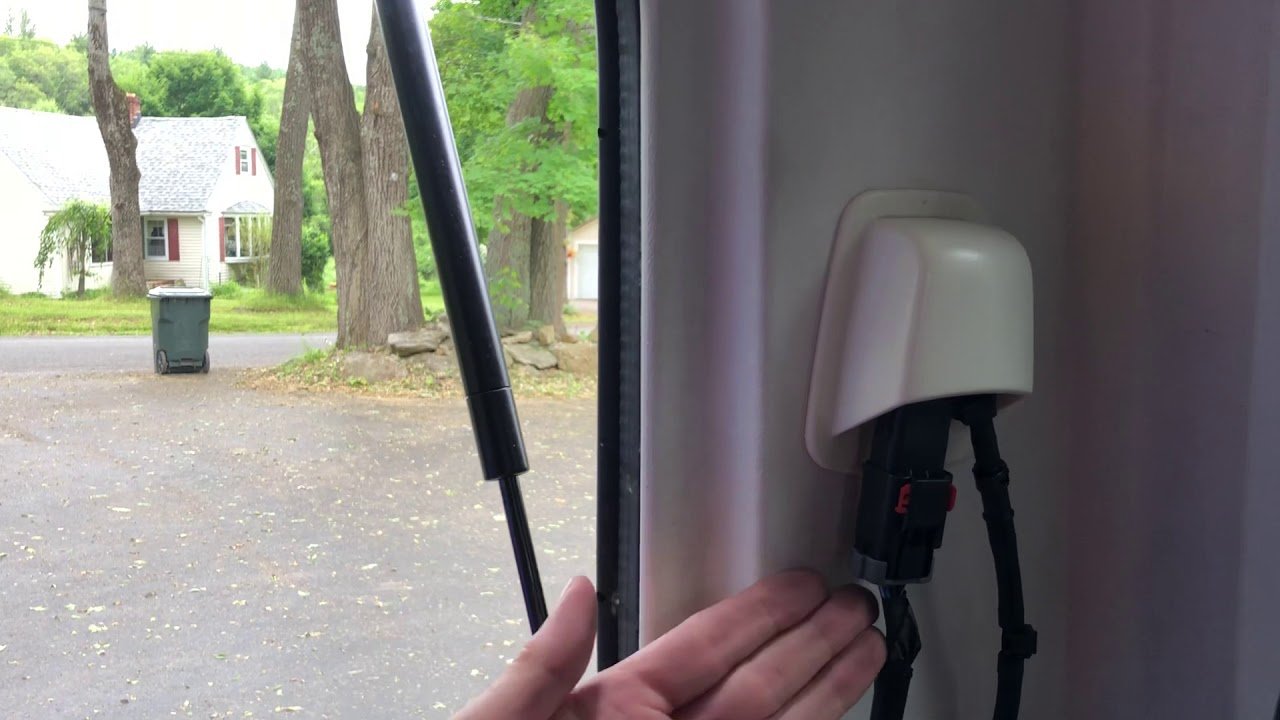
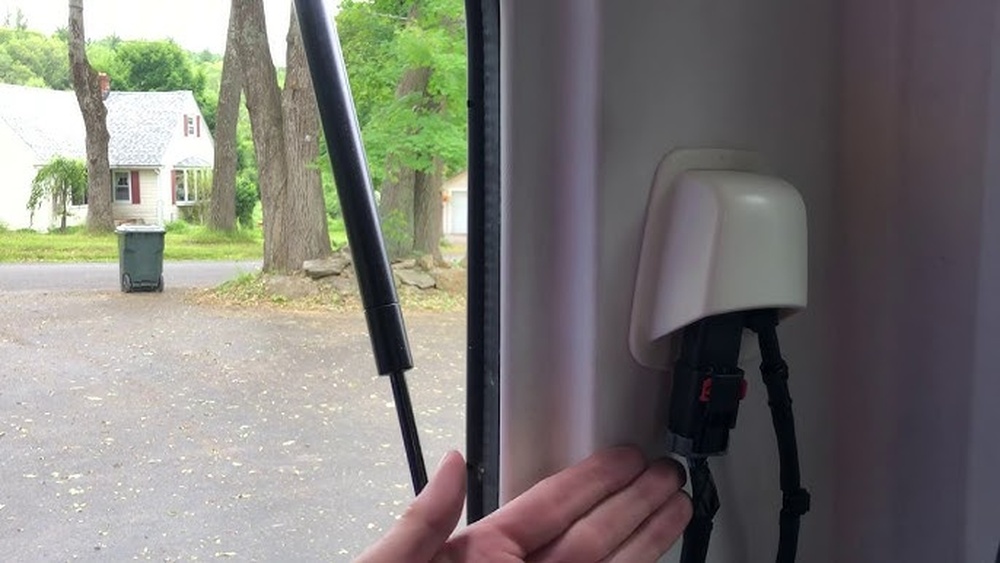
- Locate the wiring harness. In most Wranglers, it’s on the driver’s side, near the rear corner, above the tail light inside the cargo area.
- Identify the connectors. You’ll see one or two rectangular plastic plugs attached to the hardtop.
- Release the safety clip. Slide the red tab or push the locking latch outward. This prevents accidental unplugging while driving.
- Gently disconnect the harness. Press the release tab and pull the connector straight out. Do not wiggle or twist—this can bend the pins.
- Secure the loose connectors. Tuck them away from sharp edges or moving parts to avoid damage.
- Remove the washer hose. If your Jeep has a rear washer, gently pull the rubber hose off the hardtop nozzle.
Most people forget to unlock the safety tab before pulling. Forcing the connector can snap the plastic, making reinstallation a headache.
Example: 2018 Jeep Wrangler Jl
In the JL model, the main harness is a black connector with a red locking tab. Slide the red tab sideways, then pinch the top and bottom to unplug.
The washer hose pulls off with gentle pressure.
Wiring Harness Location By Model
Here’s a quick reference for common Jeep models:
| Model | Year Range | Harness Location |
|---|---|---|
| Wrangler JK | 2007–2018 | Driver’s side, above tail light |
| Wrangler JL | 2018–Present | Driver’s side, rear corner |
| Gladiator JT | 2020–Present | Driver’s side, cargo area |
Common Problems And How To Avoid Them
Some issues pop up again and again for first-time Jeep owners. Here’s how to dodge them:
- Forgetting the washer hose: Many people only unplug the wires and forget the washer hose, which can tear if not disconnected.
- Breaking clips: Always find and unlock every safety tab before pulling. Jeep connectors are not designed to come apart by force.
- Pinched wires on reinstallation: When putting the top back, double-check that wires and hoses are not caught under the hardtop edge.
Another insight: Don’t leave connectors exposed for long periods. If you plan to drive topless for weeks, cover the connectors with electrical tape or a plastic bag to keep dirt and water out.
Safety And Care Tips
Protecting your Jeep’s wiring is smart. Here are tips for long-term health:
- Inspect connectors for bent pins or corrosion before reconnecting.
- Store the hardtop upright on a soft surface to avoid damaging the harness area.
- Avoid yanking or pulling at an angle—always unplug connectors straight out.
If you see any sign of melted plastic or rusty pins, clean them before reinstalling. Use a little dielectric grease for extra protection.
Reinstalling The Hardtop Wiring Harness
When you’re ready to put the hardtop back:
- Align the connectors so they match.
- Push together until you hear or feel a click.
- Slide the red safety tab back into the lock position.
- Reattach the washer hose.
- Test the rear wiper and defroster before fully tightening the top.
If something doesn’t work, recheck the connectors. A loose plug is the most common cause.
Comparison: Hardtop Vs. Soft Top Electrical Connection
Many Jeep owners wonder if the process is different for soft tops. Here’s a quick look:
| Feature | Hardtop | Soft Top |
|---|---|---|
| Wiring harness | Yes (rear wiper, defroster) | No (usually none) |
| Washer hose | Yes | No |
| Removal required | Every time | Not needed |
As you can see, soft tops rarely have any wiring to disconnect.

When To Call A Professional
While most Jeep owners handle this job themselves, there are times to get help:
- If connectors are corroded or broken
- When you see exposed wires or melted plastic
- If you’re unsure about the process or your model differs
A Jeep dealer or experienced shop can fix wiring issues quickly and safely. For more details, visit the official Jeep website.
Frequently Asked Questions
What Happens If I Forget To Disconnect The Wiring Harness?
Forgetting this step can tear wires or break connectors. This may cause the rear wiper and defroster to stop working, and sometimes damage other electrical systems.
Can I Drive With The Connectors Exposed?
Short-term, yes. But over time, dirt and moisture can enter the connectors, causing corrosion or electrical faults.
Always cover them if you plan to leave the top off for weeks.
Is The Process Different For 2-door And 4-door Jeeps?
The steps are almost the same. The main difference is where the harness sits, but it’s usually on the driver’s side rear corner in both cases.
Do I Need To Disconnect The Battery First?
It’s not required, but if you feel nervous about working with electrical parts, disconnecting the negative battery terminal adds extra safety.
Will This Void My Warranty?
As long as you follow the owner’s manual and don’t damage the connectors or wiring, removing the hardtop and disconnecting the harness will not void your warranty.
Taking the time to correctly disconnect your Jeep’s hardtop wiring harness protects your vehicle and saves you from future headaches. With these tips, you can enjoy every open-air mile worry free.