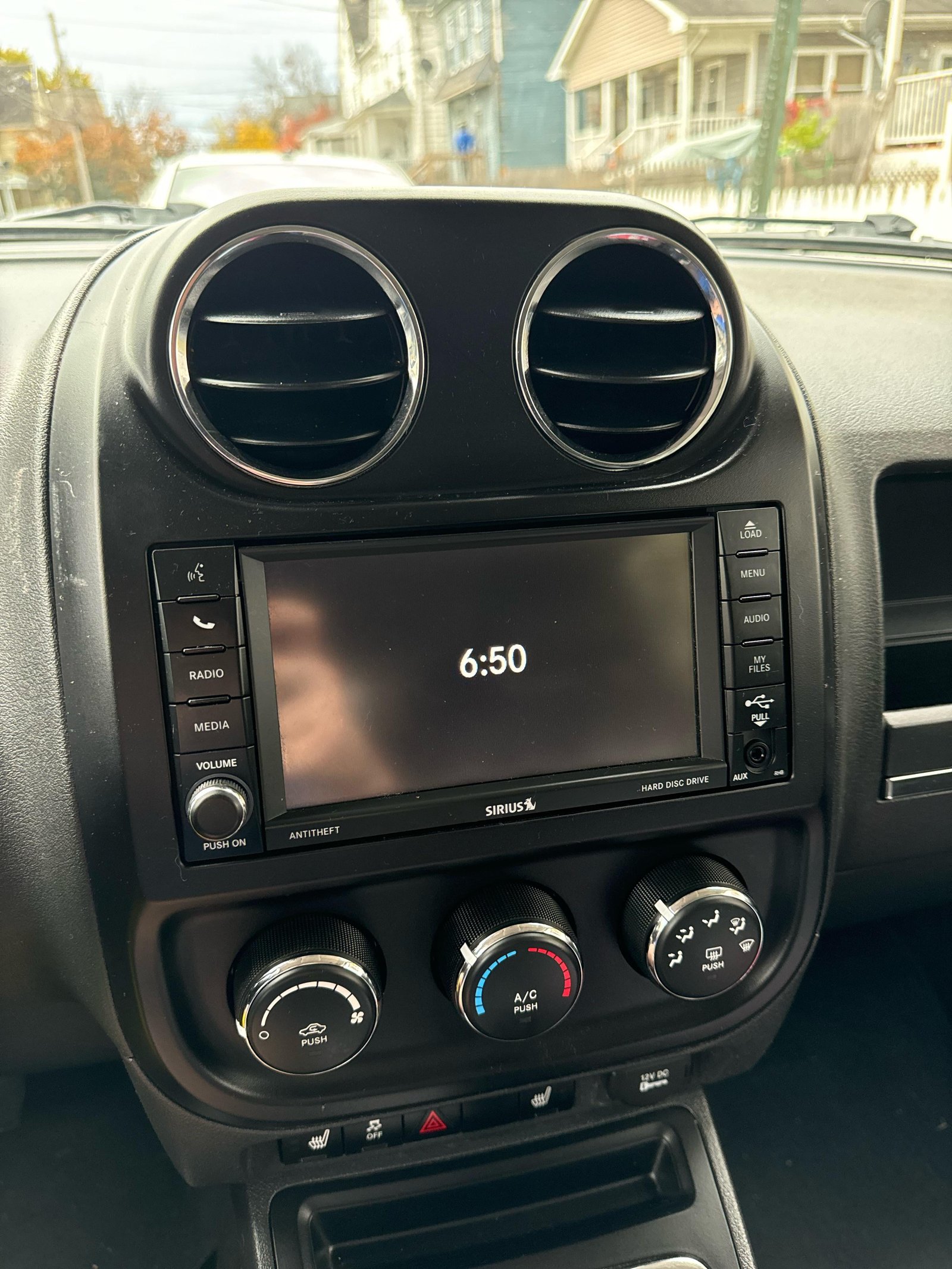
Connecting your phone to your Jeep’s Bluetooth is a simple way to enjoy hands-free calls, music, and navigation. Many Jeep owners struggle with the initial setup, but once you know the steps, pairing your device takes only a few minutes.
This guide breaks down the process, explains common mistakes, and highlights features you might miss. Whether your Jeep is a recent model or a bit older, these instructions help you make the most of your vehicle’s connectivity.
Understanding Jeep Bluetooth Systems
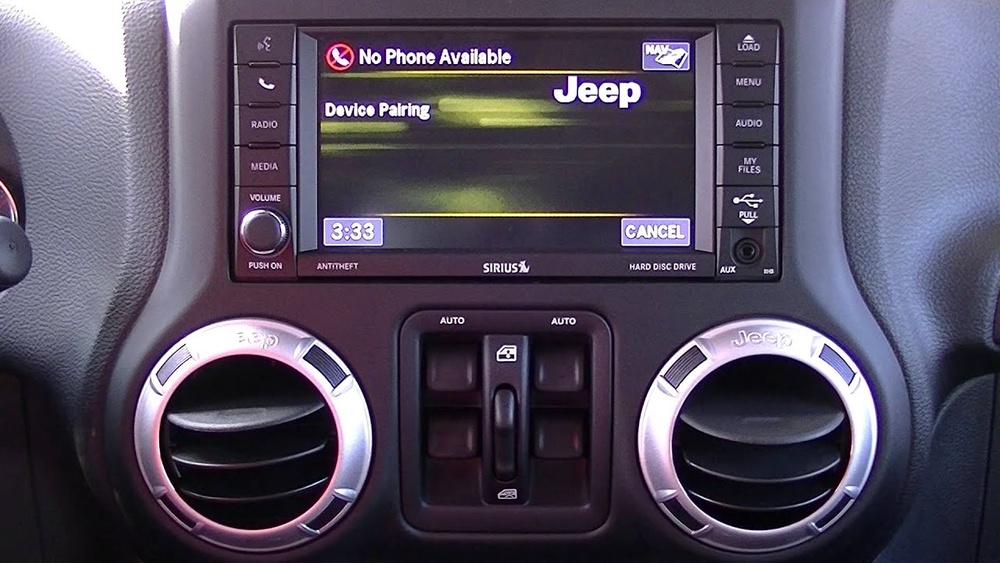
Jeep uses the Uconnect system in most models from 2011 onwards. This system lets you pair smartphones, play music, and access voice commands. Older Jeeps may have a basic Bluetooth setup, but newer models offer more advanced features.
The following table compares Bluetooth features in different Jeep models:
| Model Year | Bluetooth Version | Audio Streaming | Voice Command |
|---|---|---|---|
| 2010 | 2.1 | No | Limited |
| 2015 | 4.0 | Yes | Full |
| 2022 | 5.0 | Yes | Advanced |
If you don’t know your Jeep’s system, check your owner’s manual or look for the Uconnect logo on your dashboard screen. Some older models may require extra steps or adapters.
Step-by-step: Connecting Your Phone
The pairing process can be confusing for beginners. Here’s how to connect to Jeep Bluetooth, with extra tips to avoid mistakes:
1. Turn On Your Jeep
Start your vehicle and keep it in park. Bluetooth pairing works best when the car is on and stationary.
2. Activate Bluetooth On Your Phone
Go to your phone’s settings and turn on Bluetooth. Make sure your phone is set to visible/discoverable mode.
Press the Phone or Media button on your Jeep’s dashboard. On the touchscreen, select “Pair Device” or “Add Device.”
4. Select Your Jeep On Your Phone
Your phone will show a list of available Bluetooth devices. Find and select your Jeep’s name (e. g. , “Uconnect” or “Jeep”).
5. Confirm Passkey
A passkey or PIN appears on both your Jeep screen and your phone. Make sure the numbers match, then confirm on both devices.
6. Allow Permissions
Your phone may ask for permission to access contacts and messages. Allow these for full hands-free features.
7. Connection Success
Once paired, your phone will show “Connected” and your Jeep may announce the successful pairing.
Here’s a quick comparison of pairing steps for different Jeep models:
| Model | Pairing Method | Screen Type | Passkey Required |
|---|---|---|---|
| Jeep Wrangler 2012 | Manual | Button/No Touch | Yes |
| Jeep Grand Cherokee 2018 | Touchscreen | Touch | Yes |
| Jeep Compass 2023 | Auto Detect | Touch | No |
Troubleshooting Common Issues
Sometimes pairing fails or the connection drops. Here are solutions to frequent problems:
- Device Not Found:
Turn both your phone and Jeep Bluetooth off, then on again. Restart your phone if needed.
- Passkey Doesn’t Match:
Ensure you are pairing the correct device. Delete old pairings from your phone and Jeep, then retry.
- Music Won’t Play:
Check if audio streaming is enabled. On your phone’s Bluetooth settings, confirm “Media Audio” is switched on.
- Calls Can’t Be Made:
Allow access to contacts and call logs when prompted. If denied, re-pair and accept all permissions.
- Connection Drops:
Keep your phone’s Bluetooth updated. Move other electronic devices away from the dashboard area.
Non-obvious tip: Some Jeep models only allow one phone at a time. If you use multiple devices, disconnect the first before pairing another.
Making The Most Of Jeep Bluetooth
After connecting, you unlock extra features that many owners overlook:
- Voice Commands:
Press the Voice button on your steering wheel. Say commands like “Call John” or “Play music.” Practice with short phrases for best results.
- Streaming Apps:
Use apps like Spotify or Apple Music. Quality depends on your phone’s Bluetooth version and Jeep’s audio system.
- Navigation Audio:
Send GPS directions from Google Maps or Waze to your Jeep speakers. This makes driving safer and easier.
- Automatic Reconnect:
Your phone will reconnect every time you start your Jeep if Bluetooth is enabled. No need to pair again unless you change devices.
Many users miss that advanced Uconnect systems can read text messages aloud. Enable this in your Uconnect settings for hands-free messaging.
Safety And Privacy Tips
Bluetooth improves safety by reducing distractions, but there are privacy risks:
- Always disconnect devices you don’t use.
- Clear your contacts from the system before selling your Jeep.
- Update your phone and Uconnect software regularly.
According to the National Highway Traffic Safety Administration, hands-free Bluetooth systems can reduce accident risk by up to 30% compared to manual phone use.
Frequently Asked Questions
How Many Phones Can I Connect To Jeep Bluetooth?
Most Jeeps allow pairing with up to eight devices, but only one can be active at a time. To switch, disconnect the current phone and connect another.
Does Jeep Bluetooth Work With All Smartphones?
Almost all modern smartphones (Android and iPhone) support Jeep Bluetooth. Older phones may not work with newer Uconnect systems.
Can I Play Music From My Phone Through Jeep Bluetooth?
Yes, if your Jeep supports audio streaming. Check your Jeep’s manual or Bluetooth settings to confirm. Use media apps for the best experience.
What Should I Do If Pairing Fails Repeatedly?
Restart your phone and Jeep system. Delete any old pairings. If problems continue, update your phone’s software and check for Uconnect firmware updates at Jeep Uconnect Official Site.
Is It Possible To Connect My Jeep To Bluetooth Without Uconnect?
Some older Jeeps use basic Bluetooth modules. If you don’t have Uconnect, check for a “Bluetooth” button or use an adapter recommended in your owner’s manual.
Connecting your phone to your Jeep’s Bluetooth makes driving more enjoyable and safer. Follow these steps and tips, and you’ll be ready to use calls, music, and navigation hands-free.
With the right setup, you’ll discover features in your Jeep you never knew existed.