Is your Jeep key fob acting up or not working like it used to? Chances are, it’s time to change the battery.
You don’t have to visit a dealership or spend a lot on repairs. With just a few simple steps, you can replace the battery yourself and get your key fob back to perfect working order. In this guide, you’ll learn exactly how to open your Jeep key fob, swap out the old battery for a new one, and make sure everything works smoothly again.
Keep reading—you’ll be back on the road with a fully functional key fob in no time!
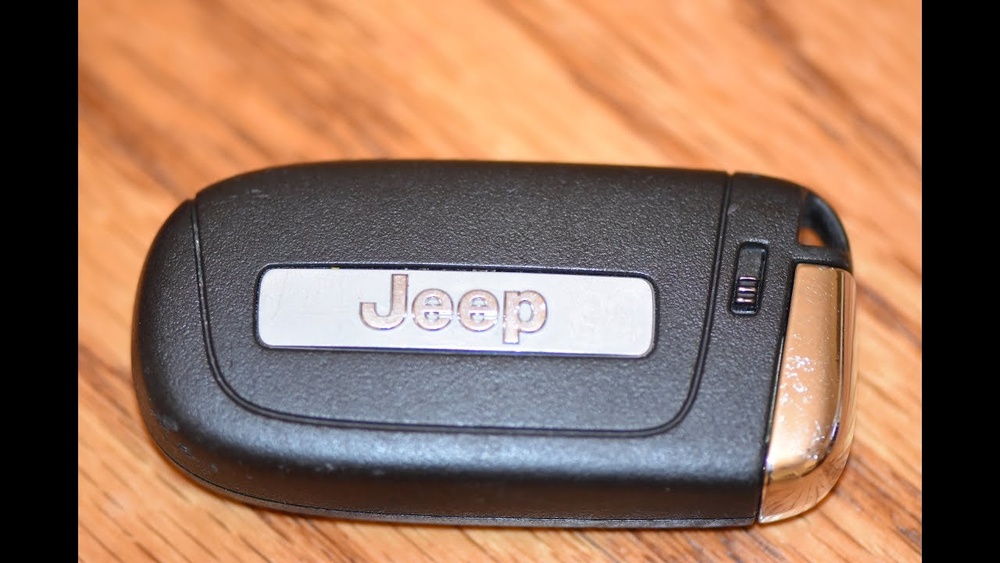
Identify Your Jeep Key Fob Model
Identifying your Jeep key fob model is the first step to changing its battery.
Different Jeep models use various key fob designs and battery types.
Knowing your exact key fob helps you buy the right battery and tools.
Check The Back Of Your Jeep Key Fob
Look for a model number or brand name stamped on the back.
Some key fobs have a small label with key information.
This can quickly tell you which battery size you need.
Compare Your Key Fob To Online Images
Search for Jeep key fob images matching your key’s shape and buttons.
Visual comparison helps confirm the model type.
Many Jeep forums and websites show clear photos for reference.
Consult Your Jeep Owner’s Manual
The manual often lists the key fob model and battery type.
Look under the “Keys and Doors” or “Remote Control” sections.
This guide is a reliable source for original key fob details.
Count the buttons and note their functions on your key fob.
Different models have varying button arrangements.
This helps narrow down the exact key fob version you own.
Gather Necessary Tools And Supplies
Before starting the battery replacement process for your Jeep key fob, gather all necessary tools and supplies. This step saves time and prevents frustration during the swap. Having the right materials ensures a smooth and safe battery change. Prepare your workspace with good lighting and a clean surface to keep small parts safe.
Choosing The Right Battery Type
Most Jeep key fobs use a coin-cell battery, often a CR2032 or CR2025. Check your key fob’s manual or the old battery for the exact type. Using the correct battery size and voltage is crucial for proper function. Avoid mixing battery brands or types as this can cause damage or poor performance.
Where To Buy Replacement Batteries
Replacement batteries are available at many stores. Local auto parts shops, electronics stores, and big-box retailers usually carry them. Online retailers offer a wide selection and often lower prices. Choose a reputable source to avoid counterfeit or low-quality batteries. Keep the receipt in case you need to return the battery.
Remove The Mechanical Key
Start by locating the small release button on your Jeep key fob. Press it to pull out the hidden mechanical key for easy access.
Locate The Mechanical Key Release
The first step to change your Jeep key fob battery is removing the mechanical key. This key is hidden inside the fob for emergencies. Look for a small button or slide on the back or side of the fob. Press or slide it gently to unlock the mechanical key. Pull the metal key out carefully to avoid damage.
Use The Mechanical Key To Open The Fob
After removing the mechanical key, use its tip or a flathead screwdriver. Insert it into the notch or seam at the base of the fob. Twist or pry gently to separate the two plastic halves. Take care not to crack or scratch the plastic while opening the fob.

Open The Key Fob Case
Opening the key fob case is the first step to change your Jeep key fob battery. The key fob houses the battery inside a plastic case. This case keeps the battery safe and secure. To replace the battery, you need to carefully open this case. It requires some gentle prying to avoid damage. Follow the right method to open the case easily and safely.
Using A Flathead Screwdriver
Use a small flathead screwdriver for best results. Locate the seam or notch on the key fob case. Insert the screwdriver tip into the seam gently. Twist or pry the screwdriver slowly to separate the two halves. Avoid using too much force to prevent breaking the case. Work your way around the edge if needed, easing the halves apart. This method gives you good control and precision.
Avoiding Damage To The Plastic
Plastic cases can crack or scratch easily. Use a plastic pry tool if you have one. If not, wrap the screwdriver tip in tape for extra protection. Pry slowly and gently to reduce stress on the plastic. Keep the pressure even and steady. Do not try to force the case open quickly. Taking time ensures the case stays intact for reassembly. Protecting the plastic keeps your key fob looking new and working well.
Remove The Old Battery
Removing the old battery from your Jeep key fob is a crucial step in replacing it. This task requires care to avoid damaging the key fob. Follow simple steps to open the fob and take out the battery safely.
Start by locating the small release button or sliding pin on the key fob. Press it gently and pull out the hidden mechanical key. Use the key or a flathead screwdriver to open the fob casing carefully.
Proper Handling Techniques
Handle the key fob with clean, dry hands to avoid slipping. Avoid using excessive force when prying the casing open. Use a small flathead screwdriver to ease the battery out of its clip. Keep the removed battery away from children and pets.
Check For Battery Orientation
Note the position of the old battery before removal. Most Jeep key fobs have a positive (+) side facing down. Look inside the casing for a label showing battery direction. This step helps ensure correct placement of the new battery.
Insert The New Battery
Inserting the new battery into your Jeep key fob is a simple step. It requires careful attention to how the battery fits inside the fob. Correct placement ensures the fob works properly once reassembled. This section explains how to place the battery correctly and secure it firmly.
Correct Battery Placement
Check the battery type before inserting it. Most Jeep key fobs use a CR2032 battery. Look inside the fob’s battery compartment for a label showing the correct orientation.
Place the battery with the positive (+) side facing down or up, as the label directs. Align the battery flat against the clip or holder. Avoid forcing it in to prevent damage.
Ensuring Secure Fit
Make sure the battery sits snugly in its slot. A loose battery can cause the key fob to malfunction. Press gently but firmly to lock the battery in place.
Listen for a slight click or feel the battery settle into the holder. If the battery moves, adjust its position or check for debris obstructing the fit. A secure battery ensures reliable operation.
Reassemble The Key Fob
After replacing the battery, it’s important to carefully reassemble your Jeep key fob. Proper reassembly ensures the fob works correctly and protects the internal components. Take your time to avoid damaging the case or misplacing parts.
Snapping The Case Together
Align the front and back halves of the key fob carefully. Check that the battery and internal parts sit snugly inside. Press the two halves together firmly but gently. You should hear a clear snap sound as the case locks. Ensure all edges are flush with no gaps.
Reinserting The Mechanical Key
Locate the metal mechanical key you removed earlier. Slide it back into its slot on the key fob. Push it in until it clicks into place securely. This key is essential for emergency use if the fob’s battery dies again. Verify it slides out smoothly and locks back in properly.
Test The Key Fob Functions
Testing the key fob functions is the last step after replacing the battery. It confirms the new battery works properly. This step avoids surprises later, like a non-working key fob. Testing makes sure all buttons respond correctly. Check basic functions first, then move to extra features.
Press the lock button to see if the doors lock. Listen for the sound or check if the lights flash. Next, press the unlock button and watch for the doors to open. Both buttons should respond quickly and without delay. If they don’t work, try replacing the battery again. Proper response means your key fob battery change was successful.
Remote Start And Panic Features
Test the remote start if your Jeep has this feature. Press the button to start the engine from a distance. The engine should start within seconds. Then, press the panic button to check the alarm. It should sound loudly, alerting nearby people. These features show the battery is strong enough. If they don’t work, check the battery position or try a new one.
Troubleshooting Common Issues
Troubleshooting common issues with your Jeep key fob helps keep it working well. Problems often occur after changing the battery or due to wear and tear. Knowing how to fix these issues saves time and frustration. This section covers simple steps for common problems and tips to extend battery life.
When The Key Fob Doesn’t Work
Check if the battery is installed correctly. The positive side usually faces down. Make sure the battery contacts are clean and not bent. Dirt or corrosion can block signals.
Try pressing the buttons firmly and close to the Jeep. Sometimes the signal is weak if you stand too far away. If the fob still does not work, try resetting it by removing the battery for a few minutes.
Another common cause is damage to the fob’s internal parts. If your key fob has been dropped or exposed to water, it may fail. In that case, professional repair or replacement might be needed.
Battery Life Tips
Use high-quality batteries designed for key fobs. Cheap batteries often drain faster and cause malfunctions. Always keep a spare battery handy for quick replacement.
Remove the battery if you plan not to use the key fob for a long time. This prevents battery leakage and damage. Avoid exposing the key fob to extreme temperatures to protect battery life.
Press buttons only when needed. Continuous pressing wastes battery power. Regularly check the battery status and replace it every 1 to 2 years to avoid sudden failure.
Reprogramming The Key Fob
After changing the battery in your Jeep key fob, reprogramming might be necessary. Reprogramming helps your vehicle recognize the new battery and restore full remote functions. Not every battery change requires reprogramming, but knowing when and how to do it is useful.
When Reprogramming Is Needed
Reprogramming becomes necessary if the key fob stops working after a battery change. Sometimes, the fob loses connection to the vehicle. If the buttons do not respond or the doors won’t lock or unlock remotely, reprogramming helps. Also, if you have a new or replacement key fob, it needs programming to sync with your Jeep.
How To Reprogram Your Jeep Key Fob
Start by sitting inside your Jeep with all doors closed. Insert the key into the ignition and turn it to the “On” position, but do not start the engine. Press and hold the “Lock” button on the key fob for about 15 seconds. Release the button and turn the ignition off.
Repeat this process for each key fob you want to program. After programming, test all key fobs to ensure they work correctly. If reprogramming does not succeed, consult your Jeep manual or a professional locksmith for help.
Maintenance Tips For Key Fob Longevity
Maintaining your Jeep key fob properly helps extend its life. Small care habits keep the battery working longer. A well-kept key fob avoids unexpected failures. Follow simple tips to protect your key fob from damage.
Keep The Key Fob Dry
Moisture can damage the battery and circuits inside. Avoid exposing your key fob to water or rain. Store it in a dry place when not in use. Use a plastic bag if you expect rain or snow.
Avoid Dropping The Key Fob
Drops and impacts can loosen internal parts or crack the casing. Handle your key fob gently to prevent damage. Use a keychain or lanyard to keep it secure. Check the casing regularly for cracks or breaks.
Replace Batteries On Time
Weak batteries cause poor signal and can stop the fob from working. Replace the battery at the first sign of trouble. Don’t wait for the fob to stop working completely. Carry a spare battery if you travel often.
Clean The Key Fob Regularly
Dirt and dust can clog buttons and reduce sensitivity. Use a soft cloth to wipe the surface gently. Avoid using harsh chemicals or water. Clean around buttons carefully with a dry cotton swab.
Store Away From Extreme Temperatures
Heat can drain the battery quickly and cold can reduce its power. Keep the key fob away from direct sunlight or freezing conditions. Avoid leaving it in cars on hot or cold days. Store in a moderate temperature environment for best results.


Frequently Asked Questions
How Do I Pop Open A Jeep Key Fob?
Locate the release button or slide pin on the fob. Press it to remove the mechanical key. Insert a flathead screwdriver into the seam and gently twist to open the casing without damaging it.
What Battery Is Used In A Jeep Key Fob?
A Jeep key fob typically uses a CR2032 lithium coin battery. This battery ensures reliable remote functions and easy replacement.
Do You Have To Reprogram A Jeep Key Fob After Changing Battery?
You do not need to reprogram your Jeep key fob after changing the battery. Just replace the battery and test the buttons.
Can I Replace The Key Fob Battery Myself?
Yes, you can replace the key fob battery yourself. Carefully open the fob, remove the old battery, and insert a new one. Ensure correct battery orientation and snap the fob back together. Test the buttons after replacement to confirm it works properly.
Conclusion
Changing the battery in your Jeep key fob is simple and quick. Start by carefully opening the fob without forcing it. Replace the old battery with a new one, matching the positive side correctly. Snap the fob halves back together and test the buttons.
No special tools or programming are needed. Keep a spare battery handy to avoid surprises. This small task helps keep your Jeep’s remote working smoothly. Now you know how to do it yourself, saving time and money. Easy steps make this job stress-free for any Jeep owner.