Jeep owners today expect more from their vehicles than ever before. Safety, privacy, and convenience are key, especially when sharing the car with family, friends, or parking staff. If you’ve ever worried about someone driving your Jeep too fast or accessing your personal information, the Valet Mode feature on the Jeep app can help. This article explains exactly what Valet Mode is, how it works, and why it matters for modern drivers.
What Is Valet Mode On The Jeep App?
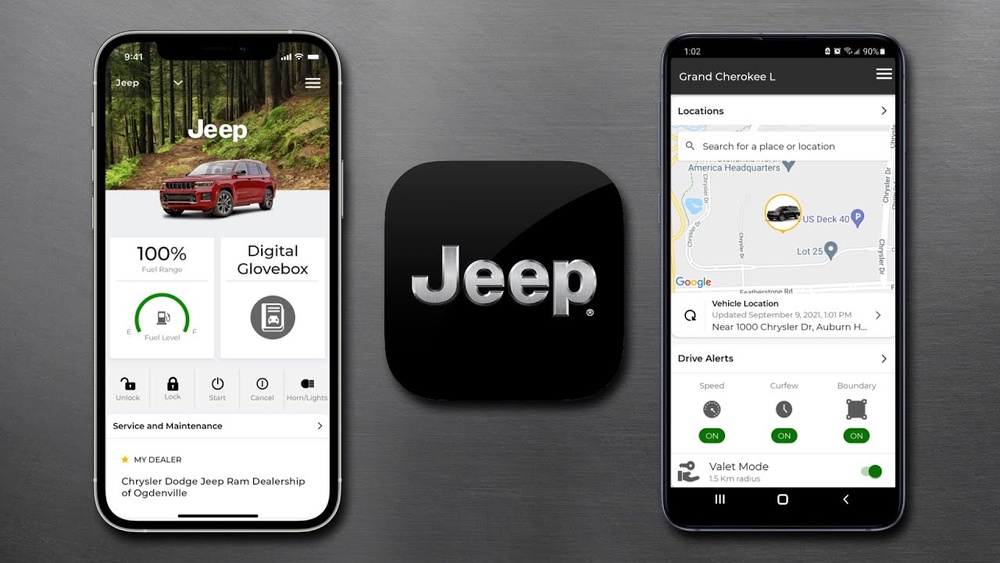
Valet Mode is a special feature available through the official Jeep app. When you activate Valet Mode, your Jeep’s performance and access are limited. This is designed to protect your vehicle and personal data when someone else, like a valet or mechanic, is behind the wheel. The main idea: your Jeep will operate safely and securely, even in someone else’s hands.
With Valet Mode, you can:
- Restrict engine power and speed
- Hide personal information in the infotainment system
- Disable certain features like navigation or phone pairing
These restrictions are controlled using your smartphone, so you don’t need to worry about manual switches or keys.
How Does Valet Mode Work?
When you hand over your Jeep, you can activate Valet Mode through the app. Here’s how the process usually works:
- Open the Jeep app on your phone.
- Select your vehicle and find the Valet Mode option.
- Enter your PIN or password to activate.
- Confirm the activation.
Once Valet Mode is on, your Jeep will limit several functions. The person driving won’t be able to speed, access contacts, or change important settings. To turn off Valet Mode, you use the app and enter your PIN again.
Real-world Example
Imagine you’re at a hotel and a valet needs to park your Jeep. You activate Valet Mode before handing over the keys. The valet can drive the car but can’t speed, see your saved addresses, or pair their phone with the system.
Key Features And Restrictions
Valet Mode isn’t just about slowing down the car. It’s a full security package for your Jeep. Here are the main features:
- Speed limit: The vehicle’s maximum speed drops, often to around 30 mph.
- Reduced engine power: Jeep models like the Grand Cherokee limit horsepower, making aggressive driving impossible.
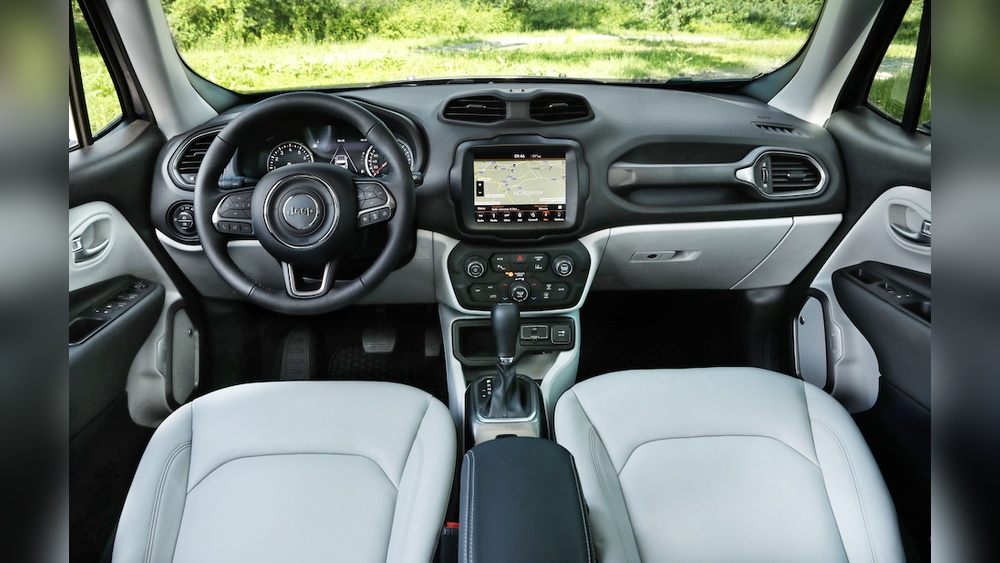
- Infotainment lock: Personal data, such as contacts and navigation history, is hidden.
- Disabled settings: Advanced features (like sport mode, climate controls, or seat memory) may be disabled.
- Remote control: All settings are managed via the app, not inside the car.
This feature is especially useful when you want to protect your privacy or prevent reckless driving.
Comparison: Standard Vs. Valet Mode
Here’s how your Jeep behaves with and without Valet Mode:
| Feature | Standard Mode | Valet Mode |
|---|---|---|
| Maximum Speed | Up to 120 mph | 30 mph |
| Engine Power | Full | Reduced |
| Infotainment Access | All data visible | Personal data hidden |
| Navigation Features | Fully functional | Disabled |
Why Valet Mode Matters
Many Jeep owners don’t realize how much information their vehicle stores. Navigation history, contact lists, and even saved home addresses are easily accessed from the infotainment screen. Valet Mode protects this data and keeps your Jeep safe from misuse.
Here are two insights beginners often miss:
- Personal privacy: Valet Mode protects not just your car, but your identity. If your Jeep is stolen or borrowed, sensitive information is locked away.
- Insurance benefits: Some insurers may offer discounts if you use Valet Mode regularly, as it reduces the risk of accidents and theft.
How To Activate And Deactivate Valet Mode
Activating Valet Mode is simple if you know the steps:
- Launch the Jeep app and log in.
- Select your vehicle from the menu.
- Tap the “Valet Mode” option.
- Enter your secure PIN.
- Confirm activation.
To deactivate:
- Open the app again.
- Enter your PIN.
- Tap to turn off Valet Mode.
If you forget your PIN, you’ll need to reset it through the app’s security settings. Always choose a strong PIN that others won’t guess.
Activation Vs. Deactivation Process
Here’s a quick comparison for clarity:
| Step | Activate Valet Mode | Deactivate Valet Mode |
|---|---|---|
| Open Jeep App | Yes | Yes |
| Select Vehicle | Yes | Yes |
| Enter PIN | Yes | Yes |
| Confirm Action | Activate | Deactivate |
Common Mistakes To Avoid
Some Jeep owners make mistakes with Valet Mode. Here are a few to watch out for:
- Forgetting to activate: Always turn on Valet Mode before handing over your Jeep.
- Weak PIN choices: Use a strong, unique PIN—not your birthdate or simple numbers.
- Sharing PIN accidentally: Don’t reveal your PIN to others. Keep it private.
- Assuming full protection: Valet Mode limits access, but it’s not a substitute for overall car security.

Valet Mode Vs. Other Security Features
Jeep vehicles offer several security tools, but Valet Mode is unique. Here’s a quick comparison:
| Feature | Valet Mode | Key Fob Lock | Alarm System |
|---|---|---|---|
| Limits Performance | Yes | No | No |
| Hides Personal Data | Yes | No | No |
| Remote Activation | Yes (via app) | No | No |
| Deters Theft | Partly | Yes | Yes |
Practical Tips For Using Valet Mode
- Always activate Valet Mode before handing over your keys.
- Set a strong PIN and change it regularly.
- Check the app’s settings for updates—Jeep adds new features often.
- Inform valets or mechanics that your vehicle is in Valet Mode, so they understand the limits.
- Review your infotainment system after use to ensure no data was accessed.
For more details about vehicle security, visit the official Jeep Connect website.
Frequently Asked Questions
What Information Does Valet Mode Hide?
Valet Mode hides contacts, navigation history, and personal profiles. The driver cannot view or change these settings.
Can Valet Mode Be Activated Without The App?
No, Valet Mode is only available through the Jeep app. You cannot turn it on or off from inside the vehicle.
Does Valet Mode Affect Gps Tracking?
No, your Jeep’s location tracking still works. You can monitor your vehicle’s whereabouts through the app.
Is Valet Mode Available On All Jeep Models?
Most newer Jeep vehicles support Valet Mode. Check your model’s compatibility in the app or on the Jeep website.
What Happens If I Forget My Pin?
If you forget your PIN, you’ll need to reset it in the Jeep app using your account credentials. Follow the app’s instructions for secure PIN recovery.
Jeep’s Valet Mode is a powerful tool for protecting your car and your privacy. With easy app control and strong security features, you can confidently share your Jeep with others.
Make sure you use Valet Mode whenever your vehicle leaves your hands your peace of mind depends on it.