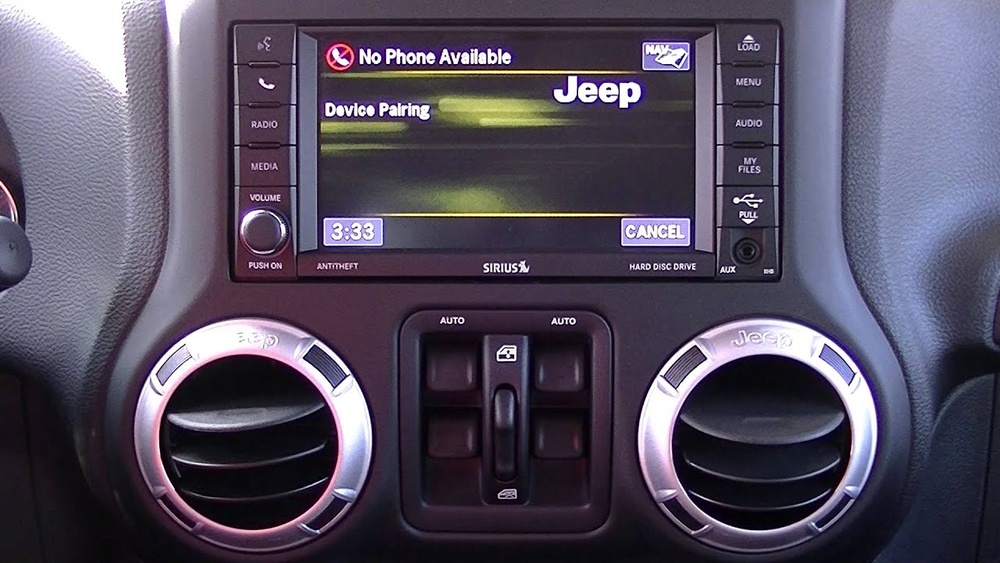
Updating the software in your Jeep Cherokee can improve performance, fix bugs, and add new features. Many drivers are surprised by how much software controls in modern vehicles—from engine management to the infotainment system. If your Cherokee is showing glitches, laggy screens, or you want the latest maps, a software update could solve these problems. Updating is not difficult, but there are some important steps and common mistakes to avoid.
Why Update Your Jeep Cherokee Software?
Software updates are not just about fixing errors. They often include security improvements, new functions, and better compatibility with your smartphone or other devices. Some updates help the Uconnect system run smoother, while others fix issues like Bluetooth disconnects or GPS errors.
Many owners ignore updates, thinking their car is running fine. But outdated software can cause problems you may not notice right away. For example, some updates improve fuel efficiency or reduce engine noise. Also, if you plan to sell your Cherokee, updated software can make your car more attractive to buyers.
How To Check If An Update Is Needed
Before updating, you need to know if your Jeep Cherokee actually needs a software update. Here’s how:
- Turn on your Cherokee and access the Uconnect system screen.
- Go to “Settings,” then “System Information.” Note the current software version.
- Visit the official Jeep or Uconnect website. Enter your VIN (Vehicle Identification Number) to check for available updates.
- Some dealerships can check updates for you during regular maintenance.
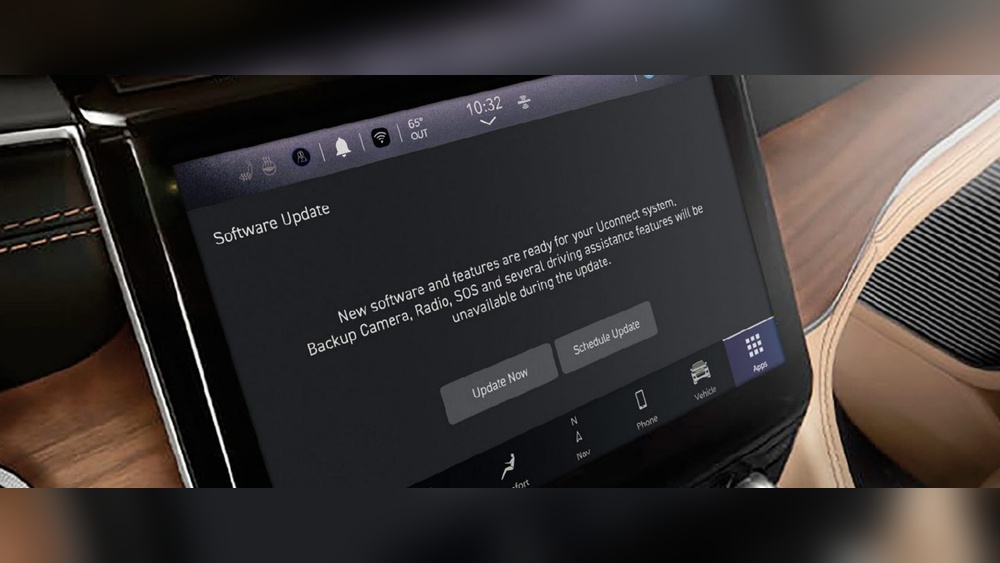
You might also receive a message on your screen saying an update is available. Don’t ignore this notification.

Methods To Update Jeep Cherokee Software
There are three main ways to update your Cherokee’s software. Each has pros and cons.
| Method | Ease of Use | Cost | Time Needed |
|---|---|---|---|
| Dealership Update | Very Easy | Usually Free/Low Cost | 1-2 hours |
| USB Self-Update | Moderate | Free | 30-60 minutes |
| Over-the-Air (OTA) | Easy | Free | 10-20 minutes |
Dealership Update
Many owners choose to let a Jeep dealership handle updates. Technicians connect your car to their computers and install the latest software. This is simple and safe, but takes time. Sometimes, dealerships charge a small fee.
Usb Self-update
You can download the update from the official website, copy it to a USB drive, and install it yourself.
Steps:
- Go to the Jeep or Uconnect website and enter your VIN.
- Download the update file.
- Copy the file to a blank USB drive (at least 4GB).
- Insert the USB into your Cherokee’s USB port.
- Follow on-screen instructions.
One non-obvious tip: Make sure your car is in “Run” mode, but the engine is off. Do not start the engine during the update.
Over-the-air (ota) Update
Newer Cherokees can update automatically via the internet. You just need a Wi-Fi connection.
- Connect your car to Wi-Fi.
- Go to “Settings” and select “Update.”
- Follow prompts.
OTA updates are quick, but require stable internet. If your Wi-Fi drops, the update may fail.
Common Mistakes And How To Avoid Them
Many Jeep owners make simple errors when updating software. Here’s what to watch for:
| Error | Impact | Solution |
|---|---|---|
| Wrong USB format | Update fails | Use FAT32 format |
| Low battery | System shuts down | Keep engine off, but car in “Run” |
| Interrupted download | Corrupted file | Redownload and check file integrity |
| Skipping backup | Loss of settings | Back up your preferences |
One insight: Many people forget to back up their radio presets and seat positions. After an update, these settings can disappear. Take a photo or write down your preferences before starting.

After The Update: What To Expect
Once the software update finishes, your Cherokee will restart the system. You may notice:
- Faster touchscreen response.
- Improved Bluetooth pairing.
- More accurate navigation.
- New menu options.
Test the main features right away. If you see any problems, repeat the update or contact your dealership.
Some updates change the layout of menus. Spend a few minutes to explore and learn the new options. Don’t be surprised if your favorite shortcut has moved.
Practical Tips For A Smooth Update
- Use a high-quality USB drive for manual updates. Cheap drives can corrupt files.
- Do the update in a safe place—never during driving.
- If your Cherokee is older than 2014, check compatibility before updating.
- Keep your VIN handy; you’ll need it for downloads and support.
A common mistake is ignoring update notifications for months. Updates often fix hidden bugs that affect fuel use or safety. Staying current is a smart move.

When To Seek Professional Help
If your update fails or you see error messages, don’t panic. Sometimes, a simple restart fixes the problem. But if you lose key functions (like air conditioning or audio), contact your dealership immediately.
Some issues need special tools only available to professionals. Never force an update if the system warns you. This can damage your Cherokee’s computer.
For deeper information, check the official Jeep Uconnect support page at DriveUconnect.
Frequently Asked Questions
How Often Should I Update My Jeep Cherokee Software?
Most experts recommend checking for updates every 6–12 months. If you notice bugs or receive an update alert, do it sooner.
Can I Update My Cherokee Software Without A Dealership?
Yes. You can use a USB drive or the OTA update if your car supports it. Always follow the instructions carefully.
What Happens If An Update Fails?
Usually, the system rolls back to the previous version. If basic functions stop working, visit your dealership for help.
Will Updating Software Erase My Settings?
Some updates may reset radio presets, seat positions, or Bluetooth connections. Back up your preferences before starting.
Are Software Updates Free?
Most updates are free. Some dealerships may charge for labor, but the software itself is not billed to owners.
Keeping your Jeep Cherokee software up to date is essential for the best performance, safety, and comfort. With a few simple steps, you can enjoy new features and fewer problems on the road. Don’t wait for issues—stay updated and drive with confidence.