Unlocking your Jeep with just your phone sounds futuristic, but it’s a real feature many owners now use every day. If you ever forget your keys inside or want the convenience of remote access, the Jeep app can help. In this guide, you’ll learn how to unlock your Jeep with the app, what models support it, and practical tips for smooth operation.
How The Jeep App Unlock Feature Works
The Jeep app—often called Jeep Connect or Uconnect—lets you connect your smartphone to your vehicle. Once set up, you can unlock or lock your Jeep from anywhere with a data connection.
Here’s a quick overview of how it works:
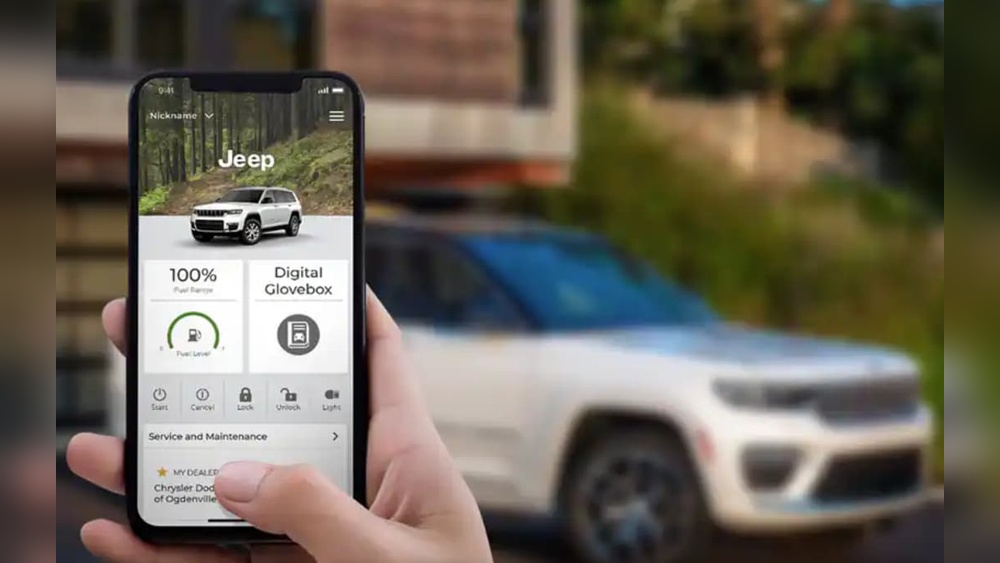
- Jeep Connect/Uconnect app connects to your Jeep’s onboard computer via the internet.
- You send a command from your phone.
- The Jeep receives the signal and unlocks the doors.
Unlike traditional key fobs, the app doesn’t need you to be near the car. This makes it useful if you’re far from your Jeep or want to let someone in when you’re not around.
Setting Up The Jeep App For Remote Unlock
Before you can unlock your Jeep with the app, you need to set up your account and connect your vehicle. Here’s how:
- Download the Jeep App: Find the official Jeep Connect or Uconnect app on the App Store or Google Play.
- Register or Log In: Create a new account or use your existing Chrysler, Dodge, Jeep, or Ram credentials.
- Add Your Vehicle: Enter your Jeep’s Vehicle Identification Number (VIN). The app will guide you through verification steps.
- Activate Services: Some features need an active subscription. New Jeeps often include a free trial, but older models might require payment.
- Pair Your Phone: Follow the in-app instructions to link your phone with your Jeep. The vehicle may ask for confirmation via the infotainment screen.
Non-obvious insight: Many owners forget to complete the online account activation via email. Make sure to check your inbox and finish this step—otherwise, remote features won’t work.
Supported Jeep Models And Years
Not every Jeep supports app-based unlocking. Most models from 2018 or later include this feature, especially with higher trims.
| Model | Year Range | App Support |
|---|---|---|
| Wrangler | 2018–present | Yes |
| Grand Cherokee | 2018–present | Yes |
| Compass | 2019–present | Yes |
| Cherokee | 2019–present | Yes |
| Renegade | 2020–present | Yes |
| Older Models | Before 2018 | Limited/No |
Some older Jeeps may support app features if they have upgraded infotainment systems.
Step-by-step: Unlocking Your Jeep With The App
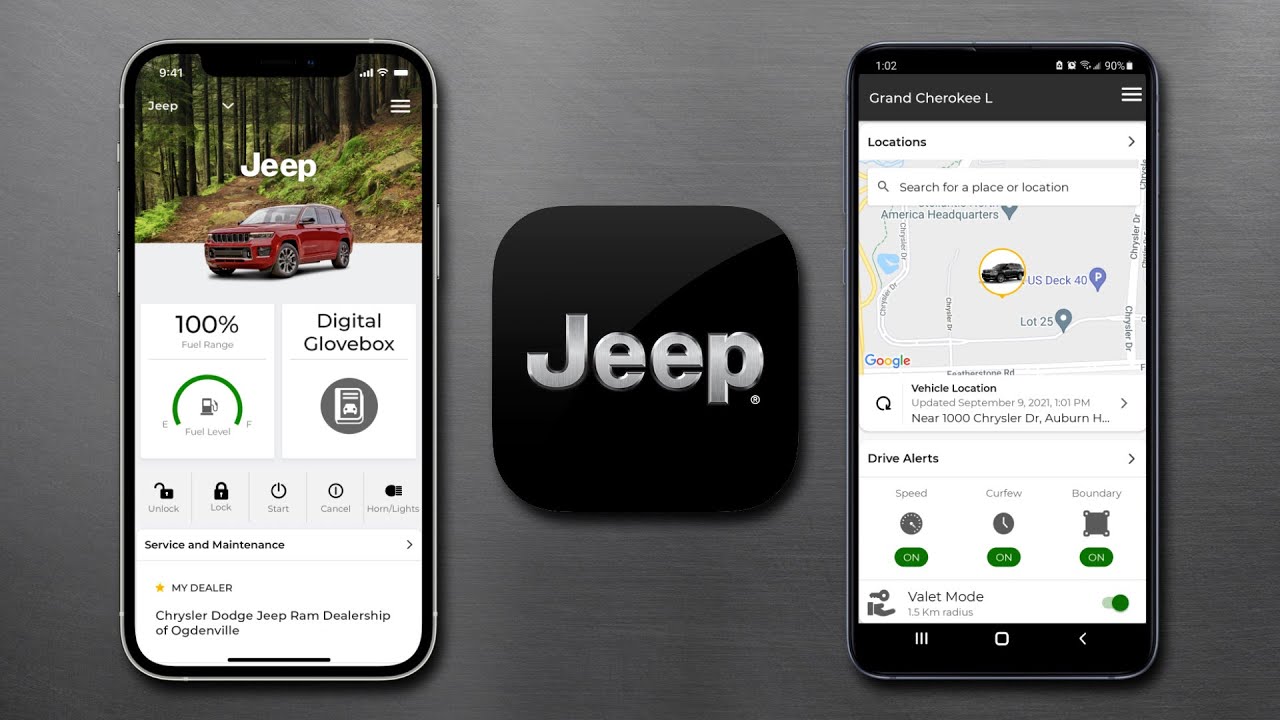
Once your Jeep and app are connected, unlocking is easy:
- Open the App: Log in if necessary.
- Select Your Jeep: Tap your vehicle from the list (if you have more than one).
- Find the Unlock Button: Look for the lock/unlock icon.
- Tap Unlock: The app may ask for your PIN or biometric confirmation (fingerprint or face).
- Wait for Confirmation: You’ll see a message when the doors unlock—usually within 10–20 seconds.
Tip: If the unlock command fails, check your phone’s internet and make sure your Jeep is in an area with cellular coverage. The car must also be parked and turned off for security.
App Features Compared To Key Fob
Here’s how the app compares to a traditional key fob for unlocking:
| Feature | Jeep App | Key Fob |
|---|---|---|
| Range | Unlimited (internet needed) | Short (around 100 ft) |
| Security | PIN/biometric required | Physical possession needed |
| Convenience | Remote access, app updates | Simple, always works nearby |
| Dependence | Needs phone + internet | Battery powered |
Non-obvious insight: In cold climates, owners often use the app to unlock and start the Jeep remotely, so the interior warms up before they get in.
Troubleshooting Common Issues
Even with everything set up, you might run into problems. Here’s what to check:
- App Won’t Connect: Restart your phone and try again. Make sure you have cellular or Wi-Fi access.
- Unlock Fails: Ensure your Jeep’s subscription is active and the vehicle is parked with the doors closed.
- PIN/Password Issues: Too many failed attempts can lock you out. Use the “forgot password” link to reset.
- Outdated App: Update your app to the latest version for new features and bug fixes.
If issues persist, contact Jeep customer support or visit their official help portal. For the latest details on supported features, check the Jeep Uconnect Services page.

Security And Privacy
Unlocking your car remotely sounds risky, but Jeep uses several layers of protection:
- Encrypted Data: Commands sent from your phone are encrypted.
- Two-Step Verification: You need a PIN or biometric confirmation for every unlock.
- Account Monitoring: Jeep notifies you of unusual activity.
Don’t share your app login or PIN with others. If you lose your phone, change your password immediately.
Unlocking A Jeep Without The App
If your phone battery dies or there’s no signal, you still have options:
- Physical Key: Most key fobs have a hidden metal key inside for manual unlocking.
- Call Jeep Support: Some Jeep roadside assistance plans can unlock your car remotely after verifying your identity.
However, the app remains the most convenient method for most situations.
Frequently Asked Questions
Can I Unlock My Jeep With The App If I’m In Another Country?
Yes, as long as both your phone and your Jeep have internet access. The app works globally, so you can unlock your Jeep from anywhere.
Does The Jeep App Cost Money To Use?
Basic app features are often free for the first year on new vehicles. After that, you may need a subscription. Pricing varies by region and service package.
Can Someone Hack Into My Jeep Using The App?
It’s very unlikely. Jeep uses advanced encryption and requires PIN or biometric verification. Keep your app and phone updated for the best security.
What Should I Do If The Unlock Command Fails?
First, check your phone’s internet connection. Next, make sure your Jeep’s Uconnect system is online and your subscription is active. If problems continue, restart your phone or contact Jeep support.
Which Jeep Models Support Unlocking With The App?
Most 2018 and newer models support it, including Wrangler, Grand Cherokee, Compass, Cherokee, and Renegade. Always check your owner’s manual or the Jeep website for your specific model.
Unlocking your Jeep with the app is fast, secure, and practical—especially when you’re in a hurry or far from your car. By setting up the app and following these tips, you’ll enjoy a more connected driving experience.