Setting the clock on your 2015 Jeep Patriot might sound simple, but many drivers struggle with it. Most people only adjust their car clock twice a year, often after daylight saving time changes. So, when you try to set the time, you may not remember the steps. Luckily, the process is straightforward once you know where to look and what buttons to press. This guide will help you set the time quickly, avoid common mistakes, and understand how your Jeep’s clock system works.
Understanding Your 2015 Jeep Patriot Clock System
The 2015 Jeep Patriot uses a digital clock built into the radio display. You can set the clock whether you have the basic factory radio or the upgraded touch-screen model. The controls are similar, but the buttons may look different depending on your trim level. Knowing which system you have will make the steps easier to follow.
Key Features Of The Clock Display
- Backlit digital display
- 12-hour format (AM/PM)
- Controlled with radio buttons
- Remembers settings even after the battery is disconnected
Most drivers don’t realize that the clock can also lose time if the battery is weak. If you notice your clock resets often, check your battery health.
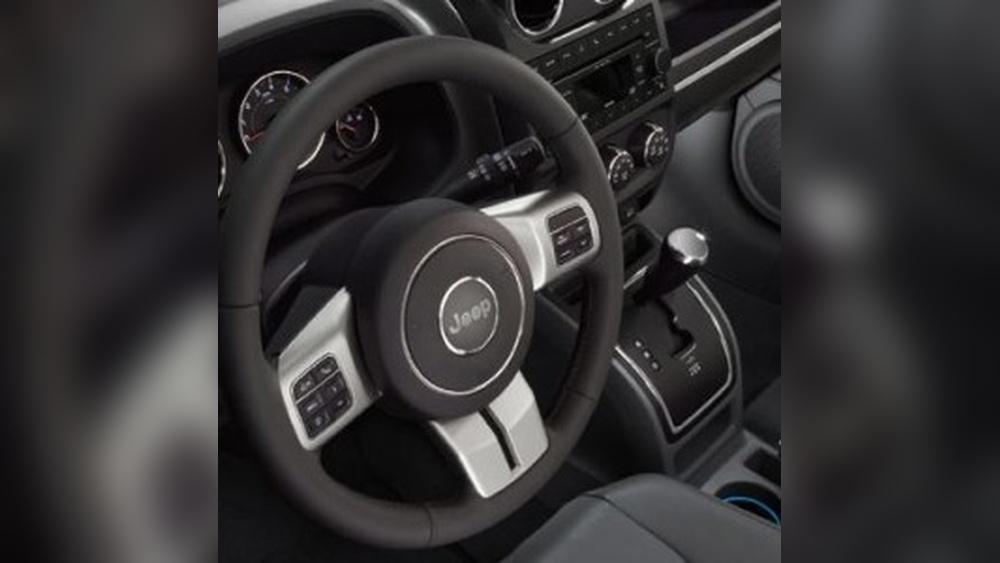
Step-by-step Guide: Setting The Clock
Follow these steps to set the clock in your 2015 Jeep Patriot. Whether your radio is standard or touch-screen, the process is similar.
1. Turn On The Ignition
Make sure your Jeep is in Park. Turn the key to the ON position, but you don’t need to start the engine. The radio and clock should light up.
On most models, you’ll find buttons labeled Clock, Time, or Menu on the radio panel. For touch-screen radios, look for a Settings or Clock icon.
3. Enter Clock Setting Mode
- Press and hold the Clock or Time button until the display starts blinking.
- For touch-screen radios, tap the Settings menu, then select Clock.
4. Adjust Hours
- Use the Tune/Seek knob or arrow buttons to change the hour. The display will show the hour flashing.
- If your radio has a Set button, press it after adjusting the hour.
5. Adjust Minutes
- After setting the hour, the minute digits will start blinking.
- Adjust using the same Tune/Seek knob or arrow buttons.
- Press Set again to confirm.
6. Save The Settings
- Press the Clock or Time button once more to finish.
- For touch-screen radios, tap Save or Back to exit.
If the time doesn’t save, repeat the steps. Sometimes, the radio needs a quick reset by turning the ignition off and back on.
Comparison: Standard Vs Touch-screen Radio Clocks
Here’s a quick look at how clock setting differs between standard and touch-screen radio systems:
| Feature | Standard Radio | Touch-Screen Radio |
|---|---|---|
| Button Label | Clock/Time/Menu | Settings/Clock Icon |
| Adjust Controls | Tune/Seek Knob | On-screen Arrows |
| Save Method | Press Clock/Time | Tap Save/Back |
If you’re unsure which radio you have, check your owner’s manual or look at the display size. Touch-screen radios are larger and have a digital interface.
Common Mistakes And Troubleshooting
Setting the clock isn’t always smooth. Here are problems that Jeep Patriot owners often face:
- Wrong button pressed: If you press the wrong button, the display won’t blink. Try again and look for the correct label.
- Display doesn’t change: If the hour/minute doesn’t adjust, the knob/button may be stuck. Try gently turning or pressing.
- Settings not saved: Make sure you finish by pressing the Clock or Save button. If you walk away before saving, the time will revert.
- Battery issues: If the clock keeps resetting, check your battery or alternator. A weak battery can cause electronic issues.
- Radio software glitches: Rarely, the radio may need a reset. Disconnect the battery for five minutes, then reconnect.
Some drivers don’t know that holding the button longer is sometimes needed. If a quick press doesn’t work, hold for three seconds.

Tips For Accurate Time Setting
- Set your clock to the nearest minute for accuracy.
- Adjust for AM/PM carefully; many radios default to AM first.
- Double-check after daylight saving time changes.
- If you travel across time zones, update the clock as soon as you arrive.
Many owners miss that the radio clock is separate from the instrument cluster clock in some models. Always check both displays.
Data: How Often Drivers Adjust Car Clocks
A survey by AAA found that 67% of drivers only adjust their car clocks twice a year. About 22% forget to update after daylight saving time, leading to confusion during morning commutes.
| Adjustment Frequency | Percentage of Drivers |
|---|---|
| Twice a year | 67% |
| Once a year | 11% |
| Never | 22% |
These numbers show how important clear instructions are for setting your Jeep Patriot clock.

Practical Example
Imagine you’re leaving work at 5:00 PM, but your Jeep’s clock says 4:00 PM. You check the radio panel, press Clock, and hold it until the hour blinks. You turn the Tune knob to “5” and press Set. The minute blinks; you turn to “00” and press Set again. Now your clock matches the real time, helping you avoid late appointments.
Frequently Asked Questions
How Do I Reset The Clock If The Radio Is Replaced?
If you install a new radio, use the same steps to set the clock. Some aftermarket radios may have a different method. Check the radio’s manual or visit the manufacturer’s site.
Can I Set The Clock While Driving?
It’s best to set the clock while parked. Adjusting while driving can be distracting and unsafe. Some radios lock the settings while the car is moving.
Why Does My Clock Keep Losing Time?
A weak battery or faulty wiring can cause your clock to reset. Test your battery or ask a mechanic for help if this happens often.
Is The Clock Connected To Gps?
The factory radio clock is not GPS-linked. You must set it manually. Aftermarket radios with GPS may update automatically.
Where Can I Find Official Instructions?
You can find official steps in your Jeep Patriot owner’s manual or at the Jeep Owner’s Site.
Setting your clock is a simple task that makes your driving experience better. With these steps and tips, you’ll never be late or confused by the wrong time in your 2015 Jeep Patriot. Remember, the right information and careful attention make all the difference.