Connecting your phone or device to your 2014 Jeep Wrangler using Bluetooth can make your driving experience smoother and safer. You can make hands-free calls, listen to music, and access apps without taking your eyes off the road. But if you’ve never done it before, the process may seem confusing.
This guide will walk you through each step, highlight common mistakes, and share tips that most beginners miss.
Understanding Bluetooth In The 2014 Jeep Wrangler
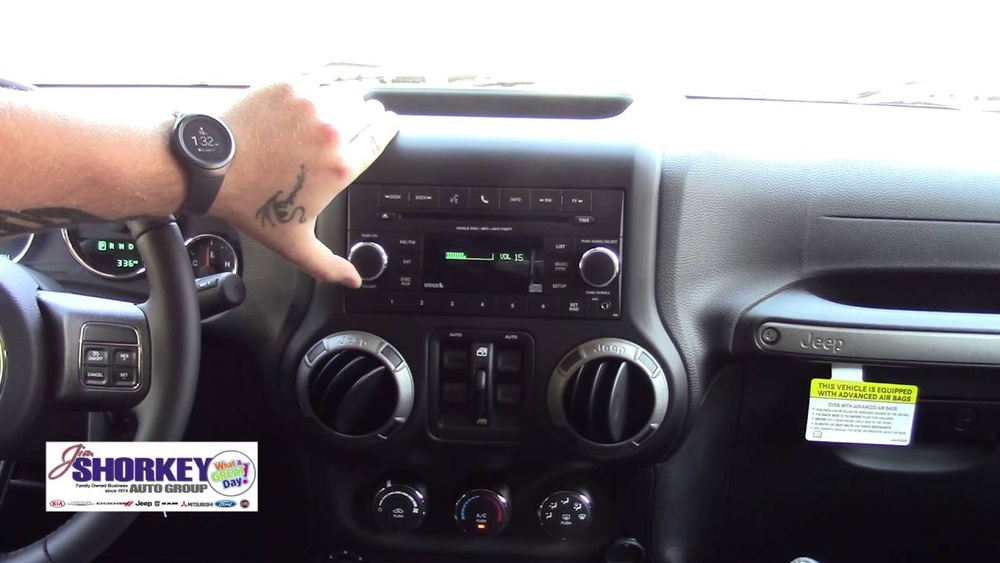
The 2014 Jeep Wrangler comes with the Uconnect system in many trims. This system supports Bluetooth pairing for phones and some audio devices. Before you start, check if your Wrangler has the Uconnect feature. You should see a Uconnect button on your steering wheel or dashboard. If your Jeep doesn’t have Uconnect, Bluetooth pairing is not possible with the factory system.
Not all smartphones work perfectly with Uconnect. Most modern Android and iPhone devices do, but some older or less common phones may not. Make sure your phone’s Bluetooth is working and updated.
How To Connect Bluetooth: Step-by-step
- Start your Jeep and keep it in Park for safety.
- Enable Bluetooth on your phone. Open your phone’s settings and turn on Bluetooth.
- Press the Uconnect button on your steering wheel or dashboard.
- From the Uconnect menu, select the “Phone” option.
- Choose “Pair a Device” or “Add Device” on the screen.
- On your phone, look for “Uconnect” in the Bluetooth devices list. Tap it.
- A PIN will appear on your Jeep’s display and on your phone. Make sure they match, then confirm on both.
- Wait for the pairing confirmation. Your Jeep may ask if you want to make this device the primary phone. Choose “Yes” or “No.”
- Your phone is now connected. You can make calls and stream audio if your Uconnect supports it.

Practical Tips For A Smooth Connection
- Delete old devices: Uconnect can hold only a few devices. If you have trouble pairing, remove unused devices from the Jeep’s memory.
- Update your phone: Sometimes, an outdated phone OS causes pairing problems.
- Keep your device close: For the first pairing, keep your phone within a few feet of the Jeep’s dashboard.
Many people forget to check if their phone contacts transferred. After pairing, go to your phonebook through Uconnect to see if your contacts are visible. If not, allow contact sharing in your phone’s Bluetooth settings.
Common Problems And How To Fix Them
Pairing fails or won’t connect:
- Restart your phone and the Jeep.
- Delete the device from Uconnect and your phone, then try again.
- Make sure your phone is not connected to other Bluetooth devices.
Audio doesn’t play through speakers:
- Some Uconnect versions on 2014 Wranglers only support calls, not music streaming. Check your owner’s manual.
- For music streaming, select “Media” or “Bluetooth Audio” on the Uconnect screen.
Dropped connections:
- Check for software updates on both the Jeep and your phone.
- Avoid connecting multiple devices at the same time.
Voice commands not working:
- Speak clearly and wait for the beep before talking.
- Some accents or background noise can confuse the system.

Comparing Uconnect Features And Compatibility
Here is a quick look at how Uconnect versions vary in the 2014 Jeep Wrangler:
| Uconnect Version | Bluetooth Calls | Audio Streaming | Voice Commands |
|---|---|---|---|
| Uconnect 130 | Yes | No | No |
| Uconnect 430/430N | Yes | Yes | Yes |
| Uconnect 730N | Yes | Yes | Yes |
Many owners don’t realize that not all Uconnect radios support streaming music. If you can’t play audio through Bluetooth, you may need an auxiliary cable or a small Bluetooth adapter.
Pairing Different Phones: What To Expect
Some phones pair more easily than others. Here’s a quick comparison of common phone types with the 2014 Wrangler:
| Phone Type | Pairing Success | Features Supported |
|---|---|---|
| iPhone (iOS 12+) | High | Calls, Contacts, Audio |
| Samsung Galaxy (Android 9+) | High | Calls, Contacts, Audio |
| Older Androids | Medium | Calls, Partial Audio |
| Basic/Flip Phones | Low | Calls only |

Safety And Legal Tips
Hands-free calling is required in many states. Make sure your Bluetooth connection is working before you drive. Avoid using your phone directly while driving—use voice commands or steering wheel controls instead. If your Jeep’s Bluetooth is acting up, pull over before troubleshooting.
When To Seek Professional Help
If you have tried all steps and Bluetooth still does not work, consider visiting a Jeep dealership or an experienced car audio shop. Sometimes, the Uconnect system may need a software update or reset. Attempting to fix complex issues yourself could make things worse.
For more details on the Uconnect system and official troubleshooting, check the official Jeep Uconnect page.
Frequently Asked Questions
How Many Phones Can I Pair With My 2014 Jeep Wrangler?
You can pair up to seven devices, but only one can be active at a time. If you reach the limit, delete old devices to add new ones.
Can I Stream Music Through Bluetooth On All 2014 Wranglers?
No, only some Uconnect versions support Bluetooth audio streaming. Uconnect 130 supports calls but not music. Uconnect 430/730N models usually support both.
Why Won’t My Jeep Recognize My Phone?
Check if Bluetooth is enabled on your phone, your phone is discoverable, and your Jeep is in Park. Also, delete previous pairings if the device list is full.
Do I Need To Pair My Phone Every Time I Drive?
No, after the first pairing, your phone should connect automatically when you enter the Jeep—if Bluetooth is turned on.
Is It Possible To Add Bluetooth If My Jeep Doesn’t Have It?
Yes, you can install an aftermarket Bluetooth kit or adapter. Many plug into the radio or connect via the auxiliary port for hands-free calls and streaming.
Connecting your Bluetooth device to your 2014 Jeep Wrangler is simple once you know the steps. Take a few minutes to set it up before you drive, and you’ll enjoy safer, hands-free control on the road. If you run into problems, use the tips above or get help from a professional.
Your Wrangler’s Uconnect system is there to make driving easier—use it to your advantage.



