If your 2011 Jeep Grand Cherokee Uconnect system is acting strangely—maybe it’s freezing, the screen is blank, or Bluetooth won’t connect—you’re not alone. Many drivers face these issues, and a reset often solves the problem. You don’t need to be a car expert or visit the dealership for most basic resets. With a few simple steps, you can get your Uconnect system working again and enjoy your music, navigation, and hands-free calls.
This guide gives you clear, step-by-step instructions for resetting Uconnect in your 2011 Jeep Grand Cherokee. You’ll also learn why resets help, what to watch out for, and what to do if a basic reset doesn’t fix your issue.
Understanding Uconnect Issues In The 2011 Jeep Grand Cherokee
The Uconnect system is the heart of your Jeep’s infotainment. It controls radio, navigation, Bluetooth, and more. Over time, the system can slow down or glitch due to software bugs, corrupted data, or simple overload from too many paired devices.
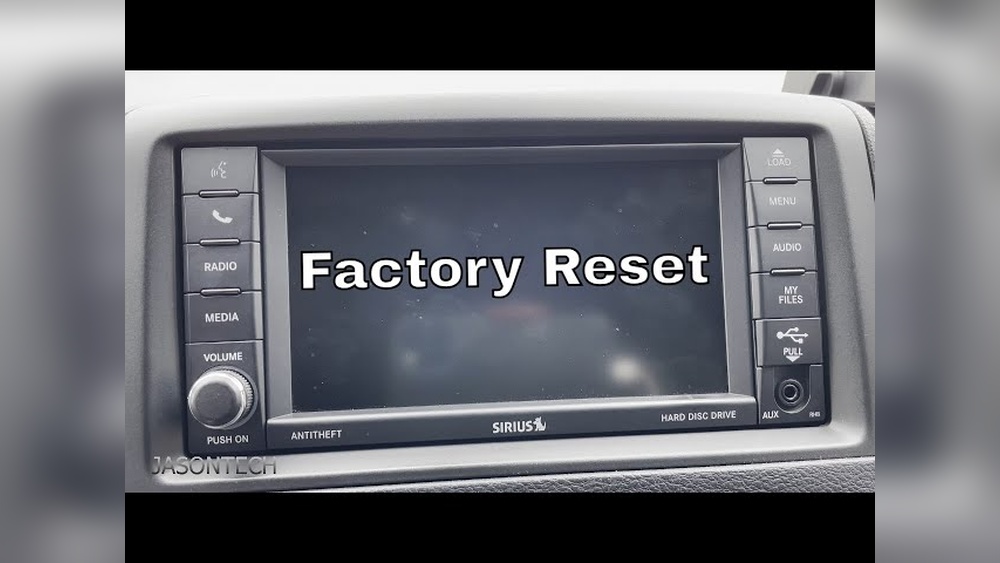
Common symptoms include:
- Unresponsive touchscreen
- Bluetooth connection failures
- Navigation errors
- Sound problems
A reset often clears these problems. But knowing which reset to use is key—some are quick and easy, while others erase all your saved data.
Types Of Uconnect Reset
There are two main ways to reset Uconnect in your 2011 Jeep Grand Cherokee:
- Soft reset: Restarts the system without deleting your data.
- Hard reset (factory reset): Erases all personal settings and restores factory defaults.
Understanding the difference helps you choose the safest method for your situation.
Comparison Of Reset Types
| Reset Type | What It Does | Data Loss | When to Use |
|---|---|---|---|
| Soft Reset | Restarts Uconnect | No | Minor glitches |
| Hard Reset | Restores factory settings | Yes | Major or persistent issues |
How To Perform A Soft Reset
A soft reset is quick and does not erase saved addresses or paired phones. Here’s how you do it:
- With your Jeep in Run mode (engine on or key in “ON” position), locate the volume and tuner knobs.
- Press and hold both knobs at the same time for about 10 seconds.
- The Uconnect screen will turn off, then reboot after a few moments.
This method works for most minor glitches, like a frozen screen or system lag.
Tip: If your system feels slow after the reset, give it a minute to reload all apps.
How To Perform A Hard (factory) Reset
If problems continue, a hard reset can help. This wipes your personal data, including paired phones and navigation addresses, so make a note of anything important first.
- Go to the Uconnect “Settings” menu from the main screen.
- Scroll to “Restore Factory Settings” or similar option (wording may vary).
- Select the option, then confirm your choice.
- The system will reset to its original factory state.
After a hard reset, you’ll need to re-pair your phone and re-enter your preferences.
Data Lost During Hard Reset
| Data Type | Lost During Hard Reset? |
|---|---|
| Bluetooth Pairings | Yes |
| Radio Presets | Yes |
| Navigation Addresses | Yes |
| Software Updates | No |
Insider tip: If your reset menu is grayed out, try turning the vehicle off and back on, then repeat the steps. Some glitches block access to the reset menu until a fresh start.

When To Seek Professional Help
Sometimes, neither reset works. This could mean a deeper software or hardware issue.
Contact a Jeep dealer or a trusted auto electrician if:
- The Uconnect screen stays blank after resets
- The system crashes repeatedly
- You see error messages like “Software Update Required”
Professional tools can diagnose problems beyond a regular reset.
Practical Tips For A Smooth Reset
- Remove all connected devices before a hard reset.
- Keep your vehicle in park and engine running to avoid power loss.
- Take photos of important settings or addresses before resetting.
- Don’t rush—let the system reboot fully before pressing more buttons.
Common mistake: Many owners panic when the system takes a minute or two to restart. This is normal, especially after a hard reset.
What If A Reset Doesn’t Work?
If Uconnect problems continue, the issue may be with the software version or even the system hardware. Jeep sometimes releases Uconnect software updates. These can improve stability and fix bugs.
Check the official Jeep Uconnect website for updates, or ask your dealership. An update might solve issues a reset cannot.
Frequently Asked Questions
Why Should I Reset My Uconnect System?
A reset can fix temporary glitches, restore lost functions, and improve system speed. It’s a safe first step before seeking professional repairs.
Will A Reset Delete My Saved Addresses And Phone Contacts?
A soft reset will not delete your data. A hard reset will erase saved addresses, radio presets, and paired devices, but not your phone’s actual contacts.
How Often Should I Reset Uconnect?
Resetting is only needed when you experience system problems—not as regular maintenance. Too many resets may mask deeper issues that need professional help.
Is Resetting Uconnect Safe For My Jeep?
Yes, both soft and hard resets are safe and recommended by Jeep. Just be sure to follow instructions and keep the vehicle running during the process.
Where Can I Find Official Information On Uconnect Updates?
You can visit the official Mopar Uconnect page for the latest updates and support.
Resetting your Uconnect system in a 2011 Jeep Grand Cherokee is something most owners can do at home. Start with a soft reset for minor issues, and use a hard reset only if problems continue. Always back up your important data before a factory reset. With these steps, you can keep your Jeep’s infotainment system running smoothly and avoid unnecessary trips to the dealership.