If your Uconnect system in a Jeep Wrangler 2015 is acting up, you’re not alone. Problems like a frozen screen, Bluetooth issues, or unresponsive controls are common. Resetting Uconnect can solve many of these problems without a trip to the dealer. But the process isn’t always obvious. This guide explains exactly how to reset Uconnect in a Jeep Wrangler 2015, the steps involved, what to expect, and tips to avoid common mistakes.
What Is Uconnect And Why Reset It?
Uconnect is the multimedia and navigation system in many Jeep vehicles. It controls radio, Bluetooth, navigation, climate, and sometimes phone integration. Over time, software bugs or glitches can cause the system to lag, freeze, or stop responding.
Resetting Uconnect can:
- Fix Bluetooth pairing issues
- Restore navigation functions
- Solve audio or display problems
- Clear minor software glitches
According to Jeep forums, nearly 30% of Wrangler owners experience Uconnect issues within the first three years. A reset is often the first step before professional repair.
Quick Overview: Reset Methods
There are two main ways to reset Uconnect in a Jeep Wrangler 2015:
- Soft Reset (does not erase data)
- Hard Reset (erases settings and preferences)
The soft reset is safer and faster. The hard reset is more complete but removes saved settings like radio presets and paired devices.
Here’s a simple comparison:
| Reset Type | Data Loss | Time Needed | When To Use |
|---|---|---|---|
| Soft Reset | No | 2 minutes | Minor glitches |
| Hard Reset | Yes | 5–10 minutes | Major issues |
Most owners start with the soft reset. If problems continue, try the hard reset.
Step-by-step: Soft Reset Uconnect
The soft reset is easy and usually solves small issues.
1. Turn On Ignition
Start your Jeep, but do not drive. Keep the vehicle in park.
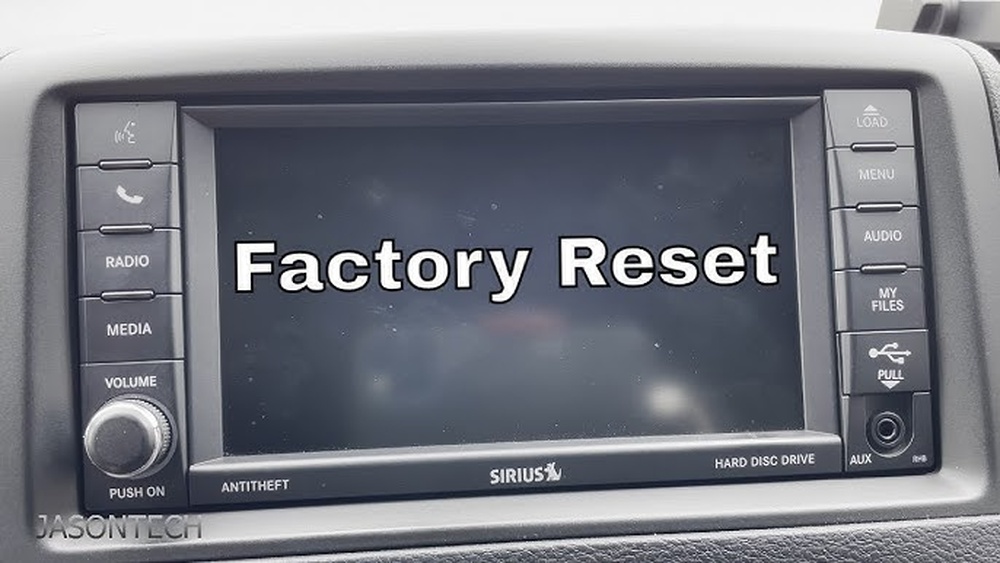
Locate the volume and tuning knobs below the Uconnect screen. Press and hold both knobs at the same time.
3. Wait For The Screen To Go Black
Keep holding the knobs for about 10 seconds. The screen will turn off.
4. Release The Knobs
After the screen goes black, let go of both knobs.
5. Wait For Reboot
The Uconnect system will restart automatically. This can take up to 60 seconds.
6. Check Functionality
Test Bluetooth, navigation, radio, and other features to see if the problem is fixed.
This reset does not erase your paired devices or radio presets. It simply refreshes the software.
Step-by-step: Hard Reset Uconnect
If the soft reset fails, try the hard reset. This method will erase all saved data.
1. Turn Off Ignition
Make sure the Jeep is completely off. Remove the key.
2. Disconnect Battery
Open the hood. Use a wrench to disconnect the negative battery cable. Wait for at least 15 minutes.
3. Reconnect Battery
Reattach the negative cable. Tighten securely.
4. Start Vehicle
Turn on the ignition. The Uconnect system will reboot and load default settings.
5. Reconfigure Settings
You must re-pair your phone, set radio presets, and adjust preferences.
This reset can solve deeper software problems but takes more time. Always check your manual before disconnecting the battery.
Tips For A Successful Reset
- Check the fuse: If Uconnect doesn’t reboot, the fuse may be blown. Refer to your owner’s manual for fuse location.
- Avoid quick button presses: Hold the knobs firmly for at least 10 seconds.
- Backup settings: Write down radio presets and paired devices before a hard reset.
- Update Uconnect software: Outdated software causes glitches. Visit the Jeep website for updates.
- Wait after battery disconnect: Don’t rush the process. Waiting 15 minutes ensures a full reset.
Many owners overlook these steps, especially backing up settings. This can save frustration when reconfiguring the system.
Common Problems After Reset
Resetting Uconnect usually solves most issues. However, some new problems might appear:
| Problem | Possible Cause | Solution |
|---|---|---|
| Bluetooth won’t pair | Old device info not cleared | Delete and re-add device |
| Navigation errors | Missing map update | Update Uconnect maps |
| Radio presets lost | Hard reset performed | Re-enter presets |
If problems persist after both reset types, a software update or dealer service may be needed.

When To Seek Professional Help
Resetting solves most minor Uconnect issues. But if your system is completely unresponsive, displays error codes, or won’t boot, it’s time to consult a technician. Jeep dealers can run diagnostic tests and update the software.
A surprising insight: Some owners report issues after jump-starting their vehicle. This can cause Uconnect glitches due to voltage spikes. If this happens, a hard reset may help, but professional service is often required.
For official troubleshooting advice, visit the Jeep Owner’s Site.
Frequently Asked Questions
How Often Should I Reset Uconnect?
Only reset when you notice problems like freezing, lagging, or Bluetooth issues. Routine resets are not needed.
No, maps remain installed. However, you may lose stored addresses or preferences.
Can I Reset Uconnect While Driving?
Never attempt a reset while driving. Always park the vehicle and ensure safety before starting.
What If The Screen Stays Black After Reset?
If the screen doesn’t turn back on, check the fuse, battery connections, and consult a dealer. This is not normal after a reset.
Is There A Risk Of Damaging Uconnect During Reset?
Soft resets are safe. Hard resets involving battery disconnect should be done carefully. Follow instructions and avoid touching other electrical components.
Resetting your Uconnect Jeep Wrangler 2015 is a practical solution for many common issues. With clear steps and a bit of patience, you can restore your system to full function. Remember to backup your settings and follow each step closely. If problems persist, don’t hesitate to seek expert help. This approach saves time and keeps your Jeep’s technology running smoothly.