Many Jeep Wrangler drivers love the freedom of the open road, but a bright screen at night can be distracting and uncomfortable. Whether you’re cruising down a dark highway or camping off the grid, learning how to dim your Jeep’s screen improves both safety and comfort.
The process can be a little confusing, especially with different Wrangler models and screens. This guide will walk you through each method, offer troubleshooting tips, and share insights most drivers miss.
Understanding Your Jeep Wrangler’s Screen Types
Jeep Wranglers, especially those from 2012 onward, come with a variety of screens. The most common are:
- Uconnect touchscreens (5-inch, 7-inch, and 8.4-inch)
- Digital gauge clusters (on newer models)
- Classic analog instrument panels (older models)
Knowing which screen you have helps you follow the correct steps. For example, the Uconnect 8.4 system has more settings than the basic 5-inch screen.
| Model Year | Main Screen Type | Dimmer Control Method |
|---|---|---|
| 2012–2017 | Analog/Small LCD | Manual knob |
| 2018–2024 | Uconnect Touchscreen | Touch + manual knob |
| 2021–2024 (higher trims) | Digital Cluster | Touchscreen menu |
How To Dim The Screen: Step-by-step
Dimming your Jeep Wrangler’s screen is usually quick, but the process varies by year and screen type.
Using The Manual Dimmer Knob
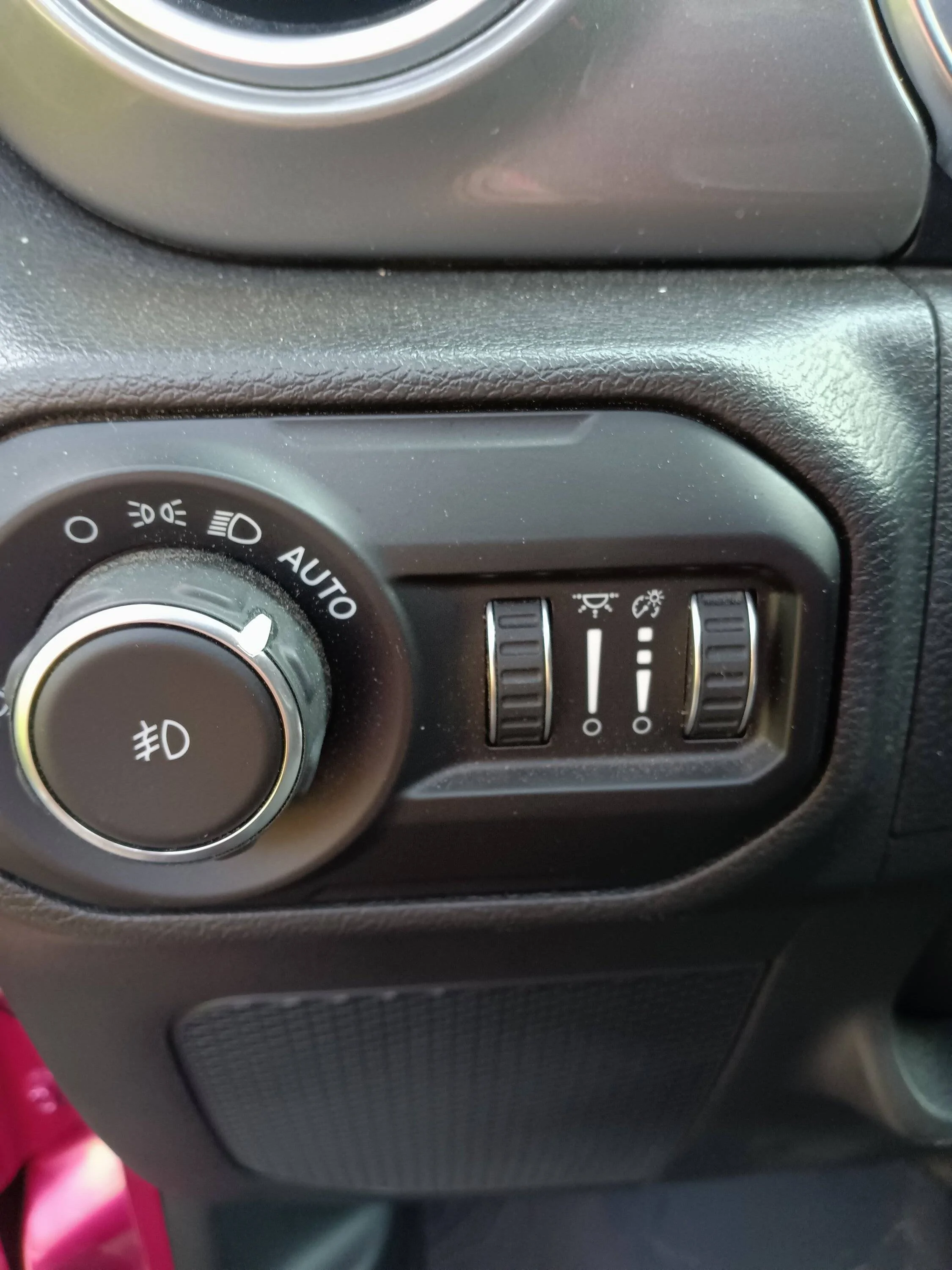
Most Wranglers, old and new, have a dimmer wheel or knob on the left side of the dash, near the headlight control.
- Locate the dimmer wheel – It’s usually under the headlight switch.
- Roll the wheel downward – This reduces the brightness of the dashboard lights and, in most models, the central screen.
- Adjust to preference – Stop when you reach a comfortable brightness.
Pro Tip: If you roll the dimmer all the way up, it activates the interior dome lights. If your screen won’t dim, make sure the knob isn’t at the top position.
Dimming The Uconnect Touchscreen
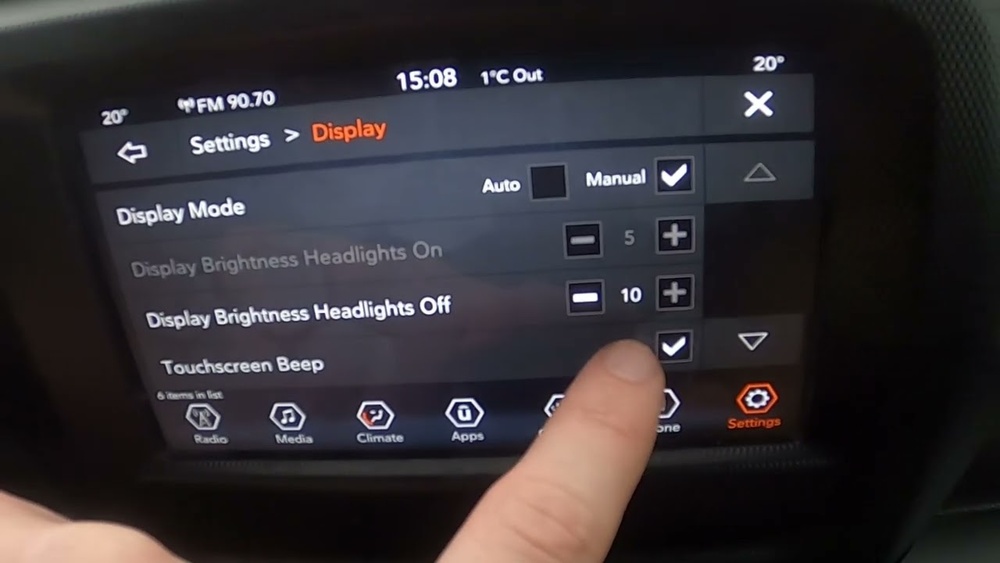
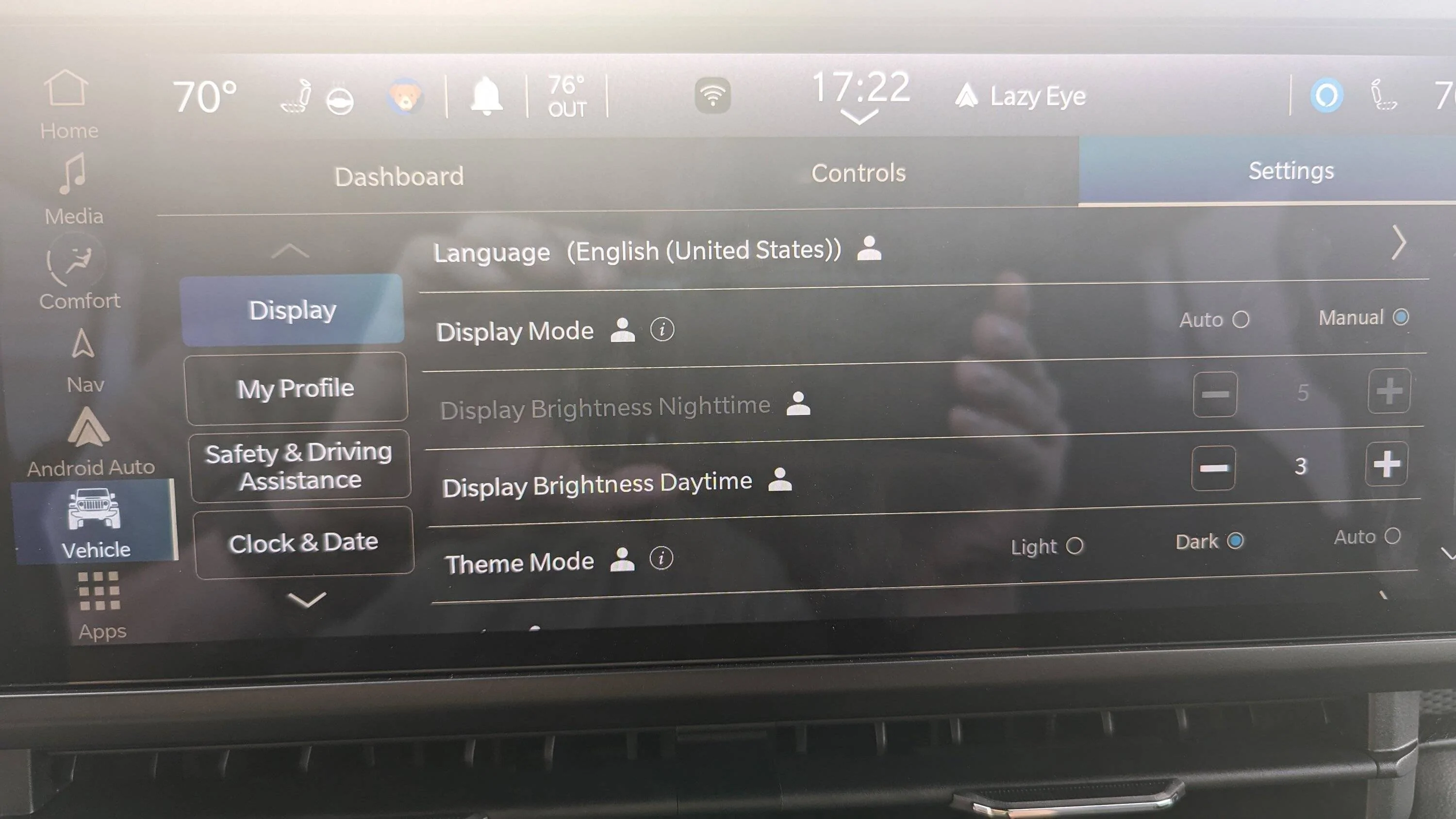
If you have a Uconnect system (5, 7, or 8.4-inch), you can adjust brightness through the touchscreen:
- Tap the Settings icon on your main menu.
- Select Display.
- Choose Brightness or Screen Off.
- Use the slider to lower the brightness, or tap Screen Off for total darkness.
Some Uconnect models also adjust automatically when your headlights are on. If that’s not happening, check your settings:
- Go to Settings > Display > Automatic Dimming and make sure it’s enabled.
Adjusting The Digital Gauge Cluster
On newer Wranglers (Sahara, Rubicon, and above), the digital gauge cluster brightness can be set through the steering wheel buttons:
- Press the OK/Menu button on the left side of your steering wheel.
- Navigate to Settings using the arrow keys.
- Find Screen Setup or Display.
- Adjust brightness as desired.
Non-obvious Insight: The digital cluster and Uconnect screen may use separate brightness controls. Adjust both if you still find nighttime driving uncomfortable.
Dimming The Screen For Night Driving
Most Wranglers connect screen brightness with headlight use. When you turn on your headlights, the screen should automatically dim. If it doesn’t:
- Check your headlight setting (auto vs manual).
- Update your Uconnect software if the feature isn’t working.
Common Issues And Solutions
Sometimes, your Jeep’s screen won’t dim as expected. Here’s how to troubleshoot:
- Screen stays bright at night: Make sure your headlights are on. If you use “Daytime Running Lights,” the screen may stay in day mode.
- Dimmer knob has no effect: Check for a blown fuse (especially on older models). Also, make sure the knob isn’t pushed in or stuck.
- Uconnect settings missing: If the brightness slider is gone, try restarting the vehicle or updating your system software.
- Aftermarket screens: Some replacement units don’t connect to the dimmer. Use their own brightness controls if available.
| Problem | Possible Cause | Solution |
|---|---|---|
| Screen too bright at night | Headlights off, settings issue | Turn on headlights, check settings |
| Screen doesn’t dim with knob | Fuse or wiring problem | Check fuses, visit dealer |
| Uconnect slider missing | Software glitch | Restart or update system |
Tips For Reducing Eye Strain At Night
Bright screens can cause eye fatigue and reduce your night vision. Here’s how to stay comfortable:
- Dim all dashboard lights to the lowest usable level.
- Use the Screen Off option if you don’t need navigation.
- Clean your screen and instrument panel to reduce glare.
- Consider using a matte screen protector to cut reflections.
- If you add an aftermarket stereo, look for one with a dedicated dimmer wire.
Non-obvious Insight: Even a small indicator light can be distracting on long drives. Cover unused bright LEDs with a small piece of dark tape if needed.
How Brightness Settings Affect Safety
Proper screen brightness isn’t just about comfort—it matters for safety. A bright display can:
- Distract you from the road
- Reduce your night vision, making it harder to see outside
- Increase glare on the windshield
According to the National Highway Traffic Safety Administration (NHTSA), even a small distraction can increase your risk of accidents. Adjusting your Jeep Wrangler’s screen is a simple way to protect yourself and your passengers.
Quick Reference: Dimming Controls By Model
Here’s a handy summary for the most popular Wrangler years:
| Wrangler Year | Screen Type | How to Dim |
|---|---|---|
| 2012–2017 | Analog/LCD | Dimmer knob only |
| 2018–2020 | Uconnect 5″/7″/8.4″ | Dimmer knob + touchscreen |
| 2021–2024 | Uconnect + Digital Cluster | Dimmer knob, touchscreen, and menu |
If you’re unsure about your specific model, check your owner’s manual or visit the official Jeep website for detailed guides.
Final Thoughts
Dimming the screen on your Jeep Wrangler can make night driving safer and more pleasant. The process depends on your model and screen type, but it usually takes just a few seconds. If you run into problems, simple troubleshooting steps fix most issues.
Don’t ignore screen brightness—it’s a small detail that protects your eyes and keeps your focus on the adventure ahead.
Frequently Asked Questions
Why Doesn’t My Wrangler Screen Dim Automatically At Night?
Your screen may not dim if your headlights are off or if your Jeep is set to “Daytime Running Lights.” Check your headlight switch and make sure Automatic Dimming is enabled in your Uconnect settings.
Can I Turn The Screen Off Completely While Driving?
Yes. Most Uconnect systems have a Screen Off button in the display menu. Tap it to turn off the screen. Touch the screen or press any button to wake it up.
No. Lowering brightness or turning off the screen won’t stop navigation voice prompts or important alerts. You’ll still hear directions and warnings.
My Aftermarket Radio Stays Bright—what Can I Do?
Check if your aftermarket unit has its own dimmer wire or brightness settings. If not, consider adding a matte screen protector or adjusting the angle to reduce glare.
What Should I Do If The Dimmer Knob Isn’t Working?
First, check the fuses related to your dash lights. If those are fine, the knob might be damaged or disconnected. A dealer or trusted mechanic can help diagnose and fix the issue.