Pairing your iPhone with your Jeep Grand Cherokee can change your driving experience. You get hands-free calls, music streaming, voice commands, and navigation—all without distractions. Many drivers feel confused about pairing their devices, especially when it’s their first time. This guide will show you every step, help you avoid common mistakes, and explain how to get the most from your Jeep’s built-in technology. Even if you’re not tech-savvy, you’ll find the process simple and rewarding.
Why Pair Your Iphone With Jeep Grand Cherokee?
Pairing brings several benefits:
- Safety: Hands-free calling keeps your focus on the road.
- Convenience: Access music, messages, and maps easily.
- Integration: Use Apple CarPlay for a smoother interface.
- Efficiency: Control many functions with your voice.
According to a recent survey, over 75% of Jeep owners use their phone with their vehicle. Most report fewer distractions and more enjoyment from their drive.
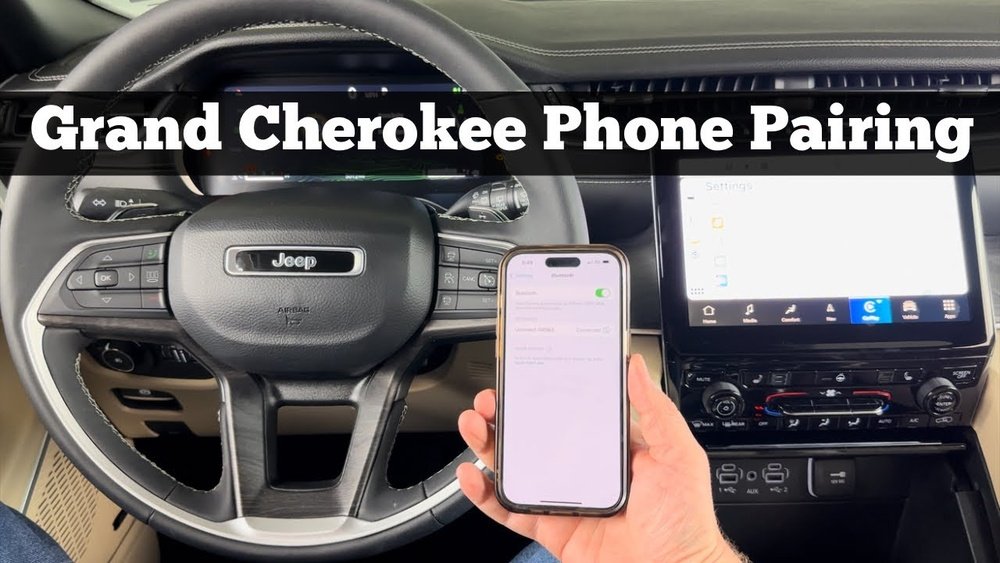
Step-by-step: Pairing Iphone To Jeep Grand Cherokee
Follow these steps to connect your iPhone. The process is similar for most Grand Cherokee models from 2014 onwards.
- Check Compatibility
- Your Jeep should have Uconnect (Jeep’s infotainment system).
- Your iPhone must have Bluetooth enabled. IOS 10 or later works best.
- Prepare Your Jeep
- Start your vehicle and keep it in Park.
- On the Uconnect screen, tap Phone or Settings.
- Activate Bluetooth on iPhone
- Open Settings > Bluetooth.
- Turn Bluetooth ON.
- Search for Devices
- On Uconnect, select Add Device or Pair New Device.
- Your Jeep will search for nearby Bluetooth devices.
- Select Your Jeep on iPhone
- Your iPhone will display a list of devices. Tap the one named Uconnect or Jeep.
- Confirm the pairing request on both your iPhone and the Jeep screen.
- Enter PIN (if needed)
- Some models show a PIN code. Make sure the code matches on both screens.
- Tap Pair or Yes.
- Allow Access
- Your iPhone may ask to sync contacts and messages. Allow access for full functionality.
- Test the Connection
- Make a call or play music to confirm pairing.
Common Pairing Mistakes
- Not enabling Bluetooth on your iPhone.
- Trying to pair while driving (always pair when parked).
- Ignoring PIN code mismatch.
- Outdated Uconnect software (update if issues persist).
Jeep Grand Cherokee Model Comparison
Some features vary depending on the Jeep Grand Cherokee model year. Here’s a quick look:
| Model Year | Uconnect Version | Apple CarPlay Support | Bluetooth Audio |
|---|---|---|---|
| 2014-2017 | Uconnect 3/4 | No | Yes |
| 2018-2020 | Uconnect 4 | Yes | Yes |
| 2021+ | Uconnect 5 | Yes | Yes |
If your Jeep is 2018 or newer, you’ll get Apple CarPlay and faster pairing. Older models may only support basic Bluetooth functions.
Uconnect Vs Apple Carplay Features
Understanding the difference helps you decide which features to use:
| Feature | Uconnect | Apple CarPlay |
|---|---|---|
| Phone Calls | Yes | Yes |
| Text Messaging | Limited | Full |
| Navigation | Built-in Maps | Apple Maps/Waze/Google Maps |
| Voice Commands | Uconnect Voice | Siri |
| Music Apps | Basic | Spotify, Apple Music, etc. |
If you want advanced messaging or third-party music apps, use Apple CarPlay. For simple tasks, Uconnect works well.

Troubleshooting Bluetooth Connection
Bluetooth issues can happen. Here are practical fixes:
- Restart Devices: Turn your iPhone and Jeep off, then back on.
- Forget Device: On your iPhone, tap the “i” next to Uconnect and select Forget This Device. Then try pairing again.
- Update Software: Check for updates on your iPhone and Uconnect.
- Reset Network Settings: On iPhone, go to Settings > General > Reset > Reset Network Settings.
- Move Devices Closer: Keep your phone near the Uconnect system during pairing.
Example: Fixing Audio Dropouts
A common issue is audio dropouts. This happens if your phone is too far from the system or if there’s interference. Move your phone closer, remove other Bluetooth devices, and check for software updates.
Extra Tips For Better Experience
- Use Siri for hands-free commands.
- Set your favorite contacts for faster calling.
- Keep your phone’s battery charged; low battery can affect Bluetooth performance.
- Update your iPhone and Uconnect regularly to avoid bugs.
- If you switch phones, always remove the old device from Uconnect.
Many beginners forget to allow contact access when pairing. Without this, you can’t use voice dialing or see contact names. Also, pairing while driving is unsafe—always pair when the vehicle is parked.
Frequently Asked Questions
How Do I Know If My Jeep Grand Cherokee Supports Apple Carplay?
Most 2018 and newer Grand Cherokees support Apple CarPlay. Check your Uconnect version; Uconnect 4 and 5 include CarPlay.
Can I Pair More Than One Iphone To My Jeep?
Yes, but only one device can be active at a time. You can store several phones, then switch between them in Uconnect settings.
What Should I Do If My Iphone Won’t Connect?
Restart both devices, check Bluetooth settings, and update software. If it still fails, remove the device from both your phone and Uconnect, then try pairing again.
Is There A Way To Improve Bluetooth Audio Quality?
Keep your phone close to the system, update software, and avoid pairing other Bluetooth devices at the same time. For best quality, use Apple CarPlay.
Where Can I Find Official Pairing Instructions?
For detailed steps, visit the official Jeep support site: Jeep Uconnect.
Pairing your iPhone with your Jeep Grand Cherokee takes only a few minutes, but the benefits last for every drive. Whether you want safer hands-free calling or easier access to your favorite music, following these steps gives you a smooth, enjoyable experience.
Don’t hesitate to explore advanced features like Apple CarPlay and voice commands—your Jeep’s technology is designed to make life easier. With the right setup, you’ll wonder how you ever drove without it.