Programming the HomeLink system in your Jeep Grand Cherokee allows you to control garage doors, gates, and even home lighting from inside your vehicle. Many owners find the process confusing at first, but once you understand the steps, you can set it up in less than 15 minutes. If you’ve never programmed HomeLink before, don’t worry—this guide will walk you through everything you need to know, including some helpful tips to avoid common mistakes.
Understanding Homelink In The Jeep Grand Cherokee
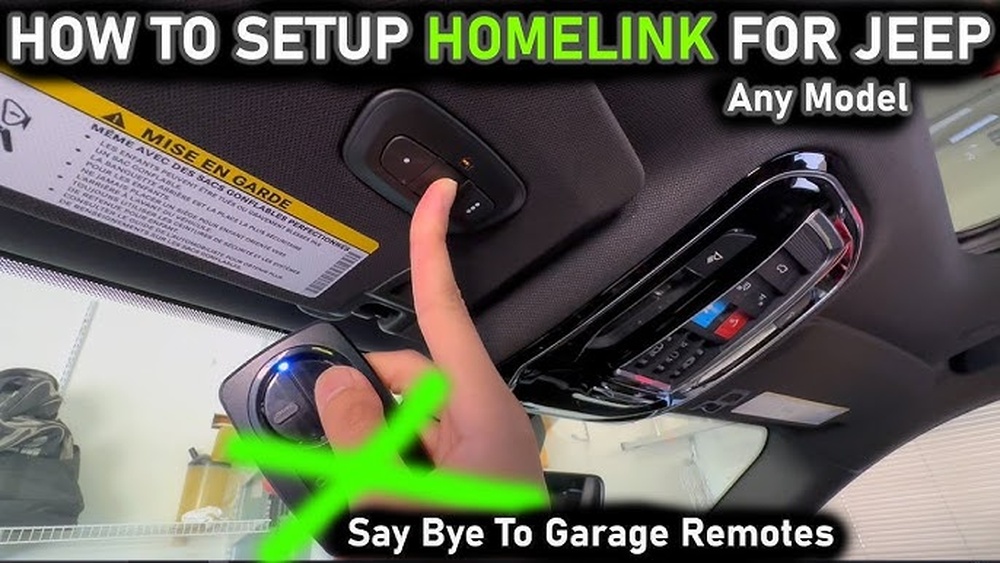
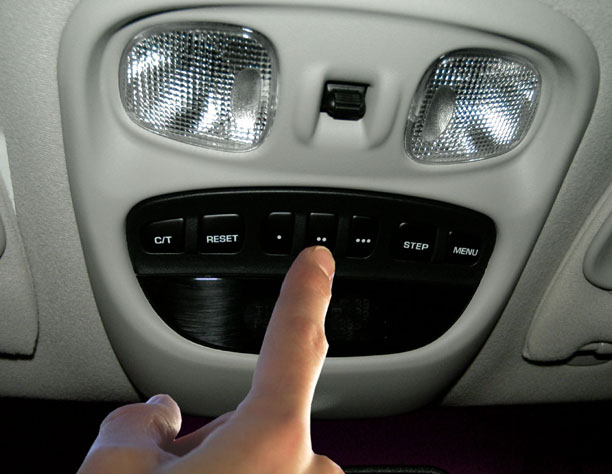
HomeLink is a built-in transmitter in many Jeep Grand Cherokees. Instead of using a separate remote, you use the buttons on your vehicle’s overhead console. The system can store up to three different codes, usually for garage doors, gates, or smart home devices.
Not every garage door opener is the same. Some use a fixed code system, while others use rolling codes for better security. Knowing which type you have will help you during programming.
Here’s a quick comparison of fixed code vs rolling code openers:
| Feature | Fixed Code | Rolling Code |
|---|---|---|
| Security | Basic | High |
| Programming Steps | Simple | May require extra steps |
| Year Introduced | Before 1996 | After 1996 |
Preparing For Programming
Before you start, gather these items:
- Your garage door remote
- The vehicle’s ignition key
- A ladder (if you need to reach the garage door opener’s “Learn” button)
Make sure your vehicle is parked outside the garage to avoid any accidents. It’s also smart to check your garage door opener’s manual or look for the “Learn” button on the unit.
A lot of users miss this step: resetting old codes. If your Jeep is not new, clear previous HomeLink codes first. This prevents interference from old settings.
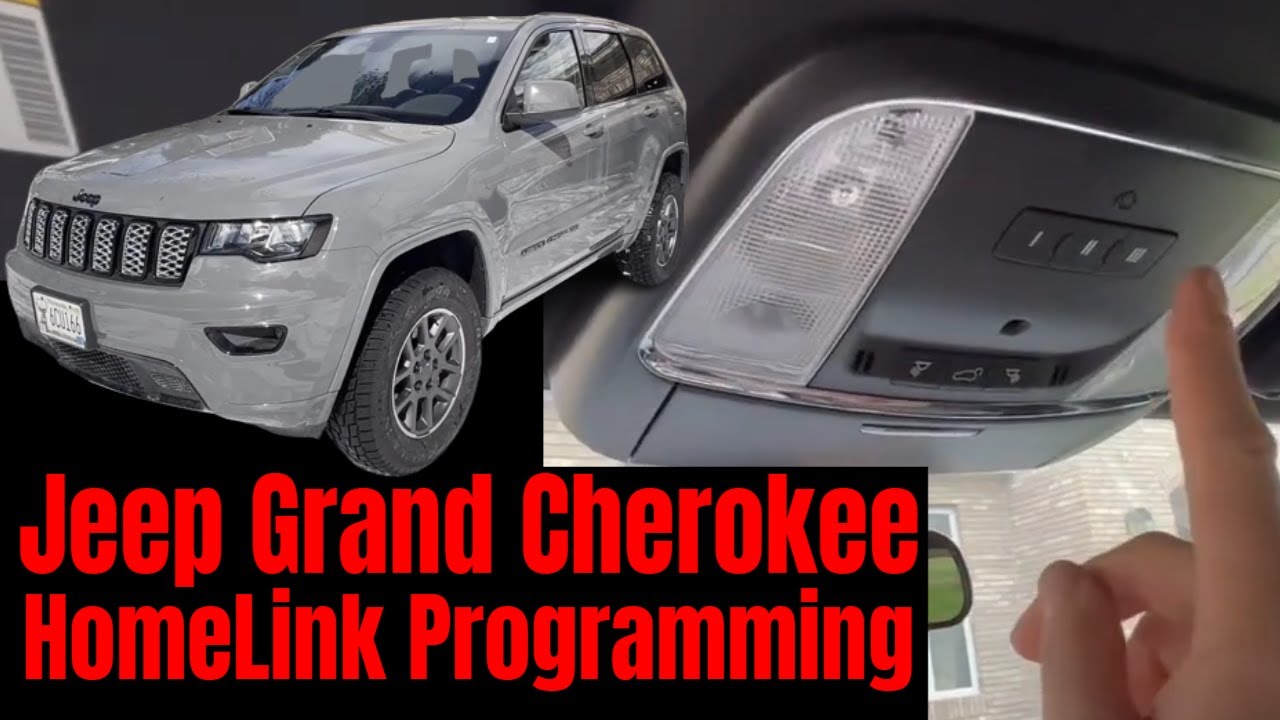
To erase old codes:
Hold the two outer HomeLink buttons until the indicator light blinks rapidly (usually 20 seconds). Release the buttons.
Step-by-step: How To Program Homelink In Jeep Grand Cherokee
These steps work for most Grand Cherokee models from 2011 and up. If you have an older model, the process is similar, but always check your owner’s manual for model-specific guidance.
- Turn on the ignition (car in park, engine off or running).
- Hold the desired HomeLink button (1, 2, or 3) and your garage remote close together—about 1–3 inches apart.
- Press and hold both buttons (HomeLink and remote) at the same time. The HomeLink light will start blinking slowly, then quickly. Release both buttons when the light changes.
- Test the programmed button. If your garage door moves, you’re done. If not, you may have a rolling code system and need a few extra steps.
Rolling Code Systems: The Additional Step
Modern garage openers often use rolling codes. After the basic pairing:
- Press the “Learn” button on your garage door opener motor (usually found under a light cover).
- Within 30 seconds, return to your Jeep and press and hold the HomeLink button you just programmed for 2 seconds, release, and repeat up to three times.
- The garage door should activate.
Here’s a summary of the difference between fixed code and rolling code programming steps:
| Step | Fixed Code | Rolling Code |
|---|---|---|
| Pair remote to HomeLink | Yes | Yes |
| Press Learn button on opener | No | Yes |
| Repeat HomeLink button press | No | Yes (2–3 times) |
Troubleshooting Common Problems
Programming doesn’t always work the first time. Here are common issues and solutions:
- Remote battery is low: Replace the battery in your garage remote before starting.
- Too far from opener: Make sure your Jeep is close enough to the garage.
- Wrong button held: Always use the correct HomeLink button and keep both buttons pressed until the indicator changes.
- Timing errors: For rolling code systems, you have only 30 seconds to complete the learn process after pressing the opener’s button.
- Interference: Move other remotes or metal objects away during setup.
Many people overlook the importance of clearing old codes. If you buy a used Jeep, always erase all prior HomeLink codes before programming yours.
Practical Tips For Smooth Programming
- Label your buttons. Use a small sticker or note to remember which button controls which device.
- Keep your manual handy. Sometimes, the process varies slightly by year or model.
- Program all devices at once. If you have more than one garage or gate, do them in a single session to save time.
- Don’t rush the process. Wait for indicator lights to change before releasing buttons.
- Ask for help if needed. Some openers, especially older or very new models, may need extra steps. Contact your Jeep dealer or the HomeLink support website if you run into trouble.
The Benefits Of Using Homelink
HomeLink is more than a convenience—it’s about security and efficiency. Using the built-in buttons means you don’t have remotes visible in your car, which can attract thieves. Programming HomeLink also reduces clutter and makes it easier to keep your vehicle organized.
A 2022 survey found that over 90% of Jeep Grand Cherokee owners who program HomeLink use it daily, mostly for garage access. Many also use it for community gates or smart home lighting. This feature is standard in most new Grand Cherokees, making it a valuable part of the driving experience. For more technical details, visit the official HomeLink Programming Guide.

Frequently Asked Questions
How Many Devices Can I Program To Homelink In My Jeep Grand Cherokee?
You can program up to three separate devices using the three HomeLink buttons on your overhead console.
What If My Garage Door Doesn’t Respond After Programming?
First, check if your opener uses a rolling code system. If yes, make sure you pressed the “Learn” button on the opener and then the HomeLink button in your Jeep within 30 seconds. Also, replace the remote battery and try again.
Can Homelink Work With Smart Home Systems?
HomeLink is compatible with many smart home devices, including smart garage door openers and lighting systems. Check your smart device’s support page to confirm compatibility.
How Do I Reset Or Erase Homelink Codes In My Jeep?
To erase all programmed buttons, hold the two outer HomeLink buttons for about 20 seconds until the indicator light blinks rapidly. This removes all stored codes.
Is It Safe To Program Homelink Myself?
Yes, programming HomeLink is safe and does not affect your vehicle’s warranty. Just be sure to follow safety steps—keep the car in park and stay clear of moving garage doors during the process.
Programming your Jeep Grand Cherokee’s HomeLink system is a simple way to add convenience and security to your daily routine. Whether you use it for your garage, gate, or smart home devices, following these steps will help you master the process quickly and avoid common mistakes.
With just a few minutes of effort, you’ll enjoy seamless access at the push of a button every time you drive.



