Setting the clock in your Jeep Grand Cherokee may seem simple, but many drivers struggle with the process, especially after battery changes or daylight saving time adjustments. Knowing how to set the time correctly helps you stay organized and avoid confusion on the road. This guide covers every step, tailored for different Grand Cherokee models, and addresses common mistakes people make. You’ll also find comparison tables and clear answers to frequently asked questions.
Why Accurate Time Matters In Your Jeep Grand Cherokee
A properly set clock is more than just a convenience. It helps you:
- Keep appointments and schedules on track
- Use features like scheduled maintenance reminders
- Avoid confusion, especially on long trips
Many drivers overlook the importance of clock accuracy. If you rely on your vehicle for work or family travel, having the correct time is essential. Studies show that about 15% of drivers never adjust their car clocks, which can lead to missed events and unnecessary stress.
Steps To Set The Clock In Jeep Grand Cherokee
The method to set the clock depends on the model year and whether your Jeep has a touch screen or manual controls. Below are the main ways to adjust the clock.
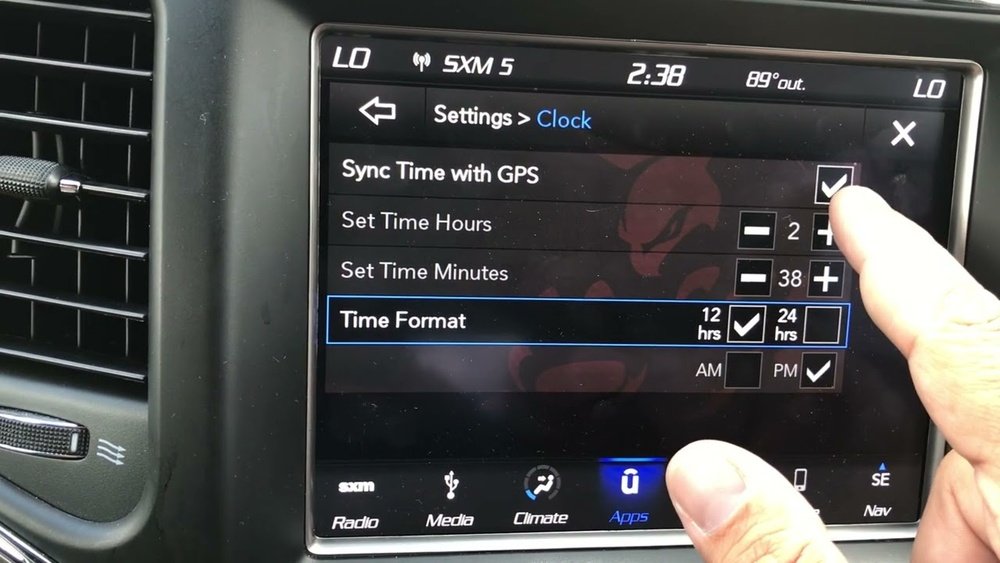
For 2011–2023 Grand Cherokee Models (touchscreen Uconnect)
Most newer Grand Cherokees use the Uconnect system. Here’s how to set the clock:
- Turn on your Jeep and access the Uconnect screen.
- Press the Settings button on the touchscreen.
- Select Clock & Date.
- Tap Set Time.
- Use the “+” or “–” buttons to adjust the hour and minute.
- Confirm by pressing Save.
Tip: If your Jeep is equipped with GPS, the time may update automatically. If it doesn’t, follow the steps above.
For 2005–2010 Grand Cherokee Models (manual Controls)
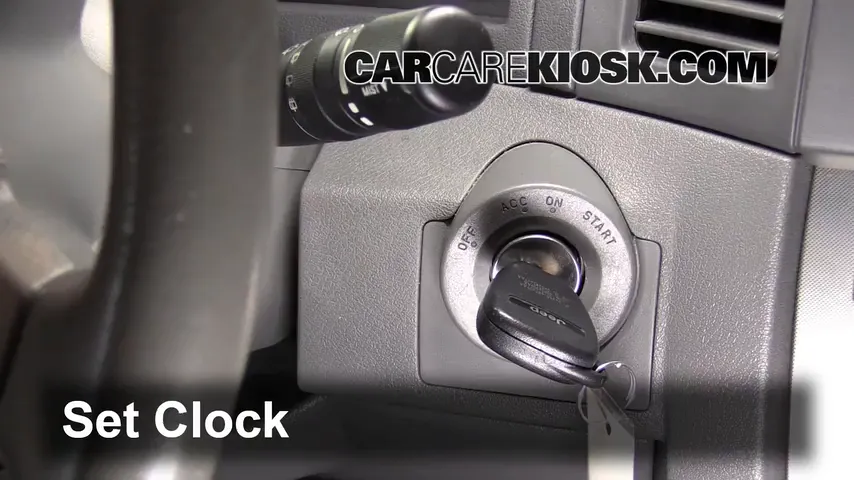
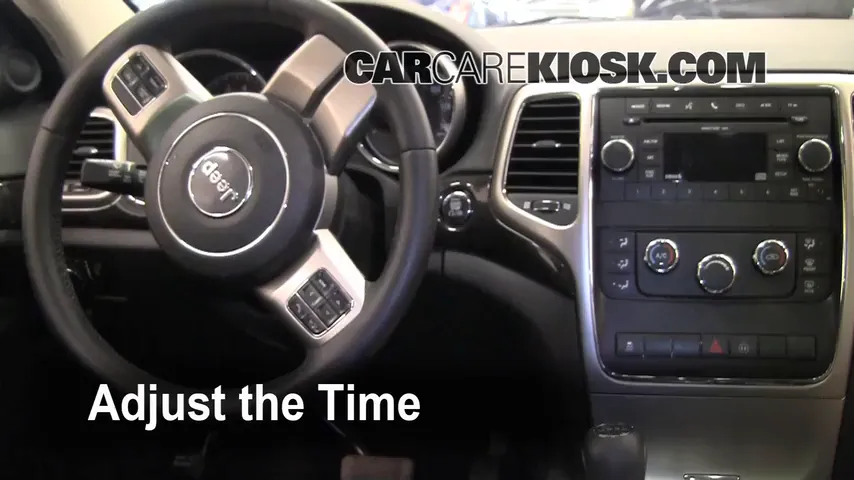
Older models usually have manual buttons near the radio. Here’s the process:
- Turn the ignition to ON or ACC.
- Locate the clock set or TIME button.
- Press and hold until the display blinks.
- Use the seek or tune buttons to set hours and minutes.
- Press the clock set button again to save.
Non-obvious insight: If your radio is not working, the clock may not update. Check the fuse or battery connection.
For Models With Analog Clock
Some luxury trims have an analog clock. Adjusting it often requires a small knob near the clock face. Turn the knob left or right to set the correct time.
Comparison: Setting The Clock – Touchscreen Vs. Manual
Here’s a quick look at the differences between touchscreen and manual methods:
| Feature | Touchscreen (Uconnect) | Manual Buttons |
|---|---|---|
| Ease of Use | Intuitive, quick | Can be confusing |
| Speed | Less than 1 minute | 1–3 minutes |
| Auto Update | Possible (GPS) | No auto update |
| Accuracy | High | Depends on user |
Tip: Touchscreen models are less prone to mistakes, but manual controls can be tricky if buttons are worn out.
Common Problems When Setting The Clock
Most drivers face a few typical issues:
- Buttons not responding: Often caused by a weak battery or faulty wiring.
- Display not blinking: Make sure you’re pressing the right button and holding it long enough.
- Radio not working: The clock may depend on the radio system.
If you see these problems, check your Jeep’s manual or visit a mechanic. Sometimes, software updates can fix touchscreen issues.
Quick Data: Model Year Differences
To help you identify your method, here’s a summary:
| Model Year | Clock Setting Method | Typical Issues |
|---|---|---|
| 2005–2010 | Manual buttons | Button wear, radio issues |
| 2011–2023 | Touchscreen | Software bugs, GPS sync |
| Luxury trims | Analog knob | Knob damage, unclear markings |
Non-obvious insight: Some Grand Cherokee models allow clock adjustment only when the vehicle is in “Park.” If you can’t change the time, check your gear position.
Tips For Keeping Your Clock Accurate
- Adjust your clock twice a year for daylight saving time.
- If your Jeep has GPS, enable automatic updates in the settings.
- Replace your car battery before it gets too weak, as low voltage can reset the clock.
- After service or repairs, check if the clock needs resetting.
- Clean the dashboard regularly. Dirt can block buttons and sensors.

How To Avoid Common Mistakes
Many people forget to:
- Save settings after adjustment
- Check AM/PM in 12-hour format
- Confirm the display is showing the correct time
Double-check your work to avoid confusion later.
Step-by-step Example: Setting The Clock In A 2017 Grand Cherokee
Suppose you have a 2017 model with Uconnect. Here’s a real-world example:
- Start the Jeep.
- Tap Settings on the screen.
- Select Clock & Date.
- Tap Set Time.
- Adjust the hour to 7 and minutes to 30.
- Tap Save.
- Confirm the display reads “07: 30.”
If your GPS is enabled, you may not need to adjust manually. If not, these steps will help.
Frequently Asked Questions
How Do I Know Which Clock Setting Method My Jeep Uses?
Check your model year and dashboard. If you see a touchscreen, it’s likely Uconnect. Older models use manual buttons, and luxury trims may have an analog knob.
What Should I Do If The Clock Keeps Resetting?
This usually means your battery is weak or there’s an electrical issue. Have your battery tested and check for loose wires.
Can I Set The Clock While Driving?
Most Jeeps require you to be in Park for safety. If you can’t change the time, stop the car and try again.
Does The Clock Update Automatically With Gps?
Yes, if your Jeep has GPS and the auto-sync feature is enabled. Check your Uconnect settings to activate this option.
Where Can I Find More Details For My Specific Jeep Grand Cherokee?
Visit the official Jeep website or check your owner’s manual. For more technical information, refer to Jeep’s official site.
Setting the clock in your Jeep Grand Cherokee is quick once you know the process. Whether you use a touchscreen or manual controls, accuracy matters for your daily routine. Remember to check your settings after battery changes and keep your dashboard clean for easy access.
With these tips and clear steps, you’ll never lose track of time on the road.