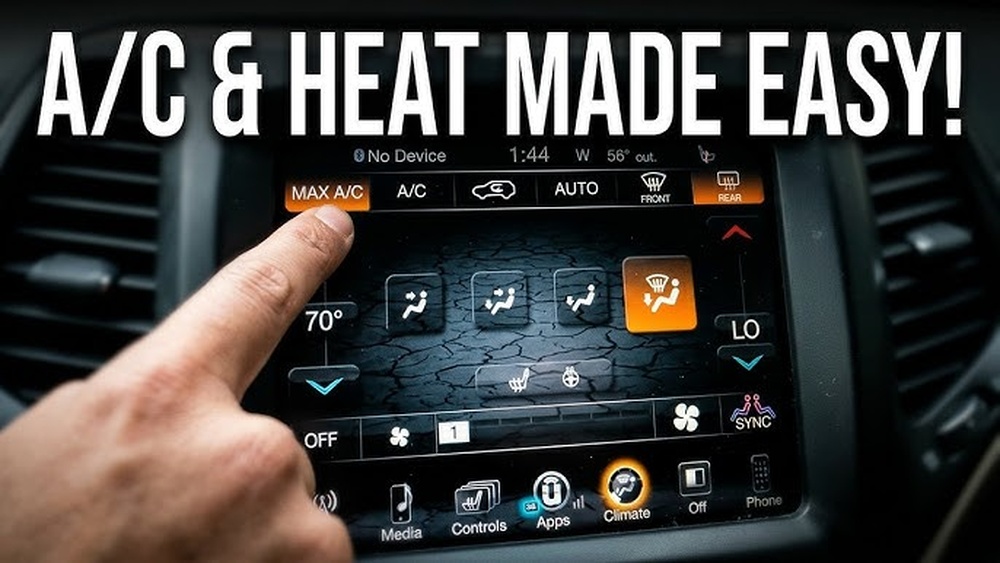
If you own a Jeep and want to unlock extra features, entertainment, and control, signing up for Uconnect is a smart move. Uconnect is Jeep’s connectivity platform. It lets you use navigation, stream music, control your car remotely, and much more—all from your phone or car screen. Many Jeep drivers don’t know how easy it is to get started with Uconnect. This guide will show you how to sign up, what you need, and what to expect, so you can make the most of your vehicle’s technology.
What Is Jeep Uconnect?
Uconnect is more than just a car screen. It connects your Jeep to apps, services, and features. Here’s what you get:
- Navigation with real-time traffic
- Bluetooth hands-free calling and audio
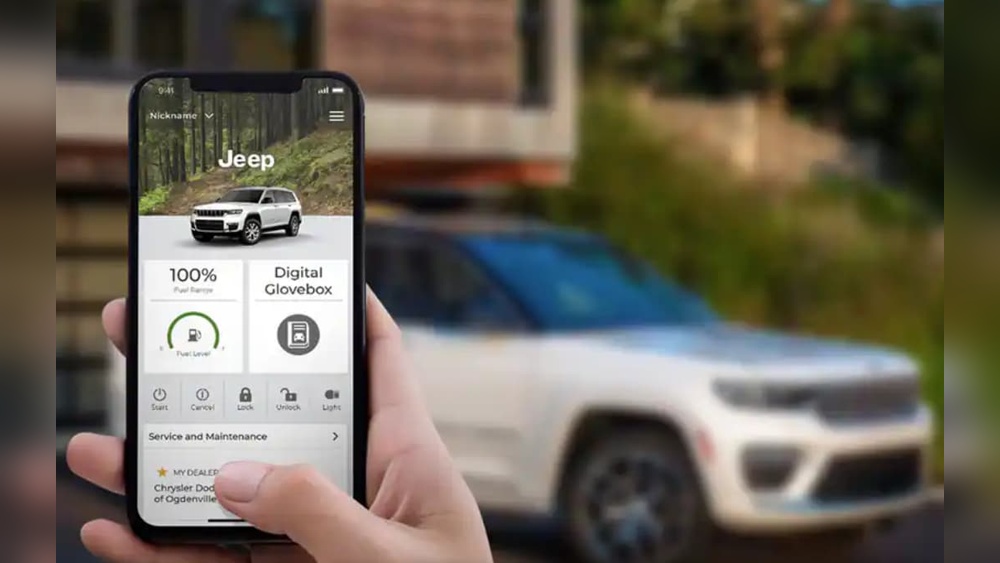
- Remote start and lock/unlock
- Vehicle health reports
- SOS emergency calls
Some features are free, but others need a paid subscription. Uconnect is available on most Jeep models from 2013 onwards.
Preparing To Sign Up
Before you start, check these three things:
- Model Compatibility: Your Jeep must have a Uconnect system. Look for a touchscreen with the Uconnect logo.
- VIN Number: Find your Vehicle Identification Number (VIN). It’s a 17-digit code on your dashboard or registration papers.
- Internet Access: You’ll need Wi-Fi or mobile data for sign-up and app use.
Many new Jeeps have Uconnect pre-installed, but older models may need an upgrade.

Step-by-step: How To Sign Up For Jeep Uconnect
Let’s walk through the process. It’s simple, but missing a step can cause problems.
1. Create A Uconnect Account
Go to the Uconnect website or download the Uconnect app (iOS or Android). Click “Sign Up” or “Create Account.”
- Enter your name
- Provide your email address
- Choose a secure password
- Accept the terms and privacy policy
2. Add Your Vehicle
Once your account is ready, link your Jeep.
- Enter your VIN
- Select your Jeep model and year
- Confirm ownership (sometimes by entering a code sent to your email or phone)
This step is crucial for security and to unlock remote features.
3. Choose Your Uconnect Services
Uconnect offers several plans. Here’s a quick comparison:
| Service | Monthly Cost | Main Features |
|---|---|---|
| Basic | $0 | Bluetooth, media, basic navigation |
| Uconnect Access | $14.99 | Remote start, lock/unlock, vehicle health, SOS |
| Navigation Plus | $19.99 | Advanced navigation, traffic updates, weather |
Pick the plan that fits your needs. You can upgrade or downgrade anytime.
4. Activate Your Services
After choosing your plan, follow the activation instructions:
- Confirm your email address (check your inbox for a link)
- Enter payment details if you pick a paid plan
- Wait for confirmation—this can take a few minutes
Your Jeep may also need to be parked with the engine running to sync properly.
5. Sync Your Jeep And App
Open the Uconnect app and log in. The app will guide you to:
- Connect your phone to your Jeep via Bluetooth
- Sync your vehicle’s data
- Test features (like remote start or door unlock)
Your Jeep’s touchscreen should show your Uconnect status. If not, restart the app or vehicle.
Common Problems And Fixes
Many drivers run into simple issues. Here’s a quick troubleshooting table:
| Problem | Possible Cause | Solution |
|---|---|---|
| No connection | Bluetooth not enabled | Turn on Bluetooth and retry |
| Can’t add vehicle | Wrong VIN | Double-check VIN, re-enter |
| App won’t sync | Outdated app | Update app from App Store/Play Store |
| Missing features | Plan not activated | Check subscription status |
Non-obvious tip: If you change your phone, always re-sync it with your Jeep. Many users forget this and lose remote access.
Most beginners stick to basic functions. But Uconnect offers extras:
- Stolen vehicle tracking: If your Jeep is stolen, Uconnect can help police locate it.
- Wi-Fi hotspot: Some plans let you turn your Jeep into a mobile Wi-Fi zone.
- OTA (Over-The-Air) updates: Uconnect can update itself, adding new features without visiting a dealer.
Another insight: Uconnect remembers your settings. If you share your Jeep, create separate profiles for each driver.
Uconnect Vs. Other Car Systems
Wondering how Uconnect compares to other brands? Here’s a quick comparison:
| System | Remote Control | Navigation Quality | Monthly Cost |
|---|---|---|---|
| Uconnect | Yes | Very good | $0-$19.99 |
| Ford SYNC | Yes | Good | $0-$25 |
| Chevy MyLink | Limited | Fair | $0-$15 |
| Toyota Entune | Limited | Good | $0-$20 |
Uconnect stands out for its remote features and user-friendly app.
Extra Tips For A Smooth Sign-up
- Use your primary email (for easy recovery and alerts)
- Choose a strong password, but write it down somewhere safe
- If your Jeep is used, remove any old Uconnect accounts before signing up
- Check for free trials—many Jeeps offer 3 months of premium Uconnect free
If you get stuck, Jeep support is responsive. You can also check the official Jeep Uconnect page for updates and help.
Frequently Asked Questions
How Long Does Sign-up Take?
Usually, it takes 10–20 minutes to create your account, add your Jeep, and activate services. Syncing your vehicle may take a few extra minutes.
Can I Use Uconnect Without A Subscription?
Yes. Basic features like Bluetooth and media are free. Advanced options (remote start, navigation, vehicle health) need a paid plan.
Is Uconnect Available For All Jeep Models?
Most 2013 and newer Jeeps have Uconnect. Older models may need hardware upgrades. Always check your vehicle’s compatibility.
What Happens If I Sell My Jeep?
Remove your account from the Uconnect app and system. The new owner can create their own account and access features.
Can I Cancel My Subscription Anytime?
Yes. You can cancel or change your plan in the Uconnect app or website. Your features will switch at the end of the billing cycle.
Signing up for Jeep Uconnect is simple, but paying attention to details makes it easier and safer. With your account set up, you’ll enjoy a more connected, secure, and fun driving experience.