Connecting your iPhone to a Jeep Cherokee unlocks many features like hands-free calling, music streaming, and navigation. Whether you own a new Cherokee with advanced infotainment or an older model, this guide will help you get the best out of your phone and car. Many drivers struggle with setup, but with the right steps, your iPhone can easily become part of your driving routine.
Preparing Your Jeep Cherokee And Iphone
Before you start, make sure your Cherokee supports Bluetooth or Apple CarPlay. Most models from 2014 onward include at least Bluetooth, and newer trims offer Apple CarPlay. Check your vehicle manual or the Uconnect system display. Update your iPhone to the latest iOS version for maximum compatibility.
Your Jeep’s infotainment system, usually called Uconnect, is the link between your car and your phone. If your Uconnect software is outdated, some features may not work well. You can check for updates on the official Jeep website or your dealership.
Connecting Via Bluetooth
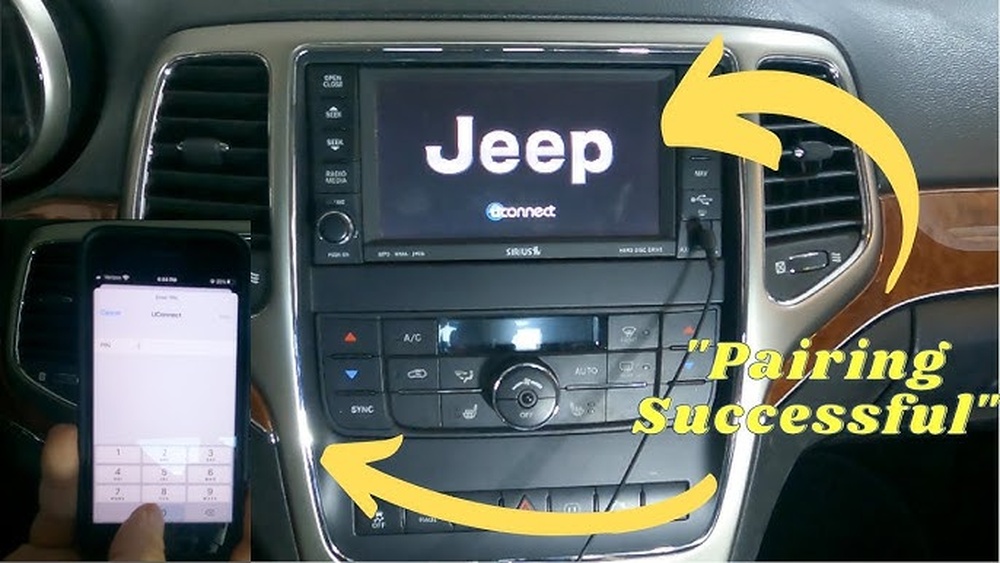
Bluetooth is the most common way to link your iPhone with a Jeep Cherokee.
- Turn on your Jeep and the Uconnect screen.
- On your iPhone, go to Settings > Bluetooth and make sure Bluetooth is on.
- On Uconnect, select Phone or Bluetooth from the main menu.
- Tap Add Device or Pair New Device.
- Your Jeep should appear on the iPhone’s Bluetooth list. Tap the car’s name.
- A pairing code will display on both screens. Confirm it matches.
- Accept any prompts on your iPhone.
Once connected, your phone can make calls, stream music, and access contacts. Some Cherokees allow multiple phones, but only one can be the main device for calls and audio.
Common Bluetooth Issues
- If pairing fails, restart both the iPhone and Uconnect.
- Remove old devices from Uconnect if it’s full.
- Make sure your iPhone’s Bluetooth is visible.
Non-obvious insight: Many people forget to clear out old paired devices, causing connection errors. Deleting unused entries often solves the problem.

Connecting Via Apple Carplay
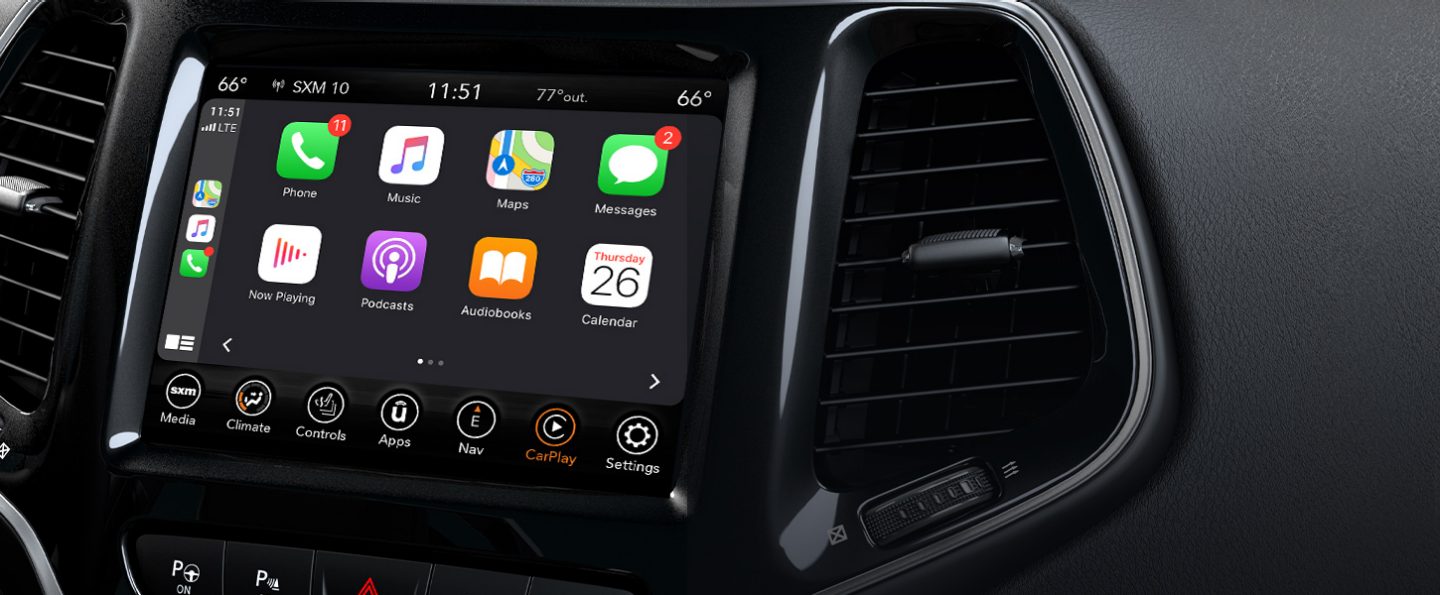
Apple CarPlay offers more features than Bluetooth, including voice commands and apps. Only 2018 and newer Cherokees usually support CarPlay.
- Plug your iPhone into the USB port using a genuine Apple cable.
- The Uconnect screen will show a CarPlay icon—tap it.
- Follow prompts on your iPhone to allow CarPlay.
- CarPlay should launch automatically.
You can use Siri, Apple Maps, and supported apps. Voice commands make driving safer. If CarPlay doesn’t appear, try another USB port or cable.
Non-obvious insight: Some Cherokee models have multiple USB ports, but only one supports CarPlay. Check your manual or look for a “CarPlay” label next to the port.
Carplay Vs Bluetooth Features
Here’s a quick comparison:
| Feature | Bluetooth | Apple CarPlay |
|---|---|---|
| Hands-free calling | Yes | Yes |
| Music streaming | Yes | Yes |
| Navigation | No | Yes |
| App access | Limited | Full |
| Voice commands | Basic | Advanced (Siri) |
Troubleshooting Connection Problems
Sometimes, the connection fails or drops. Here are solutions for common issues:
- Bluetooth won’t pair: Restart both devices. Remove and re-add your iPhone.
- CarPlay won’t start: Try another USB cable or port. Update your iPhone and Uconnect software.
- Audio won’t play: Check media volume, not just call volume.
- Contacts won’t sync: Allow access on your iPhone when prompted.
Stat: Over 60% of Jeep Cherokee owners report at least one pairing issue during setup, but most are fixed by restarting or updating devices.
Using Uconnect Apps And Features
Jeep’s Uconnect system includes apps like navigation, weather, and traffic. When your iPhone is connected, you can access these through the touch screen. Not all apps require CarPlay—some work with Bluetooth only.
You can:
- Stream music via Apple Music or Spotify
- Send texts with voice commands
- Use Apple Maps for directions
Some features depend on your Cherokee trim and Uconnect version. For advanced functions, check your manual or dealer.
Data Table: Cherokee Model Compatibility
Here’s a quick reference for Cherokee models and connection options.
| Model Year | Bluetooth | Apple CarPlay |
|---|---|---|
| 2014-2017 | Yes | No |
| 2018-2020 | Yes | Yes |
| 2021+ | Yes | Yes |
Practical Tips For A Stable Connection
- Use a genuine Apple cable for CarPlay.
- Keep your iPhone’s software updated.
- Update Uconnect if possible.
- Don’t use cheap third-party accessories—they often cause issues.
- Pair your phone when parked for safety.
If your Cherokee’s infotainment system seems slow or buggy, a system reset can help. Hold the power button until the screen shuts off and restarts.
Comparing Uconnect Versions
Different Cherokees have different Uconnect systems. Here’s a summary:
| Uconnect Version | Bluetooth | Apple CarPlay | Touchscreen Size |
|---|---|---|---|
| Uconnect 5.0 | Yes | No | 5 inches |
| Uconnect 8.4 | Yes | Yes | 8.4 inches |
| Uconnect 7.0 | Yes | Yes | 7 inches |
Frequently Asked Questions
How Do I Know If My Jeep Cherokee Supports Apple Carplay?
Check your vehicle’s manual or the Uconnect screen for a CarPlay icon. Models from 2018 onward usually support CarPlay.
Can I Connect Multiple Iphones To My Jeep Cherokee?
Yes, but only one can be used for calls and audio at a time. You can switch between devices using the Uconnect menu.
Why Does My Music Stop Playing After Connecting?
Sometimes, the system defaults to radio or another source. Select your phone as the audio source in Uconnect to fix this.
What Should I Do If My Iphone Won’t Pair With Bluetooth?
Restart both devices, delete old pairings, and try again. Make sure Bluetooth is enabled and visible on your phone.
Are Updates Needed For Uconnect Or My Iphone?
Yes. Updates solve many bugs and improve compatibility. Check your dealer or the official Jeep website for Uconnect updates. For iPhone, use Settings > General > Software Update.
Connecting your iPhone to your Jeep Cherokee makes driving safer and more fun. With Bluetooth or Apple CarPlay, you gain access to calls, music, navigation, and more. Most issues are simple to fix, and with these tips, you’ll spend less time troubleshooting and more time enjoying your drive. For deeper details, visit the official Jeep Uconnect website.