Navigating with confidence is essential, especially when driving a Jeep Grand Cherokee. The built-in navigation system helps you avoid traffic jams, find new destinations, and travel stress-free. But maps and routes change often. Roads get updated, new businesses open, and old ones close. If your navigation system is out of date, you may end up lost or frustrated. Updating your Jeep Grand Cherokee navigation ensures you always have the latest information at your fingertips.
Updating the navigation system can seem confusing, especially if you haven’t done it before. This guide will help you step-by-step, whether you have the latest model or an older Grand Cherokee. You’ll learn what you need, where to get updates, and how to install them safely.
You might ask, “Is it really necessary to update?” The answer is yes, and here’s why:
- Accurate directions: Outdated maps can send you on the wrong path or miss new roads.
- Safety: Knowing the correct route helps you avoid dangerous areas or sudden detours.
- Time savings: Updated maps help you avoid traffic and find faster routes.
- Resale value: A well-maintained navigation system can boost your vehicle’s value.
Many drivers don’t realize that navigation updates also improve points of interest (POIs), like gas stations, restaurants, and hospitals. Missing these can be frustrating on long trips.
What You Need Before Updating
Preparation is key for a smooth update. Here’s what you’ll need:
- Vehicle information: Know your Grand Cherokee’s year and the version of its navigation system (for example, Uconnect 4C NAV or Uconnect 8.4).
- A computer: Most updates require a laptop or desktop with a USB port.
- A USB flash drive: Minimum 16GB, formatted to FAT32.
- Stable internet connection: Downloading map files can use several gigabytes.
- VIN (Vehicle Identification Number): Usually found on your dashboard or vehicle documents.
Some owners miss the importance of the right USB drive format. If your USB is not FAT32, the system may not recognize it during update. Double-check this before you begin.
The steps vary slightly depending on your vehicle’s year and navigation system. Most modern Grand Cherokees use the Uconnect system. Here’s a general process that fits most models from 2014 onward.
Step 1: Check Your Current Map Version
Go to your Jeep’s navigation menu and find the map information or system information section. Write down your map version. This helps you see if an update is available.
Step 2: Register And Download Update
Visit the official Jeep navigation update portal (https://chryslergroup.navigation.com/home/en_US/ChryslerNA/USD). Enter your vehicle’s VIN and current map version. The site will tell you if an update is available and the cost (usually $150–$200).
You’ll then download the update package to your computer. These files can be large, so a stable connection is important.
Step 3: Prepare Your Usb Drive
Format your USB drive to FAT32. This step is often missed, leading to update failures. Copy the downloaded map files onto the USB drive, following the instructions in the download package.
- Start your Jeep and keep it running (do not use Accessory mode).
- Insert the USB drive into the vehicle’s USB port.
- The system will prompt you to begin the update. Follow the on-screen instructions.
- The update process takes about 30–60 minutes. Do not turn off the vehicle during this time.
If the system doesn’t recognize the USB, check that the files are in the right location and the drive is formatted correctly.
Step 5: Confirm The Update
After the update, check your map version in the navigation menu. It should show the new version. If not, restart the system and check again.
Comparing Uconnect Systems
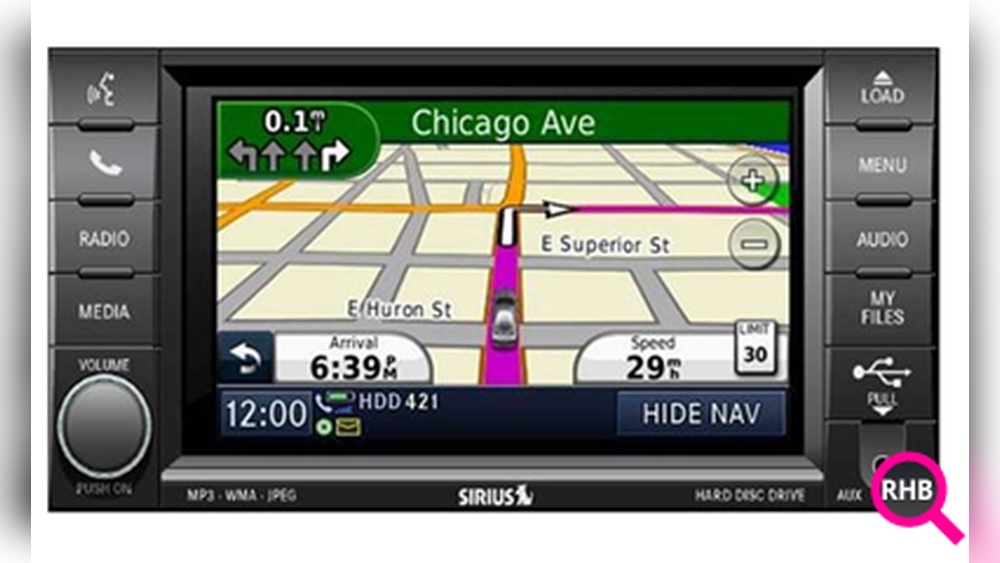
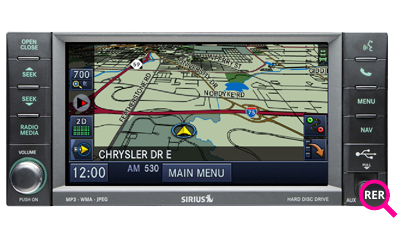
Different Jeep Grand Cherokee models use different Uconnect systems. Here’s how the most common types compare:
| Uconnect Version | Screen Size | Navigation Update Method |
|---|---|---|
| Uconnect 4C NAV | 8.4 inches | USB download |
| Uconnect 5 NAV | 10.1 inches | Over-the-air or USB |
| Older Uconnect | 6.5–7 inches | CD/DVD or USB |
Knowing your exact system helps avoid mistakes during the update.

Common Problems And How To Solve Them
Even careful drivers can run into trouble. Here are some common issues and solutions:
- USB not detected: Reformat the USB drive, try a different port, or use a new drive.
- Update interrupted: Never turn off your vehicle during the update. If you do, restart the process.
- Wrong files: Make sure you downloaded the correct update for your model and year.
- Slow download speeds: Use a wired internet connection or download at night when the internet is less busy.
Most update failures come from using the wrong USB format or trying to update with a nearly dead battery. Always keep your vehicle running during the process.
Dealer Vs. Diy Updates
Some owners prefer to have updates done by a Jeep dealer. Here’s a quick comparison:
| Method | Cost | Convenience | Control |
|---|---|---|---|
| DIY (At Home) | $150–$200 (update fee only) | High (any time) | Full |
| Jeep Dealer | $250–$350 (includes labor) | Medium (requires appointment) | Low |
Doing it yourself saves money and can be done at your convenience. Dealers are helpful if you’re not comfortable with tech or want added assurance.

Tips For A Smooth Update
- Use a high-quality USB drive to avoid read errors.
- Keep your vehicle running the entire time.
- Double-check you have the correct update for your Grand Cherokee year and navigation system.
- Read all instructions from the official update site carefully.
Some users skip steps or rush, causing problems. Take your time and follow each instruction.
Where To Find Official Updates
Always use the official Jeep update site or authorized partners. Third-party sites may offer “free” maps, but these can be outdated or even harmful to your system. Official updates ensure safety and reliability.
For more details on Uconnect and navigation updates, you can visit the Jeep Uconnect official site.
Keeping your Jeep Grand Cherokee navigation system up to date is an easy way to enjoy safer, stress-free driving. With the right tools and careful steps, you’ll always know where you’re going.
Frequently Asked Questions
Most experts recommend updating your navigation maps every 1–2 years. If you drive in areas with frequent road changes, update more often.
Can I Use My Phone’s Hotspot To Download Map Updates?
You can, but it’s risky because map files are large and mobile data can be unstable. It’s better to use a wired home internet connection for downloads.
What If My Jeep Grand Cherokee Doesn’t Have Uconnect?
Older models may use different systems or require updates by CD/DVD. Check your owner’s manual or contact a Jeep dealer for options.
Generally, navigation updates are not free for most Jeep Grand Cherokees. Expect to pay $150–$200 per update, though prices can vary.
Will Updating Maps Erase My Saved Addresses?
No, updating your navigation should not erase your saved addresses or settings. However, it’s smart to back up your info before updating, just in case.