Disconnecting the car battery in your Jeep Grand Cherokee is a task you may need to do for maintenance, repairs, or safety reasons. It’s not difficult, but you must follow proper steps to avoid damaging your vehicle or hurting yourself. Whether you want to reset electronics, replace the battery, or do electrical work, learning how to disconnect the battery safely is essential. This guide will walk you through the process, highlight key safety tips, and help you understand important details about your Jeep Grand Cherokee’s battery system.
Why Disconnecting The Battery Matters
The battery powers all electrical parts in your Jeep. Sometimes, disconnecting it is necessary:
- To replace the battery
- To install new electronics
- To prevent electrical shorts during repairs
- To reset systems like the check engine light
If you skip this step or do it incorrectly, you might cause electrical damage or lose important settings, like radio presets. In rare cases, sudden surges can harm sensitive parts. That’s why safety and accuracy matter.
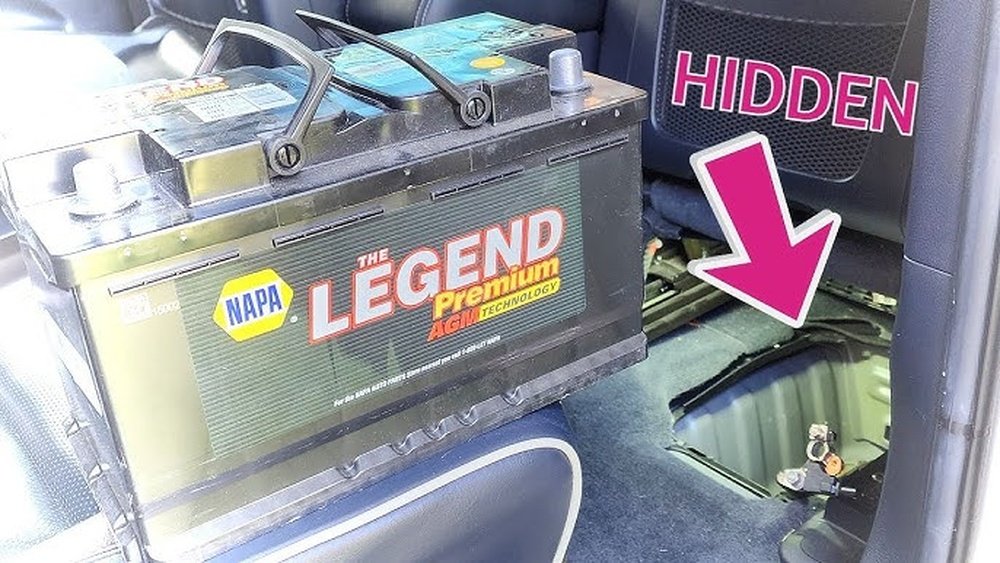
Tools And Safety Gear
Before starting, gather these tools:
- Socket wrench (usually 10mm fits most Jeep battery terminals)
- Gloves (for hand protection)
- Safety glasses (protect eyes from sparks or acid)
- Memory saver (optional, keeps settings during disconnect)
Many Jeep owners skip safety gear, but wearing gloves is smart. Jeep batteries contain acid, and terminals can spark if touched incorrectly.
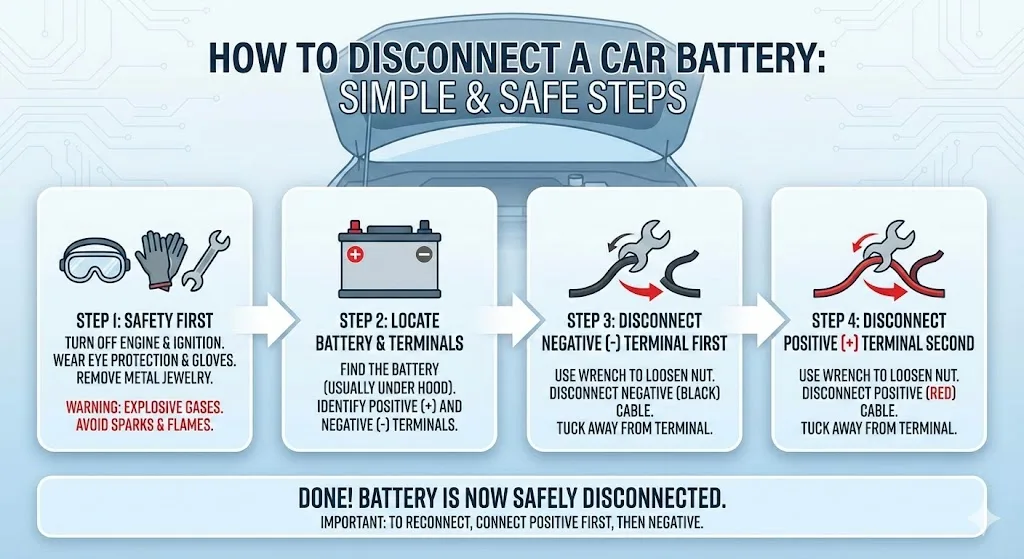
Step-by-step: Disconnecting The Jeep Grand Cherokee Battery
Follow these clear steps to disconnect your battery without trouble:
1. Turn Off The Engine
- Make sure your Jeep is off and the key is out of the ignition.
- If your model has push-button start, double-check everything is shut down.
2. Open The Hood
- Pull the hood release inside the cabin.
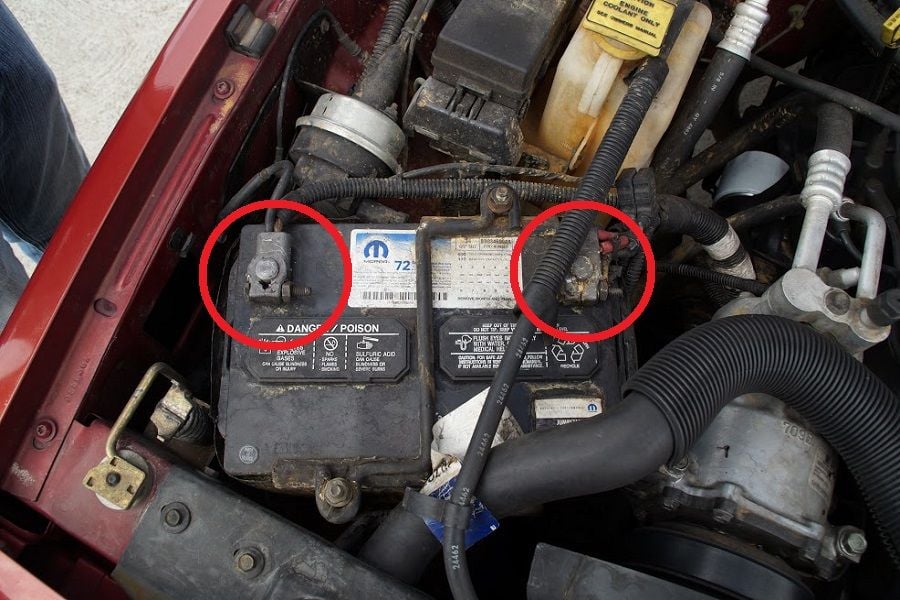
- Locate the battery. In most Grand Cherokees, it’s in the engine bay, near the passenger side.
3. Identify Battery Terminals
- Find the negative terminal (marked with a minus sign or black color).
- Find the positive terminal (marked with a plus sign or red color).
4. Remove Negative Terminal First
- Use the socket wrench to loosen the negative cable clamp.
- Carefully lift it off and move it aside. Never let it touch metal parts.
5. Remove Positive Terminal
- Loosen the positive cable clamp with the wrench.
- Lift it off and set it away from the battery.
6. Secure Cables
- Keep both cables away from the battery and metal objects.
- You can use zip ties or towels to prevent accidental contact.
7. Wait If Needed
- For some repairs or resets, let the battery sit disconnected for 10–15 minutes. This helps clear electrical memory.
8. Complete Your Task
- Now, you can safely perform repairs, replace the battery, or install new parts.
9. Reconnect Terminals When Done
- Attach the positive terminal first, then the negative.
- Tighten clamps securely but avoid overtightening.
Jeep Grand Cherokee Battery Locations By Model Year
Different years may place the battery in different spots. Here’s a quick comparison:
| Model Year | Battery Location | Access Difficulty |
|---|---|---|
| 2011–2021 | Engine bay (front right) | Easy |
| 2005–2010 | Engine bay (front left) | Easy |
| 1999–2004 | Engine bay (center) | Medium |
| Pre-1999 | Engine bay (variable) | Medium |
Most modern Grand Cherokees have the battery in the engine bay, making access simple. Older models may require more work to reach the terminals.
Common Mistakes And How To Avoid Them
Many beginners make simple errors when disconnecting their Jeep battery:
- Removing the positive terminal first — Always start with the negative to avoid short circuits.
- Letting cables touch metal — This can cause sparks or damage.
- Not wearing gloves — Battery acid can cause burns.
- Forgetting memory saver — If you want to keep radio settings or clock, use a memory saver.
- Overtightening clamps — This can break the terminal or cable.
Avoid these mistakes and you’ll protect your Jeep and yourself.
Battery Types In Jeep Grand Cherokee
Jeep Grand Cherokees use different battery types based on model and year. Here’s a comparison:
| Battery Type | Common Years | Cold Cranking Amps (CCA) |
|---|---|---|
| Lead-acid | 1999–2010 | 600–750 |
| AGM (Absorbed Glass Mat) | 2011–2021 | 700–850 |
AGM batteries are more durable and support start-stop systems, found in newer models. Always check your owner’s manual for recommended specs.

Resetting Systems After Battery Disconnect
After reconnecting the battery, your Jeep may need some systems reset:
- Radio presets may be lost
- Clock needs setting
- Check engine light might appear temporarily
- Windows and seat memory may require recalibration
Drive your Jeep for a few miles to let the computer relearn settings. If warning lights stay on, check connections or consult a mechanic.
Advanced Tips Most People Miss
- Use dielectric grease on terminals after reconnecting. This prevents corrosion and extends battery life.
- If your Jeep has a remote start system, disconnecting the battery may require remote re-pairing. Check your owner’s manual for steps.
Some Jeep Grand Cherokee models have sensitive electronics, so extra care can save you from expensive repairs. For more guidance, visit the official Jeep Owners website.
Frequently Asked Questions
How Long Should I Leave The Battery Disconnected To Reset The Computer?
For most Grand Cherokees, 10–15 minutes is enough to reset the computer. This clears temporary codes and memory.
Is It Safe To Disconnect The Battery When My Jeep Has A Start-stop System?
Yes, but be sure to use AGM batteries and follow your manual’s instructions. Some electronics may need extra steps to reset.
Will Disconnecting The Battery Erase My Radio Presets?
Yes, radio presets and clock settings will be lost. Using a memory saver can prevent this.
Can I Disconnect The Battery Without Tools?
No. You need at least a socket wrench to loosen terminal clamps. Trying without tools can damage the terminals.
What Happens If I Reconnect The Terminals In The Wrong Order?
If you connect the negative terminal first, you risk sparks and electrical shorts. Always reconnect the positive terminal first, then the negative.
Disconnecting your Jeep Grand Cherokee battery is simple with the right steps and precautions. Take your time, protect yourself, and your Jeep will stay safe and reliable. If you’re unsure, ask a mechanic or refer to your owner’s manual for guidance.