Changing the language on your Jeep Compass can make your driving experience smoother, especially if English is not your first language. Today’s Jeep Compass offers multilingual support, allowing you to set display menus, voice commands, and cluster information in a language you understand best. Whether you just bought a used Compass, moved to a new country, or share your car with family members who prefer another language, updating these settings can help everyone feel at home behind the wheel.
Let’s walk through a step-by-step guide to changing the language on your Jeep Compass, what to expect, and tips for a smooth transition.
Why Change The Language On Your Jeep Compass?
The main reason drivers change their vehicle’s language is for comfort and clarity. When instructions, warnings, and menus appear in your preferred language, you make fewer mistakes and drive more confidently. Here’s why it matters:

- Safety: Understanding alerts quickly avoids confusion during emergencies.
- Navigation: Voice guidance in a familiar language helps you focus on the road.
- Personalization: Sharing a car is easier when each driver can use their preferred language.
Surprisingly, many owners don’t realize that changing the language also affects voice recognition and some connected services.
Supported Languages In Jeep Compass
Jeep Compass supports several languages, but availability depends on the model year and region. Here’s a simplified comparison of what you might find:
| Model Year | Common Languages Available | Voice Command Support |
|---|---|---|
| 2017-2019 | English, Spanish, French | English only |
| 2020-2022 | English, Spanish, French, Italian, German | English, Spanish |
| 2023+ | English, Spanish, French, Italian, German, Portuguese | Multiple supported |
If you don’t see your language, it may not be available in your market or software version. Updates can sometimes add more choices.
How To Change Language: Step-by-step
Here’s how to change the language on most Jeep Compass models with the Uconnect infotainment system:
- Switch on the ignition but do not start the engine.
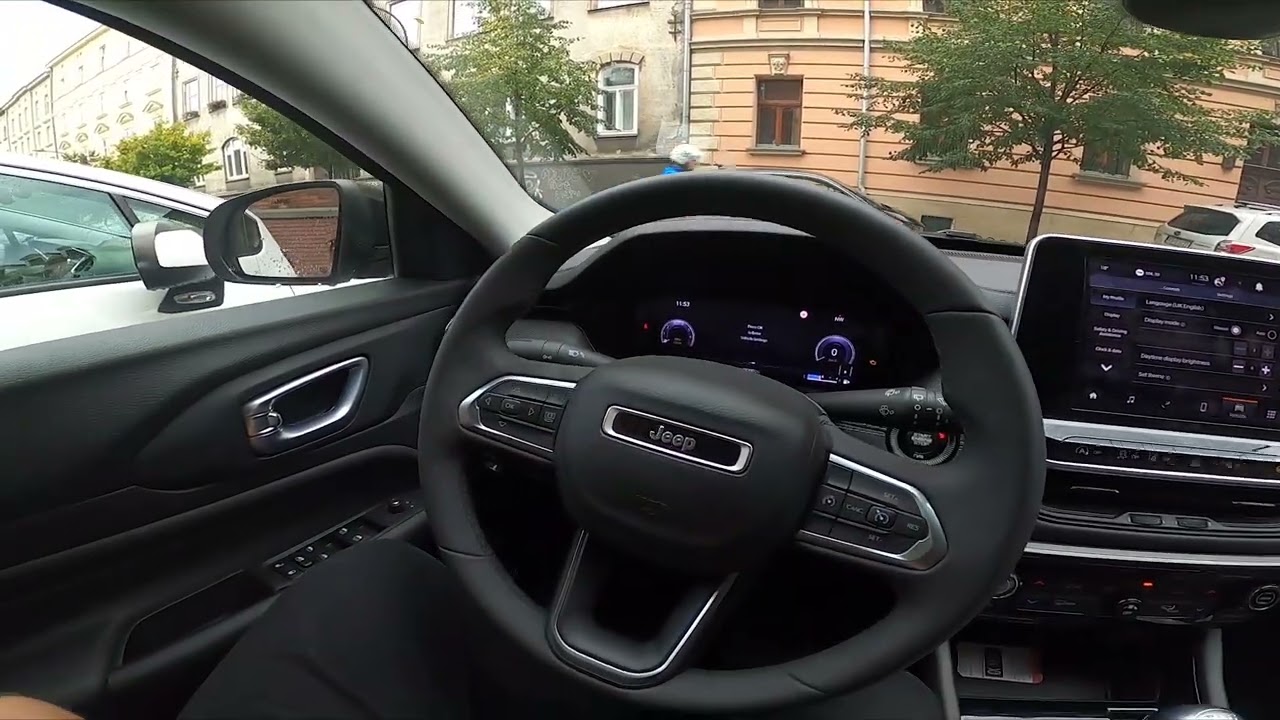
- Locate the touchscreen in the center of your dashboard.
- Tap the “Settings” icon (usually a gear symbol).
- Scroll to “Language”. This may be under “Display” or “System” depending on your version.
- Select your preferred language from the list.
- Confirm the change if prompted. The screen may briefly go blank as the system updates.
- Check that menus, navigation, and voice prompts now use your chosen language.
Here’s a quick look at where you might find the language menu in different Uconnect versions:
| Uconnect Version | Menu Path | Touchscreen Required |
|---|---|---|
| Uconnect 4 | Settings > Display > Language | Yes |
| Uconnect 5 | Settings > System > Language | Yes |
| Basic Cluster | Instrument Cluster > Vehicle Setup > Language | No |
Using The Instrument Cluster (no Touchscreen)
Some entry-level Jeep Compass models allow language changes through the instrument cluster. Use the steering wheel buttons to scroll through the menu:
- Press the Menu button until you see “Settings.”
- Use the up/down arrows to find “Language.”
- Press OK and select your language.
This method is helpful if your touchscreen stops working or you have a basic Compass trim.
What Gets Translated (and What Doesn’t)
Changing the language updates most on-screen menus, navigation instructions, and voice command prompts. However, some items may not translate:
- Radio station names and external app content usually stay in their original language.
- Third-party apps like Apple CarPlay or Android Auto use the phone’s language settings.
- Warning lights and icons remain universal.
If you use connected services, check if your region supports language updates for those features.
Common Problems And Solutions
Some Jeep Compass owners face issues when changing languages:
- No language change after selecting: Try restarting the vehicle. If the problem continues, check for a system update.
- Voice commands don’t recognize new language: Not all languages support voice input. Check your model’s documentation.
- Language option missing: Your software may be outdated or region-locked. Visit a Jeep dealer for help.
Pro tip: Always keep your system updated. Software updates often fix bugs and add new languages.
Reverting To The Original Language
If you accidentally set the language to one you can’t read, don’t panic. The icon layout remains the same. Here’s a useful tip:
- Count the steps to the language menu in your preferred language, then repeat in the new language.
- Use Google Translate’s camera feature to scan the screen if you get lost.
Many drivers overlook this, but a printed “menu map” in your glovebox can be a lifesaver.

When To Visit The Dealer
If you can’t change the language or your screen freezes, a dealer reset may be needed. Dealers have special tools to update or reprogram the system.
Unexpected language changes can sometimes signal a deeper electronic issue. If you see other glitches, such as random reboots or lost radio presets, mention these when you visit the service center.
Key Differences: Global Vs. Us Jeep Compass
Jeep Compass is sold worldwide, but language options and menus can differ. For example:
| Region | Default Language | Extra Languages |
|---|---|---|
| North America | English | Spanish, French |
| Europe | English | Italian, German, French, Spanish |
| South America | Portuguese | Spanish, English |
Always check your owner’s manual for the most accurate details about your region.

Frequently Asked Questions
Can I Add More Languages To My Jeep Compass?
No, you cannot add custom languages yourself. The available choices depend on your software version and region. Updates from the dealer may add more options, but not always.
Yes, map voice guidance and on-screen instructions switch to your chosen language. However, place names and street names usually stay the same.
How Do I Change The Language On Apple Carplay Or Android Auto?
These systems use your phone’s language setting. Change your phone language, and the car’s display will update when connected.
My Language Isn’t Listed. What Should I Do?
If your preferred language is missing, contact your local Jeep dealer. Some regions offer special software versions. You can learn more about vehicle software at the official Uconnect site.
Does Changing The Language Reset Other Settings?
No, only menu and voice display language are affected. Radio presets, paired devices, and climate controls remain unchanged.
Changing the language on your Jeep Compass is a simple way to make your driving experience more enjoyable and safer. With just a few taps or button presses, you can set up your car to communicate in a way that feels natural to you.
If you ever run into trouble, your owner’s manual and local dealer are there to help. Enjoy the drive, now in your language!