Changing the language in your Jeep Wrangler can transform your driving experience, especially if English is not your first language. Today’s Jeep Wranglers, especially models from 2011 onward, allow you to customize the display language for menus, navigation, and voice prompts. This is more than just a convenience—it can help you use safety features and settings with more confidence. If you just bought a Wrangler or want to help a family member, here’s a clear guide to switching the language step-by-step.
Why Change The Language In Your Jeep Wrangler?
Many drivers prefer to use their vehicle in their native language. This makes every message, alert, and menu easier to understand. If you often share your Wrangler with friends or family, you may want to switch languages regularly.
Some common reasons people change the language:
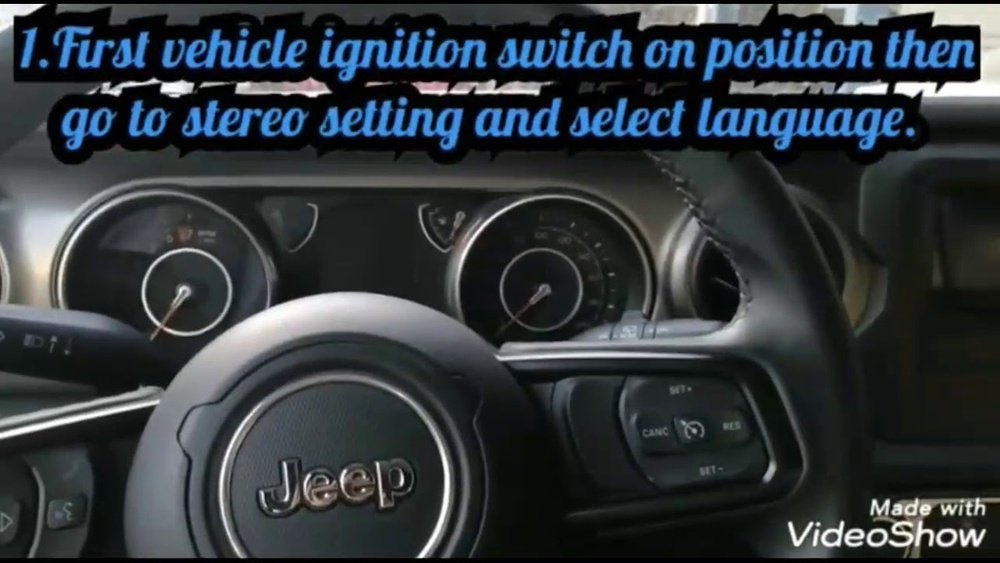
- New country: You moved and want the car’s system in the local language.
- Resale: Preparing to sell to someone who prefers another language.
- Comfort: Easier for all drivers in the household.
But there’s a catch: changing the language does not affect road signs, radio stations, or third-party apps. Only the Jeep’s built-in systems and menus will switch.
Where Language Settings Live In The Jeep Wrangler
The location of language settings depends on your Wrangler’s model year and the type of infotainment system you have. Most modern Wranglers use the Uconnect system. Older models use a simpler digital display. Here’s what you need to know:
| Model Year | System Type | Language Change Method |
|---|---|---|
| 2011-2017 | Basic Digital Display | Steering Wheel Buttons |
| 2018-Present | Uconnect 4/5 Touchscreen | Touchscreen Menus |
If you aren’t sure which system your Wrangler uses, look for a touchscreen in the center console. Touchscreen means you have Uconnect.

How To Change Language In Jeep Wrangler (step-by-step)
Below are the steps for most recent Jeep Wranglers. If you have a much older model, see the section after this.
For 2018 And Newer Jeep Wrangler (uconnect Touchscreen)
- Start your Jeep and keep it in ‘Park’ for safety.
- On the touchscreen, press the ‘Settings’ icon (often looks like a gear).
- Scroll down the menu and find ‘Language’.
- Tap ‘Language’. You’ll see a list of supported languages, such as English, Spanish, French, German, and Italian.
- Select your preferred language. The system will update in seconds.
- Confirm your choice if prompted. Some versions ask for confirmation.
Tip: Not all languages may be available, depending on your region and software version.
For 2011–2017 Wrangler (no Touchscreen)
- Start your vehicle and look at the main instrument cluster display.
- Use the steering wheel buttons (usually arrows and an ‘OK’ or ‘Menu’ button).
- Press the menu button until you reach ‘Settings’.
- Use up/down arrows to find ‘Language’.
- Select the language and press ‘OK’ to confirm.
Non-obvious insight: If you don’t see a language option, your model may need a software update from the dealer.
What Languages Are Available?
Languages depend on your Jeep’s market. Common choices include:
- English (US, UK)
- Spanish
- French
- German
- Italian
- Portuguese (in some versions)
Check your owner’s manual or the Jeep official website for the latest list.
Comparing The Process: Uconnect Vs. Non-touchscreen
It can help to compare the experience on different systems.
| Uconnect Touchscreen | Non-Touchscreen Display |
|---|---|
| Easy visual navigation More languages |
Button-based navigation Fewer language options |
| Faster to change | May require more steps |
| Supports voice prompts in new language | Menu language only |
Extra tip: After changing the language, reboot the system (turn car off and on) if the update does not appear right away.

Common Problems And How To Fix Them
Switching the language is usually smooth, but some users face issues. Here’s what to watch for:
- Language missing: If your desired language isn’t listed, your Jeep’s software may be out of date. Visit a Jeep dealer for an update.
- Partial translation: Sometimes only some menus change. This is normal, as certain advanced features may not be translated.
- Touchscreen not responding: Try restarting the car or performing a system reset if available in your menu.
- Voice commands don’t match: Voice command language may need to be set separately in some versions. Check the ‘Voice’ settings menu.
When You Might Need Dealer Assistance
Most language changes can be done by the driver. However, contact your Jeep dealer if:
- The system locks up or crashes after changing language.
- You want to add a language not available.
- Your car is missing basic language settings, often in imported or used vehicles.
Dealers can often install new software or unlock regional features. Make sure to bring your car registration and ID for dealer visits.
How Language Settings Affect Other Features
Changing the language affects:
- Menu text
- Navigation prompts
- Voice command system
It does not change:
- Radio station names
- Third-party app language (like Apple CarPlay or Android Auto)
- External device settings
This means you may have mixed languages if you use external apps. For a seamless experience, change the language on your phone and other devices too.
| Feature | Affected by Language Change? |
|---|---|
| Menu Text | Yes |
| Navigation Prompts | Yes |
| Radio Station Info | No |
| Apple CarPlay/Android Auto | No (change on phone) |
| Voice Commands | Usually Yes |
Final Thoughts
Changing the language in your Jeep Wrangler is quick once you know where to look. Most problems are easy to fix, and even older models support basic language changes. Remember to check for software updates if you can’t find your preferred language. If you’re stuck, don’t hesitate to ask your dealer for help. For more details about Uconnect features, visit the official Jeep Uconnect site.

Frequently Asked Questions
How Do I Reset The Language If I Made A Mistake?
Go back to the Language menu and select your original language. If the menu is unreadable, look for the gear icon and count the menu items based on your manual.
Why Doesn’t My Wrangler Show All Languages?
Your system may only display languages for your market. A dealer can sometimes add more options with a software update.
The directions and menu text will change, but the map itself and road names stay the same.
Can I Change The Language Using My Phone?
No, you must change language settings directly on the Jeep’s system. However, Apple CarPlay or Android Auto use your phone’s language separately.
What Should I Do If The System Freezes After Changing The Language?
Restart your Wrangler. If it stays frozen, try a system reset (see your manual) or visit a Jeep service center for help.