Resetting the oil change reminder on your Jeep Cherokee is an important step after every oil service. If you skip this, your dashboard may keep showing the “Change Oil” message, even after a fresh oil swap. This can be confusing and may hide other alerts. Luckily, the reset process is simple, and you don’t need any special tools. This guide walks you through the steps, explains common mistakes, and shows how to check if your reset worked.
Why Resetting The Oil Change Light Matters
The oil change indicator is more than just a reminder. It’s linked to your Jeep’s onboard computer, which tracks engine hours and mileage. If you don’t reset it:
- You may miss new alerts for other maintenance.
- The computer cannot track your next oil change correctly.
- Some dealerships might refuse warranty claims if maintenance records aren’t updated.
For example, owners who ignore resets often report confusion when the light comes back on after just a few weeks. Resetting keeps your maintenance history clear and reliable.
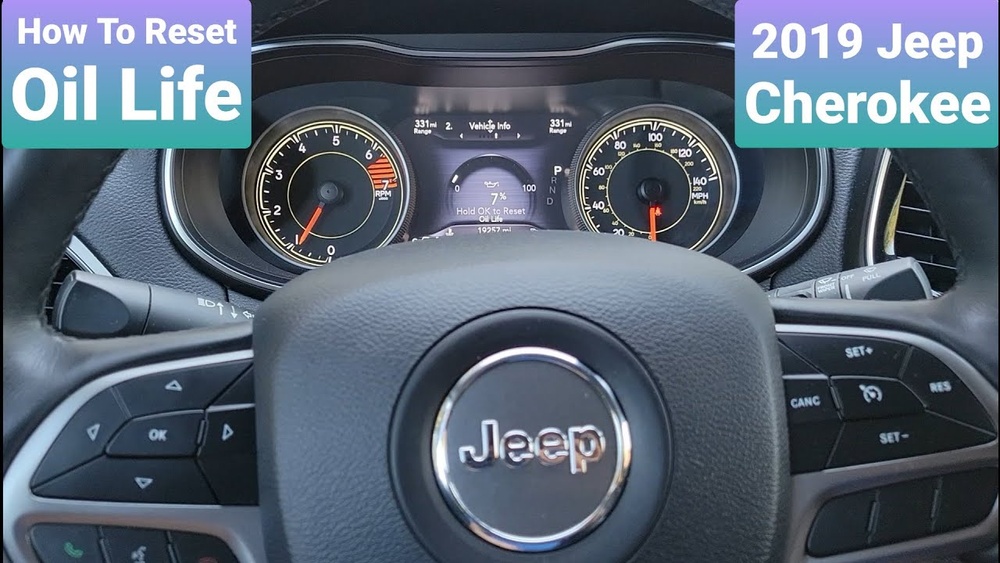
Step-by-step: Resetting Oil Change Reminder (2014–2023 Jeep Cherokee)
Most Jeep Cherokee models from 2014 onwards use a similar reset method. Here’s how to do it:
- Turn the ignition to “ON” but do not start the engine. (For push-button start, press “Start” without pressing the brake.)
- Fully press the gas pedal three times within 10 seconds. Make sure you press all the way down each time.
- Turn the ignition off.
- Start your Jeep. Check if the “Change Oil” message is gone.
If your Cherokee has a touchscreen, you may also find a reset option in the settings menu. Here’s a quick overview:
| Model Year | Reset Method | Extra Features |
|---|---|---|
| 2014–2018 | Gas pedal method | No touchscreen reset |
| 2019–2023 | Gas pedal or touchscreen | Settings menu available |
Tip: Some owners rush and don’t press the gas pedal fully. This is a common mistake that prevents the reset.
Extra Steps For Touchscreen Reset (2019–2023 Models)
If your Cherokee has a Uconnect touchscreen, you can reset through the menu:
- Tap “Settings” on the main screen.
- Choose “Vehicle.”
- Select “Oil Life.”
- Tap “Reset.”
This method is useful if you prefer not to use the gas pedal or if the manual reset doesn’t work.
How To Confirm Your Oil Change Reset Worked
After the reset, check if the dashboard message is gone. If you want to verify oil life percentage:
- Go to your vehicle’s information menu.
- Look for “Oil Life” or “Maintenance.”
- It should show 100% or “Oil Life Restored.”
Here’s a quick comparison of what you’ll see before and after resetting:
| Status | Dashboard Message | Oil Life % |
|---|---|---|
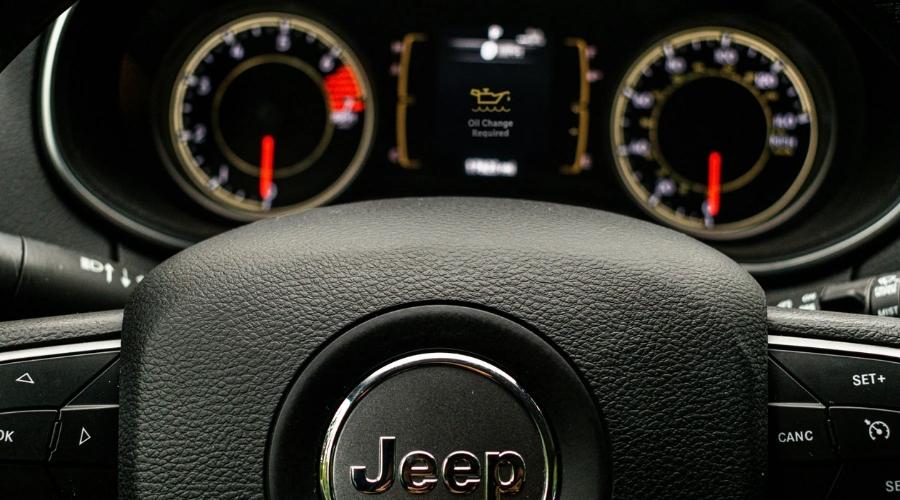
| Before Reset | Change Oil Soon | 0–10% |
| After Reset | No Message | 100% |
If the light stays on, repeat the steps and make sure you follow the timing exactly.
Common Mistakes And Troubleshooting
Some Jeep Cherokee owners struggle to reset the oil light. Here are frequent issues:
- Not pressing the gas pedal fully.
- Doing the steps too slowly or too quickly (timing matters).
- Starting the engine instead of turning just to “ON.”
- Faulty sensors or computer glitches.
If the reset still fails after three tries:
- Disconnect your battery for 10 minutes (this can clear minor errors).
- Check your owner’s manual for model-specific steps.
- Visit a mechanic or dealership if the light won’t go away.
How Often Should You Change Oil And Reset The Light?
Jeep recommends oil changes every 5,000–7,500 miles for most Cherokees, depending on driving conditions. If you drive in dusty areas, tow heavy loads, or use synthetic oil, adjust this interval.
Here’s a quick guide:
| Driving Condition | Recommended Interval |
|---|---|
| Normal (city/highway) | 7,500 miles |
| Heavy (towing/off-road) | 5,000 miles |
| Synthetic oil | 7,500 miles |
Always reset the oil change light after every service, even if you change oil earlier than the computer’s recommendation.
Two Insights Most Beginners Miss
- The oil change light is not connected to oil quality. It only tracks mileage or engine hours. If you change oil before the light comes on, the computer won’t know unless you reset.
- Multiple resets won’t harm your Jeep. Some people worry about “over-resetting.” The system is designed for repeated resets and will not affect engine health or maintenance tracking.
Why Some Dealers Charge Extra For Resets
A few dealerships add a fee for resetting the oil light after a service. This is often unnecessary because the process takes less than a minute. If you know how to do it, you can save money and avoid extra charges.
External Resources
For more details and official guidance, see the Jeep Owner’s Manuals.
Frequently Asked Questions
How Do I Know If My Oil Change Reset Worked?
You should see the oil change light disappear from your dashboard. Also, the “Oil Life” percentage should show 100%.
What If The Oil Change Light Stays On After A Reset?
Try the steps again, making sure you press the gas pedal fully and follow the timing. If it still doesn’t work, check for computer issues or ask a mechanic.
Can I Reset The Oil Change Light Without Changing The Oil?
Yes, but it’s not recommended. The light is a reminder for actual maintenance. Resetting without changing oil can cause engine damage.
Is The Oil Change Reminder The Same For All Jeep Cherokee Models?
The reset method is similar for most 2014–2023 Cherokees. Older models may have slightly different steps. Always check your owner’s manual.
Does Resetting The Oil Change Light Affect My Warranty?
No. Resetting the light is part of regular maintenance and won’t void your warranty. Keeping accurate records helps with warranty claims.
Keeping your Jeep Cherokee’s oil change light reset is simple but vital. It helps you track maintenance, avoids confusion, and keeps your vehicle running smoothly. Whether you use the gas pedal or touchscreen method, following these steps ensures your Jeep stays in top shape.