Connecting Bluetooth in your Jeep can make every drive smoother. Whether you want to enjoy music, answer calls hands-free, or use navigation, pairing your phone with your Jeep’s Bluetooth is a must. Many drivers feel confused by the process, especially if they are not tech-savvy or if English is not their first language.
This guide explains each step clearly, shows common mistakes, and compares Jeep systems so you can connect Bluetooth easily—no matter your model.
Understanding Jeep Bluetooth Systems
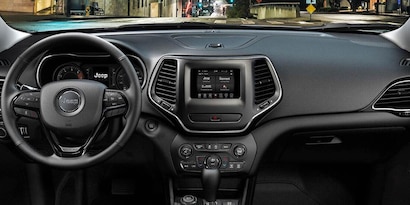
Jeep vehicles come with different Bluetooth systems. Most newer Jeeps use the Uconnect system, which is known for its easy interface. Older models may have basic Bluetooth or no Bluetooth at all.

Here is a quick comparison of Jeep Bluetooth systems:
| System | Year Introduced | Main Features | Compatible Models |
|---|---|---|---|
| Uconnect | 2011 | Touchscreen, media streaming, hands-free calls | Wrangler, Grand Cherokee, Renegade, Compass |
| Basic Bluetooth | 2009 | Hands-free calls only | Older Wrangler, Patriot, Liberty |
| No Bluetooth | Before 2009 | None | Very old Jeep models |
Uconnect is the most common system in Jeeps today. If your Jeep is from 2011 or newer, you probably have Uconnect.
Step-by-step: Connecting Bluetooth In Your Jeep
Pairing your phone to your Jeep’s Bluetooth is simple if you follow these steps. Here is what you need:
- Your smartphone (fully charged)
- Your Jeep (engine running or in accessory mode)
- Bluetooth turned on your phone
- Turn on Bluetooth on your phone. Go to Settings > Bluetooth, and switch it to “On.”
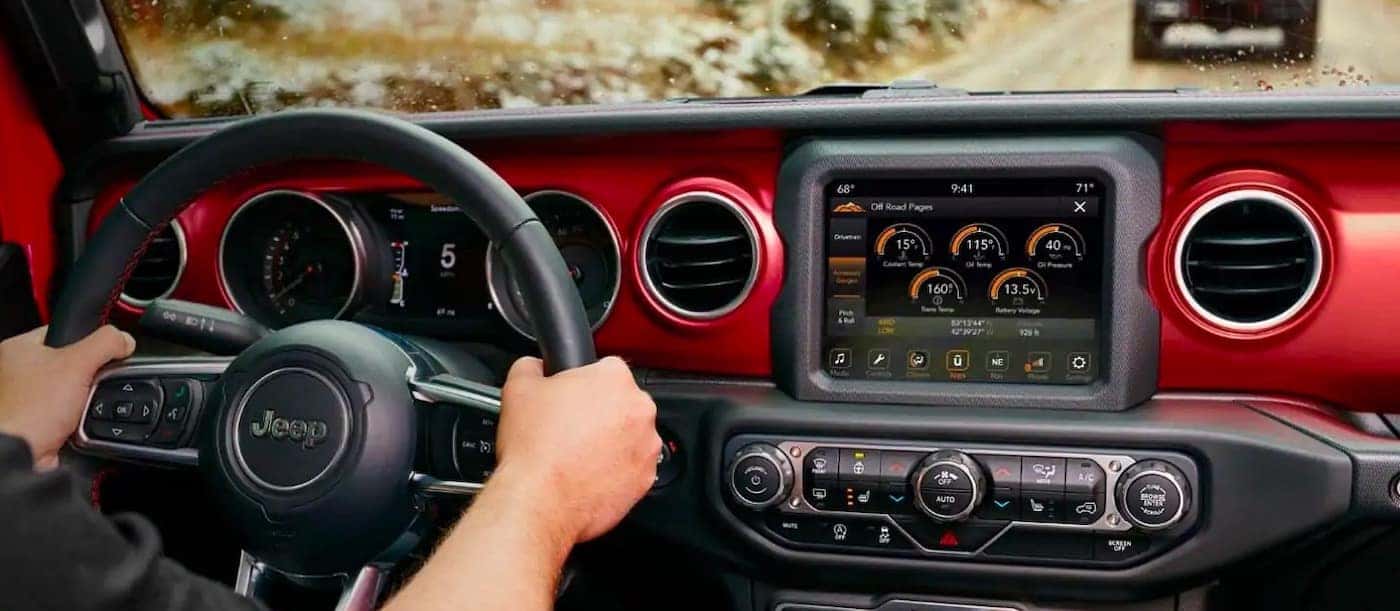
- Start your Jeep and access the Uconnect or Bluetooth menu. Usually, press the “Phone” button on the dashboard or touchscreen.
- Select “Pair a Device” or “Add Device.” The system will search for nearby Bluetooth devices.
- Find your Jeep on your phone’s Bluetooth list. It may appear as “Uconnect” or “Jeep.”
- Enter the PIN code if required. Uconnect usually shows a 4-digit code on the screen. Enter it on your phone to confirm pairing.
- Wait for confirmation. Your Jeep should display a message like “Connected” or “Paired Successfully.”
- Test the connection. Try playing music or making a call to check if everything works.
For older Jeeps, the process is similar, but you may have to use steering wheel buttons instead of a touchscreen.
Troubleshooting Common Bluetooth Problems
Sometimes, Bluetooth doesn’t work as expected. Here are common problems and solutions:
| Problem | Possible Cause | Solution |
|---|---|---|
| Connection fails | Wrong PIN, old software | Check PIN; update Uconnect |
| Music won’t play | Audio source not set | Select “Bluetooth” as audio source |
| Calls drop | Weak signal, interference | Move phone closer, restart system |
| No device found | Bluetooth off, device not discoverable | Turn Bluetooth on, make phone visible |
Many drivers forget to update their Uconnect software. Updating can fix bugs and improve compatibility. You can find updates on the official Jeep website.
Tips For Smooth Bluetooth Connection
Getting Bluetooth to work every time needs more than just steps. Here are practical tips:
- Keep your phone’s software updated. Old versions may cause issues.
- Delete old devices from your Jeep’s Bluetooth list if it’s full. Most systems allow up to 7 devices.
- Restart both devices if pairing fails.
- Avoid pairing while driving. It is safer and more reliable to pair when parked.
- Set your phone as “primary” device if your Jeep allows. This ensures your phone connects automatically.
Many drivers miss the step of setting their phone as the primary device. This makes reconnecting faster and easier.
Bluetooth Features You Might Not Know
Most people use Bluetooth for music and calls. But Jeep Bluetooth can do more:
- Send and receive texts with voice commands (on newer models)
- Use voice assistants like Siri or Google Assistant through Uconnect
- Share contacts and call history for easier hands-free calling
If your Jeep has Uconnect, explore these features. They save time and boost safety.
Comparing Jeep Bluetooth To Other Brands
Jeep’s Bluetooth is reliable, but how does it compare to other brands? Here’s a quick look:
| Brand | Bluetooth System | Max Devices | Voice Commands | Music Streaming |
|---|---|---|---|---|
| Jeep | Uconnect | 7 | Yes | Yes |
| Toyota | Entune | 5 | Yes | Yes |
| Ford | SYNC | 10 | Yes | Yes |
Jeep’s Uconnect stands out for easy pairing and voice controls. Ford’s SYNC allows more devices, but Jeep’s system is simpler for first-time users.
Safety And Privacy: What You Need To Know
When connecting Bluetooth, your phone shares contacts and call history. Always:
- Delete your phone from the Jeep system before selling or servicing.
- Use secure PIN codes for pairing.
- Turn off Bluetooth when not needed to save battery and avoid unwanted connections.
These privacy steps are often ignored, but they protect your personal information.
Frequently Asked Questions
Can I Connect Multiple Phones To My Jeep’s Bluetooth?
Yes, most Jeeps allow up to 7 devices. However, only one phone can be active for calls or music at a time. You can switch devices in the Uconnect menu.
What If My Jeep Does Not Have Bluetooth?
If your Jeep is older and lacks Bluetooth, you can use a Bluetooth adapter. These plug into the AUX port or cigarette lighter and allow wireless connection. Quality varies—look for trusted brands.
How Do I Update My Uconnect Software?
Visit the official Jeep website or your dealership. Download the update onto a USB drive, insert it into your Jeep’s port, and follow on-screen instructions. Updates improve Bluetooth compatibility and fix bugs. For more, see Jeep Uconnect Official Site.
Why Does My Phone Disconnect From Jeep Bluetooth?
Common reasons include low battery, interference from other devices, or outdated software. Try restarting your phone and Jeep system, and update both to the latest versions.
Yes, you can use Bluetooth to stream navigation audio from your phone to your Jeep speakers. If your Jeep has Uconnect, you may also use built-in navigation with voice directions.
Connecting Bluetooth in your Jeep is simple once you know the steps. With clear instructions and practical tips, you can pair your phone quickly, enjoy safer driving, and unlock more features. Don’t forget to keep your software updated and protect your privacy.
If you run into problems, use this guide to troubleshoot. Enjoy your drive—now with your favorite music and hands-free calls.