Starting your Jeep remotely with a smartphone app is becoming popular and convenient. Many Jeep owners now use apps to unlock, start, and even monitor their vehicles from anywhere. If you’re interested in this feature, you’ll find that it’s simple but requires careful setup.
This guide explains everything you need to know, including common mistakes and practical advice to help you start your Jeep with an app confidently.
Understanding Jeep App-based Remote Start
Jeep vehicles use the Uconnect app for remote functions. The app connects to your Jeep’s system, letting you start the engine, unlock doors, and check vehicle status. This feature works on most modern Jeep models such as Wrangler, Cherokee, and Grand Cherokee (2018 or newer).
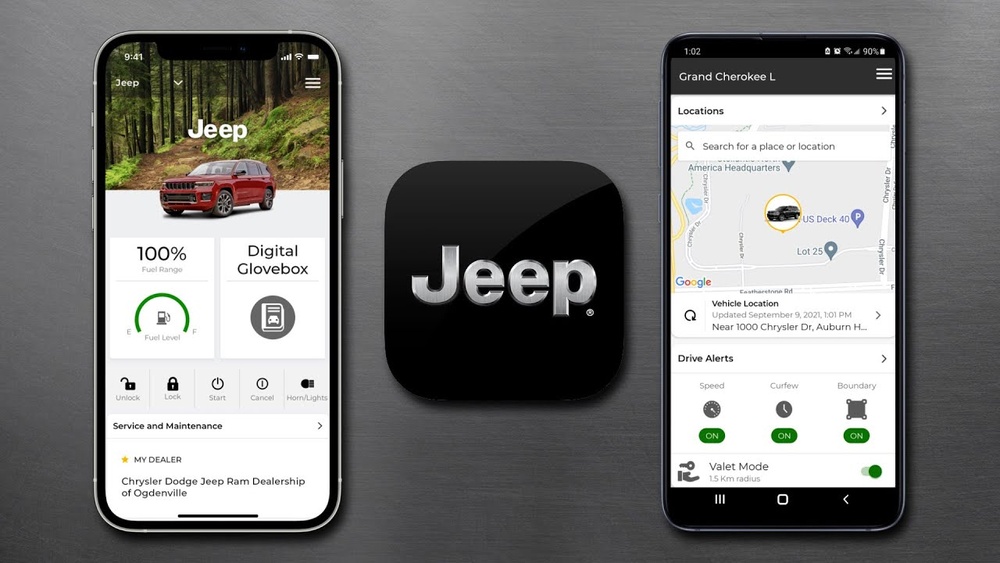
To use remote start, your Jeep must have the Uconnect system and a compatible subscription. The app uses your phone’s internet connection, not Bluetooth, so you can control your Jeep from anywhere with a signal.
Here’s a quick overview comparing traditional remote start vs. app-based remote start:
| Feature | Traditional Remote | Uconnect App |
|---|---|---|
| Distance Limit | Short (usually 300 ft) | Unlimited (internet-based) |
| Security | Physical key required | PIN/password protected |
| Extra Functions | Start, lock, unlock | Start, lock, unlock, locate, check status |
Setting Up The Uconnect App
Before you can start your Jeep with the app, setup is essential. Skipping steps or missing details is a common mistake.
- Check compatibility: Your Jeep must have the Uconnect system with remote start capability. Not all models support this.
- Create a Uconnect account: Download the Uconnect app from the App Store or Google Play. Register with your email and create a secure password.
- Link your vehicle: Enter your Jeep’s VIN (vehicle identification number) in the app. This links the app to your specific vehicle.
- Activate subscription: Some features, like remote start, require a subscription. Jeep offers packages like Uconnect Access or SiriusXM Guardian.
- Verify connection: The app will prompt you to confirm vehicle ownership. Sometimes you must input a code sent to your email or phone.
Failing to activate the subscription is a common oversight. Many users download the app but don’t realize remote start won’t work without this step.
Here’s a table showing which Jeep models and years support Uconnect remote start:
| Model | Year Range | Remote Start Support |
|---|---|---|
| Wrangler | 2018–present | Yes |
| Cherokee | 2019–present | Yes |
| Grand Cherokee | 2018–present | Yes |
| Compass | 2020–present | Yes |
| Renegade | 2021–present | Yes |
How To Start Your Jeep Using The App
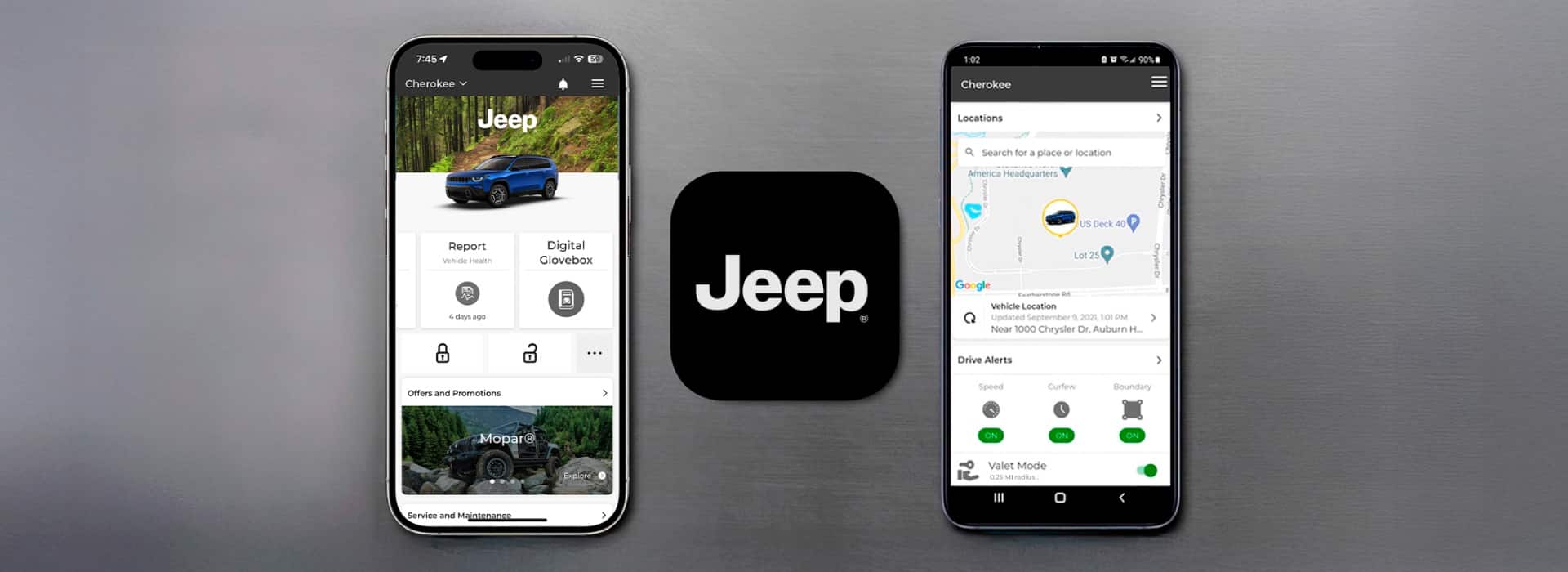
After setup, starting your Jeep with the app is quick. Here’s a step-by-step process:
- Open the Uconnect app on your phone.
- Log in with your account details.
- Select your vehicle from the dashboard (if you have more than one).
- Tap ‘Remote Start’. You may need to enter your PIN or password for security.
- Wait for confirmation. The app shows a message when your Jeep starts. Engine will run for a preset time (usually 10–15 minutes).
If you don’t receive confirmation, check your internet connection or app updates. Sometimes, a weak signal or outdated app causes issues.
Practical Tips For Smooth Operation
- Always keep your phone charged. The app won’t work if your battery is dead.
- Set a strong password for your Uconnect account. Protects against unauthorized access.
- Update the app regularly. New versions fix bugs and improve performance.
- If your Jeep doesn’t start, check for error messages. Sometimes, the vehicle must be in park and doors closed.
- Don’t rely on app during emergencies. Carry your physical keys as backup.
Security And Privacy Concerns
Remote starting by app is secure, but there are risks. The Uconnect app uses encryption and requires a PIN or password. Still, weak passwords or sharing your phone can expose your Jeep to theft.
Here’s a comparison of app security vs. traditional methods:
| Security Feature | Traditional Remote | Uconnect App |
|---|---|---|
| Physical Access Needed | Yes | No |
| Password/PIN | No | Yes |
| Encryption | No | Yes |
| Audit Logs | No | Yes |
Never share your Uconnect login details. If you lose your phone, change your password quickly. Also, enable two-factor authentication if possible.
Common Mistakes And How To Avoid Them
Many first-time users make simple mistakes:
- Forgetting subscription activation: The app won’t work until you activate the service.
- Wrong VIN entry: Double-check your vehicle number for accuracy.
- Poor internet connection: Remote start needs a stable network; Wi-Fi or LTE works best.
- Outdated app: Always update the app before use.
- Leaving vehicle in gear: Remote start only works if Jeep is in park.
If you encounter problems, visit your dealership or check the official Jeep support page for help.
Frequently Asked Questions
How Much Does Uconnect Remote Start Cost?
Uconnect remote start is part of a subscription. Prices vary, but typically range from $15 to $25 per month depending on package and location.
Can I Start My Jeep From Another City?
Yes, as long as your phone has an internet connection and your Jeep is parked with remote start enabled.
Is It Safe To Use The App For Remote Start?
It’s safe if you use strong passwords and don’t share your login. The app uses encryption and security protocols.
What Happens If My Phone Is Lost Or Stolen?
Change your Uconnect password immediately. You can also contact Jeep support to disable app access temporarily.
Can I Use Uconnect App On More Than One Phone?
Yes, you can install the app on multiple devices, but each must log in with your account credentials.
Using your smartphone to start your Jeep is convenient and secure if you follow the right steps. With the Uconnect app, you can enjoy features like remote start, vehicle tracking, and more, all from your phone. Always double-check your setup and stay alert to security. For detailed information, visit the official Jeep Uconnect page. Remote start with an app is a modern solution that can make your Jeep experience easier and safer.