Connecting your phone to a Jeep Renegade unlocks a world of convenience. You can stream music, make hands-free calls, and use navigation apps with ease. Many owners don’t realize that the process is simple, but missing a step can lead to frustration. This guide helps you connect your phone smoothly, avoid common mistakes, and enjoy all the features your Jeep Renegade offers.
Understanding Your Jeep Renegade’s Connectivity Options
The Jeep Renegade comes with Uconnect—the brand’s infotainment system. Depending on your model year, Uconnect supports Bluetooth, USB, and sometimes Apple CarPlay or Android Auto. Knowing which features your Renegade has is the first step.
| Model Year | Bluetooth | USB | Apple CarPlay | Android Auto |
|---|---|---|---|---|
| 2015-2016 | Yes | Yes | No | No |
| 2017-2018 | Yes | Yes | Optional | Optional |
| 2019+ | Yes | Yes | Yes | Yes |
Tip: Check your owner’s manual or the Uconnect website to confirm your features.
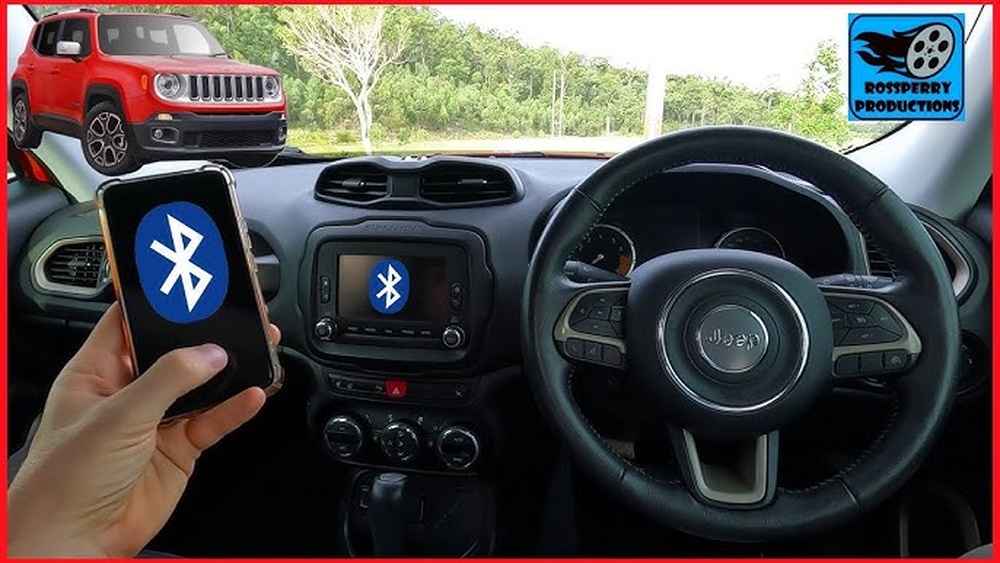
How To Connect Your Phone Via Bluetooth
Bluetooth pairing lets you make calls, play music, and access contacts. Here’s how to connect:
- Enable Bluetooth on your phone. Go to Settings > Bluetooth and turn it on.
- Start your Jeep Renegade and press the Phone or Media button on the Uconnect screen.
- Select “Pair a Device”. Uconnect will show a list of available devices.
- On your phone, search for the Jeep Renegade or Uconnect in Bluetooth settings.
- Select your vehicle from the list. Confirm the pairing code matches on both screens.
- Tap “Pair” on your phone and “Yes” on Uconnect.
- Allow access to contacts and media if prompted.
Once paired, your phone should connect automatically every time you start your Renegade.
Common Bluetooth Connection Issues
- Device not found: Restart both your phone and Uconnect. Make sure Bluetooth is visible.
- Audio not playing: Check media settings. Some apps require special permissions.
- Disconnected calls: Move your phone closer to the Uconnect system. Interference from other devices can cause drops.
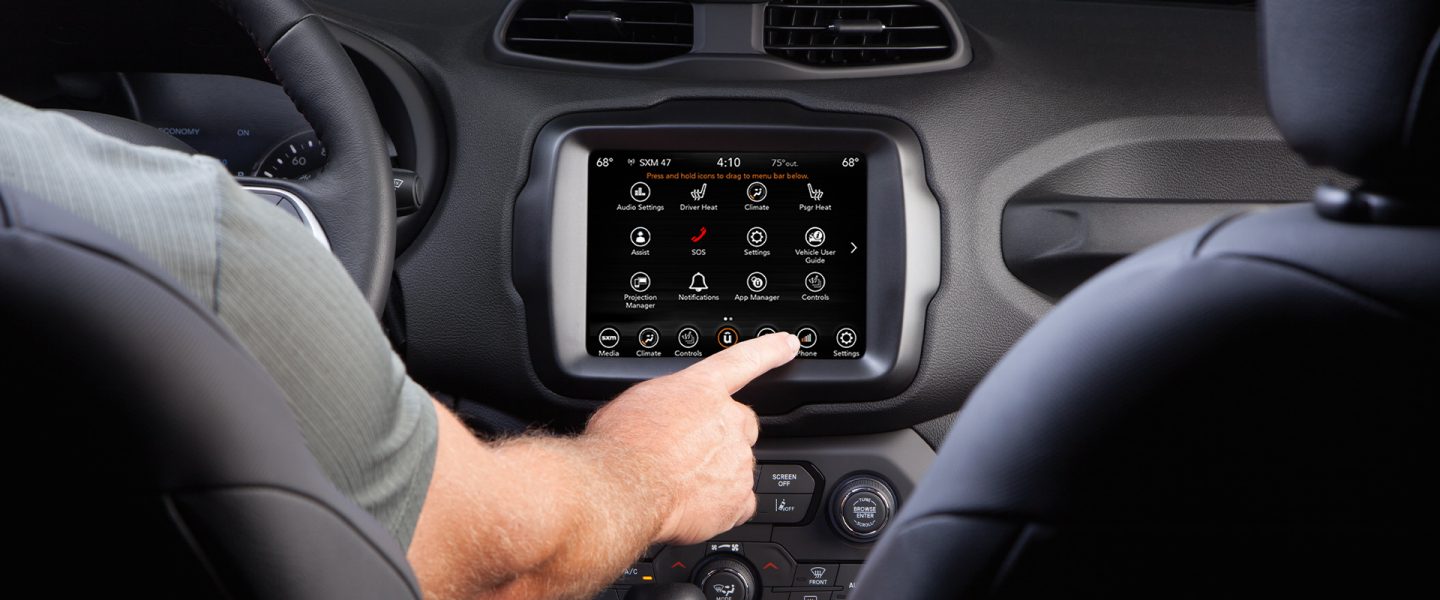
Connecting Via Usb For Apple Carplay And Android Auto
If your Jeep Renegade supports Apple CarPlay or Android Auto, connecting via USB gives you access to more apps and voice controls.
- Plug your phone into the Renegade’s USB port using the original cable.
- A prompt appears on the Uconnect screen asking to enable CarPlay or Android Auto.
- Accept the prompt on your phone and the Uconnect screen.
- The CarPlay or Android Auto interface will launch, showing compatible apps.
Note: Some aftermarket cables can cause issues. Use the cable that came with your phone.
| Connection Method | Features Enabled | Compatibility |
|---|---|---|
| Bluetooth | Calls, Music, Contacts | All phones |
| USB | CarPlay/Android Auto, Navigation, Messaging | iOS 9+/Android 5+ |
Step-by-step: Setting Up Apple Carplay
For iPhone users, Apple CarPlay is the most seamless way to connect.
- Use a Lightning cable to connect your iPhone.
- Unlock your phone and allow CarPlay access.
- CarPlay appears on your Uconnect screen. Tap icons to open apps.
- Use Siri for voice commands. Press the voice button on your steering wheel.
Insight: CarPlay works only when your phone is unlocked the first time. Locking your phone before connecting can prevent CarPlay from starting.

Step-by-step: Setting Up Android Auto
Android users can use Android Auto for navigation and messaging.
- Install the Android Auto app if your phone doesn’t have it.
- Plug your phone into the USB port.
- Follow prompts on your phone and Uconnect screen.
- Use Google Assistant for hands-free commands.
Practical tip: Android Auto may not work if your phone’s battery is low. Charge your device before connecting.
Connecting Multiple Phones
You can pair more than one phone with your Jeep Renegade. However, only one device can be active at a time.
| Paired Devices | Active Device | Switching Process |
|---|---|---|
| Up to 8 | 1 | Manual selection in Uconnect |
To switch between phones:
- Go to Uconnect Bluetooth settings.
- Choose the device you want to activate.
- Confirm selection.
Non-obvious insight: If you pair both work and personal phones, set your preferred device as “primary” to avoid confusion when calls come in.
Troubleshooting And Tips
Many users face issues like pairing failures or dropped connections. Here are solutions:
- Update Uconnect software: Older systems may need updates. Visit a Jeep dealer if your system is outdated.
- Clear old devices: Remove unused paired devices from Uconnect to reduce confusion.
- Restart both devices: Sometimes, a simple reboot solves connection issues.
- Check privacy settings: IOS and Android updates sometimes block contacts or messages from syncing.
Expert tip: If you’re struggling, reset Uconnect’s Bluetooth or USB settings. This often fixes stubborn issues.
Frequently Asked Questions
How Do I Know If My Jeep Renegade Supports Apple Carplay Or Android Auto?
Check the model year and Uconnect version. Most Renegades from 2019 onward include these features. For earlier models, visit your dealer or see Jeep’s official Uconnect site.
Can I Connect My Phone Wirelessly For Carplay Or Android Auto?
Most Jeep Renegades only support wired CarPlay and Android Auto. Bluetooth is for calls and music, but advanced wireless connection is rare in older models.
What Should I Do If My Phone Won’t Pair With Uconnect?
Restart both your phone and Uconnect. Delete old pairings. Make sure your phone is visible and try again. If problems persist, update your phone’s software.
Is It Safe To Use My Phone While Driving?
Using Uconnect’s hands-free features is much safer than holding your phone. Always focus on the road and use voice commands when possible.
Can I Pair More Than One Phone?
Yes, you can pair up to eight devices, but only one can be active at a time. Switch active devices in the Uconnect settings when needed.
Connecting your phone to your Jeep Renegade is simple when you follow these steps. Take a few minutes to set up your device properly, and you’ll enjoy safer driving, better music, and easy access to navigation. With the right approach, your Renegade’s technology makes every drive smoother and more enjoyable.