Keeping your 2015 Jeep Grand Cherokee navigation system updated is essential for safe and efficient driving. Outdated maps can lead to missed turns, longer routes, or even driving to the wrong location. Many owners don’t realize how much a navigation update can improve their daily commute, especially with new roads and changing traffic patterns. This guide will walk you through the update process, explain the benefits, and help you avoid common mistakes.
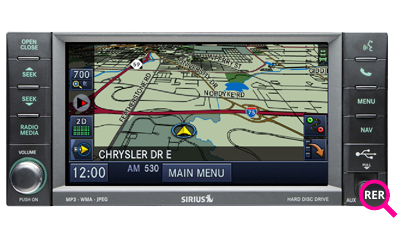
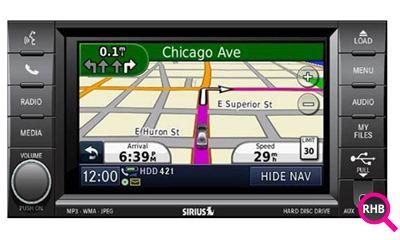
The 2015 Jeep Grand Cherokee uses the Uconnect navigation system. It relies on preloaded maps and software stored in the vehicle’s head unit. Updates are not automatic; you need to install them manually. Updated maps provide the latest road information, points of interest, and improved routing algorithms.
Most owners find that their navigation system starts missing new locations after a few years. According to a 2023 survey by AAA, nearly 40% of drivers with built-in navigation reported wrong directions due to outdated maps. Keeping your system current ensures you get the best performance.
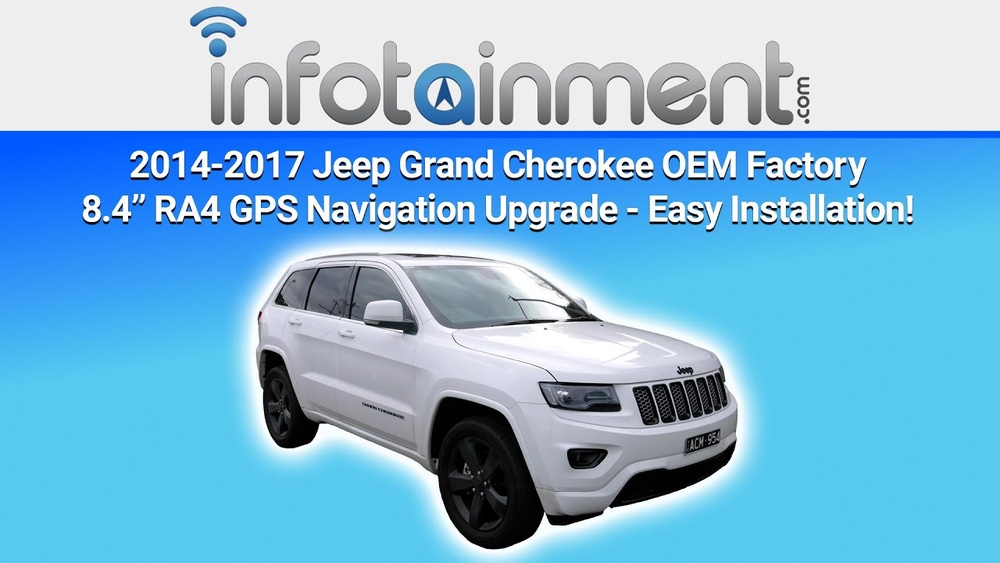
- Accuracy: New roads, changed intersections, and construction zones are added regularly.
- Safety: Updated maps help avoid dangerous detours or dead ends.
- Efficiency: Improved routing saves time and fuel.
- Features: New points of interest like restaurants, gas stations, and hotels are included.
- Resale Value: A vehicle with an updated navigation system is more attractive to buyers.
Many drivers underestimate the importance of these features. For example, Uconnect updates also fix minor software bugs and improve screen responsiveness.
Preparing For The Update
Before updating, gather the following:
- VIN (Vehicle Identification Number): Usually found on your dashboard or registration papers.
- Uconnect system version: Check on your screen under settings.
- USB drive (8GB minimum): For transferring update files.
- Stable internet connection: To download update files.
You can find the latest updates on the official Uconnect website. Some dealerships offer updates for a fee, but doing it yourself is usually cheaper and faster.
Step-by-step Update Process
1. Find Your System Version
On your Uconnect screen:
- Go to Settings
- Select System Information
- Note down the software version
This helps ensure you download the correct update.
2. Register On Uconnect Website
Visit the official Uconnect update page. Enter your VIN to check available updates. If your software is already current, the site will notify you.
3. Download The Update
- Follow instructions to download the map and software files.
- Use your USB drive to save the files. Make sure it is formatted to FAT32.
4. Install The Update In Your Vehicle
- Start your Jeep and keep it running during the update.
- Insert the USB drive into the designated port (usually in the center console).
- The Uconnect system will prompt you to begin the update.
- Follow on-screen instructions.
Installation takes about 30-60 minutes. Do not turn off the vehicle or remove the USB drive during this time. The system will reboot and show a completion message once finished.
5. Verify The Update
After installation, check your maps and settings. Look for new points of interest or improved routing. If you notice any issues, restart the system or repeat the update.
Common Mistakes And How To Avoid Them
- Using the wrong USB format: Always use FAT32. NTFS or exFAT may cause errors.
- Interrupting the update: Don’t turn off the engine or remove the USB drive until the update is complete.
- Wrong files: Download only from official sources to avoid corrupt or incompatible files.
- Skipping VIN check: Updates are VIN-specific; incorrect VIN can lead to installation failure.
Many owners forget to check their current software version, leading to unnecessary downloads. Always verify your version first.
Comparison Of Update Methods
Here’s a quick look at the two main ways to update your 2015 Jeep Grand Cherokee navigation:
| Method | Cost | Time | Ease | Reliability |
|---|---|---|---|---|
| DIY (USB) | Free/Low | 30-60 min | Moderate | High |
| Dealership | $100–$200 | 1–2 hrs | Easy | High |
Most owners prefer the DIY method for cost savings. Dealership updates include labor fees but offer peace of mind.
According to industry data, most map providers recommend updates every 12–18 months. Here’s how outdated maps can impact driving:
| Years Since Last Update | % Missed Routes | % Inaccurate POIs |
|---|---|---|
| 1 | 5% | 3% |
| 2 | 15% | 10% |
| 3+ | 35% | 20% |
Updating once a year minimizes errors and improves your driving experience.
Practical Tips For A Smooth Update
- Charge your USB drive before use.
- Perform the update in a safe location, like your driveway.
- Keep your vehicle running to prevent battery drain.
- Backup your settings in case they reset during the process.
- If unsure, watch a video tutorial on the Uconnect website.
Many drivers think updates are complicated, but following clear steps makes it simple. If your system fails to update, try a different USB drive or contact Jeep support.

Frequently Asked Questions
Map providers recommend updating every 12–18 months. Frequent updates ensure accuracy and safety.
Can I Use Any Usb Drive For The Update?
No. Use a USB drive with at least 8GB capacity, formatted to FAT32. Other formats may not work.
What Happens If The Update Fails?
If the update fails, restart your vehicle and try again. Use a different USB drive if needed. Persistent issues may require dealership support.
Is It Possible To Revert To The Previous Version?
No. Once updated, you can’t revert. Always backup your settings before starting.
Where Can I Find Official Update Files?
Visit the Uconnect Software Update site for official files. Avoid third-party sources to prevent errors.
Updating your 2015 Jeep Grand Cherokee navigation is a straightforward process that brings real benefits. With accurate maps and improved routing, you drive smarter and safer. Take the time to update regularly, and enjoy the confidence of knowing your navigation system is ready for any journey.